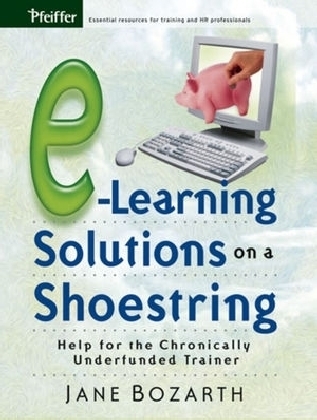
E-Learning Solutions on a Shoestring
Pfeiffer (Verlag)
978-0-7879-7712-2 (ISBN)
- Titel ist leider vergriffen;
keine Neuauflage - Artikel merken
Is e-learning at your organization chronically underfunded? Discover how you can create workplace solutions with minimal budget in e-Learning Solutions on a Shoestring. Author Jane Bozarth, recognized as e-Learning Centre's October 2005 Pick of the Month, provides the nuts-and-bolts information you need to incorporate e-learning solutions at minimal cost. She offers myriad strategies for building from-scratch programs, recycling, reusing, and repurposing resources; negotiating reasonable expenses for "store bought" e-learning products; and incorporating real-world ideas for assembling tools, techniques, and strategies into workplace solutions.
Jane Bozarth is the e-learning coordinator for the North Carolina Office of State Personnel's Human Resource Development Group and has been a training practitioner since 1989. She is a columnist for Training Magazine and has written for numerous publications including Creative Training Techniques Newsletter and the Journal of Educational Technology and Society.
List of Tables and Figures. Acknowledgments.
Introduction: Getting the Most from This Resource.
Chapter 1: e-Learning: Some Basics.
What Is e-Learning?
Why Use e-Learning?
Moving from Classroom to Online.
Some New Ways of Thinking.
Avoiding Costly Mistakes.
Using e-Learning: Buy Off-the-Shelf or Build It Yourself?
Summary.
PART ONE: DOING IT YOURSELF.
Chapter 2: Getting Started with Doing It Yourself.
Take Inventory: You Probably Have More Than You Think.
What Else Should You Have?
User Considerations.
Want versus Need: What Will Meet Your Objectives?
Summary.
Chapter 3: Building Simple Pages and Programs.
Using What You Already Have: MS Office Products and MS Paint.
Time to Move Up? More Advanced Design Tools.
Summary.
Chapter 4: Enhancing Basic Programs.
Free Clip Art and Other Media.
Free Design Templates.
Free Interactivity Tools.
Free Microsoft Downloads.
Macromedia Coursebuilder.
Design Tips and Tricks.
Summary.
Chapter 5: Creating Inexpensive Quizzes, Games, Searches, Puzzles, and Simulations.
Quizzes.
Games.
Searches: Treasure Hunts and Web Quests.
Puzzles.
Simulations.
Summary.
Chapter 6: Creating Low-Cost Collaboration.
Synchronous or Asynchronous Collaboration?
Synchronous Tools.
Asynchronous Tools.
Creating Collaborative Activities.
Summary.
Chapter 7: Creating Performance Support Tools on a Shoestring.
When to Use Performance Support Tools.
Which Tool to Use.
Performance Support Tools: Some Examples.
Summary.
Chapter 8: Leveraging Resources.
Sharing.
Networking.
Bartering.
Inexpensive—and Possibly Free—Help.
Repurposing and Reusing.
Summary.
PART TWO: BUYING YOUR SOLUTIONS.
Chapter 9: Paying Someone Else to Build for You.
What Are You Buying?
How Much Does It Cost?
What Affects Costs?
How to Save on Costs.
Beware of Hidden Costs.
Doing Business: The Bid and Request for Proposal Process.
Choosing a Vendor for Developing Custom Content.
Summary.
Chapter 10: Buying Off-the-Shelf Courses.
Déjà Vu: Buy or Build?
Know Your Criteria.
Customizing OTS Products by Adding On, Not Renovating.
Tips for Working with Vendors of OTS Products.
The Portal Alternative.
Summary.
PART THREE: PUTTING IT ALL TOGETHER.
Chapter 11: Hosting Your Programs and Tracking Learner Data.
Hosting.
Tracking Learner Data.
Moving Up: Do You Need a Learning Management System?
Tracking: A Recap.
Summary.
Chapter 12: Application.
Mixing It Up: Matching Approaches to Learners and Learning Styles.
Cases: The Buy-or-Build Decision.
Cases: Assembling Tools and Approaches to Create e-Learning Programs.
Summary.
References and Other Sources.
Additional Resources.
Index.
About the Author.
| Erscheint lt. Verlag | 16.9.2005 |
|---|---|
| Sprache | englisch |
| Maße | 180 x 235 mm |
| Gewicht | 458 g |
| Einbandart | Paperback |
| Themenwelt | Sozialwissenschaften ► Pädagogik ► Berufspädagogik |
| Wirtschaft ► Betriebswirtschaft / Management ► Personalwesen | |
| ISBN-10 | 0-7879-7712-8 / 0787977128 |
| ISBN-13 | 978-0-7879-7712-2 / 9780787977122 |
| Zustand | Neuware |
| Informationen gemäß Produktsicherheitsverordnung (GPSR) | |
| Haben Sie eine Frage zum Produkt? |
aus dem Bereich