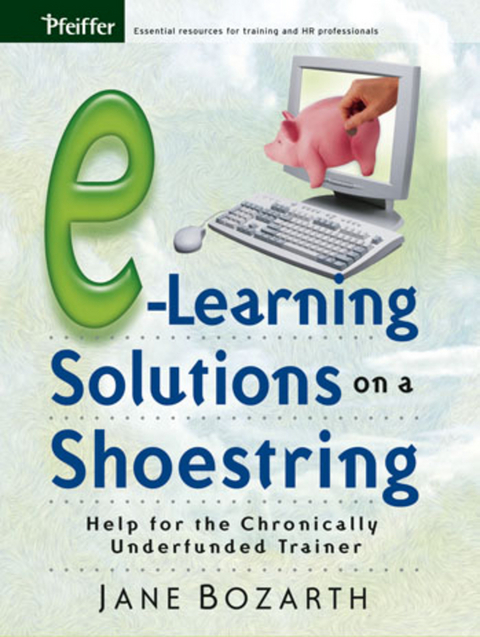
E-Learning Solutions on a Shoestring (eBook)
240 Seiten
John Wiley & Sons (Verlag)
978-0-7879-8140-2 (ISBN)
Jane Bozarth is the e-learning coordinator for the North Carolina Office of State Personnel's Human Resource Development Group and has been a training practitioner since 1989. She is a columnist for Training Magazine and has written for numerous publications including Creative Training Techniques Newsletter and the Journal of Educational Technology and Society.
List of Tables and Figures.
Acknowledgments.
Introduction: Getting the Most from This Resource.
Chapter 1: e-Learning: Some Basics.
What Is e-Learning?
Why Use e-Learning?
Moving from Classroom to Online.
Some New Ways of Thinking.
Avoiding Costly Mistakes.
Using e-Learning: Buy Off-the-Shelf or Build It Yourself?
Summary.
PART ONE: DOING IT YOURSELF.
Chapter 2: Getting Started with Doing It Yourself.
Take Inventory: You Probably Have More Than You Think.
What Else Should You Have?
User Considerations.
Want versus Need: What Will Meet Your Objectives?
Summary.
Chapter 3: Building Simple Pages and Programs.
Using What You Already Have: MS Office Products and MS
Paint.
Time to Move Up? More Advanced Design Tools.
Summary.
Chapter 4: Enhancing Basic Programs.
Free Clip Art and Other Media.
Free Design Templates.
Free Interactivity Tools.
Free Microsoft Downloads.
Macromedia Coursebuilder.
Design Tips and Tricks.
Summary.
Chapter 5: Creating Inexpensive Quizzes, Games, Searches,
Puzzles, and Simulations.
Quizzes.
Games.
Searches: Treasure Hunts and Web Quests.
Puzzles.
Simulations.
Summary.
Chapter 6: Creating Low-Cost Collaboration.
Synchronous or Asynchronous Collaboration?
Synchronous Tools.
Asynchronous Tools.
Creating Collaborative Activities.
Summary.
Chapter 7: Creating Performance Support Tools on a
Shoestring.
When to Use Performance Support Tools.
Which Tool to Use.
Performance Support Tools: Some Examples.
Summary.
Chapter 8: Leveraging Resources.
Sharing.
Networking.
Bartering.
Inexpensive--and Possibly Free--Help.
Repurposing and Reusing.
Summary.
PART TWO: BUYING YOUR SOLUTIONS.
Chapter 9: Paying Someone Else to Build for You.
What Are You Buying?
How Much Does It Cost?
What Affects Costs?
How to Save on Costs.
Beware of Hidden Costs.
Doing Business: The Bid and Request for Proposal Process.
Choosing a Vendor for Developing Custom Content.
Summary.
Chapter 10: Buying Off-the-Shelf Courses.
Déjà Vu: Buy or Build?
Know Your Criteria.
Customizing OTS Products by Adding On, Not Renovating.
Tips for Working with Vendors of OTS Products.
The Portal Alternative.
Summary.
PART THREE: PUTTING IT ALL TOGETHER.
Chapter 11: Hosting Your Programs and Tracking Learner
Data.
Hosting.
Tracking Learner Data.
Moving Up: Do You Need a Learning Management System?
Tracking: A Recap.
Summary.
Chapter 12: Application.
Mixing It Up: Matching Approaches to Learners and Learning
Styles.
Cases: The Buy-or-Build Decision.
Cases: Assembling Tools and Approaches to Create e-Learning
Programs.
Summary.
References and Other Sources.
Additional Resources.
Index.
About the Author.
"Effective training is key to preparing our workforce for the
demands and challenges of the global economy. This book highlights
the fact that, even on a limited budget, there are many tools
available online that will increase efficiency and improve
productivity in businesses, government agencies, and other
organizations."
-- Michael F. Easley, governor, State of North Carolina
"I adore bargains and this book points the way to online
learning bargains that help folks learn! Others would have you
think you need expensive vendors and infrastructure from the
get-go, but Jane Bozarth shows you how to get started on a
shoestring."
-- Patti Shank, managing partner, Learning Peaks, and coauthor,
Making Sense of Online Learning
"Jane Bozarth finally provides us a guide to understanding what
e-learning technologies can do for us¾without breaking the
bank. The realization that you can do e-learning for pennies per
participant shows us what we should have always known: the focus
isn't the technology, it's the learning."
-- Jennifer Hofmann, founder, InSync Training, and author, Live
and Online!
"e-Learning Solutions on a Shoestring should be required
reading for any organization considering an e-learning program.
Jane Bozarth has done much of the groundwork for us by reviewing
and prioritizing resources and filling her book full of ways to
save money--a tremendously practical and useful guide."
-- Colleen O'Connor Grochowski, assistant dean for curriculum
development, Duke University School of Medicine
"Jane Bozarth's straight-shooting, can-do style gives hope
and encouragement to those left out in the cold by high development
costs. Proving that quality e-learning solutions are within reach,
e-Learning on a Shoestring is the real deal for
organizations trying to work with few or no resources."
-- Nancy Gustafson, manager, organization effectiveness, First
Citizens Bank, Raleigh, North Carolina
"If you are starting to develop a plan for the e-learning
future, I can't think of a better place to begin than with
this book. It provides the nuts-and-bolts tools that could change
any training organization dramatically and for the better."
-- Kyle Hoffman, senior project manager, Institute for Human
Services
| Erscheint lt. Verlag | 19.8.2005 |
|---|---|
| Sprache | englisch |
| Themenwelt | Sozialwissenschaften ► Pädagogik ► Berufspädagogik |
| Wirtschaft ► Betriebswirtschaft / Management ► Personalwesen | |
| Schlagworte | Business & Management • E-Learning • Training & Development • Training u. Personalentwicklung • Wirtschaft u. Management |
| ISBN-10 | 0-7879-8140-0 / 0787981400 |
| ISBN-13 | 978-0-7879-8140-2 / 9780787981402 |
| Informationen gemäß Produktsicherheitsverordnung (GPSR) | |
| Haben Sie eine Frage zum Produkt? |
 PDF (Adobe DRM)
Kopierschutz: Adobe-DRM
Adobe-DRM ist ein Kopierschutz, der das eBook vor Mißbrauch schützen soll. Dabei wird das eBook bereits beim Download auf Ihre persönliche Adobe-ID autorisiert. Lesen können Sie das eBook dann nur auf den Geräten, welche ebenfalls auf Ihre Adobe-ID registriert sind.
Details zum Adobe-DRM
Dateiformat: PDF (Portable Document Format)
Mit einem festen Seitenlayout eignet sich die PDF besonders für Fachbücher mit Spalten, Tabellen und Abbildungen. Eine PDF kann auf fast allen Geräten angezeigt werden, ist aber für kleine Displays (Smartphone, eReader) nur eingeschränkt geeignet.
Systemvoraussetzungen:
PC/Mac: Mit einem PC oder Mac können Sie dieses eBook lesen. Sie benötigen eine
eReader: Dieses eBook kann mit (fast) allen eBook-Readern gelesen werden. Mit dem amazon-Kindle ist es aber nicht kompatibel.
Smartphone/Tablet: Egal ob Apple oder Android, dieses eBook können Sie lesen. Sie benötigen eine
Geräteliste und zusätzliche Hinweise
Buying eBooks from abroad
For tax law reasons we can sell eBooks just within Germany and Switzerland. Regrettably we cannot fulfill eBook-orders from other countries.
aus dem Bereich