Ultimate Roblox Game Building Cookbook (eBook)
218 Seiten
Packt Publishing (Verlag)
978-1-80512-598-3 (ISBN)
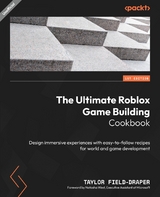
Roblox is a massively popular online gaming platform, but it can be challenging to maneuver for beginners who don't know where to start, as well as seasoned developers who tend to struggle with limited scripting tools that make transitioning from other platforms such as Unity more difficult.
The Ultimate Roblox Game Building Cookbook is an invaluable asset for any Roblox developer looking to take their skills to the next level. With a wide range of recipes, this Roblox book covers everything from the basics of game development on the platform to advanced techniques for creating immersive experiences.
As you progress through the chapters, you'll gain a deep understanding of the proper workflow and building methods that will enable you to create extraordinary virtual worlds. You'll gain insights into creating complex game mechanics, such as multiplayer games, working with textures, and special effects in games. This cookbook will also provide you with tips from top Roblox developers, as well as valuable guidance on how to monetize your games and stay up to date with the latest trends in the Roblox development community.
By the end of this book, you'll have gained a comprehensive understanding of Roblox game development and design.
Elevate your Roblox game development skills and learn advanced techniques for creating maps, props, VFX, lighting, and more with this illustrated guideKey FeaturesLearn Roblox Studio tools and create your own immersive games with a rich array of recipesLeverage advanced techniques for game development and implement complex game mechanicsExplore tools for staying up to date with the latest trends and monetizing your gaming experiencePurchase of the print or Kindle book includes a free PDF eBookBook DescriptionRoblox is a massively popular online gaming platform, but it can be challenging to maneuver for beginners who don't know where to start, as well as seasoned developers who tend to struggle with limited scripting tools that make transitioning from other platforms such as Unity more difficult. The Ultimate Roblox Game Building Cookbook is an invaluable asset for any Roblox developer looking to take their skills to the next level. With a wide range of recipes, this Roblox book covers everything from the basics of game development on the platform to advanced techniques for creating immersive experiences. As you progress through the chapters, you'll gain a deep understanding of the proper workflow and building methods that will enable you to create extraordinary virtual worlds. You'll gain insights into creating complex game mechanics, such as multiplayer games, working with textures, and special effects in games. This cookbook will also provide you with tips from top Roblox developers, as well as valuable guidance on how to monetize your games and stay up to date with the latest trends in the Roblox development community. By the end of this book, you ll have gained a comprehensive understanding of Roblox game development and design.What you will learnMaster the basics of game building using Roblox Studio toolsExecute essential pre-production steps, such as layout and grayboxing, to plan and build your map effectivelyStrategically place props to create immersive environmentsIncorporate lighting, atmosphere, and VFX, such as particle beams, trails, and smoke, to add visual appeal and depth to your gamePrioritize optimization, updates, and user experience to ensure your game's successMonetize your gaming experience and learn how to earn Robux through in-game purchases and other methodsWho this book is forThis cookbook is for game developers, enthusiasts, educators, young players, and their parents, making it an ideal resource for game developers of all age groups. While prior knowledge of Roblox, Roblox Studio, and Roblox Lua will help you follow along more easily, this book is a helpful resource for anyone with a basic understanding of game engines.]]>
1
Getting Started with Studio Modeling
Roblox Studio is unique in its use of parts. A part is the fundamental building block in Roblox Studio that can be used to create literally anything in an experience. Parts can be moved, resized, and rotated. The properties of a part, such as the color and material, can also be adjusted to affect its appearance.
In this chapter, we will be manipulating parts in many ways to develop an understanding of the use of parts in creating an experience on Roblox Studio. We will be using the basic tools provided by Roblox Studio to create various props and assets that will be used to furnish and decorate many of the scenes we will be creating in the proceeding chapters of this book. We will learn how to use the MaterialFlip plugin to properly orientate textures applied to parts, and utilize a technique called shingling to make our assets stand out in terms of quality. Finally, we will learn about the different methods of creating ladders using parts and trusses.
The following is a list of the recipes found within this chapter:
- Creating a chair
- Building cactuses
- Creating wooden crates
- Building a functional TV
- Creating a ladder
- Making your bed
- Creating a stone water well
Technical requirements
You will need the latest version of Roblox Studio downloaded. In this chapter, we will be building with primitive parts, which can be found in the build kit model located inside the Chapter 1 folder at https://packt.link/gbz/9781805121596.
Alternatively, you can use parts directly from the Part drop-down menu found in Roblox Studio.
Creating a chair
In this recipe, we will be creating a chair prop using primitive-shaped parts. We will start by boxing out the shape of the chair with a primitive part and then attach a seat, which will allow players to sit on the chair. You will see how to orientate the seat part before we apply color and wood to our chair. We will finish off this recipe by using the MaterialFlip plugin, which can be downloaded from here: roblox.com/library/166951203.
How to do it…
We will begin by creating the basic shape of the chair out of square parts. We will further render out the chair’s shape by adding legs. Next, will add a seat part to the model and then detail the chair with color and the Wood material. To finish, we will correct the woodgrain of the chair using the MaterialFlip plugin.
So, to create a chair, follow these steps:
- Insert a square part into Workspace by navigating to the Model tab in the top bar and then selecting the Part tab.
- Next, select the part and then navigate to the Property tab. In the Size value field, change the increments to 2, 1.5, 2.25 studs.
- Duplicate the square part and place it flush on top of the original part. Resize the duplicated part to 0.35, 2.5, 2.25 to make this the back of the chair.
- Rescale the original part to 2, 0.2, 2.25, which will be the seat of the chair. Adjust as necessary using the Scale and Move tools.
- Next, create four legs on each corner of the bottom of the chair using a square part scaled to 0.2, 1.3, 0.2 studs.
- Now, in the Model tab, select the Rotate tool. In the Snap to Grid part of the Model tab, checkmark the box labeled Rotate, and then change the number in the value field box to 5 degrees.
- Rotate each of the legs 5 degrees outward on the x and z axes. You can see a before-and-after comparison in Figure 1.1:
Figure 1.1: Rotated chair legs
- Now, to make sure there’s no gap between the legs and the chair seat, select all four legs and then use the Move tool to move the legs upward so the tops of the legs are hidden inside of the chair part.
- Next, insert a Seat object from Toolbox or the Chapter 1 folder.
- Next, place the Seat object onto the chair with the yellow marker facing where the player’s legs will point. You can press Ctrl + R and Ctrl + T to rotate the seat or part selected:
Figure 1.2: A seat object placed on the chair
- Change the transparency of the seat to 1 by navigating to the Appearance tab found within the seat’s Properties box.
- Change the color of the chair to (108, 88, 75).
- Next, change the chair part Material type to Wood.
- If your wood grain does not flow the proper way, select the MaterialFlip plugin found in the Plugin tab within the top bar and then click on the part with improper woodgrain to flip the texture’s orientation:
Figure 1.3: Images of incorrect (left) and correct (right) woodgrain
- Select all of the parts of the chair and then checkmark the Anchored box found in the Properties menu. This will cause the parts to remain in place and not be affected by physics.
- With all of the parts still selected, click Ctrl + G to group the parts of the chair, and name the model Chair within the Workspace.
This completes this recipe for creating a chair:
Figure 1.4: Completed chair model
You now should have a basic understanding of how to manipulate parts within Roblox Studio, set transparency, and use seat parts.
Building cactuses
Creating smooth yet optimal rounded ends can sometimes be a challenge on Roblox. In the following recipe, we will build a variety of cactuses through a workflow method that allows you to line up the rounded corner edges seamlessly together. We will be working with both cylindrical and spherical parts to give the cactus a proper non-blocky shape and will then learn how to rapidly create new variants of the original model. We will complete the recipe by applying differing colors and materials to give each cactus its own distinct look.
How to do it…
We will be building the body and arms out of cylinder parts. We will then then use spheres to round the elbows on the cactus arms. Finally, we will apply color and material to the model. To begin this recipe, follow these steps:
- Start by navigating to the Model tab and selecting the Part drop-down arrow. Next, select the Cylinder option to insert a cylinder part onto the baseplate.
- Rescale the cylinder part to your desired height. In this example, the cylinder part being used is 12 studs tall and 2 studs wide. This will be the body of the cactus.
- Next, duplicate the body.
- Rotate the duplicated part 90 degrees so that, together, both parts create a t shape. This creates arms for the cactus, which you can rescale to differing lengths.
- Next, we will be creating three spheres to fit on both ends of the arms and the top of the cactus. First, we need to get the size of each sphere. To do this, select a part on the cactus and copy the number in the Size input box within the Property tab.
For this example, the cactus body part size is 12, 2, 2, so the sphere should be scaled 2, 2, 2, as that is the proportionate size:
Figure 1.5: Ensure there is no...
| Erscheint lt. Verlag | 29.12.2023 |
|---|---|
| Vorwort | Natasha West |
| Sprache | englisch |
| Themenwelt | Sachbuch/Ratgeber ► Freizeit / Hobby |
| Mathematik / Informatik ► Informatik ► Grafik / Design | |
| Informatik ► Software Entwicklung ► Spieleprogrammierung | |
| ISBN-10 | 1-80512-598-2 / 1805125982 |
| ISBN-13 | 978-1-80512-598-3 / 9781805125983 |
| Informationen gemäß Produktsicherheitsverordnung (GPSR) | |
| Haben Sie eine Frage zum Produkt? |
 EPUB (Ohne DRM)
Digital Rights Management: ohne DRM
Dieses eBook enthält kein DRM oder Kopierschutz. Eine Weitergabe an Dritte ist jedoch rechtlich nicht zulässig, weil Sie beim Kauf nur die Rechte an der persönlichen Nutzung erwerben.
Dateiformat: EPUB (Electronic Publication)
EPUB ist ein offener Standard für eBooks und eignet sich besonders zur Darstellung von Belletristik und Sachbüchern. Der Fließtext wird dynamisch an die Display- und Schriftgröße angepasst. Auch für mobile Lesegeräte ist EPUB daher gut geeignet.
Systemvoraussetzungen:
PC/Mac: Mit einem PC oder Mac können Sie dieses eBook lesen. Sie benötigen dafür die kostenlose Software Adobe Digital Editions.
eReader: Dieses eBook kann mit (fast) allen eBook-Readern gelesen werden. Mit dem amazon-Kindle ist es aber nicht kompatibel.
Smartphone/Tablet: Egal ob Apple oder Android, dieses eBook können Sie lesen. Sie benötigen dafür eine kostenlose App.
Geräteliste und zusätzliche Hinweise
Buying eBooks from abroad
For tax law reasons we can sell eBooks just within Germany and Switzerland. Regrettably we cannot fulfill eBook-orders from other countries.
aus dem Bereich