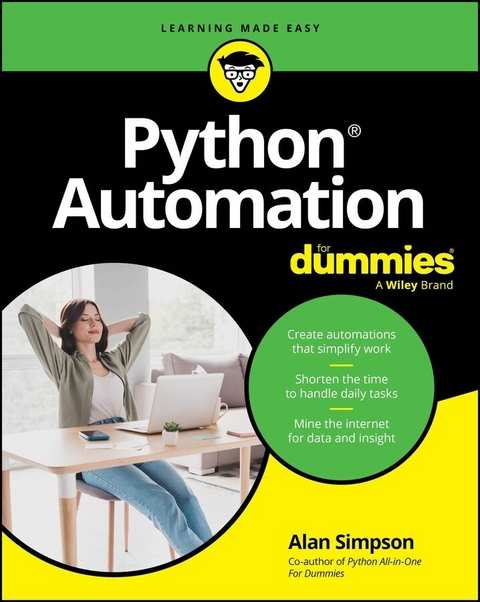
Python Automation For Dummies (eBook)
546 Seiten
For Dummies (Verlag)
978-1-394-37143-3 (ISBN)
Streamline Your Workflow and Boost Productivity with Python Automation
In today's workplaces, there's a high demand for know-how on the Python programming language, especially for writing time-saving scripts that can simplify routine work tasks. Python Automation For Dummies delivers, with simple explanations of how you can use Python to automatically wrangle data files, manage media files, create shortcuts, find and organize web data, and even analyze social media for trends. With this easy-to-follow Dummies guide, you can upskill, expand your productivity, and speed up the process of generating data-driven insights. You'll even learn to enhance your Python automations with AI, for workflows that are faster and smarter.
- Review the basics of Python coding and follow steps for automating all sorts of tasks
- Manage large file sets, organize and analyze data, and speed up research processes
- Automate scheduling and other time-consuming tasks-and optimize work with AI
- Free up time and resources by automating routine work, so you can foucs on more important issues
This is a great Dummies resource for Python developers interested in applying the popular coding language to make workflows more efficient.
Alan Simpson is a veteran technology writer and educator with extensive experience covering topics from programming languages to the Windows operating system. He's the author of Windows 11 For Dummies, 2nd Edition, and a co-author of Python All-in-One For Dummies.
Streamline Your Workflow and Boost Productivity with Python Automation In today's workplaces, there's a high demand for know-how on the Python programming language, especially for writing time-saving scripts that can simplify routine work tasks. Python Automation For Dummies delivers, with simple explanations of how you can use Python to automatically wrangle data files, manage media files, create shortcuts, find and organize web data, and even analyze social media for trends. With this easy-to-follow Dummies guide, you can upskill, expand your productivity, and speed up the process of generating data-driven insights. You'll even learn to enhance your Python automations with AI, for workflows that are faster and smarter. Review the basics of Python coding and follow steps for automating all sorts of tasks Manage large file sets, organize and analyze data, and speed up research processes Automate scheduling and other time-consuming tasks and optimize work with AI Free up time and resources by automating routine work, so you can foucs on more important issues This is a great Dummies resource for Python developers interested in applying the popular coding language to make workflows more efficient.
Chapter 1
Automating with Python
IN THIS CHAPTER
Deciding on a programming language
Mastering Python language basics
Getting up and running with Python
Welcome to Python automation! In this chapter, you explore why Python is the ideal language for automating mundane, time-consuming computer tasks. If you’ve ever found yourself stuck doing the same boring computer chores over and over — like renaming a bazillion files, sorting through spreadsheets, or downloading stuff from the web — Python may just become your new best friend. It’s a programming language that’s easy to pick up, even if you’re not a tech wizard, and it’s perfect for automating those mind-numbing tasks that eat up your time. Think of Python as a trusty robot assistant: You tell it what to do in plain, simple words (well, code), and it does your work in no time at all.
What makes Python so great for automation is the fact that it has a little something for everyone. Python has built-in tools to handle all sorts of everyday tasks — like managing files, crunching data, bossing around your computer — and a huge pile of free add-ons (called libraries) can do even fancier things, like scraping websites or sending emails. You don’t need to be a coding genius to get started — just a few lines of Python can save you hours of clicking and typing. So, whether you’re organizing your music collection or taming a messy inbox, Python’s got your back, making life a whole lot easier with a few friendly commands.
THINKING LIKE A SOFTWARE ENGINEER: PUTTING ARTIFICIAL INTELLIGENCE TO WORK FOR YOU
Writing Python automation requires writing computer code. This book isn’t a replacement for a beginner’s tutorial on the entire Python language. Instead, it’s a collection of Python automation scripts, designed to automate and simplify mundane, time-consuming computer tasks.
These days, most software engineers (people who write computer code for a living) use artificial intelligence (AI) to help with writing code. Sure, you’ll hear many software engineers complain that AI can’t write code as well as they can, but that sentiment may be rooted in feeling threatened.
In addition to writing code, AI can easily answer any questions that come up along the way as you’re using this book. If I throw some terminology at you that leaves you scratching your head, ask AI to explain things. If some code leaves you stymied, show the code to AI and ask it to explain the code to you.
You can even tell AI to write an entire script for you, doing exactly what a script in this book does. But don’t be surprised if the code you get from AI looks different from what’s in this book. Python offers many tools and techniques for accomplishing any task. There’s no telling exactly how AI will generate code to perform some feat. If AI gives you a script that looks nothing like the script in this book, that doesn’t mean one is right and the other is wrong — you probably just have two scripts that do the same thing in different ways. That’s not unusual. They say there’s more than one way to bake a cake. Likewise, there’s more than one way to write a script to accomplish some task.
Choosing a Programming Language
There are many programming languages in the world. They have names like C#, Go, Java, JavaScript, Python, and TypeScript, to name a few. The TIOBE Index (www.tiobe.com/tiobe-index) consistently ranks Python as the most popular language of our time.
JavaScript is great for creating web apps, but it’s rarely used for anything else. Python excels at AI and automation. In fact, Python has so many ready-to-use modules designed for automation that it would probably be crazy to use any language other than Python for the kinds of automation scripts you’ll see throughout this book.
There’s a lot to like about Python — and many reasons to learn Python beyond automation. For one, many people regard Python as the easiest language for many beginners to learn. Python’s syntax is clean and simple — it reads almost like English.
You’re never stuck without information with Python. There are endless tutorials, forums, and free libraries (premade code you can borrow) to help you out. Virtually every modern AI chatbot is perfectly capable of writing Python code for you and answering any questions about Python that pop into your head.
Python lets you write short, powerful code. What may take 20 lines in another language often takes just a few lines in Python. That means less typing and fewer mistakes to try to ferret out. Plus, modern AI can debug your existing code as easily as it can write code for you.
Let’s zoom in on automation — the topic of this book. When it comes to automation, Python is a superstar. Whether you’re on Linux, macOS, or Windows, Python works like a charm. Write your automation script once, and it’ll run anywhere. No need to reinvent the wheel for different systems.
With Python, you can write a quick script to handle many tasks in minutes. Although the following code below may not mean much to you right now, it illustrates how you can take a daunting task, like renaming hundreds of files in a folder, with just a few lines of code:
import os
 for filename in os.listdir("."):
 os.rename(filename, filename.replace("old", "new"))
Tiny bits of code like that can handle big automation tasks.
Beyond file tasks, Python plays nice with application programming interface (APIs; define here), databases, Microsoft Excel files, and AI. If you’re automating something like “Check my email, grab attachments, and update a spreadsheet,” Python can tie it all together smoothly.
APIs allow Python to interact with AI and other powerful online capabilities, without your having to reinvent the wheel or host huge files on your own computer. APIs are a hallmark of modern computing, and you definitely want to use a programming language that makes API access easy.
Learning Python is like giving yourself a superpower. Python is easy to start, endlessly useful, and when it comes to automation, unbeatable. You’ll save time, impress your friends (or boss), and maybe even have some fun along the way. Perhaps best of all, Python is completely free.
Have I convinced you to choose Python yet?
Understanding Python Syntax
Every language has certain rules of syntax that outline how you must arrange words in order for them to make sense. Like, “Teddy, jump three times!” If you say it all jumbled up, or leave out words, like “Jump Teddy three,” Teddy may get confused and not know what to do. In programming, syntax is the same thing — you need to order the words so the computer understands what you want. Syntax is just the rules for putting words and symbols in the right order.
Some programming languages require lots of punctuation, in addition to words, as part of their syntax. That gets tiresome and makes learning more difficult. I’ll give you a simple example — a piece of code that checks whether a number is even or odd and prints a message — in both JavaScript and Python.
JavaScript seems very “busy” with parentheses, curly brackets, and semicolons:
function checkEvenOrOdd(number) {
 if (number % 2 === 0) {
 console.log("The number " + number + " is even!");
 } else {
 console.log("The number " + number + " is odd!");
 }
 }

 checkEvenOrOdd(7);
That code looks like something written by aliens. But that’s what a JavaScript requires. You’ve got:
- Curly brackets
{}to wrap the function and theif…elseblocks. - Parentheses
()for the function definition and theifcondition. - A semicolon (
;) at the end of each line (JavaScript loves semicolons).
Now here’s the same thing in Python:
def check_even_or_odd(number):
 if number % 2 == 0:
 print(f"The number {number} is even!")
 else:
 print(f"The number {number} is odd!")

 check_even_or_odd(7)
Granted, it’s still not plain English. But it’s much, much cleaner and simpler. Here’s what’s special about Python:
- No curly brackets! Python uses indentation (those spaces at the start of lines) to know what’s inside the function or
if…else. It’s like the code is breathing — it looks airy and neat. - Fewer parentheses — only needed for the function definition, not the
ifcondition. - No semicolons — Python doesn’t need them, so the code is less cluttered.
As an experienced instructor who has taught thousands of software developers, I can assure that all the curly brackets and semicolons are the toughest things for beginners to get used to — they’re among the main things that drive people away from learning to code. Learning Python first lets you dodge that...
| Erscheint lt. Verlag | 31.10.2025 |
|---|---|
| Sprache | englisch |
| Themenwelt | Informatik ► Programmiersprachen / -werkzeuge ► Python |
| Schlagworte | intermediate python book • Python • python AI integration • python algorithms • python automatic data analysis • python automation • python automation code • python coding • Python coding book • Python Language • python office automation • python workflow |
| ISBN-10 | 1-394-37143-8 / 1394371438 |
| ISBN-13 | 978-1-394-37143-3 / 9781394371433 |
| Informationen gemäß Produktsicherheitsverordnung (GPSR) | |
| Haben Sie eine Frage zum Produkt? |
 EPUB (Adobe DRM)
Kopierschutz: Adobe-DRM
Adobe-DRM ist ein Kopierschutz, der das eBook vor Mißbrauch schützen soll. Dabei wird das eBook bereits beim Download auf Ihre persönliche Adobe-ID autorisiert. Lesen können Sie das eBook dann nur auf den Geräten, welche ebenfalls auf Ihre Adobe-ID registriert sind.
Details zum Adobe-DRM
Dateiformat: EPUB (Electronic Publication)
EPUB ist ein offener Standard für eBooks und eignet sich besonders zur Darstellung von Belletristik und Sachbüchern. Der Fließtext wird dynamisch an die Display- und Schriftgröße angepasst. Auch für mobile Lesegeräte ist EPUB daher gut geeignet.
Systemvoraussetzungen:
PC/Mac: Mit einem PC oder Mac können Sie dieses eBook lesen. Sie benötigen eine
eReader: Dieses eBook kann mit (fast) allen eBook-Readern gelesen werden. Mit dem amazon-Kindle ist es aber nicht kompatibel.
Smartphone/Tablet: Egal ob Apple oder Android, dieses eBook können Sie lesen. Sie benötigen eine
Geräteliste und zusätzliche Hinweise
Buying eBooks from abroad
For tax law reasons we can sell eBooks just within Germany and Switzerland. Regrettably we cannot fulfill eBook-orders from other countries.
aus dem Bereich