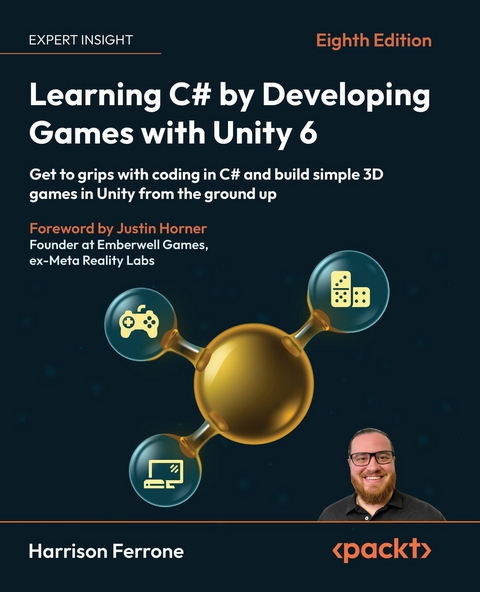
Learning C# by Developing Games with Unity 6 (eBook)
504 Seiten
Packt Publishing (Verlag)
978-1-80580-870-1 (ISBN)
It's the ability to write custom C# scripts for behaviors and game mechanics that really takes Unity the extra mile. That's where this book will help you as a new programmer!
Harrison Ferrone, in this eighth edition of the bestselling series, will take you through the core concepts of programming and the C# language from scratch, while building an engaging and playable game prototype in Unity 6.
You'll get to grips with the fundamentals of object-oriented programming (OOP) and the Unity engine with lots of code samples, exercises, and tips to go beyond the book with your work. You'll write C# scripts for simple game mechanics, perform procedural programming, request live data from the web, and add complexity to your games by introducing intelligent enemies and damage-dealing projectiles. You'll also explore the underlying mechanics of Unity game development, including game design, lighting basics, player movement, camera controls, collisions, and more, with every passing chapter.
Note: The screenshots in the book display the Unity Editor in full-screen mode for a comprehensive view. You can easily reference color versions of images by downloading them from the GitHub repository or the graphics bundle linked in the book.
Learn C# programming from scratch using the all-new Unity 6 as a fun and accessible entry point with this updated edition of the bestselling seriesKey FeaturesBuild a strong foundation in programming concepts and the C# languageBecome confident in the fundamentals and features of Unity in line with Unity 6Create a playable game prototype in Unity-a working first-person shooter game prototypeGet With Your Book: PDF Copy, AI Assistant, and Next-Gen Reader FreeBook DescriptionIt's the ability to write custom C# scripts for behaviors and game mechanics that really takes Unity the extra mile. That's where this book will help you as a new programmer!Harrison Ferrone, in this eighth edition of the bestselling series, will take you through the core concepts of programming and the C# language from scratch, while building an engaging and playable game prototype in Unity 6. You ll get to grips with the fundamentals of object-oriented programming (OOP) and the Unity engine with lots of code samples, exercises, and tips to go beyond the book with your work. You ll write C# scripts for simple game mechanics, perform procedural programming, request live data from the web, and add complexity to your games by introducing intelligent enemies and damage-dealing projectiles. You ll also explore the underlying mechanics of Unity game development, including game design, lighting basics, player movement, camera controls, collisions, and more, with every passing chapter. Note: The screenshots in the book display the Unity Editor in full-screen mode for a comprehensive view. You can easily reference color versions of images by downloading them from the GitHub repository or the graphics bundle linked in the book.What you will learnMaster programming fundamentals by breaking them into simple, digestible partsUnderstand OOP concepts through clear explanations of C# code samplesFollow simple steps and examples to create and implement C# scripts in Unity 6Divide your code into pluggable building blocks using interfaces, abstract classes, and class extensionsGrasp game design document basics and then move on to blocking out your level geometry, adding lighting, and a simple object animationCreate basic game mechanics, such as player controllers and shooting projectiles, using C#Who this book is forIf you're a developer, programmer, hobbyist, or anyone who wants to get started with Unity and C# programming in a fun and engaging way, this book is for you. You'll still be able to follow along if you don't have programming experience, but knowing the basics will help you get the most out of this book.]]>
Preface
Unity is one of the most popular game engines in the world, catering to hobbyists, professional AAA studios, and cinematic production companies. While known for its use as a 3D tool, Unity has a host of dedicated features supporting everything from 2D games and virtual reality to post-production and cross-platform publishing.
Developers love its drag-and-drop interface and built-in features, but it’s the ability to write custom C# scripts for behaviors and game mechanics that really takes Unity the extra mile. Learning how to write C# code might not be a huge obstacle to a seasoned programmer with other languages under their belt, but it can be daunting for those of you who have no programming experience. That’s where this book comes in, as I’ll be taking you through the building blocks of programming and the C# language from scratch while building a fun and playable game prototype in Unity.
Who this book is for
This book is written for those of you who don’t have any experience with the basic tenets of programming or C#. However, if you’re a competent novice or seasoned professional coming from another language, or even C#, but need to get hands-on with game development in Unity, this is still where you want to be.
What this book covers
Chapter 1, Getting to Know Your Environment, starts off with the Unity installation process, the main features of the editor, and finding documentation for C# and Unity-specific topics. We’ll also go through creating C# scripts from inside Unity and look at Visual Studio, the application where all our code editing takes place.
Chapter 2, The Building Blocks of Programming, begins by laying out the atomic-level concepts of programming, giving you the chance to relate variables, methods, and classes to situations in everyday life. From there, we’ll move on to simple debugging techniques, proper formatting and commenting, and how Unity turns C# scripts into components.
Chapter 3, Diving into Variables, Types, and Methods, takes a deeper look at the building blocks from Chapter 2. This includes C# data types, naming conventions, access modifiers, and everything else you’ll need for the foundation of a program. We’ll also go over how to write methods, add parameters, and use return types, ending with an overview of standard Unity methods belonging to the MonoBehaviour class.
Chapter 4, Control Flow and Collection Types, introduces the common approaches to making decisions in code, consisting of the if...else and switch statements. From there, we’ll move on to working with arrays, lists, and dictionaries, and incorporating iteration statements for looping through collection types. We’ll end the chapter with a look at conditional looping statements and a special C# data type called enumerations.
Chapter 5, Working with Classes, Structs, and OOP, details our first contact with constructing and instantiating classes and structs. We’ll go through the basic steps of creating constructors, adding variables and methods, and the fundamentals of subclassing and inheritance. The chapter will end with a comprehensive explanation of object-oriented programming (OOP) and how it applies to C#.
Chapter 6, Getting Your Hands Dirty with Unity, marks our departure from C# syntax into the world of game design, level building, and Unity’s featured tools. We’ll start by going over the basics of a game design document and then move on to blocking out our level geometry and adding lighting and a simple particle system.
Chapter 7, Movement, Camera Controls, and Collisions, explains different approaches to moving a player object and setting up a third-person camera. We’ll discuss incorporating Unity physics for more realistic locomotion effects, as well as how to work with collider components and capture interactions within a scene.
Chapter 8, Scripting Game Mechanics, introduces the concept of game mechanics and how to effectively implement them. We’ll start by adding a simple jump action, creating a shooting mechanic, and building on the previous chapters’ code by adding logic to handle item collection.
Chapter 9, Basic AI and Enemy Behavior, starts with a brief overview of artificial intelligence (AI) in games and the concepts we will be applying to Hero Born. Topics covered in this chapter will include navigation in Unity, using the level geometry and a navigation mesh, smart agents, and automated enemy movement.
Chapter 10, Revisiting Types, Methods, and Classes, takes a more in-depth look at data types, intermediate method features, and additional behaviors that can be used for more complex classes. This chapter will give you a deeper understanding of the versatility and breadth of the C# language.
Chapter 11, Specialized Collection Types and LINQ, dives into stacks, queues, hash sets, and the different development scenarios that each is uniquely suited for. This chapter also explores filtering, ordering, and transforming data collections using LINQ.
Chapter 12, Saving, Loading, and Serializing Data, gets you ready to handle your game’s information. Topics covered in this chapter include working with the filesystem and creating, deleting, and updating files. We’ll also cover different data types, including XML, JSON, and binary data, and end with a practical discussion on serializing C# objects directly into data formats.
Chapter 13, Connecting to the World Wide Web, introduces the basics of web requests, downloading data from web servers, and turning that information into actionable game mechanics. We’ll also cover the differences between synchronous and asynchronous code and how Unity handles both.
Chapter 14, Exploring Generics, Delegates, and Beyond, details intermediate features of the C# language and how to apply them in practical, real-world scenarios. We’ll start with an overview of generic programming and progress to concepts such as delegation, events, and exception handling.
Chapter 15, The Journey Continues, reviews the main topics you’ve learned throughout the book and leaves you with resources for further study in both C# and Unity. Included in these resources will be online reading material, certifications, and a host of my favorite video tutorial channels.
To get the most out of this book
The only thing you need to get the most from your upcoming C# and Unity adventure is a curious mind and a willingness to learn. Having said that, doing all the code exercises, Hero’s trials, and Quiz sections is a must if you hope to cement the knowledge you’re learning. Lastly, revisiting topics and entire chapters to refresh or solidify your understanding before moving on is always a good idea. There is no sense in building a house on an unstable foundation.
You’ll also need a current version of Unity installed on your computer—version 6.0 or later is recommended. All code examples have been tested with Unity 6000.0.50f1 and should work with future versions without issues.
This is the software/hardware covered in the book:
- Unity 6.0 or later
- Visual Studio 2019 or later
- C# 9.0 or later
Before starting, check that your computer setup meets the Unity system requirements at https://docs.unity3d.com/6000.0/Documentation/Manual/system-requirements.html.
Download the example code files
The code bundle for the book is hosted on GitHub at https://github.com/PacktPublishing/Learning-C-by-Developing-Games-with-Unity-6_8th-Edn.
We also have other code bundles from our rich catalog of books and videos available at https://github.com/PacktPublishing. Check them out!
Download the color images
We also provide a PDF file that has color images of the screenshots/diagrams used in this book. You can download it here: https://packt.link/gbp/9781805808718.
This book contains long screenshots captured to provide you with an overview of the entire Unity window. As a result, the text on these images may appear small at 100% zoom. We recommend referring to the graphics bundle for ease of understanding.
Conventions used
There are a number of text conventions used throughout this book.
CodeInText: Indicates code words in text, database table names, folder names, filenames, file extensions, pathnames, dummy URLs, user input, and X/Twitter handles. For example: “For simple text or individual variables, use the standard Debug.Log() method.”
A block of code is set as follows:
public int CurrentAge = 30; Any command-line input or output is written as follows:
[12:58:12] Player detected - attack! UnityEngine.Debug:Log (object) [12:58:15] Player deaths: 0 UnityEngine.Debug:Log (object) [12:58:18] Player deaths: 1 UnityEngine.Debug:Log (object) [12:58:18] Next time you'll be at number 2 UnityEngine.Debug:Log (object) Bold: Indicates a new term, an important word,...
| Erscheint lt. Verlag | 20.10.2025 |
|---|---|
| Vorwort | Justin Horner |
| Sprache | englisch |
| Themenwelt | Mathematik / Informatik ► Informatik ► Grafik / Design |
| Mathematik / Informatik ► Informatik ► Programmiersprachen / -werkzeuge | |
| Informatik ► Software Entwicklung ► Spieleprogrammierung | |
| ISBN-10 | 1-80580-870-2 / 1805808702 |
| ISBN-13 | 978-1-80580-870-1 / 9781805808701 |
| Informationen gemäß Produktsicherheitsverordnung (GPSR) | |
| Haben Sie eine Frage zum Produkt? |
 EPUB (Ohne DRM)
Digital Rights Management: ohne DRM
Dieses eBook enthält kein DRM oder Kopierschutz. Eine Weitergabe an Dritte ist jedoch rechtlich nicht zulässig, weil Sie beim Kauf nur die Rechte an der persönlichen Nutzung erwerben.
Dateiformat: EPUB (Electronic Publication)
EPUB ist ein offener Standard für eBooks und eignet sich besonders zur Darstellung von Belletristik und Sachbüchern. Der Fließtext wird dynamisch an die Display- und Schriftgröße angepasst. Auch für mobile Lesegeräte ist EPUB daher gut geeignet.
Systemvoraussetzungen:
PC/Mac: Mit einem PC oder Mac können Sie dieses eBook lesen. Sie benötigen dafür die kostenlose Software Adobe Digital Editions.
eReader: Dieses eBook kann mit (fast) allen eBook-Readern gelesen werden. Mit dem amazon-Kindle ist es aber nicht kompatibel.
Smartphone/Tablet: Egal ob Apple oder Android, dieses eBook können Sie lesen. Sie benötigen dafür eine kostenlose App.
Geräteliste und zusätzliche Hinweise
Buying eBooks from abroad
For tax law reasons we can sell eBooks just within Germany and Switzerland. Regrettably we cannot fulfill eBook-orders from other countries.
aus dem Bereich