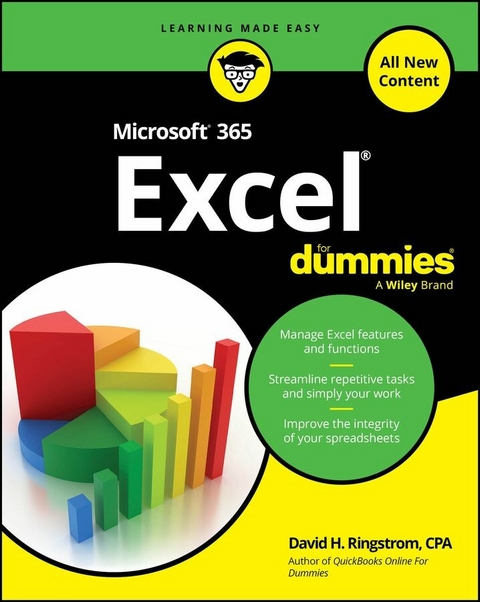
Microsoft 365 Excel For Dummies (eBook)
646 Seiten
For Dummies (Verlag)
978-1-394-31726-4 (ISBN)
Make Excel work for you with this brand new guide to spreadsheet essentials
Knowing a little about Excel is essential for almost every profession. Knowing a lot about Excel makes you one of the most valuable people in the office. Microsoft 365 Excel For Dummies helps you build your spreadsheet skills as it walks you through the basics of creating a spreadsheet, organizing data, performing calculations, and creating charts and graphs in Microsoft's powerful spreadsheet software. This brand new version of the book, written by an Excel guru and expert trainer, helps you develop the skills you need to impress your boss-or just to get things done faster. You'll also get ideas for using Excel to make daily life easier. Ready to become a number cruncher?
- Create your first spreadsheet and learn how to enter data
- Import data from other sources, sort tables, and organize information
- Run basic calculations and get more advanced with functions
- Build data visualizations, customize the look of your spreadsheets, and beyond
These days, almost everyone who works with computers needs to have basic knowledge of Excel-and more is usually better. Microsoft 365 Excel For Dummies will help you get there.
David H. Ringstrom, CPA, is the president and owner of Accounting Advisors, Inc. He offers training on Excel and other accounting software to thousands of students and explains the concepts, techniques, and strategies they need to work effectively in Excel. David is also author of QuickBooks Online For Dummies.
Introduction
Welcome to Microsoft 365 Excel! My goal in this book is to help you build efficient spreadsheets while maintaining data integrity, whether you're new to Excel or already have experience. For beginners, I guide you through getting oriented, and for experienced users, I aim to help you close any gaps in your knowledge. In my webinars, I often say, “Either you work Excel, or it works you!” Unfortunately, many users learn just enough to use Excel like a blunt instrument, so I chose the topics in this book specifically to help you move beyond that.
Microsoft 365 Excel is an application you install on your desktop computer. In contrast, Excel for the Web (available at www.office.com/launch/Excel/) runs directly in your browser, and Excel Mobile is designed for use on phones or tablets. While there is significant overlap between these versions, this book focuses specifically on the Windows and macOS versions of Excel.
Microsoft Excel was first released for the Apple Macintosh on September 30, 1985. The AI-infused application we use today only faintly resembles that early version. While it's highly unlikely that anyone still uses a nearly 40-year-old version of Excel, you may still be working with Excel 2021, Excel 2019, or an even earlier version. Much of what I cover in this book applies to those versions, but in some chapters, you may find yourself reading about features you'll have access to only after you upgrade to a newer version of Excel.
About This Book
Microsoft Excel remained relatively static until 2010, when the Office 365 platform was first introduced, later rebranded as Microsoft 365 in 2017. Before then, new features were introduced in Excel every two to three years, a long and often frustrating wait (at least for me). Those days are behind us, as Microsoft 365 now provides ongoing updates with new features and improvements. However, not everyone receives updates at the same time, as users are divided into different channels:
- Current Channel: Users receive monthly updates, with occasional out-of-band updates for critical fixes or security patches.
- Monthly Enterprise Channel: Like the Current Channel, this provides monthly updates for business users.
- Semi-Annual Enterprise Channel (Preview): This offers first access to features that will later be included in the Semi-Annual Enterprise Channel.
- Semi-Annual Enterprise Channel: Updates are released twice a year, ensuring that only thoroughly evaluated, stable features are introduced.
- Beta Channel: The cutting-edge channel where users who opt into the Microsoft 365 Insider program get early access to features still in development and testing.
- Current Channel (Preview): A more stable version of the Beta channel — for users that are edgy, but not quite that edgy.
To check which channel you're in:
- Windows: Go to File ⇒ Account — your channel and build appears next to the About Excel button.
- macOS: Choose Help ⇒ Check for Updates, then click Advanced. Your channel (but not build number) appears in the Preferences dialog box.
As you can see, Microsoft 365 Excel is a constantly evolving program. My editors and I have done our best to keep up with these changes and describe what, at times, has been a moving target. Think of it as Excel’s way of keeping track of its ever-evolving self — one incremental update at a time.
Because updates occur so often in Excel, by the time this book is published, some features and screens may have changed. (On second thought, make that will have changed.)
Then there’s the matter of the subscription levels:
- Individuals and Families: Microsoft 365 Personal and Family
- Businesses: Business Basic (web/mobile only), Business Standard, and Business Premium, Apps for Business
- Enterprises: E1 (web/mobile only), E3, E5
- Education: A1 (web/mobile only) A3, A5
- Government: G1, G3, G5 are like E1, E3, and E5, but add additional compliance for governmental requirements
All Microsoft 365 users have the same feature set for the most part, but some differences can arise, such as the Inquire add-in in the Enterprise versions that creates detailed reports on workbooks, can compare two versions of a workbook, can improve performance by cleaning up workbooks, and can build diagrams that show how cells and worksheets relate together. I discuss how to enable this add-in in Chapter 10.
If you'd prefer a one-time purchase for Excel, Microsoft Office 2024 provides static versions of Excel and other Office apps. However, this version does not include access to the artificial intelligence features available in Microsoft 365 and will not receive any future feature or function updates.
Here’s how the book is broken down:
- Part 1, “Explaining Excel Fundamentals,” helps you get oriented in Excel, covering basic calculations, formatting, data sorting and filtering, as well as the often-overlooked Table feature, which can enhance spreadsheet integrity and drop repetitive tasks.
- Part 2, “Mastering Formulas and Functions,” introduces lookup functions for retrieving data within a workbook, transforming text without retyping, and incorporating decision-making into formulas. You also learn how to create dynamic formulas that spill into additional cells and explore formula tracing and debugging tools.
- Part 3, “Expanding Beyond the Basics,” teaches you to navigate both small and large workbooks efficiently, create refreshable reports with PivotTables and PivotCharts, and apply data visualizations with conditional formatting. You also learn how to secure sensitive data and formulas.
- Part 4, “Automating Analysis,” introduces Excel's AI-driven features and teaches you to streamline tasks by recording macros.
- Part 5, “The Part of Tens,” provides ten useful keyboard shortcuts and equips you with ten disaster recovery techniques.
Before diving in, I must get some technical conventions out of the way:
- Text that you're meant to type exactly as it appears in the book is formatted in monofont (which looks like text typed on an old typewriter).
- Web addresses and programming code are also displayed in monofont. If you're reading a digital version of this book on a device connected to the internet, you can tap or click a web address to visit the site, like this:
www.dummies.com. -
To use Microsoft 365 Excel effectively, the minimum recommended technical requirements vary slightly depending on whether you're using a Windows or macOS device. For Windows users, a dual-core processor with a speed of 1.6 GHz or faster is needed, along with at least 4 GB of RAM for 64-bit systems (or 2 GB for 32-bit systems). You'll also need 4 GB of available hard disk space, a display with a resolution of at least 1280 x 768, and a DirectX 9-compatible graphics card with WDDM 2.0 or higher for Windows 10. The software is compatible with Windows 10, Windows 11, and recent versions of Windows Server, and an internet connection is needed for product activation, updates, and cloud features.
For macOS users, Microsoft 365 Excel needs an Intel processor or Apple Silicon (M1, M2, or later), with at least 4 GB of RAM and 10 GB of available disk space. A display resolution of 1280 x 800 or higher is recommended, and the operating system should be one of the three most recent versions of macOS. Like Windows, an internet connection is necessary for activation, updates, and some online features. Additionally, users on both platforms will need a current browser (such as Microsoft Edge, Chrome, Safari, or Firefox) and a Microsoft account to access all the features of Microsoft 365.
For best performance, particularly when working with large datasets or advanced tools like Power Query or PowerPivot, higher specifications — such as faster processors and added RAM — are recommended.
-
When I discuss a command to choose, I separate the elements of the sequence with a command arrow that looks like this: ⇒ . For example, when you see Data ⇒ Sort, it means you should activate the Data tab in Excel's ribbon interface and then choose the Sort command. Some ribbon commands have drop-down menus, and I’ll often include the corresponding keyboard shortcuts for added convenience.
The ribbon interface sometimes collapses command groups based on your screen resolution or the size of the Excel window. If a command you’re looking for seems to be missing, try expanding the window or clicking the drop-down arrow in the collapsed group to reveal hidden options.
Foolish Assumptions
I had to make some assumptions about you while authoring this book, so here are my educated guesses:
- You want to learn how to use a spreadsheet or improve how you already use spreadsheets.
- You may want to analyze your data using Excel features and/or worksheet functions, and perhaps automate repetitive tasks.
- You have a personal computer running Windows 10 or 11 (I drafted this book in Windows 10 because I have my reasons) or a Mac running macOS 12 Monterey or later.
- Ideally, you have Microsoft 365 Excel on your computer, but much of this book also applies to older versions of Excel. In...
| Erscheint lt. Verlag | 1.4.2025 |
|---|---|
| Sprache | englisch |
| Themenwelt | Informatik ► Office Programme ► Excel |
| Informatik ► Office Programme ► Outlook | |
| Schlagworte | Excel • excel beginner • excel book • excel for dummies • excel spreadsheet app • excel spreadsheet book • excel training course • how to use excel • how to use Microsoft excel • learning excel book • Microsoft 365 • Microsoft 365 book • Microsoft Excel • Microsoft office book |
| ISBN-10 | 1-394-31726-3 / 1394317263 |
| ISBN-13 | 978-1-394-31726-4 / 9781394317264 |
| Informationen gemäß Produktsicherheitsverordnung (GPSR) | |
| Haben Sie eine Frage zum Produkt? |
 EPUB (Adobe DRM)
Kopierschutz: Adobe-DRM
Adobe-DRM ist ein Kopierschutz, der das eBook vor Mißbrauch schützen soll. Dabei wird das eBook bereits beim Download auf Ihre persönliche Adobe-ID autorisiert. Lesen können Sie das eBook dann nur auf den Geräten, welche ebenfalls auf Ihre Adobe-ID registriert sind.
Details zum Adobe-DRM
Dateiformat: EPUB (Electronic Publication)
EPUB ist ein offener Standard für eBooks und eignet sich besonders zur Darstellung von Belletristik und Sachbüchern. Der Fließtext wird dynamisch an die Display- und Schriftgröße angepasst. Auch für mobile Lesegeräte ist EPUB daher gut geeignet.
Systemvoraussetzungen:
PC/Mac: Mit einem PC oder Mac können Sie dieses eBook lesen. Sie benötigen eine
eReader: Dieses eBook kann mit (fast) allen eBook-Readern gelesen werden. Mit dem amazon-Kindle ist es aber nicht kompatibel.
Smartphone/Tablet: Egal ob Apple oder Android, dieses eBook können Sie lesen. Sie benötigen eine
Geräteliste und zusätzliche Hinweise
Buying eBooks from abroad
For tax law reasons we can sell eBooks just within Germany and Switzerland. Regrettably we cannot fulfill eBook-orders from other countries.
aus dem Bereich