Microsoft Excel 365 Bible (eBook)
1852 Seiten
Wiley (Verlag)
978-1-394-29825-9 (ISBN)
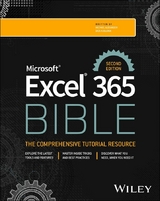
Your complete guide to Excel 365, written for newbies all the way to seasoned professionals
Neatly organised and written using accessible language, Microsoft Excel 365 Bible contains everything that readers need to know to get up and running quickly with Excel. Covering the numerous updates to Excel 365 since the previous edition was published in 2022, this Second Edition contains many useful examples and tips and tricks that cover all essential aspects of Excel-from the basics, such as navigating the user interface, to more advanced topics, such as creating visualisations and crafting custom functions.
Written by an accomplished team of authors with decades of Excel and business intelligence experience, this book explores topics including:
- Entering and editing worksheet data, with information on data types, formulas, dates, times and other cell contents
- Building formulas with Excel table objects, correcting common formula errors and using formula variables
- Working with data series, changing basic chart elements and making use of chart customization
- Loading data from other sources, performing common transformations and applying conditional logic
Microsoft Excel 365 Bible earns a well-deserved spot on the bookshelves of all professionals and individuals seeking to get the most out of Excel 365, from beginners with limited knowledge of the software all the way to advanced users with years of experience under their belts.
Michael Alexander is a senior consultant at Slalom Consulting with more than 15 years' experience in data management and reporting. He is the author of more than a dozen books on business analysis using Microsoft Excel and has been named Microsoft Excel MVP for his contributions to the Excel community.
Dick Kusleika has been working with Microsoft Office for more than 20 years. He was formerly a Microsoft MVP, having been awarded 12 consecutive years. Dick has written several books about Excel and Access.
Your complete guide to Excel 365, written for newbies all the way to seasoned professionals Neatly organised and written using accessible language, Microsoft Excel 365 Bible contains everything that readers need to know to get up and running quickly with Excel. Covering the numerous updates to Excel 365 since the previous edition was published in 2022, this Second Edition contains many useful examples and tips and tricks that cover all essential aspects of Excel from the basics, such as navigating the user interface, to more advanced topics, such as creating visualisations and crafting custom functions. Written by an accomplished team of authors with decades of Excel and business intelligence experience, this book explores topics including: Entering and editing worksheet data, with information on data types, formulas, dates, times and other cell contents Building formulas with Excel table objects, correcting common formula errors and using formula variables Working with data series, changing basic chart elements and making use of chart customization Loading data from other sources, performing common transformations and applying conditional logic Microsoft Excel 365 Bible earns a well-deserved spot on the bookshelves of all professionals and individuals seeking to get the most out of Excel 365, from beginners with limited knowledge of the software all the way to advanced users with years of experience under their belts.
Introduction
Welcome to the world of Excel. Okay, that's a bit cheesy. But if you look around the business world, the financial world, the manufacturing world, and any other industry you can think of, you will see people using Excel. Excel is everywhere. It is by far the most popular program in the history of business applications. So, we truly are living in a world of Excel. This is probably why you've picked up this book. You need a way to accelerate your learning and get up to speed quickly.
Well, worry not, dear reader. Whether you're boning up on Excel for a new job (congratulations, by the way), for a school project, or just for home use, this book is perfect for you.
In this book, we've organized everything that one would need to know to get up and running quickly with Excel. And we've made certain that this book contains many useful examples and lots of tips and tricks that cover all the essential aspects of Excel—from the basics to more advanced topics.
Looking at What's New in Excel 365
Here's an overview of what's available to those with Microsoft 365 subscriptions as of the November 2024 update.
- Improvements to Comments Comments have been beefed up with the ability to assign tasks to specific users. You can now enter hyperlinks directly into comments.
- New Text Functions Microsoft released several new dynamic array functions to help improve the ways you can manipulate text. These new functions can split text by delimiters and can consolidate ranges of text into a single list.
- Ability to Get Online Images with a Function The new
Imagefunction now lets you pull images from online sources directly into your spreadsheet. With this function, you can improve the cosmetics of your reports, create QR codes, and much more. - Script Excel for Online Excel comes with a powerful new macro recorder that will translate your actions into Excel online scripting. With this new feature, you can write Office Scripts to run your code on the web. With Office Scripting, you'll be able to automate online workbooks in ways VBA never would allow.
Is This Book for You?
This book is designed to enhance the skill set of users at all levels (beginning, intermediate, and even advanced users).
Start at the beginning if you're new to Excel. Part I covers everything you'll need to get familiar with entering data, managing workbooks, formatting worksheets, and printing. You can then move on to Part II, where you'll discover the ins and outs of Excel formulas and functions.
If you're a seasoned analyst hoping to enhance your data visualization and analytic toolset, check out Part III and Part IV. We've included many examples and tips for analyzing data and creating visually appealing Excel dashboards.
If you've been working with an earlier version of Excel, this book is for you too! Part V covers the Power Pivot and Power Query toolsets. In the past, these features were free Microsoft add-ins that were used peripherally. Now they've become an essential part of how Excel manages data and interacts with external data sources.
If you want to learn the basics of Visual Basic for Applications (VBA) programming, you'll find what you need in Part VI. This part offers a robust set of chapters that will get you started leveraging VBA to automate and enhance your Excel solutions.
Software Versions
This book covers features released as of the November 2024 update of Microsoft 365. The functionality explored here will be available to those on Microsoft 365. Please note that this book is not applicable to Microsoft Excel for Mac.
Excel is available in several versions, including a web version and a version for tablets and phones. Though this book was written for the desktop version of Excel, much of the information here will also apply to the web and tablet versions.
Over the last few years, Microsoft has adopted an agile release cycle, releasing updates to Microsoft 365 practically on a monthly basis. This is great news for those who love seeing new features added to Excel. It's not so great if you're trying to document the features of these tools in a book.
Our assumption is that Microsoft will continue to add new bells and whistles to Excel at a rapid pace after publication of this book. Thus, you may encounter new functionality not covered in this book. That being said, Excel has a broad feature set, much of which is stable and here to stay. So, even though changes will be made to Excel, they won't be so drastic as to turn this book into a doorstop. The core functionality covered in these chapters will remain relevant—even if the mechanics change a bit.
Conventions Used in This Book
Take a minute to scan the following sections to learn some of the typographical and organizational conventions that this book uses.
Excel Commands
Excel uses a context-sensitive Ribbon system. The words along the top (File, Home, Insert, Page Layout, and so on) are known as tabs. Click a tab, and the Ribbon displays the commands for the selected tab. Each command has a name, which is (usually) displayed next to or below the icon. The commands are arranged in groups, and the group name appears at the bottom of the Ribbon.
The convention we use is to indicate the tab name, followed by the group name, followed by the command name. So, the command used to toggle word wrap within a cell is indicated as follows:
- Home ➪ Alignment ➪ Wrap Text
You'll learn more about the Ribbon user interface in Chapter 1, “Introducing Excel.”
Typographical Conventions
Anything that you're supposed to type using the keyboard appears in a bold monospaced font. Lengthy input usually appears on a separate line. Here's an example:
="Part Name: " &VLOOKUP(PartNumber,PartList,2) Names of the keys on your keyboard appear in normal type. When two keys should be pressed simultaneously, they're connected with a plus sign, like this: “Press Ctrl+C to copy the selected cells.”
The four “arrow” keys are collectively known as the navigation keys.
Excel's built-in worksheet functions appear in monospaced font in uppercase like this: “Note the SUMPRODUCT function used in cell C20.”
Mouse Conventions
You'll come across some of the following mouse-related terms, which are all standard fare:
- Mouse pointer: This is the small graphic figure that moves onscreen when you move your mouse. The mouse pointer is usually an arrow, but it changes shape when you move to certain areas of the screen or when you're performing certain actions.
- Point: Move the mouse so that the mouse pointer is on a specific item; for example, “Point to the Paste button on the Home tab.”
- Click: Press the left mouse button once and release it immediately.
- Right-click: Press the right mouse button once and release it immediately. The right mouse button is used in Excel to open context menus that are appropriate for whatever is currently selected.
- Double-click: Press the left mouse button twice in rapid succession.
- Drag: Press the left mouse button and keep it pressed while you move the mouse. Dragging is often used to select a range of cells or to change the size of an object.
For Touchscreen Users
If you happen to be using one of these devices, you probably already know the basic touch gestures.
This book doesn't cover specific touch screen gestures, but these three guidelines should work most of the time:
- When you read “click,” you should tap. Quickly touching and releasing your finger on a button is the same as clicking it with a mouse.
- When you read “double-click,” tap twice. Touching twice in rapid succession is equivalent to double-clicking.
- When you read “right-click,” press and hold your finger on the item until a menu appears. Tap an item on the pop-up menu to execute the command.
Make sure you enable Touch mode from the Quick Access Toolbar. Touch mode increases the spacing between the Ribbon commands, making it less likely that you'll touch the wrong command. If the Touch mode command is not in your Quick Access Toolbar, touch the rightmost control and select Touch/Mouse Mode. This command toggles between normal mode and Touch mode.
How This Book Is Organized
Notice that the book is divided into six main parts.
- Part I: Getting Started with Excel This part consists of eight chapters that provide background about Excel. These chapters are considered required reading for Excel newcomers, but even experienced users will find new information on threaded comments and working with Excel on mobile devices.
- Part II: Working with Formulas and Functions The chapters in Part II cover everything that you need to know to become proficient with performing calculations in Excel. Chapter 10 is required reading, even for seasoned professionals, as it covers the new dynamic array functionality inherent in Excel's calculation engine.
- Part III: Creating Charts and...
| Erscheint lt. Verlag | 25.3.2025 |
|---|---|
| Reihe/Serie | Bible |
| Sprache | englisch |
| Themenwelt | Informatik ► Office Programme ► Excel |
| Informatik ► Office Programme ► Outlook | |
| Schlagworte | Excel 365 • excel charts • excel data • excel error • excel formulas • Excel functions • Excel Guide • excel tables • excel transformations • excel update • excel version • excel visualizations • get better at excel • MS Excel • Spreadsheets |
| ISBN-10 | 1-394-29825-0 / 1394298250 |
| ISBN-13 | 978-1-394-29825-9 / 9781394298259 |
| Informationen gemäß Produktsicherheitsverordnung (GPSR) | |
| Haben Sie eine Frage zum Produkt? |
 EPUB (Adobe DRM)
Kopierschutz: Adobe-DRM
Adobe-DRM ist ein Kopierschutz, der das eBook vor Mißbrauch schützen soll. Dabei wird das eBook bereits beim Download auf Ihre persönliche Adobe-ID autorisiert. Lesen können Sie das eBook dann nur auf den Geräten, welche ebenfalls auf Ihre Adobe-ID registriert sind.
Details zum Adobe-DRM
Dateiformat: EPUB (Electronic Publication)
EPUB ist ein offener Standard für eBooks und eignet sich besonders zur Darstellung von Belletristik und Sachbüchern. Der Fließtext wird dynamisch an die Display- und Schriftgröße angepasst. Auch für mobile Lesegeräte ist EPUB daher gut geeignet.
Systemvoraussetzungen:
PC/Mac: Mit einem PC oder Mac können Sie dieses eBook lesen. Sie benötigen eine
eReader: Dieses eBook kann mit (fast) allen eBook-Readern gelesen werden. Mit dem amazon-Kindle ist es aber nicht kompatibel.
Smartphone/Tablet: Egal ob Apple oder Android, dieses eBook können Sie lesen. Sie benötigen eine
Geräteliste und zusätzliche Hinweise
Buying eBooks from abroad
For tax law reasons we can sell eBooks just within Germany and Switzerland. Regrettably we cannot fulfill eBook-orders from other countries.
aus dem Bereich