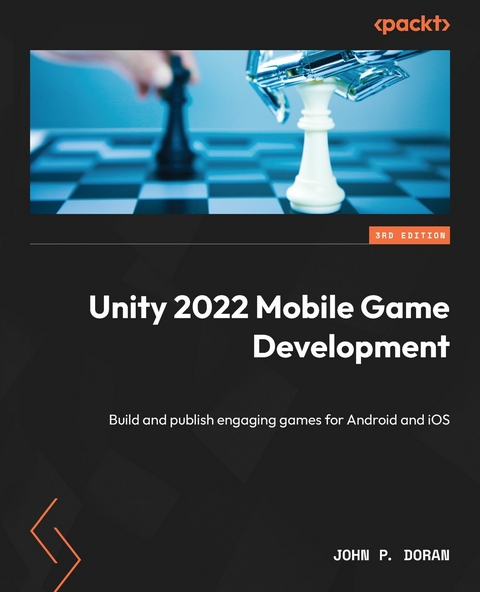
Unity 2022 Mobile Game Development (eBook)
480 Seiten
Packt Publishing (Verlag)
9781804619940 (ISBN)

Unity is a well-established player in the mobile game development sphere, and its new release, Unity 2022, is packed with new, exciting features. In Unity 2022 Mobile Game Development, Third Edition, you'll get to grips with the Unity game engine by building a mobile game and publishing it on the most popular mobile app stores as well as exploring the all-new features.
This book provides a comprehensive and practical approach to mobile game development, helping you build an endless runner game. Starting with setting up a simple Unity project for mobile development, you'll delve into various essential aspects needed to successfully create and publish your game. You'll acquire a range of skills, such as incorporating touch gestures, monetizing your game with Unity Ads and in-app purchases, designing an intuitive UI, and seamlessly integrating social media functionalities. Additionally, you'll gain valuable insights into player preferences and behavior using Unity's analytics tools. You'll also explore features of augmented reality in Unity 2022, enhancing your game's appeal.
By the end of this book, you'll be well-equipped to reap the power of Unity 2022 to build, optimize, and publish robust cross-platform mobile games with C#, as well as widening your skill set and enhancing your credentials as a game developer.
Get started with mobile game development with this practical, illustrated guide on how to use Unity 2022 and C# to build cross-platform mobile games and add augmented reality features to your projectsKey FeaturesCreate, deploy, and monetize immersive mobile games on Android and iOS with Unity 2022Integrate augmented reality in your mobile projects to add real-world elements to your gamesExplore step-by-step instructions and a demo game project to kickstart your game development journeyBook DescriptionUnity is a well-established player in the mobile game development sphere, and its new release, Unity 2022, is packed with new, exciting features. In Unity 2022 Mobile Game Development, Third Edition, you'll get to grips with the Unity game engine by building a mobile game and publishing it on the most popular mobile app stores as well as exploring the all-new features. This book provides a comprehensive and practical approach to mobile game development, helping you build an endless runner game. Starting with setting up a simple Unity project for mobile development, you ll delve into various essential aspects needed to successfully create and publish your game. You ll acquire a range of skills, such as incorporating touch gestures, monetizing your game with Unity Ads and in-app purchases, designing an intuitive UI, and seamlessly integrating social media functionalities. Additionally, you ll gain valuable insights into player preferences and behavior using Unity's analytics tools. You ll also explore features of augmented reality in Unity 2022, enhancing your game's appeal. By the end of this book, you ll be well-equipped to reap the power of Unity 2022 to build, optimize, and publish robust cross-platform mobile games with C#, as well as widening your skill set and enhancing your credentials as a game developer.What you will learnDesign responsive UIs for your mobile gamesDetect collisions, receive user input, and create player movementsCreate interesting gameplay elements using mobile device inputAdd custom icons and presentation optionsKeep players engaged by using Unity s mobile notification packageIntegrate social media into your projectsAdd augmented reality features to your game for real-world appealMake your games juicy with post-processing and particle effectsWho this book is forIf you are a game developer or mobile developer looking to learn Unity and employ it to build mobile games for iOS and Android, then this Unity book is for you. Prior knowledge of C# and Unity will be beneficial but isn t mandatory.]]>
1
Building Your Game
As we start on our journey of building mobile games using the Unity game engine, it’s important that you are familiar with the engine itself before we dive into the specifics of building things for mobile platforms. Although there is a chance that you’ve already built a game and want to transition it to mobile, there will also be those of you who haven’t touched Unity before or may not have used it in a long time. This chapter will act as an introduction to newcomers and a refresher for those coming back, and it will provide some best practices for those who are already familiar with Unity. While you may skip this chapter if you’re already familiar with Unity, I think it’s also a good idea to go through the project so that you know the thought processes behind why the project is made in the way that it is, so that you can keep it in mind for your own future titles.
In this chapter, we will build a 3D endless runner game in the same vein as Imangi Studios LLC’s Temple Run series. In our case, we will have a player who will run continuously in a certain direction and dodge the obstacles that are in their way. We can also add additional features to the game easily, as the game will endlessly have new things added to it.
This chapter will be split into several topics. It will contain simple, step-by-step processes for you to follow. Here is an outline of our tasks:
- Setting up the project
- Creating the player
- Moving the player through a C# script
- Improving scripts using attributes and XML comments
- Update function versus FixedUpdate function
- Having the camera follow our player
- Creating a basic tile
- Making the game endless
- Creating obstacles
Technical requirements
This book utilizes Unity 2022.1.0b14 and Unity Hub 3.3.1, but the steps should work with minimal changes in future versions of the editor. If you would like to download the exact version used in this book, and there is a new version out, you can visit Unity’s download archive at https://unity3d.com/get-unity/download/archive.
You can also find the system requirements for Unity at https://docs.unity3d.com/2022.1/Documentation/Manual/system-requirements.html in the Unity Editor system requirements section.
You can find the code files for this chapter on GitHub at https://github.com/PacktPublishing/Unity-2022-Mobile-Game-Development-3rd-Edition/tree/main/Chapter01.
Setting up the project
Now that we have our goals in mind, let’s start building our project:
- To get started, open Unity Hub on your computer.
- From startup, we’ll opt to create a new project by clicking on the New button.
- Next, under Project Name, put in a name (I have chosen MobileDev), and under Templates, make sure that 3D is selected. Afterward, click on CREATE and wait for Unity to load up:
Figure 1.1 – Creating a 3D project
- After it’s finished, you’ll see the Unity Editor pop up for the first time:
Figure 1.2 – The Unity Editor
- If your layout doesn’t look the same as in the preceding screenshot, go to the top-right section of the toolbar and select the drop-down menu there that reads Layout. From there, select Default from the options presented:
Figure 1.3 – The Layout button
We now have opened Unity for the first time and have the default layout displayed!
Tip
If this is your first time working with Unity, then I highly recommend that you read the Unity’s interface section of the Unity Manual, which you can access at https://docs.unity3d.com/Manual/UsingTheEditor.html.
Now that we have Unity open, we can actually start building our project.
Creating the player
To get started, we’ll build a player that will always move forward. Let’s start with that now:
- To get started, we will create some ground for our player to walk on. To do that, go to the top menu and select GameObject | 3D Object | Cube.
- From there, we’ll move over to the Inspector window and change the name of the object to Floor. Then, for the Transform component, set Position to (0, 0, 0). This can be done by either typing the values in or right-clicking on the Transform component and then selecting the Reset Position option.
- Then, we will set the Scale values of the object to (7, 0.1, 10):
Figure 1.4 – Creating the ground
In Unity, by default, 1 unit of space is representative of 1 meter in real life. So, our Scale values will make the floor longer than it is wide (X and Z), and we have some size on the ground (Y), so the player will collide and land on it because we have a Box Collider component attached to it by default.
Note
The Box Collider component is added automatically when creating a Cube object and is required to have objects collide with it. For more information on the Box Collider component, check out https://docs.unity3d.com/Manual/class-BoxCollider.html.
- Next, we will create our player, which will be a sphere. To do this, we will go to GameObject | 3D Object | Sphere.
- Rename the sphere to Player and set the Transform component’s Position values to (0, 1, -4):
Figure 1.5 – Positioning the player
This places the ball slightly above the ground and shifts it back to near the starting point. Note that the camera object (see the camera icon) is pointing toward the ball by default because it is positioned at (0, 1, -10).
- We want the ball to move, so we will need to tell the physics engine that we want to have this object react to forces, so we will need to add a Rigidbody component. To do so, with the Player object selected, go to the menu and select Component | Physics | Rigidbody. To see what happens now, let’s click on the Play button, which can be seen in the middle of the first toolbar:
Figure 1.6 – Current state of the game
As in the preceding screenshot, you should see the ball fall down onto the ground when we play the game.
Tip
You can disable/enable having the Game tab take up the entire screen when being played by clicking on the Maximize On Play button at the top, or by right-clicking on the Game tab and then selecting Maximize.
- Click on the Play button again to turn the game off and go back to the Scene tab, if it doesn’t happen automatically.
We now have the objects for both the floor and the player in the game and have told the player to react to physics! Next, we will add interactivity to the player through the use of code.
Moving the player through a C# script
We want the player to move, so in order to do that, we will create our own piece of functionality in a script, effectively creating our own custom component in the process:
- To create a script, we will go to the Project window and select the Create button in the top-left corner of the menu by clicking on the + icon, and then we will select...
| Erscheint lt. Verlag | 30.6.2023 |
|---|---|
| Sprache | englisch |
| Themenwelt | Mathematik / Informatik ► Informatik ► Grafik / Design |
| Mathematik / Informatik ► Informatik ► Programmiersprachen / -werkzeuge | |
| Informatik ► Software Entwicklung ► Spieleprogrammierung | |
| Informatik ► Weitere Themen ► Smartphones / Tablets | |
| ISBN-13 | 9781804619940 / 9781804619940 |
| Informationen gemäß Produktsicherheitsverordnung (GPSR) | |
| Haben Sie eine Frage zum Produkt? |
 EPUB (Ohne DRM)
Digital Rights Management: ohne DRM
Dieses eBook enthält kein DRM oder Kopierschutz. Eine Weitergabe an Dritte ist jedoch rechtlich nicht zulässig, weil Sie beim Kauf nur die Rechte an der persönlichen Nutzung erwerben.
Dateiformat: EPUB (Electronic Publication)
EPUB ist ein offener Standard für eBooks und eignet sich besonders zur Darstellung von Belletristik und Sachbüchern. Der Fließtext wird dynamisch an die Display- und Schriftgröße angepasst. Auch für mobile Lesegeräte ist EPUB daher gut geeignet.
Systemvoraussetzungen:
PC/Mac: Mit einem PC oder Mac können Sie dieses eBook lesen. Sie benötigen dafür die kostenlose Software Adobe Digital Editions.
eReader: Dieses eBook kann mit (fast) allen eBook-Readern gelesen werden. Mit dem amazon-Kindle ist es aber nicht kompatibel.
Smartphone/Tablet: Egal ob Apple oder Android, dieses eBook können Sie lesen. Sie benötigen dafür eine kostenlose App.
Geräteliste und zusätzliche Hinweise
Buying eBooks from abroad
For tax law reasons we can sell eBooks just within Germany and Switzerland. Regrettably we cannot fulfill eBook-orders from other countries.
aus dem Bereich