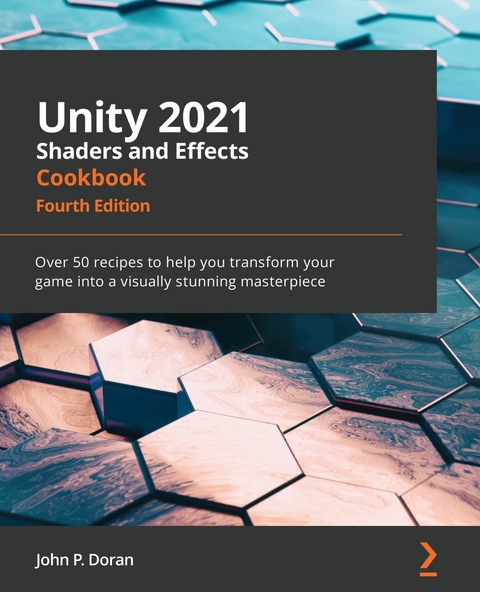
Unity 2021 Shaders and Effects Cookbook (eBook)
484 Seiten
Packt Publishing (Verlag)
978-1-83921-769-2 (ISBN)
Shaders enable you to create powerful visuals for your game projects. However, creating shaders for your games can be notoriously challenging with various factors such as complex mathematics standing in the way of attaining the level of realism you crave for your shaders.
The Unity 2021 Shaders and Effects Cookbook helps you overcome that with a recipe-based approach to creating shaders using Unity. This fourth edition is updated and enhanced using Unity 2021 features and tools covering Unity's new way of creating particle effects with the VFX Graph. You'll learn how to use VFX Graph for advanced shader development. The book also features updated recipes for using Shader Graph to create 2D and 3D elements. You'll cover everything you need to know about vectors, how they can be used to construct lighting, and how to use textures to create complex effects without the heavy math. You'll also understand how to use the visual-based Shader Graph for creating shaders without any code.
By the end of this Unity book, you'll have developed a set of shaders that you can use in your Unity 3D games and be able to accomplish new effects and address the performance needs of your Unity game development projects. So, let's get started!
Overcome the challenges and complexities involved in creating your own shaders with high-level realism using practical solutions, best practices, and the latest features of Unity 2021Key FeaturesDiscover practical recipes for mastering post-processing effects and advanced shading techniquesLearn the secrets of creating AAA quality shaders without writing long algorithmsCreate visually stunning effects for your games using Unity's VFX GraphBook DescriptionShaders enable you to create powerful visuals for your game projects. However, creating shaders for your games can be notoriously challenging with various factors such as complex mathematics standing in the way of attaining the level of realism you crave for your shaders. The Unity 2021 Shaders and Effects Cookbook helps you overcome that with a recipe-based approach to creating shaders using Unity. This fourth edition is updated and enhanced using Unity 2021 features and tools covering Unity's new way of creating particle effects with the VFX Graph. You'll learn how to use VFX Graph for advanced shader development. The book also features updated recipes for using Shader Graph to create 2D and 3D elements. You'll cover everything you need to know about vectors, how they can be used to construct lighting, and how to use textures to create complex effects without the heavy math. You'll also understand how to use the visual-based Shader Graph for creating shaders without any code. By the end of this Unity book, you'll have developed a set of shaders that you can use in your Unity 3D games and be able to accomplish new effects and address the performance needs of your Unity game development projects. So, let's get started!What you will learnUse physically based rendering to fit the aesthetic of your gameCreate spectacular effects for your games by testing the limits of what shaders can doExplore advanced shader techniques for your games with AAA qualityUse Shader Graph to create 2D and 3D elements for your games without writing codeMaster the math and algorithms behind the commonly used lighting modelsGet to grips with the Post-Processing Stack to tweak the appearance of your gameWho this book is forThis book is for game developers who want to start creating their first shaders in Unity 2021 and take their game to a whole new level by adding professional post-processing effects. The book assumes intermediate-level knowledge of Unity.]]>
Preface
Unity 2021 Shaders and Effects Cookbook is your guide to becoming familiar with the creation of shaders and post-processing effects in Unity 2021. You will start your journey at the beginning, exploring the Post Processing Stack to see some of the possible ways you can use shaders to affect what you see without having to write scripts at all. Afterward, we will learn how to create shaders from scratch, starting by creating the most basic shaders and learning how the shader code is structured. This foundational knowledge will arm you with the means to progress further through each chapter, learning advanced techniques such as volumetric explosions and fur shading. We also explore the newly added Shader Graph editor to see how you can create shaders through a drag-and-drop interface as well! This edition of the book is written specifically for Unity 2021 and will help you to master physically based rendering and global illumination to get as close to photorealism as possible.
By the end of each chapter, you will have gained new skills that will increase the quality of your shaders and even make your shader writing process more efficient. These chapters have been tailored so that you can jump into each section and learn a specific skill, going from beginner to expert. For those who are new to shader writing in Unity, you can progress through each chapter, one at a time, to build on your knowledge. Either way, you will learn the techniques that make modern games look the way they do.
Once you have completed this book, you will have a set of shaders that you can use in your Unity 3D games as well as an understanding of how to add to them, accomplish new effects, and address performance needs. So, let's get started!
Who this book is for
Unity 2021 Shaders and Effects Cookbook is written for Game developers who want to create their first shaders in Unity 2021 or wish to take their game to a whole new level by adding professional post-processing effects. A solid understanding of Unity is required.
What this book covers
Chapter 1, Post Processing Stack, introduces you to the Post Processing Stack, which will allow users to tweak their game's appearance without having to write any additional scripts.
Chapter 2, Creating Your First Shader, introduces you to the world of shader coding in Unity. You will build some basic shaders and learn how to introduce tweakable properties in your shaders to make them more interactive.
Chapter 3, Working with Surface Shaders, covers the most common and useful techniques that you can implement with Surface Shaders, including how to use textures and normal maps for your models.
Chapter 4, Working with Texture Mapping, will show how to use textures to animate, blend, and drive any other property that you like.
Chapter 5, Understanding Lighting Models, gives you an in-depth explanation of how shaders model the behavior of light. This chapter teaches you how to create custom lighting models used to simulate special effects, such as toon shading.
Chapter 6, Physically Based Rendering, shows you that physically based rendering is the standard technology used by Unity 5 to bring realism to your games. This chapter explains how to make the most out of it by mastering transparencies, reflective surfaces, and global illumination.
Chapter 7, Vertex Functions, teaches you how shaders can be used to alter the geometry of an object. This chapter introduces vertex modifiers and uses them to bring volumetric explosions, snow shaders, and other effects to life.
Chapter 8, Fragment Shaders and Grab Passes, explains how to use grab passes to make materials that emulate the deformations generated by semi-transparent materials.
Chapter 9, Mobile Shader Adjustment, helps you optimize your shaders to get the most out of any device.
Chapter 10, Screen Effects with Unity Render Textures, shows you how to create special effects and visuals that would otherwise be impossible to achieve.
Chapter 11, Gameplay and Screen Effects, tells you how post-processing effects can be used to complement your gameplay, simulating, for instance, a night-vision effect.
Chapter 12, Advanced Shading Techniques, introduces the most advanced techniques in this book, such as fur shading and heatmap rendering.
Chapter 13, Shader Graph – 2D, explains how to set up a project to use Unity's newly added Shader Graph editor. We cover how to create a simple Shader Graph, how to expose properties, and explore the ways that we can use Shader Graph for 2D games.
Chapter 14, Shader Graph – 3D, expands on the knowledge from the previous chapter and shows how to use Shader Graph for 3D games with examples such as how to interact with the Shader Graph through code using a glow highlight system, creating a portal shader, and using custom Shader Graph functions.
To get the most out of this book
You are expected to have experience of working with Unity and some scripting experience (C# is fine). The book is written with Unity 2021.1.9f1 but should work with future versions of the engine with some minor tweaks.
If you are using the digital version of this book, we advise you to type the code yourself or access the code via the GitHub repository (link available in the next section). Doing so will help you avoid any potential errors related to the copying and pasting of code.
Download the example code files
You can download the example code files for this book from GitHub at https://github.com/PacktPublishing/Unity-2021-Shaders-and-Effects-Cookbook-Fourth-Edition. In case there's an update to the code, it will be updated on the existing GitHub repository.
We also have other code bundles from our rich catalog of books and videos available at https://github.com/PacktPublishing/. Check them out!
Download the color images
We also provide a PDF file that has color images of the screenshots/diagrams used in this book. You can download it here: https://static.packt-cdn.com/downloads/9781839218620_ColorImages.pdf.
Conventions used
There are a number of text conventions used throughout this book.
Code in text: Indicates code words in text, database table names, folder names, filenames, file extensions, pathnames, dummy URLs, user input, and Twitter handles. Here is an example: "Use the vertex color data from our Input struct to be assigned to the o.Albedo parameters in the built-in SurfaceOutput struct."
A block of code is set as follows:
void surf (Input IN, inout SurfaceOutput o)
{
o.Albedo = IN.vertColor.rgb * _MainTint.rgb;
}
When we wish to draw your attention to a particular part of a code block, the relevant lines or items are set in bold:
struct Input
{
float2 uv_MainTex;
float4 vertColor;
};
Bold: Indicates a new term, an important word, or words that you see onscreen. For example, words in menus or dialog boxes appear in the text like this. Here is an example: "From its Inspector tab, make sure that Filter Mode is set to Bilinear."
Tips or important notes
Appear like this.
Sections
In this book, you will find several headings that appear frequently (Getting ready, How to do it..., How it works..., There's more..., and See also).
To give clear instructions on how to complete a recipe, use these sections as follows:
Getting ready
This section tells you what to expect in the recipe and describes how to set up any software or any preliminary settings required for the recipe.
How to do it…
This section contains the steps required to follow the recipe.
How it works…
This section usually consists of a detailed explanation of what happened in the previous section.
There's more…
This section consists of additional information about the recipe in order to make you more knowledgeable about the recipe.
See also
This section provides helpful links to other useful information for the recipe.
Get in touch
Feedback from our readers is always welcome.
General feedback: If you have questions about any aspect of this book, mention the book title in the subject of your message and email us at customercare@packtpub.com.
Errata: Although we have taken every care to ensure the accuracy of our content, mistakes do happen. If you have found a mistake in this book, we would be grateful if you would report this to us. Please visit www.packtpub.com/support/errata, selecting your book, clicking on the Errata Submission Form link, and entering the details.
Piracy: If you come across any illegal copies of our works in any form...
| Erscheint lt. Verlag | 15.10.2021 |
|---|---|
| Sprache | englisch |
| Themenwelt | Mathematik / Informatik ► Informatik ► Grafik / Design |
| Informatik ► Software Entwicklung ► Spieleprogrammierung | |
| ISBN-10 | 1-83921-769-3 / 1839217693 |
| ISBN-13 | 978-1-83921-769-2 / 9781839217692 |
| Informationen gemäß Produktsicherheitsverordnung (GPSR) | |
| Haben Sie eine Frage zum Produkt? |
 EPUB (Ohne DRM)
Digital Rights Management: ohne DRM
Dieses eBook enthält kein DRM oder Kopierschutz. Eine Weitergabe an Dritte ist jedoch rechtlich nicht zulässig, weil Sie beim Kauf nur die Rechte an der persönlichen Nutzung erwerben.
Dateiformat: EPUB (Electronic Publication)
EPUB ist ein offener Standard für eBooks und eignet sich besonders zur Darstellung von Belletristik und Sachbüchern. Der Fließtext wird dynamisch an die Display- und Schriftgröße angepasst. Auch für mobile Lesegeräte ist EPUB daher gut geeignet.
Systemvoraussetzungen:
PC/Mac: Mit einem PC oder Mac können Sie dieses eBook lesen. Sie benötigen dafür die kostenlose Software Adobe Digital Editions.
eReader: Dieses eBook kann mit (fast) allen eBook-Readern gelesen werden. Mit dem amazon-Kindle ist es aber nicht kompatibel.
Smartphone/Tablet: Egal ob Apple oder Android, dieses eBook können Sie lesen. Sie benötigen dafür eine kostenlose App.
Geräteliste und zusätzliche Hinweise
Buying eBooks from abroad
For tax law reasons we can sell eBooks just within Germany and Switzerland. Regrettably we cannot fulfill eBook-orders from other countries.
aus dem Bereich