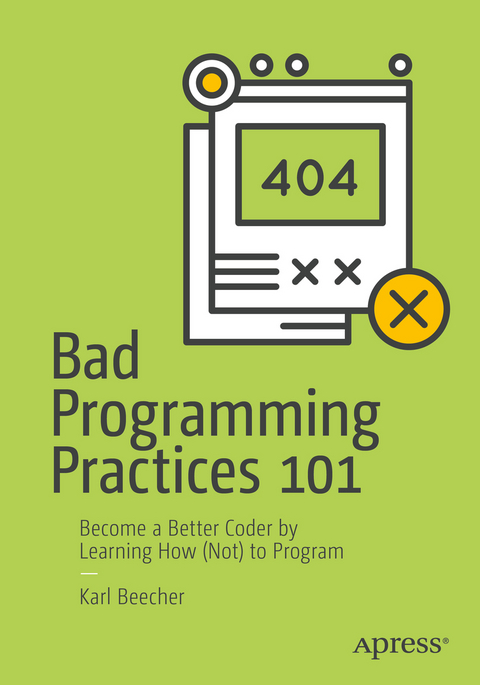
Bad Programming Practices 101 (eBook)
221 Seiten
Apress (Verlag)
9781484234112 (ISBN)
- Become a better coder by learning how (not) to program
- Choose your tools wisely
- Think of programming as problem solving
- Discover the consequences of a program’s appearance and overall structure
- Explain poor use of variables in programs
- Avoid bad habits and common mistakes when using conditionals and loops
- See how poor error-handling makes for unstable programs
- Sidestep bad practices related specifically to object-oriented programming
- Mitigate the effects of ineffectual and inadequate bug location and testing
Karl Beecher is a British writer, software developer and teacher based in Berlin, Germany. He specializes in taking meaty, complex ideas and presenting them in ways that are easy to understand.
Chapter 1: Fundamentals of BadnessHow best to approach programming, in particular how to learn it, how to choose your tools wisely, and how tothink of programming as problem solving. Bad ways to learn programming Bad tooling Bad ways to approach a solution (or: programming is really problem-solving)Chapter 2: Layout and StructureShow the reader the consequences of a program’s appearance and overall structure. Make indentation and spacing poor and inconsistent Avoid structured programming, use lots of gotos Nest deeply - programmers like solving intricate puzzles Have lots of paths through a subroutine Clutter the code with extraneous tokens Avoid comments - code should be hard to read!Chapter 3: VariablesExplain poor use of variables in programs. Use obscure names - thinking up meaningful labels isn't worth the effort Consider declaration a waste of time Use global variables Thoroughly abuse the type systemChapter 4: ConditionalsDiscuss bad habits and common mistakes when using conditionals. Use long, complex expressions Forget the else clause - the computer will figure it out Mix up nominal cases with errors cases Make sure the cases overlap or have gapsChapter 5: LoopsDiscuss bad habits and common mistakes when using loops. Make 'em looooong! Give loops lots of exit points Avoid iterators - loop counters help make code convoluted and insecure Infinite loops are funChapter 6: SubroutinesShow the consequences of poorly-written subroutines. Write monolithic programs - after all, someone else will do the maintenance Make subroutines long and complex Use lots of local variables Use inconsistent return values to keep your colleagues on their toesChapter 7: Error-handlingExplain how poor error-handling makes for unstable programs. Never check inputs - users don't make mistakes Don't handle errors - just assume everything will always go well Don't check for null pointers If you must check values, do it as late as possible (a.k.a. defensive programming is for wimps)Chapter 8: ModulesDiscuss bad practices to follow when dividing a large program into pieces. Make modules big and hefty Ensure they expose their inner workings Give them rigid designs to prevent others from writing their pesky extensions Make them specific to one problem - why should others benefit from your work? Import all the things!Chapter 9: ObjectsDiscuss bad practices related specifically to object-oriented programming. Expose a class's internals - why should we have secrets? Put unrelated stuff together Objects are not independent - make them follow orders Keep coupling tight Favour deep inheritance hierarchies Avoid polymorphism - abstract code is harder to 'get' than abstract art Give classes multiple parents (a.k.a. classes shouldn't reproduce asexually)Chapter 10: Bugs and debuggingShow how to carry out ineffectual and inadequate ways to locate bugs and mitigate their effects. Write really unfriendly error messages - users shouldn't understand them anyway Don't discriminate between exception types Litter code with print messages Don't use debug levelsChapter 11: TestingShow how to carry out ineffectual and inadequate testing. Ignore the requirements when testing Leave testing until the very end Keep code coverage low Testing once is enough Avoid test automation tools
| Erscheint lt. Verlag | 8.2.2018 |
|---|---|
| Zusatzinfo | XXII, 221 p. 15 illus. in color. |
| Verlagsort | Berkeley |
| Sprache | englisch |
| Themenwelt | Mathematik / Informatik ► Informatik ► Programmiersprachen / -werkzeuge |
| Mathematik / Informatik ► Informatik ► Software Entwicklung | |
| Informatik ► Theorie / Studium ► Compilerbau | |
| Schlagworte | anti patterns • Best Practices • Coding • Patterns • programming • Software |
| ISBN-13 | 9781484234112 / 9781484234112 |
| Informationen gemäß Produktsicherheitsverordnung (GPSR) | |
| Haben Sie eine Frage zum Produkt? |
 PDF (Wasserzeichen)
Größe: 3,0 MB
DRM: Digitales Wasserzeichen
Dieses eBook enthält ein digitales Wasserzeichen und ist damit für Sie personalisiert. Bei einer missbräuchlichen Weitergabe des eBooks an Dritte ist eine Rückverfolgung an die Quelle möglich.
Dateiformat: PDF (Portable Document Format)
Mit einem festen Seitenlayout eignet sich die PDF besonders für Fachbücher mit Spalten, Tabellen und Abbildungen. Eine PDF kann auf fast allen Geräten angezeigt werden, ist aber für kleine Displays (Smartphone, eReader) nur eingeschränkt geeignet.
Systemvoraussetzungen:
PC/Mac: Mit einem PC oder Mac können Sie dieses eBook lesen. Sie benötigen dafür einen PDF-Viewer - z.B. den Adobe Reader oder Adobe Digital Editions.
eReader: Dieses eBook kann mit (fast) allen eBook-Readern gelesen werden. Mit dem amazon-Kindle ist es aber nicht kompatibel.
Smartphone/Tablet: Egal ob Apple oder Android, dieses eBook können Sie lesen. Sie benötigen dafür einen PDF-Viewer - z.B. die kostenlose Adobe Digital Editions-App.
Buying eBooks from abroad
For tax law reasons we can sell eBooks just within Germany and Switzerland. Regrettably we cannot fulfill eBook-orders from other countries.
aus dem Bereich