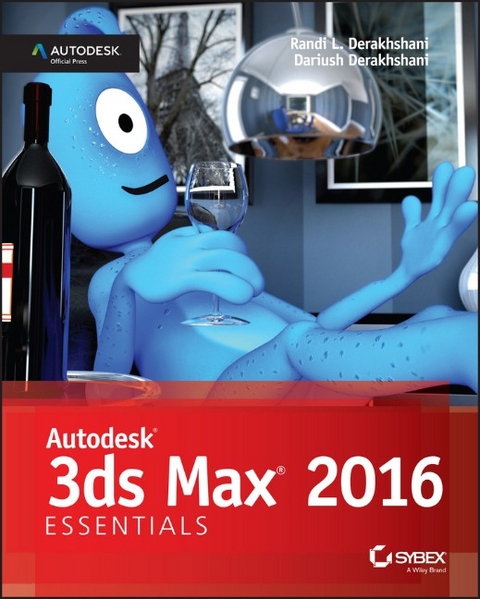
Autodesk 3ds Max 2016 Essentials (eBook)
John Wiley & Sons (Verlag)
978-1-119-05989-9 (ISBN)
Autodesk 3ds Max 2016 Essentials is your perfect hands-on guide to start animating quickly. Using approachable, real-world exercises, you'll master the fundamentals of this leading animation software by following full-color screen shots step by step. Each chapter opens with a quick discussion of concepts and learning objectives, and then launches into hands-on tutorials that give you firsthand experience and a good start on preparing for the 3ds Max certification exam. You'll learn the basics of modeling, texturing, animating, and visual effects as you create a retro-style alarm clock, animate a thrown knife, model a chair, and more. Whether you're a complete beginner or migrating from another 3D application, this task-based book provides the solid grounding you need in Autodesk 3ds Max 2016.
- Model your character with polygons, meshes, and more
- Add motion with simple and complex animations
- Add color and textures to visualize materials and surfaces
- Render interior scenes with great lighting and camera placement
If you want to learn 3ds Max quickly and painlessly, Autodesk 3ds Max 2016 Essentials helps you start animating today.
About the Authors
Randi L. Derakhshani teaches 3D and visual effects at The Art Institute of California and has worked as a digital artist and technical director for fames and movie projects with Gizmo Games, RJB Enterprises, and Sony. Dariush Derakhshani is an award-winning visual effects supervisor, author, and educator. His movie and TV credits include The Fantastic Four, Pan's Labyrinth, and the South Park TV series, as well as numerous commercials and music videos. Dariush has written all of Sybex's Introducing Maya books. He teaches 3D animation and is the author of Sybex's Introducing Maya book. Randi and Dariush are both Autodesk Certified Instructors.
About the Authors Randi L. Derakhshani teaches 3D and visual effects at The Art Institute of California and has worked as a digital artist and technical director for fames and movie projects with Gizmo Games, RJB Enterprises, and Sony. Dariush Derakhshani is an award-winning visual effects supervisor, author, and educator. His movie and TV credits include The Fantastic Four, Pan's Labyrinth, and the South Park TV series, as well as numerous commercials and music videos. Dariush has written all of Sybex's Introducing Maya books. He teaches 3D animation and is the author of Sybex's Introducing Maya book. Randi and Dariush are both Autodesk Certified Instructors.
Introduction
Welcome to Autodesk® 3ds Max® 2016 Essentials. The world of computer-generated (CG) imagery is fun and ever changing. Whether you are new to CG in general or are a CG veteran new to 3ds Max designing, you'll find this book the perfect primer. It introduces you to the Autodesk 3ds Max software and shows how you can work with the program to create your art, whether it is animated or static in design.
This book exposes you to all facets of 3ds Max by introducing and plainly explaining its tools and functions to help you understand how the program operates—but it does not stop there. This book also explains the use of the tools and the ever-critical concepts behind the tools. You'll find hands-on examples and tutorials that give you firsthand experience with the toolsets. Working through them will develop your skills and the conceptual knowledge that will carry you to further study with confidence. These tutorials expose you to various ways to accomplish tasks with this intricate and comprehensive artistic tool. They should give you the confidence you need to venture deeper into the feature set in 3ds Max, either on your own or by using any of the software's other learning tools and books as a guide.
Learning to use a powerful tool can be frustrating. You need to remember to pace yourself. The major complaints CG book readers have are that the pace is too fast and that the steps are too complicated or overwhelming. Addressing those complaints is a tough nut to crack, to be sure. No two readers are the same. However, this book offers the opportunity to run things at your own pace. The exercises and steps may seem confusing at times, but keep in mind that the more you try and the more you fail at some attempts, the more you will learn how to operate the 3ds Max engine. Experience is king when learning the workflow necessary for any software program, and with experience comes failure and aggravation. But try and try again. You will find that further attempts will always be easier and more fruitful.
Above all, this book aims to inspire you to use the 3ds Max program as a creative tool to achieve and explore your own artistic vision.
Who Should Read This Book
Anyone who is interested in learning to use the 3ds Max tools should start with this book.
If you are an educator, you will find a solid foundation on which to build a new course. You can also treat the book as a source of raw materials that you can adapt to fit an existing curriculum. Written in an open-ended style, Autodesk® 3ds Max® 2016 Essentials contains several self-help tutorials for home study as well as plenty of material to fit into any class.
What You Will Learn
You will learn how to work in CG with Autodesk 3ds Max 2016. The important thing to keep in mind, however, is that this book is merely the beginning of your CG education. With the confidence you will gain from the exercises in this book, and the peace of mind you can have by using this book as a reference, you can go on to create your own increasingly complex CG projects.
What You Need
Hardware changes constantly and evolves faster than publications can keep up. Having a good solid machine is important to production, although simple home computers will be able to run the 3ds Max software quite well. Any laptop (with discrete graphics, not a netbook) or desktop PC running Windows XP Professional, Windows 7, or Windows 8 (32- or 64-bit) with at least 2 GB of RAM and an Intel Pentium Core 2 Duo/Quad or AMD Phenom or higher processor will work. Of course, having a good video card will help; you can use any hardware-accelerated OpenGL or Direct3D video card. Your computer system should have at least a 2.4 GHz Core 2 or i5/i7 processor with 2 GB of RAM, a few GBs of hard-drive space available, and a GeForce FX or ATI Radeon video card. Professionals may want to opt for workstation graphics cards, such as the ATI FirePro or the Quadro FX series of cards. The following systems would be good ones to use:
-
Intel i7, 4 GB RAM, Quadro FX 2000, 400 GB 7200 RPM hard disk
-
AMD Phenom II, 4 GB RAM, ATI FirePro V5700, 400 GB hard disk
You can check the list of system requirements at the following website: www.autodesk.com/3dsmax.
Free Autodesk Software for Students and Educators
The Autodesk Education Community is an online resource with more than five million members that enables educators and students to download—for free (see website for terms and conditions)—the same software used by professionals worldwide. You can also access additional tools and materials to help you design, visualize, and simulate ideas. Connect with other learners to stay current with the latest industry trends and get the most out of your designs. Get started today at www.autodesk.com/joinedu.
What Is Covered in This Book
Autodesk® 3ds Max® 2016 is organized to provide you with a quick and essential experience with 3ds Max to allow you to begin a fruitful education in the world of computer graphics.
- Chapter 1, “The 3ds Max Interface,”
begins with an introduction to the interface for 3ds Max 2016 to get you up and running quickly.
- Chapter 2, “Your First 3ds Max Project,”
is an introduction to modeling concepts and workflows in general. It shows you how to model using 3ds Max tools with polygonal meshes and modifiers to create a retro alarm clock.
- Chapter 3, “Modeling in 3ds Max: Architectural Model Part I,”
takes your modeling lesson from Chapter 2 a step further by showing you how to use some of the Architecture Engineering and Construction (AEC) tools to build an interior space using a room from an image.
- Chapter 4, “Modeling in 3ds Max: Architectural Model Part II,”
continues with the interior space from Chapter 3 by adding some furniture. The main focus of this chapter is the Graphite Modeling Tools tab and its many tools.
- Chapter 5, “Introduction to Animation,”
teaches you the basics of 3ds Max animation techniques and workflow by animating a bouncing ball. You will also learn how to use the Track View - Curve Editor to time, edit, and finesse your animation.
- Chapter 6, “Animation Principles,”
rounds out your animation experience by showing the animation concepts of weight, follow-through, and anticipation when you animate a knife thrown at a target.
- Chapter 7, “Character Modeling Part I,”
introduces you to the creation of polygon mesh character model of an alien. In this chapter, you begin by blocking out the primary parts of the body.
- Chapter 8, “Character Modeling Part II,”
continues the alien model, focusing on using the Editable Poly toolset. You will finish the body details, head, hands, and feet.
- Chapter 9, “Introduction to Materials,”
shows you how to assign textures and materials to your models. You will learn to texture the couch, chair, and window from Chapter 4 as you learn the basics of working with 3ds Max materials and UVW mapping.
- Chapter 10, “Textures and UV Workflow: The Alien,”
furthers your understanding of materials and textures, and introduces UV workflows in preparing and texturing the alien.
- Chapter 11, “Character Studio: Rigging,”
covers the basics of Character Studio in creating a biped system and associating the biped rig to the alien model.
- Chapter 12, “Character Studio: Animation,”
expands on Chapter 11 to show you how to use Character Studio to create and edit a walk cycle using the alien model.
- Chapter 13, “Introduction to Lighting: Interior Lighting,”
begins by showing you how to light a 3D scene with the three-point lighting system. It then shows you how to use the tools to create and edit 3ds Max lights for illumination, shadows, and special lighting effects. You will light the furniture to which you added materials in Chapter 9.
- Chapter 14, “3ds Max Rendering,”
explains how to create image files from your 3ds Max scene and how to achieve the best look for your animation by using proper cameras and rendering settings when you render the interior scene.
- Chapter 15, “mental ray,”
shows you how to render with mental ray. Using Final Gather, you will learn how to use indirect lighting.
The companion web page to this book at www.sybex.com/go/3dsmax2016essentials provides all the sample images, movies, and files that you will need to work through the projects in Autodesk® 3ds Max® 2016.
NOTE
This book is a great primer for Autodesk 3ds Max. If you're interested in taking the Autodesk Certification exams for 3ds Max, go to www.autodesk.com/certification for information and...
| Erscheint lt. Verlag | 31.7.2015 |
|---|---|
| Sprache | englisch |
| Themenwelt | Informatik ► Grafik / Design ► Digitale Bildverarbeitung |
| Informatik ► Grafik / Design ► Film- / Video-Bearbeitung | |
| Informatik ► Office Programme ► Outlook | |
| Informatik ► Weitere Themen ► CAD-Programme | |
| Schlagworte | 3ds introduction • 3ds max • 3ds max 2016 • 3ds Max animation • 3ds Max basics • 3ds Max beginner's guide • 3ds Max certification • 3ds Max examples • 3ds Max features • 3ds Max fundamentals • 3ds Max handbook • 3ds Max hands-on • 3ds Max how-to • 3ds Max instruction • 3ds Max manual • 3ds Max modeling • 3ds Max training • 3ds Max tutorial • 3ds Max workflow • Autodesk 3ds Max • Autodesk 3ds max 2016 • Autodesk 3ds Max Essentials: Autodesk Official Press • Computer-Ratgeber • Dariush Derakhshani • End-User Computing • Graphics & Design software (Non-Microsoft) • Graphik- u. Designsoftware (auÃer Microsoft) • Graphik- u. Designsoftware (außer Microsoft) • introduction to 3ds Max • learning 3ds Max • learning animation • starting 3ds Max • using 3ds Max |
| ISBN-10 | 1-119-05989-5 / 1119059895 |
| ISBN-13 | 978-1-119-05989-9 / 9781119059899 |
| Informationen gemäß Produktsicherheitsverordnung (GPSR) | |
| Haben Sie eine Frage zum Produkt? |
 EPUB (Adobe DRM)
Kopierschutz: Adobe-DRM
Adobe-DRM ist ein Kopierschutz, der das eBook vor Mißbrauch schützen soll. Dabei wird das eBook bereits beim Download auf Ihre persönliche Adobe-ID autorisiert. Lesen können Sie das eBook dann nur auf den Geräten, welche ebenfalls auf Ihre Adobe-ID registriert sind.
Details zum Adobe-DRM
Dateiformat: EPUB (Electronic Publication)
EPUB ist ein offener Standard für eBooks und eignet sich besonders zur Darstellung von Belletristik und Sachbüchern. Der Fließtext wird dynamisch an die Display- und Schriftgröße angepasst. Auch für mobile Lesegeräte ist EPUB daher gut geeignet.
Systemvoraussetzungen:
PC/Mac: Mit einem PC oder Mac können Sie dieses eBook lesen. Sie benötigen eine
eReader: Dieses eBook kann mit (fast) allen eBook-Readern gelesen werden. Mit dem amazon-Kindle ist es aber nicht kompatibel.
Smartphone/Tablet: Egal ob Apple oder Android, dieses eBook können Sie lesen. Sie benötigen eine
Geräteliste und zusätzliche Hinweise
Buying eBooks from abroad
For tax law reasons we can sell eBooks just within Germany and Switzerland. Regrettably we cannot fulfill eBook-orders from other countries.
aus dem Bereich