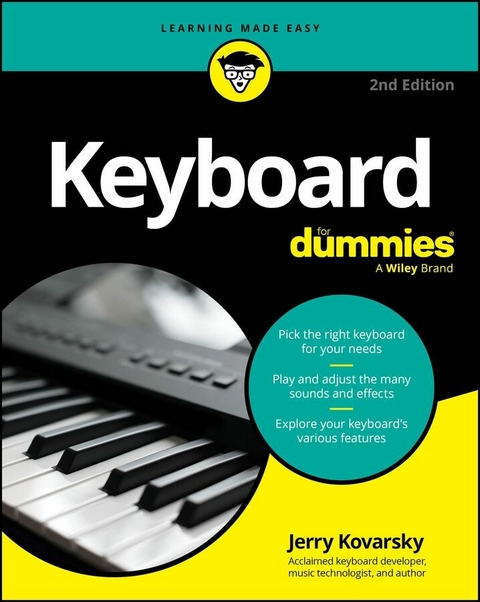
Keyboard For Dummies (eBook)
455 Seiten
For Dummies (Verlag)
978-1-394-35683-6 (ISBN)
Discover the keyboard that's right for you, whatever your budget!
Looking for a fun, challenging, and rewarding new instrument to play? Thinking about the piano but don't necessarily have the room or the budget to put one in your home?
Then grab a copy of the second edition of Keyboard For Dummies! In the book, acclaimed music technologist and keyboardist Jerry Kovarsky explores the wide variety of keyboards available, their sounds and features, and how to find the one that's right for you.
This book walks you through the basics of keyboard playing, from hand and finger placement, to reading music, understanding rhythm and the basics of chords and harmony. Then, take on the fundamentals of sound editing, using effects, and recording your music. You'll learn how to hook up a keyboard to your computer, iPad or smartphone using both wired and Bluetooth technologies.
Inside the book:
- Tips for choosing the right keyboard for you and keeping it in good condition
- Step-by-step tutorials to teach you keyboard hand placement and basic keyboard technique
- Suggestions for playing the most common keyboard sounds
- Playing along with rhythm patterns and auto-accompaniment
- Help with recording and editing songs
- Recommended online resources and example audio tracks
Whether you're a total keyboard novice or a more experienced piano player seeking to explore electronic keyboards, Keyboard For Dummies is the easy-to-read and fun guide to the instrument that you've been waiting for.
Jerry Kovarsky is a veteran product management professional with Casio, Ensoniq and Korg, and an acclaimed music and technology author.
Chapter 1
Living in a Keyboard World
IN THIS CHAPTER
Grasping the basic attributes of a keyboard
Understanding the benefits of reading music
Perusing beginner and advanced keyboard effects
Looking at practice options
You’ve probably seen images and scenes of people wielding the power and majesty of playing a keyboard:
- Young genius Mozart driving his peer Salieri mad with his effortless brilliance (no, I wasn’t there; I saw the movie Amadeus)
- Early rockers like Jerry Lee Lewis and Little Richard banging away like men possessed
- The ever-so-detached cool of the jazz pianist, playing with head close to the keys, cigarette dangling from his lips, lost in concentration
- Prog-rocker Keith Emerson stabbing knives into his Hammond organ and riding it across stages, and then, for a break, strapping onto a spinning grand piano and playing, in the ultimate feat of showmanship
- Countless music videos in the ’80s featuring bands behind stacks of synthesizers or dancing around wearing strap-on keyboards (and sporting interesting haircuts to boot)
- Singer-songwriters like Billy Joel, Elton John, Alicia Keys, John Legend, and Carole King spinning their tales of life and love from behind massive grand pianos
All these images (and more) have caused many a young boy and girl to embark down the road of playing keyboard. And many Baby Boomers and successful businesspeople have returned to this love after carving out their careers, wanting to pick up where they left off.
Beyond the familiar black and white keys, though, keyboards can be wildly different instruments, and looking at the front panels may not give you much of a clue as to what’s inside. This chapter gives you an overview of what keyboards are and just what you can do with them. Remember: I provide online audio tracks throughout the book to help demonstrate the topics at hand, including the discussions introduced in this chapter.
If what you’re interested in is the acoustic piano, I recommend Piano For Dummies (Wiley). It’s a wonderful guide to all things piano.
Distinguishing Basic Keyboard Characteristics
The first thing to realize is that all keyboards aren’t the same. They may make different types of sounds by different methods of sound production and are meant to do different things for the needs of different players. The following sections help you navigate this potentially confusing terrain.
Examining keyboard designs throughout the years
I divide keyboards up into the following types based on how they produce their sound to make the differences among keyboards easy to understand; you can read more about their differences in Chapter 2:
- Acoustic instruments: These instruments require no power to make their sound, so I don’t cover them here. But they include the acoustic piano, the harpsichord, and old pump pipe organs and such. Each produces its sound in different ways and sounds distinctly different from the others. And their sounds are certainly included in your electronic keyboard.
- Electro-mechanical instruments: These options produce their sounds mechanically or acoustically and then have amplifiers and electronics to make the sound louder. The classic Rhodes and Wurlitzer electric pianos fall into this group, as well as the funky Clavinet (clav) and the mighty Hammond organ. These sounds are important to know because they’re included in almost every keyboard you try out today.
- Electronic instruments: Keyboards in this group produce their sounds by electronic means, either analog or digital, and are what this book covers most in-depth. Electronic keyboards use a variety of technologies to produce their sounds. Brochures and websites throw around terms like sampling, analog synthesis, DSP, and modeling, along with hundreds of seemingly meaningless acronyms. In Chapters 2 and 14, I describe and compare all these methods of sound production.
Touching on key weight
Those black and whites may look the same at first glance, but keys (or the key mechanism) can vary greatly from instrument to instrument. The first main distinction is whether the keys are weighted. Weighted keys give the feel of playing an acoustic piano. These keys may seem harder to play, but they offer you much more control over your dynamics, or ability to play more softly and loudly.
Non-weighted keys are often called synth-action; they’re lighter to the touch and can be faster to play. The next step up is semi-weighted keys, which are firmer, more solid light-touch keys.
I discuss key weighting in greater detail in Chapter 2. The quality can vary from model to model and brand to brand, so it’s an important aspect to consider when buying a keyboard; be sure to check out Chapter 3 as well to find important considerations you should make when choosing a keyboard that fits your needs.
Join the family: Grouping keyboards
Electronic keyboards fall into well-established families or categories of instruments. Each has a relatively standard set of features and is meant to be used for specific musical needs and playing situations. Within each family, you encounter entry-level models that are more basic and then step-up models that add to the quality and number of sounds, the number of features, the size and quality of the keyboard feel, and so on. The main keyboard “food groups” are as follows:
- Digital pianos: Acoustic piano wannabes or replacements.
- Stage pianos: Digital pianos intended for the performing musician, with additional sounds and pro features.
- Portable keyboards: Fun, lightweight, and full of features to help you sound better.
- Arrangers: Keyboards with sophisticated backing features to produce the sound of a full band from your simple chord input.
- Organs: Instruments dedicated to reproducing the sound, features, and feel of the legendary Hammond B3. They may include some additional sounds such as pipe organ, combo organs, and even other keyboard and synth sounds.
- Synthesizers: Keyboards that allow you to make your own sounds and adjust the sounds provided. They can sound the most electronic and imaginative but now often include imitative and natural sounds as well.
- Workstations: Basically, synthesizers with onboard recording systems to allow you to create complete works of original music. Very advanced and feature-rich.
- Controllers: Keyboards that don’t make sound themselves but are used to trigger sounds from your computer, phone/tablet, sound modules, and other keyboards. These options use the MIDI standard to communicate with the sound-producing devices. (Head to Chapter 16 for details on MIDI.)
Chapters 2 and 3 are your keys (pun intended) to getting more info on all these families of instruments. Deciding which one is right for your needs can be confusing, but I help you organize and prioritize your needs, thinking through what you want to do, where you want to do it, and what you can afford, in Chapters 3 and 17.
Speaking the Musical Language
Perhaps you can pick up simple melodies by ear and hunt and peck with a few fingers to play the notes, but eventually you’re going to want to develop your skills more. Learning to read musical notation opens up a way to communicate so much about playing any type of keyboard. It allows you to read the examples in this book and others; to buy sheet music and songbooks of your favorite piano pieces, artists, and songs; and to tackle instructional courses. Chapter 5 is your friendly and easy-to-follow introduction to the language of music. Developing your finger facility and strength takes you from fumble to finesse. Chapter 6 gets things rolling and will have you playing with good posture and fingering technique in no time.
Some forms of print music use what are called chord symbols to indicate notes that can be played beneath a melody. They’re usually intended for guitar players to strum along, but the keyboardist can also use them to enhance their playing. A form of print music called a fake book provides only a melody and chord symbols, so you need to know your chords to follow along. And you need to understand chords to use certain backing features of some keyboards. Read up on chords in Chapter 7.
Making the Most of Your Keyboard’s Basic Features
You can just turn on your keyboard and start playing, and you’ll have a great time. But these are electronic keyboards, and they do so much more than that. Your keyboard is brimming with features and cool capabilities, like any self-respecting tech product these days. I don’t know of any that offer video games or let you video chat with your friends, but you never know what may come to pass!
Working with sounds
Some keyboards offer a small grouping of sounds; simple digital pianos may have 16 or so. But most offer at least 100 and sometimes thousands. Finding them, selecting them, and understanding whether they’re simple single sounds or complex combinations of instruments stacked on top of each other or split between your hands takes some study. Chapter...
| Erscheint lt. Verlag | 29.7.2025 |
|---|---|
| Sprache | englisch |
| Themenwelt | Kunst / Musik / Theater ► Musik |
| Schlagworte | is playing keyboard easy? • is the keyboard hard? • Keyboard Chords • Keyboard exercises • Keyboard for beginners • Keyboard guide • keyboard handbook • Keyboard practice • keyboard recording • Keyboard skills • Keyboard tutorial • Learn to play keyboard |
| ISBN-10 | 1-394-35683-8 / 1394356838 |
| ISBN-13 | 978-1-394-35683-6 / 9781394356836 |
| Informationen gemäß Produktsicherheitsverordnung (GPSR) | |
| Haben Sie eine Frage zum Produkt? |
 EPUB (Adobe DRM)
Kopierschutz: Adobe-DRM
Adobe-DRM ist ein Kopierschutz, der das eBook vor Mißbrauch schützen soll. Dabei wird das eBook bereits beim Download auf Ihre persönliche Adobe-ID autorisiert. Lesen können Sie das eBook dann nur auf den Geräten, welche ebenfalls auf Ihre Adobe-ID registriert sind.
Details zum Adobe-DRM
Dateiformat: EPUB (Electronic Publication)
EPUB ist ein offener Standard für eBooks und eignet sich besonders zur Darstellung von Belletristik und Sachbüchern. Der Fließtext wird dynamisch an die Display- und Schriftgröße angepasst. Auch für mobile Lesegeräte ist EPUB daher gut geeignet.
Systemvoraussetzungen:
PC/Mac: Mit einem PC oder Mac können Sie dieses eBook lesen. Sie benötigen eine
eReader: Dieses eBook kann mit (fast) allen eBook-Readern gelesen werden. Mit dem amazon-Kindle ist es aber nicht kompatibel.
Smartphone/Tablet: Egal ob Apple oder Android, dieses eBook können Sie lesen. Sie benötigen eine
Geräteliste und zusätzliche Hinweise
Buying eBooks from abroad
For tax law reasons we can sell eBooks just within Germany and Switzerland. Regrettably we cannot fulfill eBook-orders from other countries.
aus dem Bereich