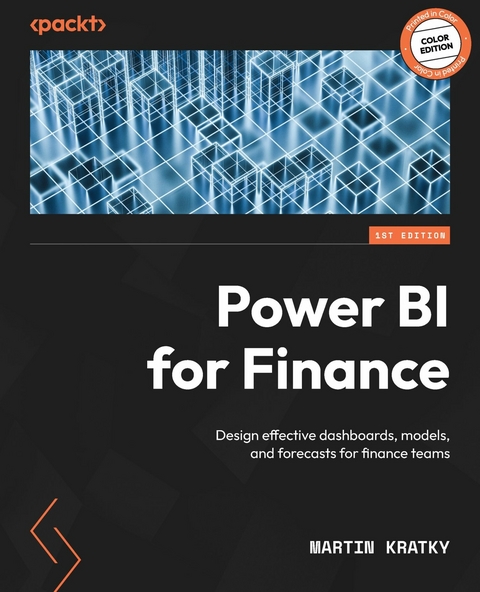
Power BI for Finance (eBook)
330 Seiten
Packt Publishing (Verlag)
978-1-83763-116-2 (ISBN)
Martin Kratky brings his global experience of over 20 years as co-founder of Managility and creator of Acterys to empower CFOs and accountants with Power BI for Finance through this hands-on guide to streamlining and enhancing financial processes.
Starting with the foundation of every effective BI solution, a well-designed data model, the book shows you how to structure star schemas and integrate common financial data sources, such as ERP and accounting systems. You'll then learn to implement key financial logic using DAX and M, covering calendars, KPIs, and variance calculations. The book offers practical advice on creating clear and compliant financial reports, such as income statements, balance sheets, and cash flows, including formatting best practices and visual design tips.
With dedicated chapters on advanced workflows, you'll learn how to handle multi-currency setups, perform group consolidations, and implement planning models such as rolling forecasts, annual budgets, and sales and operations planning (S&OP). As you advance, you'll gain insights from real-world case studies covering company valuations, Excel integration, and the use of write-back methods with Dynamics Business Performance Planning and Acterys. The concluding chapters highlight how AI and Copilot enhance financial analytics.
Build effective data models and reports in Power BI for financial planning, budgeting, and valuations with practical templates, logic, and step-by-step guidance. Free with your book: DRM-free PDF version + access to Packt's next-gen Reader*Key FeaturesEngineer optimal star schema data models for financial planning and analysisImplement common financial logic, calendars, and variance calculationsCreate dynamic, formatted reports for income statements, balance sheets, and cash flowPurchase of the print or Kindle book includes a free PDF eBookBook DescriptionMartin Kratky brings his global experience of over 20 years as co-founder of Managility and creator of Acterys to empower CFOs and accountants with Power BI for Finance through this hands-on guide to streamlining and enhancing financial processes. Starting with the foundation of every effective BI solution, a well-designed data model, the book shows you how to structure star schemas and integrate common financial data sources like ERP and accounting systems. You ll then learn to implement key financial logic using DAX and M, covering calendars, KPIs, and variance calculations. The book offers practical advice on creating clear and compliant financial reports, such as income statements, balance sheets, and cash flows with visual design and formatting best practices. With dedicated chapters on advanced workflows, you ll learn how to handle multi-currency setups, perform group consolidations, and implement planning models like rolling forecasts, annual budgets, and sales and operations planning (S&OP). As you advance, you ll gain insights from real-world case studies covering company valuations, Excel integration, and the use of write-back methods with Dynamics Business Performance Planning and Acterys. The concluding chapters highlight how AI and Copilot enhance financial analytics. *Email sign-up and proof of purchase requiredWhat you will learnApply multi-currency handling and group consolidation techniques in Power BIModel discounted cash flow and company valuation scenariosDesign and manage write-back workflows with Dynamics BPP and ActerysIntegrate Excel and Power BI using live connections and cube formulasUtilize AI, Copilot, and LLMs to enhance automation and insight generationCreate complete finance-focused dashboards for sales and operations planningWho this book is forThis book is for finance professionals including CFOs, FP&A managers, controllers, and certified accountants who want to enhance reporting, planning, and forecasting using Power BI. Basic familiarity with Power BI and financial concepts is recommended to get the most out of this hands-on guide.]]>
Preface
Since its inception in 2015, Power BI has evolved into the market-leading solution for self-service analytics. Its unparalleled analytical capabilities, breadth, and flexibility offer significant advantages for financial professionals who have traditionally relied on spreadsheet-based solutions. Most existing literature on Power BI focuses on generic technical details. With this book, my aim is to provide practical guidance for finance practitioners on how to address a wide range of financial concepts and challenges effectively. I have drawn on lessons learned from working on projects since Power BI’s inception, including developing the initial demo samples as well as on more than twenty years of experience implementing management information and planning systems.
Finance is undergoing a fundamental transformation. The role of finance professionals is evolving—from number crunchers to strategic advisors, from report generators to insight providers. Power BI is a key enabler of this transformation, and by mastering it, you’re positioning yourself at the forefront of this change.
The journey from traditional financial reporting to modern analytics may not always be easy, but it’s immensely rewarding. The tools and concepts in this book are designed to help you build solutions that deliver real business value, empower decision-makers, and free you from repetitive tasks so you can focus on higher-value analysis.
I hope this book serves as a practical and inspiring guide as you move forward in your Power BI and finance journey. Every expert was once a beginner. Keep learning, keep building, and keep pushing forward.
Who this book is for
This book is for financial practitioners looking to improve process efficiency and address a variety of common financial reporting and planning requirements using Microsoft Power BI.
What this book covers
Chapter 1, Introducing Power BI For Finance, lays the groundwork for a robust Power BI environment tailored specifically to finance professionals. It focuses on two core pillars: building a clean, scalable data model and then applying the financial logic that turns raw numbers into actionable insights.
Chapter 2, Financial Logic with Power BI, explains how to develop Power BI DAX calculations that enable financial calculation logic.
Chapter 3, Business Information Design, introduces the principles of effective financial dashboard design and their practical implementation in Power BI
Chapter 4, Financial Reporting, explains how to build comprehensive financial statements in Power BI, focusing on the Income Statement (Profit & Loss), Balance Sheet, and advanced reporting techniques.
Chapter 5, Power BI & Excel, explains how Excel and Power BI can be used together to optimize financial tasks, highlighting the optimal separation of tasks in each solution.
Chapter 6, Multi Currency Handling, explains how to handle multi-currency scenarios in Excel and Power BI, focusing on integrating currency rate data and performing currency conversions using both spot and historic rates as well as implementing live exchange rates via an API.
Chapter 7, Group & Board Reporting, outlines the best practices for effective group reporting, covering progress against strategic objectives, key project and product development metrics, financial performance, and sales/customer KPIs.
Chapter 8, Rolling Reporting Forecasts, explains how to implement rolling reporting and forecasting in Power BI, focusing on dynamically updating forecasts as new data becomes available.
Chapter 9, Discounted Cash Flow Public Company Valuation, explains how to perform discounted cash flow (DCF) valuation for public companies using Power BI, including importing financial statement data, transforming and cleaning the data in Power BI, and then applying DAX calculations to project future free cash flows and discount them to present value.
Chapter 10, Price Volume Mix Analysis, shows how Price Volume Mix (PVM) analysis helps organizations understand how changes in price, sales volume, and product mix affect overall revenue, especially for businesses offering diverse products or services.
Chapter 11, Writeback & Planning in Power BI, explains how Power BI can be used for write-back and financial planning with Acterys and Microsoft Dynamics 365 Extensions.
Chapter 12, Case Study Planning Model, outlines the process of building a complete planning model using Acterys/Dynamics BPP and integrating it with Power BI.
Chapter 13, Advanced Analytics & Machine Learning, explores advanced analytics and machine learning techniques, focusing on extracting actionable insights, uncover patterns, and predict outcomes in financial contexts.
Chapter 14, Using Language Models and Copilot in Power BI to Improve Financial Analysis, explains how LLMs and Microsoft Copilot are transforming financial analysis in Power BI by automating report creation, optimizing DAX calculations, and generating business insights through natural language interaction.
To get the most out of this book
The book is organized into four parts:
- Power BI Stack for Finance: The initial part introduces Power BI’s benefits for finance users, covering data integration, modeling, and logic.
- Financial Reports and Dashboards: Focuses on report creation, charts, and data presentation
- Advanced Financial Topics: Covers handling multiple currencies, consolidating group data, building dynamic rolling forecasts and company valuation work
- Planning and Forecasting: shows how to build models to plan for the future, use advanced analytics, machine learning, and LLMs for financial applications
This book assumes that the users are familiar with the main components of Power BI: Power Query, the Power BI service, DAX and how to use Power BI visuals.
For absolute beginners, there is a vast pool of knowledge available to study prior to reading this book. I recommend consulting Microsoft’s learning materials, the latest, high ranked YouTube channels, as well as a myriad of Power BI related blogs out there.
Download the example code files
The code bundle for the book is hosted on GitHub at https://github.com/PacktPublishing/Power-BI-for-Finance. We also have other code bundles from our rich catalog of books and videos available at https://github.com/PacktPublishing. Check them out!
Download the color images
We also provide a PDF file that has color images of the screenshots/diagrams used in this book. You can download it here: https://packt.link/gbp/9781837635016.
Note: Since this book has many full-window screenshots to show the Power BI UI, we recommend that you view the images online for the best experience: either through this PDF image file or by unlocking the free ebook.
Conventions used
There are a number of text conventions used throughout this book.
CodeInText: Indicates code words in text, database table names, folder names, filenames, file extensions, pathnames, dummy URLs, user input, and Twitter handles. For example: “The total revenue calculation is a bit more interesting as we need to change the filter context of the Accounts table (ALL(Accounts) clear any filter on that table) to always refer to the total revenue with a CALCULATE statement.”
A block of code is set as follows:
ACT = sum(Transactions[NetAmount_GC]) BUD = sum(Budget[NetAmount_GC]) Bold: Indicates a new term, an important word, or words that you see on the screen. For instance, words in menus or dialog boxes appear in the text like this. For example: “To add the data bar, we click again on the Sum of Balance context, choose Conditional formatting, and then Data bars:”
Warnings or important notes appear like this.
Tips and tricks appear like this.
Get in touch
Feedback from our readers is always welcome.
General feedback: If you have questions about any aspect of this book or have any general feedback, please email us at customercare@packt.com and mention the book’s title in the subject of your message.
Errata: Although we have taken every care to ensure the accuracy of our content, mistakes do happen. If you have found a mistake in this book, we would be grateful if you reported this to us. Please visit http://www.packt.com/submit-errata, click Submit Errata, and fill in the form.
Piracy: If you come across any illegal copies of our works in any form on the internet, we would be grateful if you would provide us with the location address or website name. Please contact us at copyright@packt.com with a link to the material.
| Erscheint lt. Verlag | 26.11.2025 |
|---|---|
| Sprache | englisch |
| Themenwelt | Wirtschaft ► Betriebswirtschaft / Management ► Finanzierung |
| ISBN-10 | 1-83763-116-6 / 1837631166 |
| ISBN-13 | 978-1-83763-116-2 / 9781837631162 |
| Informationen gemäß Produktsicherheitsverordnung (GPSR) | |
| Haben Sie eine Frage zum Produkt? |
 EPUB (Ohne DRM)
Digital Rights Management: ohne DRM
Dieses eBook enthält kein DRM oder Kopierschutz. Eine Weitergabe an Dritte ist jedoch rechtlich nicht zulässig, weil Sie beim Kauf nur die Rechte an der persönlichen Nutzung erwerben.
Dateiformat: EPUB (Electronic Publication)
EPUB ist ein offener Standard für eBooks und eignet sich besonders zur Darstellung von Belletristik und Sachbüchern. Der Fließtext wird dynamisch an die Display- und Schriftgröße angepasst. Auch für mobile Lesegeräte ist EPUB daher gut geeignet.
Systemvoraussetzungen:
PC/Mac: Mit einem PC oder Mac können Sie dieses eBook lesen. Sie benötigen dafür die kostenlose Software Adobe Digital Editions.
eReader: Dieses eBook kann mit (fast) allen eBook-Readern gelesen werden. Mit dem amazon-Kindle ist es aber nicht kompatibel.
Smartphone/Tablet: Egal ob Apple oder Android, dieses eBook können Sie lesen. Sie benötigen dafür eine kostenlose App.
Geräteliste und zusätzliche Hinweise
Buying eBooks from abroad
For tax law reasons we can sell eBooks just within Germany and Switzerland. Regrettably we cannot fulfill eBook-orders from other countries.
aus dem Bereich