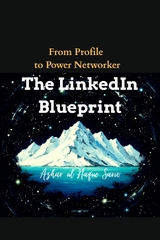
The LinkedIn Blueprint (eBook)
198 Seiten
Azhar Sario Hungary (Verlag)
978-3-384-72823-4 (ISBN)
Ready to transform your LinkedIn from a static resume into a dynamic career-building machine?
This book is your complete guide to mastering the world's most powerful professional platform. We start by fundamentally shifting your perspective. You will learn to view your profile not as a history report, but as a forward-looking marketing document. We walk you through every step of building your digital identity. You'll craft the perfect professional photo , write a headline that works as a 120-character pitch , and create a summary that tells your unique story. You'll learn to optimize every section with the right keywords to dominate LinkedIn's search algorithm, making you visible to recruiters. The journey continues into the modern job search. You'll master both inbound strategies to attract opportunities and outbound strategies to proactively find and engage with hiring managers. Beyond just finding a job, this blueprint teaches you the art of strategic networking. You will learn to build a high-quality network with purpose , always personalizing your outreach and providing value before you ask for anything in return. Finally, we guide you through the ultimate level of LinkedIn mastery: becoming a thought leader. You'll transition from a content consumer to a creator, establishing your voice, building a community, and elevating your influence so that opportunities start finding you.
What sets this book apart is that it provides a complete, interconnected system, not just a collection of scattered tips. Other guides might tell you how to write a good headline, but they fail to connect that to an active job search strategy. They may tell you to network, but not how that network helps you become a recognized authority in your field. The LinkedIn Blueprint connects all the dots. It shows you how a powerful profile (Part I) is the foundation for a successful job hunt (Part II). It reveals how a strategic network (Part III) supercharges that job hunt with referrals and insider information. Most importantly, it takes you beyond the immediate goal of landing a job and teaches you how to build true, long-term career resilience by establishing yourself as an influential voice in your industry (Part IV). This is not just about finding your next job; it is about building an adaptable, autonomous, and opportunity-rich career for years to come.
This author has no affiliation with the board and it is independently produced under nominative fair use.
Part II: Mastering the Modern Job Search
Navigating the LinkedIn Job Engine
5.1. Mastering the Job Search Function: Filters, Keywords, and Alerts
Think of the LinkedIn Jobs tab as a massive, sprawling library filled with millions of books, each one a potential career opportunity. If you just walk in and start pulling books off the shelf randomly, you’ll likely end up tired, frustrated, and with nothing to show for it. A simple keyword search, like asking the librarian for "a book on business," is only the first, most basic step. To truly find the hidden gems that are perfect for you, you need to become the master librarian of your own career search. This means mastering the art of keywords, the science of filters, and the magic of alerts.
It all starts with shifting your mindset. You are not just a job seeker; you are a detective on a mission. Your first clue is the keyword, but it's rarely just the job title. Let’s say you’re looking for a "Project Manager" role. Typing that in is a good start, but it’s going to give you an overwhelming flood of results. Now, let’s get smarter. Think about the language of the job you want. What specific skills, software, or methodologies are used? Your search could transform from a simple "Project Manager" to something far more powerful.
Try using what’s called a Boolean search. It sounds complicated, but it’s incredibly simple. Use quotation marks to search for an exact phrase, like "Project Manager". Use AND to include multiple skills, like "Project Manager" AND Agile. Use OR to include alternatives, such as Agile OR Scrum. And use NOT to exclude things you don’t want, for instance, NOT "Intern". Suddenly, your search could look like this: ("Project Manager" OR "Program Manager") AND (Agile OR Scrum) AND Asana NOT Healthcare. In one line, you've told LinkedIn you want a management role, specified the methodology and tools you use, and excluded an entire industry you're not interested in. The difference in the quality of your results will be staggering. Harvest keywords by reading the job descriptions of roles that excite you. What words do they use over and over? Add those to your arsenal.
Now that you’ve mastered the art of the keyword, it’s time to use your secret weapon: filters. This is where you go from a broad search to a laser-focused one. Filters are on the side or top of the search results page, and they are your best friend.
Location: This is more than just a city. Are you willing to work on-site? Then pick your city and a radius. Are you looking for the freedom of working from anywhere? The "Remote" filter is a game-changer. Maybe you want a mix of both? "Hybrid" is the filter for you. Defining your geography isn’t just a logistical choice; it’s a lifestyle choice.
Experience Level: Be honest with yourself, but don't be afraid to stretch. If you have four years of experience, don't just limit yourself to "Associate" level roles. Look at "Mid-Senior level" as well. Sometimes companies define these levels differently, and you might be the perfect fit for a role that seems a level above.
Company and Industry: Do you dream of working for a specific company? You can literally filter to only see jobs from that organization. Or maybe you want to break into the booming renewable energy sector. You can filter to see only jobs in that industry. You can even filter by company size. Do you thrive in the fast-paced, all-hands-on-deck environment of a startup, or do you prefer the structure of a massive corporation? Tell LinkedIn what you want.
Date Posted: This is one of the most powerful and underused filters. The job market moves fast. Applying for a job posted 30 days ago is a long shot. The "Past 24 hours" and "Past week" filters put you at the front of the line. You’re seeing the freshest opportunities and can be one of the first applicants, which gives you a huge advantage.
Finally, after you’ve created this perfect, highly specific search, you don’t have to do it all over again every single day. This is where you automate your ambition by setting up job alerts. At the top of your search results, you’ll see an option to create an alert for that exact search. Do it.
Better yet, don’t create just one. Create several. Make one for your ideal role in your city. Make another for a fully remote version of that role. Create a third for a slightly different job title you’re also qualified for. Think of these alerts as your own personal team of job scouts, working for you 24/7. Every morning or every week, you’ll get a curated email with a list of brand-new jobs that perfectly match your detailed criteria.
By combining sharp keywords, precise filters, and automated alerts, you transform the job hunt. It stops being a draining, manual chore of endless scrolling and becomes an efficient, targeted, and empowering process where the right opportunities find their way directly to you.
5.2. Understanding and Leveraging the "Easy Apply" Feature
In the world of online job hunting, the "Easy Apply" button on LinkedIn is the ultimate temptation. It’s like a magic button that promises to send your professional story off to a potential employer with a single, satisfying click. And in many ways, it delivers on that promise. The speed and convenience are undeniable. You can send out ten, twenty, or even fifty applications in the time it would take to fill out one or two traditional, lengthy online forms. It feels productive. It feels like you’re making progress.
But here’s the crucial truth: its greatest strength is also its greatest weakness. Because it is so incredibly easy, everyone uses it. That "Easy Apply" job you just sent your profile to? It might have already received 500 applications by the end of the day. A week later, that number could be in the thousands. Your carefully curated profile becomes a single drop of water in an ocean of applicants, making it almost impossible to stand out. Relying solely on "Easy Apply" is like playing the lottery. You might get lucky, but the odds are overwhelmingly stacked against you. It's a passive, low-yield approach.
So, should you avoid it altogether? Absolutely not. The key is to stop thinking of it as an application strategy and start thinking of it as a strategic tool. It’s not about if you use it, but how and when you use it.
First, use it selectively for roles that are a perfect, undeniable match for your profile. Read the job description. Then read your LinkedIn profile. If they look like they were written for each other—if your headline, summary, and experience section are packed with the exact keywords and skills the job requires—then "Easy Apply" can be effective. In this scenario, your profile is already optimized to get past the initial digital screeners (the Applicant Tracking Systems, or ATS) and catch a recruiter's eye for the few seconds they might look at it.
Second, "Easy Apply" is a great tool when you have an inside track. If a former colleague has referred you for a position, or if you've already had a conversation with someone at the company, the application is often just a formality to get you into their system. In this case, "Easy Apply" is the perfect, efficient way to check that box while your internal connection does the real work of advocating for you.
However, the most important rule of "Easy Apply" is this: the click is never the final step. It is the first step. To truly make it work, you must pair it with a proactive follow-up strategy. This is how you rescue your application from the digital abyss and put it into the hands of a real human being.
Here's how you do it. After you hit "Easy Apply," your work has just begun. Immediately put your detective hat back on and try to find the hiring manager or recruiter for that role. Search on LinkedIn for titles like "Talent Acquisition at [Company Name]" or "[Department Name] Manager at [Company Name]". For a marketing role, you might look for the "Director of Marketing." It might take a little digging, but you can often find the right person.
Once you’ve identified them, send a personalized connection request or a direct InMail message. Do not just say, "Hi, I applied for your job." This is your chance to make a first impression. Your message should be short, respectful, and powerful.
It could look something like this:
"Hi [Hiring Manager's Name],
I was so excited to see the opening for the [Job Title] role, and I just applied via LinkedIn. My experience in driving [mention a key skill, e.g., B2B content strategy] for the past five years, where I increased lead generation by [mention a specific metric, e.g., 30%], seems to align perfectly with what you're looking for.
I'm particularly impressed with [mention something specific about the company, e.g., your recent product launch or your company's mission] and would be thrilled to bring my skills to your team.
Best regards,
[Your Name]"
This simple, personalized message does what "Easy Apply" alone cannot. It shows initiative. It demonstrates your genuine interest. It highlights your most relevant achievement. And most importantly, it pulls your name out of the pile of anonymous applications and puts it directly in front of the person who makes the decision.
In the end, "Easy Apply" is a tool. Used...
| Erscheint lt. Verlag | 11.10.2025 |
|---|---|
| Sprache | englisch |
| Themenwelt | Sachbuch/Ratgeber ► Beruf / Finanzen / Recht / Wirtschaft ► Bewerbung / Karriere |
| Wirtschaft | |
| Schlagworte | career development • Job Search • LinkedIn • Personal Branding • professional networking • Profile Optimization • thought leadership |
| ISBN-10 | 3-384-72823-8 / 3384728238 |
| ISBN-13 | 978-3-384-72823-4 / 9783384728234 |
| Informationen gemäß Produktsicherheitsverordnung (GPSR) | |
| Haben Sie eine Frage zum Produkt? |
 EPUB (Ohne DRM)
Digital Rights Management: ohne DRM
Dieses eBook enthält kein DRM oder Kopierschutz. Eine Weitergabe an Dritte ist jedoch rechtlich nicht zulässig, weil Sie beim Kauf nur die Rechte an der persönlichen Nutzung erwerben.
Dateiformat: EPUB (Electronic Publication)
EPUB ist ein offener Standard für eBooks und eignet sich besonders zur Darstellung von Belletristik und Sachbüchern. Der Fließtext wird dynamisch an die Display- und Schriftgröße angepasst. Auch für mobile Lesegeräte ist EPUB daher gut geeignet.
Systemvoraussetzungen:
PC/Mac: Mit einem PC oder Mac können Sie dieses eBook lesen. Sie benötigen dafür die kostenlose Software Adobe Digital Editions.
eReader: Dieses eBook kann mit (fast) allen eBook-Readern gelesen werden. Mit dem amazon-Kindle ist es aber nicht kompatibel.
Smartphone/Tablet: Egal ob Apple oder Android, dieses eBook können Sie lesen. Sie benötigen dafür eine kostenlose App.
Geräteliste und zusätzliche Hinweise
Buying eBooks from abroad
For tax law reasons we can sell eBooks just within Germany and Switzerland. Regrettably we cannot fulfill eBook-orders from other countries.
aus dem Bereich