


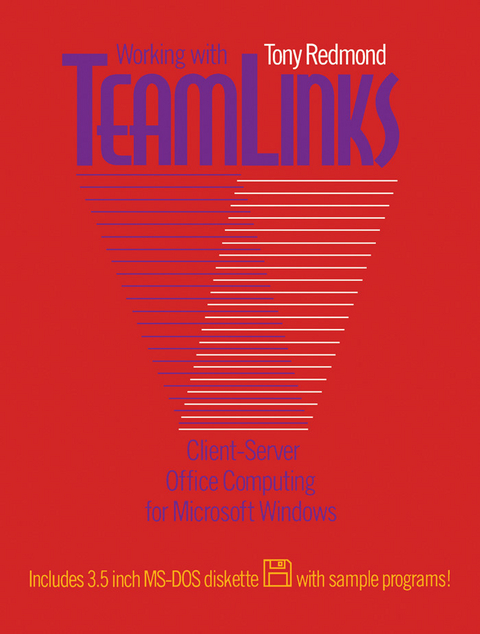
Working with Teamlinks (eBook)
464 Seiten
Elsevier Science (Verlag)
978-1-4831-8402-9 (ISBN)
Tony Redmond is the Vice President and Chief Technology Officer of HP Services, the largest consulting company for enterprise-scale deployments of Microsoft technology in the world. He is one of the world's leading authorities on Exchange Server. In his position at HP, Tony works alongside many skilled professionals who work with Fortune 1000 companies to plan, deploy, and manage technology integration to achieve business success and so lay the foundation for the best practice explained in his books. Tony writes regularly in Windows IT Pro magazine (www.windowsitpro.com) and has written ten other books for Digital Press.
Working with Teamlinks: Client-Server Office Computing for Microsoft Windows presents the fundamental aspects of TeamLinks program. This book deals with the network-based application services such as MAILbus, DEC MAILworks, and TeamRoute. Organized into 10 chapters, this book begins with an overview of the TeamLinks program. This text then examines the practical aspects of office systems implementation that outlast the specific details about any version of any particular product. Other chapters describe the hardware and software requirements for TeamLinks for Windows. This book discusses as well TeamLinks mail system and the structure of the TeamLinks File Cabinet. The final chapter deals with issues encountered when moving to TeamLinks from an established office system. This book is a valuable resource for established systems managers of digital office automation products as well as readers who have no established office systems and wish to know more about TeamLinks because they are interested in the possibilities of moving some or all of their user community to it.
Front Cover 1
Working with Teamlinks: Client-Server Office Computing for
4
Copyright Page 5
Table of Contents 8
Preface 14
CHAPTER
20
The TeamLinks Product Family 20
The TeamLinks Architecture 20
Out-of-the-Box Components 23
The TeamLinks File Cabinet 29
TeamLinks Clients 30
What Version of TeamLinks Should You Use? 31
Servers 33
TeamLinks-Enabled Applications 35
The TeamLinks Advantages 38
CHAPTER
40
Hardware Requirements 40
Creating the Right Software Environment for TeamLinks 43
The Language Interface 50
Booting the PC Correctly 50
TeamLinks Initialization: Overview of OFFICE.INI 59
The PATHWORKS Connection 60
Establishing a Connection to the Network 67
Setting Up the Server for TeamLinks 70
Asynchronous Connections 81
CHAPTER
86
The Common File Cabinet 86
Dynamic Link Libraries Used by the Common File Cabinet 90
How the Staging Area Is Used 91
DEC MAILworks Drawers 93
The Local File Cabinet 95
Importing NonMail Files into a Local Drawer 99
ALL-IN-1IOS Drawers 104
Document Sharing 118
A Practical Assessment of Sharing 126
Tracing Cabinet Activity 127
CHAPTER 4. TeamLinks
132
The TeamLinks Mail System 132
Mail Message Structure 133
Managing Message Storage on the Server 138
Using Templates to Address Messages 144
Setting Mail Working Conditions 147
New Mail Notification 164
Distribution Lists 167
The Personal Address Book 171
MAILbus 175
How a TeamLinks Message Is Transported 178
Tracing the Path of a TeamLinks Message 180
Distributed Directory Services 186
Sending Mail to Non-MAILbus Systems 194
Moving from VMSmail 196
CHAPTER 5.
198
Some TeamRoute Basics 198
The TeamRoute Service Agent 201
Templates 202
The Internal Structure of Routing Packages 205
Creating and Sending a Routing Package 206
How a Package Is Routed 213
Developing TeamRoute Applications 218
Creating a New Template 221
CHAPTER
234
An Overview of Conversion 234
Converter Architecture 235
The Set of Supported Formats 236
Converter Update in
237
KEYpak Converters 237
Halcyon Converters 239
Tags 240
How TeamLinks Uses Viewers and Converters 241
File Formats and Associations 244
Converting Objects 255
Converting Incoming Messages 258
CHAPTER
266
Notes, or Just Conferencing? 266
Structures Used by Conferencing 268
Files Used by the Conferencing Client 274
Using a Remote Notebook 280
Creating a New Conference 283
Acting as a Moderator 285
Managing Conferences 288
Conferencing and TeamLinks 290
CHAPTER
292
TeamLinks Components 292
Defining Customization 293
TeamLinks Development Tools 295
Dynamic Link Libraries (DLLs) 301
Using FILECAB.DLL to Load Files into TeamLinks 304
Processing Documents with FILECAB.DLL 315
What Drawers Do I Have? 326
Making Some Connections 330
Dynamic Data Exchange (DDE) 333
Using TeamLinks Messaging DDE from Visual Basic 338
Creating a Link to a Customized Program through TeamLinks
345
CHAPTER
354
The Installation Checklist 355
Training 361
Programmer Training 367
The New Role for System Managers 368
Setting up a Help Disk 369
Defining Standards for Formats and Converters 371
CHAPTER
376
The ALL-IN-1 Connection 376
Not an Overnight Job 378
Making the Move as a User 381
Accepting That Some Things Will Change 383
Managing the Move 390
Moving in Groups 396
Maintaining Access to ALL-IN-1 Applications 397
Moving ALL-IN-1 to a New Role 397
Appendix 400
OFFICE.INI Explained 400
Mail DDE Parameters 408
Document Format Tags 408
Mail Shortcuts 409
Common File Cabinet Attribute Tags 409
Common File Cabinet Function Codes 411
The Mail Janitor 411
DDS Population 429
The Visual Basic Global Definitions File 436
Building a Time Stamp in NBS Format 439
Glossary 440
Bibliography 448
Trademarks 450
Index 452
| Erscheint lt. Verlag | 12.5.2014 |
|---|---|
| Sprache | englisch |
| Themenwelt | Mathematik / Informatik ► Informatik ► Datenbanken |
| Mathematik / Informatik ► Informatik ► Theorie / Studium | |
| Mathematik / Informatik ► Mathematik ► Finanz- / Wirtschaftsmathematik | |
| Technik | |
| Wirtschaft ► Betriebswirtschaft / Management | |
| ISBN-10 | 1-4831-8402-1 / 1483184021 |
| ISBN-13 | 978-1-4831-8402-9 / 9781483184029 |
| Informationen gemäß Produktsicherheitsverordnung (GPSR) | |
| Haben Sie eine Frage zum Produkt? |
 PDF (Adobe DRM)
Kopierschutz: Adobe-DRM
Adobe-DRM ist ein Kopierschutz, der das eBook vor Mißbrauch schützen soll. Dabei wird das eBook bereits beim Download auf Ihre persönliche Adobe-ID autorisiert. Lesen können Sie das eBook dann nur auf den Geräten, welche ebenfalls auf Ihre Adobe-ID registriert sind.
Details zum Adobe-DRM
Dateiformat: PDF (Portable Document Format)
Mit einem festen Seitenlayout eignet sich die PDF besonders für Fachbücher mit Spalten, Tabellen und Abbildungen. Eine PDF kann auf fast allen Geräten angezeigt werden, ist aber für kleine Displays (Smartphone, eReader) nur eingeschränkt geeignet.
Systemvoraussetzungen:
PC/Mac: Mit einem PC oder Mac können Sie dieses eBook lesen. Sie benötigen eine
eReader: Dieses eBook kann mit (fast) allen eBook-Readern gelesen werden. Mit dem amazon-Kindle ist es aber nicht kompatibel.
Smartphone/Tablet: Egal ob Apple oder Android, dieses eBook können Sie lesen. Sie benötigen eine
Geräteliste und zusätzliche Hinweise
Buying eBooks from abroad
For tax law reasons we can sell eBooks just within Germany and Switzerland. Regrettably we cannot fulfill eBook-orders from other countries.
aus dem Bereich


