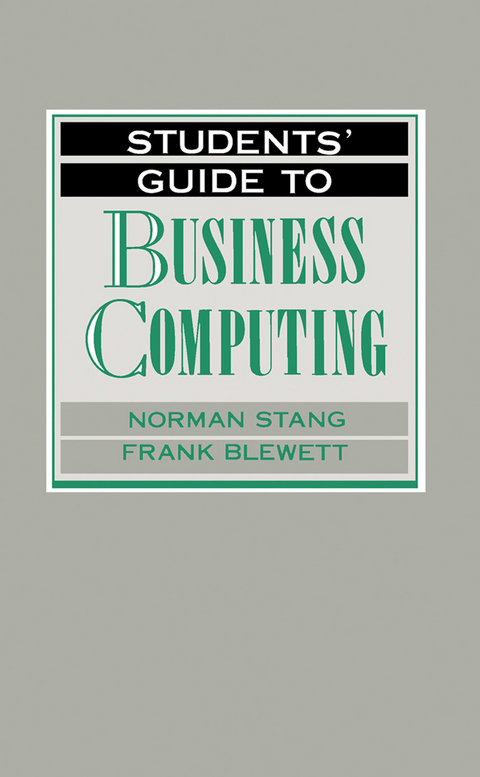
Students' Guide to Business Computing (eBook)
240 Seiten
Elsevier Science (Verlag)
978-1-4831-0426-3 (ISBN)
Students' Guide to Business Computing discusses topics concerning the use of computers in business. The book is comprised of nine chapters that define systems requirements and discuss the issues in designing a system. Chapter 1 covers the business enterprise, while Chapter 2 tackles business computers. Chapter 3 talks about initiating the systems development life cycle, and then Chapter 4 deals with determining system requirements. The book also covers systems design and choosing and using a programming language. Applications software and systems testing and implementation are also discussed. The last chapter talks about selecting business computing hardware and software. The text will be useful to entrepreneurs who want to integrate information technology into their business.
Front Cover 1
Students' Guide to Business Computing 4
Copyright Page 5
Table of Contents 6
Preface 8
Chapter 1. The business enterprise 10
Objectives 10
Scenario 10
What is business? 10
The three main business sectors 11
Organization within business 15
The hierarchy of personnel and responsibilities 19
The information needs of the business 20
Business information systems 23
Chapter 2. The business computer 33
Objectives 33
Scenario 33
What is an information system? 33
Information processing 37
Why could a computer be useful to the burger bar? 37
Why are computers useful for a business? 39
A simple computer-based information system 41
Expertise needed to produce software 45
Packages and tailored software 46
Which should be chosen first – hardware or software? 49
Communications links 51
Computing needs of a large business 54
Organization structure of a large computer department 55
Computing needs of a small business 57
Chapter 3. Initiating the systems development life cycle 60
Objectives 60
Scenario 60
The concept of systems 61
Systems 'problems' 64
The systems development life cycle 67
Starting the systems development process 71
The preliminary investigation 72
Chapter 4. Determination of system requirements 78
Objectives 78
Scenario 78
Organization charts 79
Determination of requirements 82
Developing a systems profile 85
Fact–finding techniques – interviewing 86
Structured and unstructured interviews 88
Conducting an interview 89
Fact–finding techniques – questionnaire 91
Fact–finding techniques – observation 93
Fact–finding techniques – record inspection 95
Determining user requirements 95
Describing data elements 103
Chapter 5. Systems design 108
Objectives 108
Scenario 108
Phases of systems design 109
Design of the outputs from the system 110
Major features of printed output and paper as a medium 112
Design of computer input 117
The design of the data filing methods 120
File storage media 122
Methods of file organization and processing 124
Business databases 126
Design of data controls and security systems 126
Buying packaged software 129
Chapter 6. Choosing and using a programming language 135
Objectives 135
Scenario 135
What is a programming language? 135
Assembly languages 138
High-level languages 139
Fourth generation languages (4GL) 143
Development of programming expertise 145
Database packages 146
Using dBASE3 Plus: a practical case 149
Expert systems 152
Chappter 7. Applications software 158
Objectives 158
Scenario 158
Why use a computer for accounting? 158
Integrated accounting packages 159
Stock control 168
Purchase ledger 173
Nominal ledger 175
Payroll 177
Interrelations between the accounting ledgers 178
Contract accounting 179
Fires, floods and other disasters 184
Useful standard packages 185
Other applications 189
Specialist applications 191
Chapter 8. Systems testing and implementation 194
Objectives 194
Scenario 194
Program and systems testing 194
The use of prototyping in systems development and testing 197
Using 4GLs 198
Training 200
Changing over to the new system 203
File conversion 205
Conversion of live files 206
Estimating time requirements 208
Bar charts 210
PERT charts 212
Chapter 9. Selecting business computing hardware and software 217
Objectives 217
Scenario 217
Sizing the computer 219
Assessing computer performance 222
IBM computers and compatibles 223
Paying for the computer 225
Selecting software 226
Where can you buy computers? 229
Rules to follow in making a decision 231
References 234
Index 236
| Erscheint lt. Verlag | 21.5.2014 |
|---|---|
| Sprache | englisch |
| Themenwelt | Mathematik / Informatik ► Informatik ► Theorie / Studium |
| Wirtschaft | |
| ISBN-10 | 1-4831-0426-5 / 1483104265 |
| ISBN-13 | 978-1-4831-0426-3 / 9781483104263 |
| Informationen gemäß Produktsicherheitsverordnung (GPSR) | |
| Haben Sie eine Frage zum Produkt? |
 PDF (Adobe DRM)
Kopierschutz: Adobe-DRM
Adobe-DRM ist ein Kopierschutz, der das eBook vor Mißbrauch schützen soll. Dabei wird das eBook bereits beim Download auf Ihre persönliche Adobe-ID autorisiert. Lesen können Sie das eBook dann nur auf den Geräten, welche ebenfalls auf Ihre Adobe-ID registriert sind.
Details zum Adobe-DRM
Dateiformat: PDF (Portable Document Format)
Mit einem festen Seitenlayout eignet sich die PDF besonders für Fachbücher mit Spalten, Tabellen und Abbildungen. Eine PDF kann auf fast allen Geräten angezeigt werden, ist aber für kleine Displays (Smartphone, eReader) nur eingeschränkt geeignet.
Systemvoraussetzungen:
PC/Mac: Mit einem PC oder Mac können Sie dieses eBook lesen. Sie benötigen eine
eReader: Dieses eBook kann mit (fast) allen eBook-Readern gelesen werden. Mit dem amazon-Kindle ist es aber nicht kompatibel.
Smartphone/Tablet: Egal ob Apple oder Android, dieses eBook können Sie lesen. Sie benötigen eine
Geräteliste und zusätzliche Hinweise
Buying eBooks from abroad
For tax law reasons we can sell eBooks just within Germany and Switzerland. Regrettably we cannot fulfill eBook-orders from other countries.
aus dem Bereich