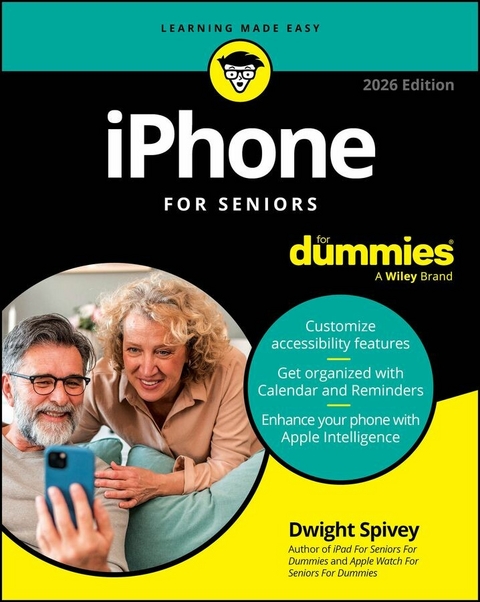
iPhone For Seniors For Dummies, 2026 Edition (eBook)
671 Seiten
For Dummies (Verlag)
978-1-394-37393-2 (ISBN)

Stay connected with friends and family using your device!
Looking for a single, comprehensive, up-to-date guide to making the most out of your iPhone? In the newly revised iPhone For Seniors For Dummies, 2026 Edition, tech educator and expert Dwight Spivey walks you through the essential parts of owning and using an iPhone. Starting from the beginning, Spivey explains how to choose the iPhone model that's right for you based on your needs, how to set up your iCloud account, and how to adjust accessibility features that make your phone easier to use. Learn how to choose and access the apps that let you text, call, email, and surf to your heart's content.
This book delivers step-by-step instructions to personalizing your phone and getting more utility out if it, whether that means keeping tabs on your well-being with the Health App, customizing your notifications, or staying organized with the Calendar, Clock, and Reminders apps.
iPhone For Seniors For Dummies, 2026 Edition also offers:
- Video and audio calling tutorials, including instructions for using FaceTime to call family and friends
- Tips for making your phone more fun, including how to find and download new games, watch videos, and browse the web
- Tutorials on how to use your phone to organize your life and make you more productive
Featuring large print, clear illustrations, and a special focus on tips and content especially relevant to seniors, this easy-to-read book gives new and experienced iPhone users an accurate resource that will help you get the most out of one of the most popular pieces of technology in the world.
Dwight Spivey has spent over 20 years writing about and teaching people how to use Apple products. He's the author of Apple Watch For Seniors For Dummies and iPad For Seniors For Dummies. By day, he's the Director of Educational Technology at Spring Hill College in Mobile, AL.
Stay connected with friends and family using your device! Looking for a single, comprehensive, up-to-date guide to making the most out of your iPhone? In the newly revised iPhone For Seniors For Dummies, 2026 Edition, tech educator and expert Dwight Spivey walks you through the essential parts of owning and using an iPhone. Starting from the beginning, Spivey explains how to choose the iPhone model that's right for you based on your needs, how to set up your iCloud account, and how to adjust accessibility features that make your phone easier to use. Learn how to choose and access the apps that let you text, call, email, and surf to your heart's content. This book delivers step-by-step instructions to personalizing your phone and getting more utility out if it, whether that means keeping tabs on your well-being with the Health App, customizing your notifications, or staying organized with the Calendar, Clock, and Reminders apps. iPhone For Seniors For Dummies, 2026 Edition also offers: Video and audio calling tutorials, including instructions for using FaceTime to call family and friends Tips for making your phone more fun, including how to find and download new games, watch videos, and browse the web Tutorials on how to use your phone to organize your life and make you more productive Featuring large print, clear illustrations, and a special focus on tips and content especially relevant to seniors, this easy-to-read book gives new and experienced iPhone users an accurate resource that will help you get the most out of one of the most popular pieces of technology in the world.
Chapter 1
Buying Your iPhone
IN THIS CHAPTER
Discover what’s new in the iPhones and iOS 26
Choose the right iPhone for you and find where to buy it
Understand what you need to use your iPhone
Explore what’s in the box
Take a look at the gadget
You’ve read about it and watched the news reports. You’ve seen the lines at Apple Stores on the day a new version of the iPhone is released. You’re so intrigued that you’ve decided to get your own iPhone so you can have a smartphone that can do much more than make and receive calls. Perhaps you’re not new to smartphones but are ready to make the switch to the ultimate in such devices. With your iPhone, you can have fun with apps such as games and exercise trackers; explore the online world; read e-books, magazines, and other periodicals; take and organize photos and videos; listen to music and watch movies; and a lot more.
Trust me: You’ve made a good decision because the iPhone defines the mobile phone experience. It’s also a perfect fit for seniors.
In this chapter, you learn about the advantages of the iPhone, as well as where to buy this little gem and associated data plans. After you have one in your hands, I help you explore what’s in the box and get an overview of the little buttons and slots you’ll encounter — luckily, the iPhone has very few of them.
Discover the Newest iPhones and iOS 26
Apple’s iPhone gets its features from a combination of hardware and its software operating system, which is called iOS (short for iPhone operating system). The most current version of the operating system is iOS 26. It’s helpful to understand which new features the latest models and iOS 26 bring to the table (all of which are covered in more detail in this book).
Don’t panic if you realize that the version of iOS before this one was 18; you didn’t lose 8 years of your life in some sort of time warp triggered when you picked up this book. Apple decided to streamline its naming conventions for all operating systems that power their devices by using the year in which they’ll be utilized the most, which in this case is 2026. Hence we now have iOS 26, iPadOS 26, macOS 26, tvOS 26, visionOS 26, and watchOS 26.
Apple’s latest additions to the iPhone family are the iPhone 17, 17 Pro, 17 Pro Max, and the iPhone Air. Like their predecessors, they're highly advanced smartphones that leave competitors in the dust. Here are some of the key features of the latest iPhone models:
- A19 and A19 Pro chips: The iPhone 17 utilizes the A19 chip, while the 17 Pro, 17 Pro Max, and Air receive the latest and greatest, the A19 Pro. The truly innovative tech in these models demands processors that can handle some heavy lifting while still being able to answer calls and retrieve email, and the A19 and A19 Pro are both more than stunningly capable.
- Camera Control: This hardware feature for iPhone allows instant access to and easy and intuitive control of your iPhone’s built-in cameras. The sensor reacts to your touch to give you total command of your cameras and their features. As Apple continues to roll out their Apple Intelligence updates, Camera Control will become even more powerful.
-
Emergency SOS via Satellite, Crash Detection, Roadside Assistance via Satellite, and Messages via Satellite: Emergency SOS via Satellite helps you reach emergency responders when you’re outside traditional cell or Wi-Fi service. Crash Detection utilizes gyroscope and accelerometer tech in the latest models to detect when you’ve been in an automobile crash and will cause your iPhone to alert emergency services automatically. Roadside Assistance via Satellite helps users connect with AAA, the nation’s largest roadside assistance provider, should the need arise when they have no cellular or Wi-Fi coverage. Messages via Satellite allows you to stay in contact using the Messages app, even when you’re not connected to Wi-Fi or cellular data. All four features are something you never want to need but are thankful to have.
You might consider acquiring AppleCare+ with theft and loss coverage, which is Apple’s extended warranty, currently priced at $99.99 (iPhone 16e), $119.99 (iPhone 16 and 17), $129.99 (16 Plus), or $139.99 (iPhone Air, 17 Pro, and 17 Pro Max) per year. Monthly plans are also available. AppleCare+ covers unlimited incidents of accidental damage (but you will be charged minimal fees, based on the nature of the repair), which could more than cover the cost of repairing your iPhone without it. You can also get AppleCare One, which allows you to cover three Apple devices starting at $19.99 per month. You can cover more than three devices for $5.99 a month per additional device.
Don’t think your iPhone is unbreakable. Cases are still a good — no, make that great — idea. As mentioned, Apple has a line of cases that not only protect your iPhone but also allow for wireless MagSafe and Qi charging. (MagSafe is Apple’s version of wireless charging that uses magnets to keep your iPhone and the charger better connected, which translates to faster and more efficient charging. Qi is an industry-standard wireless charging technology used by Apple and most smartphone manufacturers.)
Any iPhone model from the iPhone SE second generation and newer (including all 11, 12, 13, 14, 15, 16, 17, and Air models) can use most features of iOS 26 if you update the operating system (discussed in detail in Chapter 3). This book is based on iOS 26. This update to the operating system adds many features, including (but definitely not limited to) the following:
- Liquid Glass: The iPhone user interface has looked much the same for as long as I can remember. But now Apple is changing things up a bit with a sleek interface meant to evoke the look of glass, with enhanced fluidity and transparency throughout the OS and its apps. Everything has a glossy look and feel. All 26 operating system revisions sport the Liquid Glass look, bringing more uniformity across Apple’s multiple device platforms. The change may be a little jarring for some at first, but I urge you to give it a chance to grow on you.
- Camera: The Camera app user interface has been simplified for everyday shooting but still provides access to all the advanced features some of you have come to know and love.
- Messages: The Messages app gets several upgrades, including the ability to include polls when the conversation might benefit from one (for example, when in a group chat trying to work out a time and place to grab lunch). Another great new feature is the ability to translate languages on the fly so that you can understand what others are saying in their own language in real time.
- Accessibility features and improvements: Apple is always enhancing accessibility features for its products, and it’s on top of the game with new features such as Accessibility Reader and updates to others, such as Personal Voice. Accessibility Nutrition Labels, which lists the features app developers utilize in their apps, are also in this latest release of iOS.
- Apple Intelligence: Apple Intelligence, which Apple describes as “AI for the rest of us,” first showed up in iOS 18 but is much more enhanced in iOS 26. The only downside is that it only works for iPhone 15 Pro, iPhone 15 Pro Max, and newer iPhone models. Find out more throughout the book, but especially in Chapter 11.
These are but a few of the improvements made to the latest version of iOS. I suggest visiting www.apple.com/os/ios to find out more.
Don’t need all the built-in apps? You can remove them from your Home screen. (Note that built-in apps take up very little of your iPhone’s storage space.) And if you change your mind, you can easily add them back to your Home screen by searching for them in the App Store and tapping the Get button, or by retrieving them from the App Library.
Choose the Right iPhone for You
A variety of iPhone models are on the market; it can be daunting when trying to decide which one you want to purchase. In this section, I focus on Apple’s newest models, the iPhone Air and 17 series. If you’d like to explore others, Apple has a great tool for making comparisons at www.apple.com/iphone/compare.
The sizes of the latest iPhone models vary:
- iPhone 17 measures 2.81" by 5.89" (the screen measures 6.3" diagonally) with a depth of 0.31".
- iPhone Air measures 2.94" by 6.15" (the screen measures 6.5" diagonally) with a depth of 0.22" (see Figure 1-1).
- iPhone 17 Pro measures 2.83" by 5.91" (the screen measures 6.3" diagonally) with a depth of 0.34" (see Figure 1-2).
- iPhone 17 Pro Max measures 3.07" by 6.43" (the screen measures 6.9" diagonally) with a depth of 0.34".
Courtesy of Apple Inc.
FIGURE 1-1
Courtesy of Apple Inc.
FIGURE 1-2
You can get the iPhone 17 in black, white, mist blue, sage, and lavender. iPhone 17 Pro and 17 Pro Max come in silver, cosmic orange, and deep blue. iPhone Air is available in space black, cloud white, light gold, and sky blue.
Not sure whether to get an iPhone Air or 17 model? Here are a few more key...
| Erscheint lt. Verlag | 27.10.2025 |
|---|---|
| Sprache | englisch |
| Themenwelt | Sachbuch/Ratgeber ► Natur / Technik |
| Mathematik / Informatik ► Informatik | |
| Technik ► Elektrotechnik / Energietechnik | |
| Schlagworte | are iphones easy? • are iphones easy for seniors? • are iphones good for seniors? • how do I use an iphone? • how to use an iphone • iPhone Apps • iPhone guide • iphone handbook • iphone instructions • iPhone Tips • iphone tricks • iphone tutorials |
| ISBN-10 | 1-394-37393-7 / 1394373937 |
| ISBN-13 | 978-1-394-37393-2 / 9781394373932 |
| Informationen gemäß Produktsicherheitsverordnung (GPSR) | |
| Haben Sie eine Frage zum Produkt? |
 EPUB (Adobe DRM)
Kopierschutz: Adobe-DRM
Adobe-DRM ist ein Kopierschutz, der das eBook vor Mißbrauch schützen soll. Dabei wird das eBook bereits beim Download auf Ihre persönliche Adobe-ID autorisiert. Lesen können Sie das eBook dann nur auf den Geräten, welche ebenfalls auf Ihre Adobe-ID registriert sind.
Details zum Adobe-DRM
Dateiformat: EPUB (Electronic Publication)
EPUB ist ein offener Standard für eBooks und eignet sich besonders zur Darstellung von Belletristik und Sachbüchern. Der Fließtext wird dynamisch an die Display- und Schriftgröße angepasst. Auch für mobile Lesegeräte ist EPUB daher gut geeignet.
Systemvoraussetzungen:
PC/Mac: Mit einem PC oder Mac können Sie dieses eBook lesen. Sie benötigen eine
eReader: Dieses eBook kann mit (fast) allen eBook-Readern gelesen werden. Mit dem amazon-Kindle ist es aber nicht kompatibel.
Smartphone/Tablet: Egal ob Apple oder Android, dieses eBook können Sie lesen. Sie benötigen eine
Geräteliste und zusätzliche Hinweise
Buying eBooks from abroad
For tax law reasons we can sell eBooks just within Germany and Switzerland. Regrettably we cannot fulfill eBook-orders from other countries.
aus dem Bereich