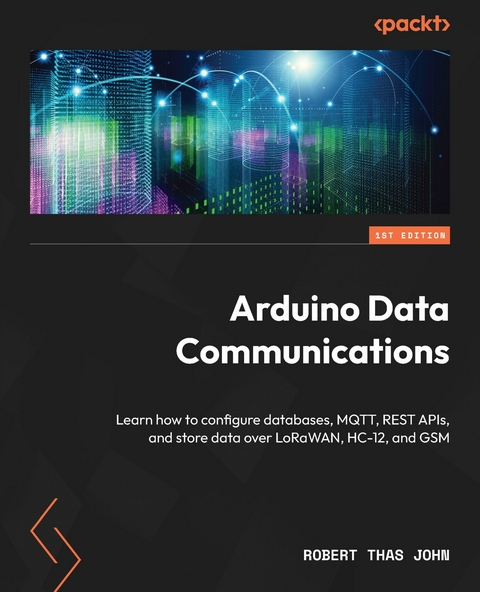
Arduino Data Communications (eBook)
286 Seiten
Packt Publishing Limited (Verlag)
978-1-83763-597-9 (ISBN)
In our modern, internet-connected world, where billions of devices constantly collect and send data to systems to be stored and processed, it's surprising how the intricacies of data transmission and storage are often overlooked in the IoT domain. With Arduino Data Communications, you'll bridge the knowledge gap and become an expert in collecting data from IoT sensors, transmitting data, and configuring your own databases.
This book is an exploration of IoT's inner workings, guiding you through the process of setting up an end-to-end system that you can employ to prototype your own IoT solutions, using easy-to-follow examples. It begins with a general overview of the Arduino ecosystem, acquainting you with various sensors and shields and unveiling the art of data collection. You'll then explore data formats and methods to store data, both locally and on database servers. As you progress through the chapters, you'll learn how to set up REST and MQTT infrastructure to communicate with databases and get hands-on with LoRaWAN, Ethernet, cellular, HC-12, and RS-485. The final chapters are your training ground for real-world projects, imparting the essential knowledge you need to tackle complex challenges with confidence.
By the end of this Arduino book, you'll have seamlessly configured an end-to-end system, all while immersing yourself in practical scenarios that bring the world of IoT to life.
Build real-world, scalable, and fault-tolerant IoT systems using Arduino MKR boards that collect, transmit, and store data on a massive scale in a structured databaseKey FeaturesSet up databases to store and retrieve information collected from various sensorsIngest your data into your database for storage with REST APIs and MQTTCommunicate with your application layer using different communication technologies from Arduino MKR and Portenta H7Purchase of the print or Kindle book includes a free PDF eBookBook DescriptionIn our modern, internet-connected world, where billions of devices constantly collect and send data to systems to be stored and processed, it's surprising how the intricacies of data transmission and storage are often overlooked in the IoT domain. With Arduino Data Communications, you'll bridge the knowledge gap and become an expert in collecting data from IoT sensors, transmitting data, and configuring your own databases. This book is an exploration of IoT s inner workings, guiding you through the process of setting up an end-to-end system that you can employ to prototype your own IoT solutions, using easy-to-follow examples. It begins with a general overview of the Arduino ecosystem, acquainting you with various sensors and shields and unveiling the art of data collection. You ll then explore data formats and methods to store data, both locally and on database servers. As you progress through the chapters, you ll learn how to set up REST and MQTT infrastructure to communicate with databases and get hands-on with LoRaWAN, Ethernet, cellular, HC-12, and RS-485. The final chapters are your training ground for real-world projects, imparting the essential knowledge you need to tackle complex challenges with confidence. By the end of this Arduino book, you'll have seamlessly configured an end-to-end system, all while immersing yourself in practical scenarios that bring the world of IoT to life.What you will learnExplore data storage formats for both local and remote storage solutionsBuild projects that leverage the variety of communication standardsSet up a database to host data transmitted from various projectsUse MQTT and RESTful APIs to send data from devices to remote systemsPrepare for multiple devices using high availability measuresUse LoRa by implementing a gateway and a clientTransmit temperature and humidity data over RS-485 and HC-12Who this book is forThis book is for embedded systems engineers and electronics engineers who want to build IoT devices and gain insights into storing data collected from these devices, as well as establish communication between devices. The skills you learn in this book will come in handy even if your final product isn't built on Arduino. While prior experience with computers is assumed, expertise with embedded systems such as Arduino is not a prerequisite. Familiarity with Arduino programming will be beneficial, but not necessary.]]>
Preface
I spent nearly two decades of my life writing software, training and deploying machine learning models, and speaking and teaching about these topics. I got introduced to Stephen Ozoigbo at ARM, who asked whether I had any experience speaking about ML on microcontrollers. I didn’t, but I was willing to look into that. That was the beginning of my journey into TinyML. He sent me some kits from SparkFun Electronics, which I used for a 20-person workshop in 2021. I spent the next 12 months talking to developer communities in Sub-Saharan Africa about ML on the Arduino Nano RP2040 Connect. I also organized something I called the Embedded Learning Challenge, with microcontrollers paid for by ARM. All this exposed a knowledge gap on the continent when it comes to a basic understanding of microcontrollers. This book is meant to serve as an introduction to programming Arduinos. The choice of the Arduino MKR is because of the existence of certain shields that are good for learning how to work with these components without learning how to solder. My hope for you is that you will use this as a stepping stone toward solving real-world problems.
Who this book is for
If you have never programmed a microcontroller and you are wondering what all the buzz is about, especially around the Internet of Things (IoT), then this book is a great starter. If you have programmed microcontrollers but don’t know about the infrastructure that stores data, this book will serve as an introduction to databases and data storage.
What this book covers
Chapter 1, Getting Started with Arduino, introduces you to the Arduino ecosystem and teaches you how to write your first lines of code.
Chapter 2, Leveraging Various Sensors for Data Acquisition, looks at various categories of sensors that exist within the Arduino ecosystem for reading data from the environment.
Chapter 3, Prototyping with Shields, gives an introduction to shields, which extend microcontrollers with various capabilities without requiring soldering knowledge.
Chapter 4, Storing Data Collected from Sensors, shows how to store data in files on a micro-SD card.
Chapter 5, Implementing REST and MQTT Protocols for Communication, teaches you how to set up REST APIs to read from and write to databases.
Chapter 6, Utilizing Various Communication Technologies, gives a brief overview of various communication options and which ones to consider based on the distance you need to cover.
Chapter 7, Communicating with LoRaWAN, shows how to set up a gateway and send data to The Things Network.
Chapter 8, Working with Ethernet, shows how to read data from a weather API over Ethernet and use that to make decisions when the situation doesn’t allow for wireless communications.
Chapter 9, Leveraging Cellular Communication Technology, looks at how to choose a cellular radio, send and receive data over SMS and GPRS, and make phone calls.
Chapter 10, Communicating via HC-12, shows how to set up HC-12 modules, and how to send and receive data using them.
Chapter 11, Managing Communication with RS-485, looks at communicating over RS-485 and Modbus in an environmental setting.
Chapter 12, Enhancing Security for Reducing Risk, explains the threat that exists when you transmit or store data, and how you can reduce such risks.
Chapter 13, Scaling for High Availability, explores why you need to ensure that the systems that collect and store your data are available a majority of the time and strategies to consider in order to make that happen.
Chapter 14, Building and Manufacturing Hardware, discusses going from solutions based on breadboards and shields to products that you can take out into the field and test.
To get the most out of this book
You will need a version of the Arduino IDE installed on your computer. All code examples have been tested with Arduino IDE 2.2.1 running on a MacBook Pro with Intel Core but should work on other operating systems and future versions of the Arduino IDE.
| Software/hardware covered in the book | Operating system requirements |
| Arduino IDE 2.2.1 | Windows, macOS, or Linux |
| Python 3.7 |
| JavaScript |
| Arduino MKR WiFi 1010 |
You will need an Arduino Portenta together with an Arduino Portenta Vision Shield – Ethernet for the code examples in Chapter 8. A little knowledge of either JavaScript or Python will help you understand the code examples in Chapter 5.
If you are using the digital version of this book, we advise you to type the code yourself or access the code from the book’s GitHub repository (a link is available in the next section). Doing so will help you avoid any potential errors related to the copying and pasting of code.
Download the example code files
You can download the example code files for this book from GitHub at https://github.com/PacktPublishing/Arduino-Data-Communications/. If there’s an update to the code, it will be updated in the GitHub repository.
We also have other code bundles from our rich catalog of books and videos available at https://github.com/PacktPublishing/. Check them out!
Code in Action
The Code in Action videos for this book can be viewed at https://packt.link/fglee.
Conventions used
There are a number of text conventions used throughout this book.
Code in text: Indicates code words in text, database table names, folder names, filenames, file extensions, pathnames, dummy URLs, user input, and Twitter handles. Here is an example: “The first section, void setup() {}, holds code that will be run exactly once when the microcontroller boots up.”
A block of code is set as follows:
#include "Display.hpp" void setup() { Display::initialize(); Display::print_lcd("Hello, world", "of embedded"); } void loop() { }When we wish to draw your attention to a particular part of a code block, the relevant lines or items are set in bold:
#include "MyEnv.hpp" #include "MyNTPClient.hpp" #include <Arduino_MKRENV.h> #include <SPI.h> #include <SD.h>Any command-line input or output is written as follows:
mkdir MyAPI cd MyAPIBold: Indicates a new term, an important word, or words that you see onscreen. For instance, words in menus or dialog boxes appear in bold. Here is an example: “Click on Install, below the library provided by DFRobot.”
Tips or important notes
Appear like this.
Get in touch
Feedback from our readers is always welcome.
General feedback: If you have questions about any aspect of this book, email us at customercare@packtpub.com and mention the book title in the subject of your message.
Errata: Although we have taken every care to ensure the accuracy of our content, mistakes do happen. If you have found a mistake in this book, we would be grateful if you would report this to us. Please visit www.packtpub.com/support/errata and fill in the form.
Piracy: If you come across any illegal copies of our works in any form on the internet, we would be grateful if you would provide us with the location address or website name. Please contact us at copyright@packt.com with a link to the material.
If you are interested in becoming an author: If there is a topic that you have expertise in and you are interested in either writing or contributing to a book, please visit authors.packtpub.com.
Share Your Thoughts
Once you’ve read Arduino Data Communications, we’d love to hear...
| Erscheint lt. Verlag | 30.11.2023 |
|---|---|
| Sprache | englisch |
| Themenwelt | Mathematik / Informatik ► Informatik ► Netzwerke |
| Informatik ► Weitere Themen ► Hardware | |
| Technik ► Elektrotechnik / Energietechnik | |
| ISBN-10 | 1-83763-597-8 / 1837635978 |
| ISBN-13 | 978-1-83763-597-9 / 9781837635979 |
| Informationen gemäß Produktsicherheitsverordnung (GPSR) | |
| Haben Sie eine Frage zum Produkt? |
 EPUB (Ohne DRM)
Digital Rights Management: ohne DRM
Dieses eBook enthält kein DRM oder Kopierschutz. Eine Weitergabe an Dritte ist jedoch rechtlich nicht zulässig, weil Sie beim Kauf nur die Rechte an der persönlichen Nutzung erwerben.
Dateiformat: EPUB (Electronic Publication)
EPUB ist ein offener Standard für eBooks und eignet sich besonders zur Darstellung von Belletristik und Sachbüchern. Der Fließtext wird dynamisch an die Display- und Schriftgröße angepasst. Auch für mobile Lesegeräte ist EPUB daher gut geeignet.
Systemvoraussetzungen:
PC/Mac: Mit einem PC oder Mac können Sie dieses eBook lesen. Sie benötigen dafür die kostenlose Software Adobe Digital Editions.
eReader: Dieses eBook kann mit (fast) allen eBook-Readern gelesen werden. Mit dem amazon-Kindle ist es aber nicht kompatibel.
Smartphone/Tablet: Egal ob Apple oder Android, dieses eBook können Sie lesen. Sie benötigen dafür eine kostenlose App.
Geräteliste und zusätzliche Hinweise
Buying eBooks from abroad
For tax law reasons we can sell eBooks just within Germany and Switzerland. Regrettably we cannot fulfill eBook-orders from other countries.
aus dem Bereich