About the Authors Ryan Duell is a principal quality assurance analyst for Revit at Autodesk, where he previously spent several years providing Revit support for end users and enterprise accounts. He also teaches Revit at the Boston Architectural College. Tobias Hathorn is a licensed architect and user experience designer for Autodesk. He is currently working on Autodesk FormIt, a conceptual design tool to aid in the early stages of a BIM workflow. Tessa Reist Hathorn is a licensed architect and a LEED Accredited Professional with 10 years of architectural experience using Autodesk Revit. She presently works as an architect at Fänas Architecture in Boulder, Colorado, specializing in custom homes.
Introduction
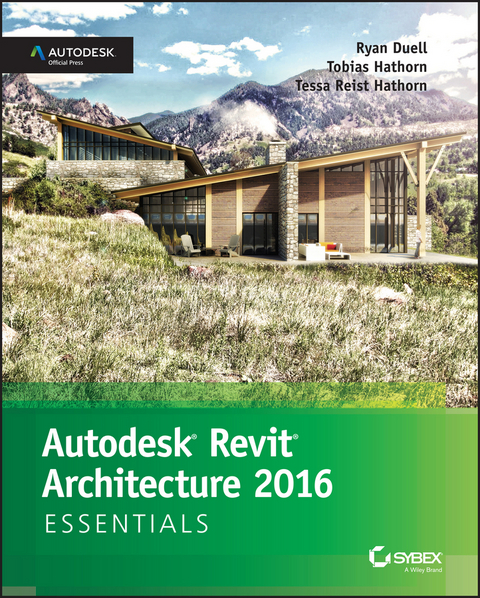
Welcome to Autodesk Revit Architecture 2016 Essentials, based on the Autodesk® Revit® Architecture 2016 software release.
We continually shape the focus and content of our book from our diverse experience as Revit teachers, writers, users, support specialists, designers, and testers. We have tailored the content to what we think is the most valuable combination of topics and generated exercise files that target these topics. Because we teach Revit Architecture to first-time users, we feel this book's content is of most value to our students learning the program for the first time. This book should benefit new Revit Architecture users as well as long-term users who may not use every aspect of the program on a daily basis and could benefit from revisiting exercises as needed.
Revit Architecture 2016 includes several new valuable tools. While each tool may not be considered “essential,” we have made an effort to mix new tools, tips, and tricks, along with established features, into the context of the text and supporting exercises. For this book, many of the existing exercises have been revisited, and we've included new exercises meant to further your knowledge of Revit. The book follows real-life workflows and scenarios and is full of practical examples that explain how to leverage the tools within Revit Architecture. We hope you find that the topics in this book are beneficial and contribute to your continual Revit development.
Who Should Read This Book
This book is written for architects, designers, students, and anyone else who needs their first exposure to Revit Architecture or has had an initial introduction and wants a refresher on the program's core features and functionality. We've designed the book to follow real project workflows and processes to help make the tools easy to learn, and the chapters are full of handy tips to make it easy to leverage Revit Architecture. This book can also be used to help prepare for Autodesk's Certified User and Certified Professional exams. For more information on certification, please visit www.autodesk.com/certification.
What You Will Learn
This book is designed to help you grasp the basics of Revit Architecture using real-world examples and techniques you'll use in everyday design and documentation. We'll explain the Revit Architecture interface and help you find the tools you need as well as help you understand how the application is structured. From there we'll show you how to create and modify the primary components in a building design. We'll show you how to take a preliminary model and add layers of intelligence to help analyze and augment your designs. We'll demonstrate how to create robust and accurate documentation and then guide you through the construction process. Whenever possible, we will both teach you how to use Revit and show you how to put those newfound skills to use in focused exercises.
As you are already aware, building information modeling (BIM) involves more than just a change in software; it also represents a change in architectural workflow and culture. To take full advantage of both BIM and Revit Architecture in your office, you'll have to make some changes to how you work. We've designed the book around an ideal, integrated workflow to aid in this transition.
What You Will See
The screen captures and other graphics in this book are based on Revit 2016, which combines the architectural, structural, and MEP disciplines and tools into a single application. If you notice small differences based on the exact version of Revit you have installed, we apologize, but it would be very confusing to base the book on all versions of the application, noting all the small differences along the way. However, whichever version you have, you'll be able to follow the lessons and chapter exercises of this book with ease.
What You Need
To leverage the full capacity of this book, we highly recommend you have a copy of Revit installed on a computer strong enough to handle it. To download the trial version of Revit (offered as Revit 2016), go to www.autodesk.com/ revitarchitecture, where you'll also find complete system requirements for running the application.
From a software standpoint, the exercises in this book are designed to be lightweight and not computationally intensive. This way, you avoid long wait times to open and save files and perform certain tasks. That said, keep in mind that the Autodesk-recommended computer specs for Revit Architecture are far more than what you need to do the exercises in this book but are exactly what you need to work on a project using Revit Architecture.
Free Autodesk Software for the Education Community
The Autodesk Education Community is an online resource with more than five million members that enables the education community access to download—for free (see website for terms and conditions)—the same software used by professionals worldwide. You can also access additional tools and materials to help you design, visualize, and simulate ideas. Connect with other learners to stay current with the latest industry trends and get the most out of your designs. Get started today at www.autodesk.com/joinedu.
What Is Covered in This Book
Revit Architecture is a building information modeling (BIM) application that has emerged as the forerunner in the design industry. In this book, we'll focus on using real-world workflows and examples to guide you through learning the basics of Revit Architecture 2016—the essentials.
Autodesk Revit Architecture 2016 Essentials is organized to provide you with the knowledge needed to gain experience in many different facets of the software. The book is broken down into the following 14 chapters, which also contain numerous exercise files:
- Chapter 1, “Introducing the Autodesk Revit Architecture Interface,” introduces you to the user interface and gets you acquainted with the tools and technology—the workflow—behind the software.
- Chapter 2, “Walls and Curtain Walls,” helps you build on that initial knowledge by establishing some of the basic building blocks in architecture: walls.
- Chapter 3, “Floors, Roofs, and Ceilings,” introduces you to the other basic building blocks: floors, roofs, and ceilings. By the end of the first three chapters you will begin to see how easy it is to create the core elements of your building.
- Chapter 4, “Stairs, Ramps, and Railings,” explains the basics of stairs, ramps, and railings. These core components are versatile, and using them can be a bit tricky, so we'll guide you through the process of creating several types of stairs and railings.
- Chapter 5, “Adding Families,” shows you how to add a core element to your project: families. You use families to create most of your content, and Revit Architecture by default comes with a robust supply.
- Chapter 6, “Modifying Families,” shows you how to take these families and modify them or create your own, making the library of your content limitless.
- Chapter 7, “Schematic Design,” introduces you to conceptual design workflows using Autodesk® FormItTM software and Autodesk® Sketchbook® Pro software to generate design sketches. Using those sketches, you can take the building design and model it in Revit Architecture.
- Chapter 8, “Rooms and Color Fill Plans,” shows you how to add room elements to your spaces, assign information to them, and create colorful diagrams based on space, department, or any other variable you need.
- Chapter 9, “Materials, Visualization, Rendering,” introduces you to visualization tools and techniques. You prepare presentation-quality views of your design in elevation, axonometric, and perspective views.
- Chapter 10, “Worksharing,” discusses how to take your Revit Architecture file into a multiperson working environment. Worksharing allows several people within your office or project team to work on the same Revit Architecture file simultaneously.
- Chapter 11, “Details and Annotations,” focuses on adding annotation to explain your designs. You'll learn how to add detail to your model in the form of dimensions, text, keynotes, and tags and how to embellish your 3D model with additional detailing.
- Chapter 12, “Drawing Sets,” shows you how to take all this information and place those drawings and views onto sheets so they can be printed and distributed to your project stakeholders.
- Chapter 13, “Workflow and Site Modeling,” provides the basics on how to take your office from a CAD environment to one that works with BIM. This chapter explores tools for every level of the project team—from the new staff to project managers. Understanding the process and workflow will be key to the success of your first Revit...
| Erscheint lt. Verlag | 16.6.2015 |
|---|---|
| Sprache | englisch |
| Themenwelt | Informatik ► Office Programme ► Outlook |
| Informatik ► Weitere Themen ► CAD-Programme | |
| Technik ► Architektur | |
| Schlagworte | Autodesk Revit 2016 • Autodesk Revit Architecture • Autodesk Revit Architecture 2016 • Autodesk Revit Architecture Essentials: Autodesk Official Press • Computer-Ratgeber • End-User Computing • Graphics & Design software (Non-Microsoft) • Graphik- u. Designsoftware (auÃer Microsoft) • Graphik- u. Designsoftware (außer Microsoft) • learning Revit Architecture • Revit • Revit 2016 • Revit architecture • Revit Architecture 2016 • Revit Architecture BIM • Revit Architecture data sets • Revit Architecture design • Revit Architecture documentation • Revit Architecture examples • Revit Architecture exercises • Revit Architecture for beginners • Revit Architecture functions • Revit Architecture guide • Revit Architecture handbook • Revit Architecture hands-on • Revit Architecture instructions • Revit Architecture manual • Revit Architecture modeling • Revit Architecture tips • Revit Architecture training • Revit Architecture tutorials • Ryan Duell • Tessa Reist Hathorn • Tobias Hathorn |
| ISBN-13 | 9781119059561 / 9781119059561 |
| Informationen gemäß Produktsicherheitsverordnung (GPSR) | |
| Haben Sie eine Frage zum Produkt? |
 EPUB (Adobe DRM)
Kopierschutz: Adobe-DRM
Adobe-DRM ist ein Kopierschutz, der das eBook vor Mißbrauch schützen soll. Dabei wird das eBook bereits beim Download auf Ihre persönliche Adobe-ID autorisiert. Lesen können Sie das eBook dann nur auf den Geräten, welche ebenfalls auf Ihre Adobe-ID registriert sind.
Details zum Adobe-DRM
Dateiformat: EPUB (Electronic Publication)
EPUB ist ein offener Standard für eBooks und eignet sich besonders zur Darstellung von Belletristik und Sachbüchern. Der Fließtext wird dynamisch an die Display- und Schriftgröße angepasst. Auch für mobile Lesegeräte ist EPUB daher gut geeignet.
Systemvoraussetzungen:
PC/Mac: Mit einem PC oder Mac können Sie dieses eBook lesen. Sie benötigen eine
eReader: Dieses eBook kann mit (fast) allen eBook-Readern gelesen werden. Mit dem amazon-Kindle ist es aber nicht kompatibel.
Smartphone/Tablet: Egal ob Apple oder Android, dieses eBook können Sie lesen. Sie benötigen eine
Geräteliste und zusätzliche Hinweise
Buying eBooks from abroad
For tax law reasons we can sell eBooks just within Germany and Switzerland. Regrettably we cannot fulfill eBook-orders from other countries.
aus dem Bereich