Adventures in Arduino (eBook)
John Wiley & Sons (Verlag)
978-1-118-94846-0 (ISBN)
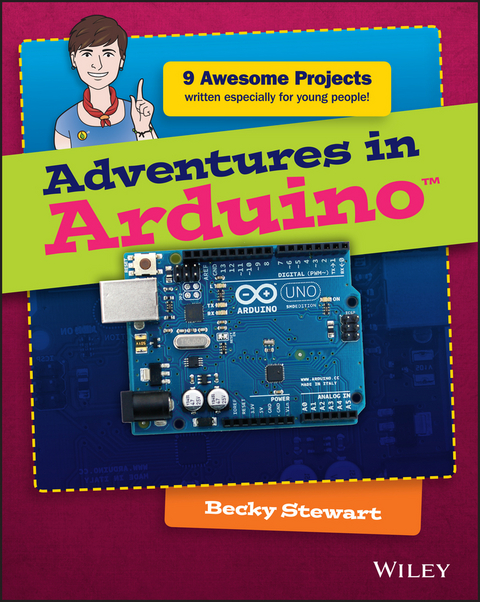
Adventures in Arduino is the beginner's guide to Arduino programming, designed specifically for 11-to 15-year olds who want to learn about Arduino, but don't know where to begin. Starting with the most basic concepts, this book coaches you through nine great projects that gradually build your skills as you experiment with electronics. The easy-to-follow design and clear, plain-English instructions make this book the ideal guide for the absolute beginner, geared toward those with no computing experience. Each chapter includes a video illuminating the material, giving you plenty of support on your journey to electronics programming.
Arduino is a cheap, readily available hardware development platform based around an open source, programmable circuit board. Combining these chips with sensors and servos allows you to gain experience with prototyping as you build interactive electronic crafts to bring together data and even eTextiles. Adventures in Arduino gets you started on the path of scientists, programmers, and engineers, showing you the fun way to learn electronic programming and interaction design.
- Discover how and where to begin Arduino programming
- Develop the skills and confidence to tackle other projects
- Make the most of Arduino with basic programming concepts
- Work with hardware and software to create interactive electronic devices
There's nothing like watching your design come to life and interact with the real world, and Arduino gives you the capability to do that time and again. The right knowledge combined with the right tools can create an unstoppable force of innovation, and your curiosity is the spark that ignites the flame. Adventures in Arduino gets you started on the right foot, but the path is totally up to you.
Becky Stewart founded Codasign, a London education company that teaches Arduino and other technology skills to young people. She documents her engineering work at http://blog.theleadingzero.com/.
Arduino programming for the absolute beginner, with project-based learning Adventures in Arduino is the beginner's guide to Arduino programming, designed specifically for 11-to 15-year olds who want to learn about Arduino, but don't know where to begin. Starting with the most basic concepts, this book coaches you through nine great projects that gradually build your skills as you experiment with electronics. The easy-to-follow design and clear, plain-English instructions make this book the ideal guide for the absolute beginner, geared toward those with no computing experience. Each chapter includes a video illuminating the material, giving you plenty of support on your journey to electronics programming. Arduino is a cheap, readily available hardware development platform based around an open source, programmable circuit board. Combining these chips with sensors and servos allows you to gain experience with prototyping as you build interactive electronic crafts to bring together data and even eTextiles. Adventures in Arduino gets you started on the path of scientists, programmers, and engineers, showing you the fun way to learn electronic programming and interaction design. Discover how and where to begin Arduino programming Develop the skills and confidence to tackle other projects Make the most of Arduino with basic programming concepts Work with hardware and software to create interactive electronic devices There's nothing like watching your design come to life and interact with the real world, and Arduino gives you the capability to do that time and again. The right knowledge combined with the right tools can create an unstoppable force of innovation, and your curiosity is the spark that ignites the flame. Adventures in Arduino gets you started on the right foot, but the path is totally up to you.
Becky Stewart founded Codasign, a London education company that teaches Arduino and other technology skills to young people. She documents her engineering work at http://blog.theleadingzero.com/.
Introduction
ARE YOU AN adventurer? Do you boldly embark on new endeavours, tackling new skills and mastering new tools? Do you want to learn how to use technology to make your ideas burst into life? Are you curious about how you can combine computer code and electrical circuits with scissors and paper—or even needle and thread? If the answer is an emphatic “yes” then this is the book for you!
What Is an Arduino?
The Arduino is a tool for building computers that can interact with the physical world around you. You can use it to connect sensors that detect sound, light or vibration, then turn on a light, change its colour, move a motor and much more. The Arduino is the magical device that sits in the midst of all of these things. It reads in from sensors measuring the real world, makes decisions based on that data and then makes something happen in the real world, whether light, sound or movement.
The Arduino is usually a blue board about the size of your hand. It has white writing on it labelling its different sections and has all its chips and circuits exposed. There are different types of Arduino boards, and they aren’t all blue, but you will learn more about that later in the “Parts You Will Need” section and also in Adventures 7 and 8.
The Arduino is a microcontroller. A microcontroller is a simple computer. It can’t do many things at the same time but it does what it is told to do really well. You already interact with lots of microcontrollers every day because they control things like microwaves and washing machines.
There are a lot of different types of microcontroller, but the special thing about Arduino is that it is designed for people who are just starting out. So, if you are new to code or electronics, that’s okay because the Arduino is great for beginners. But don’t underestimate it—it can still take on big projects.
What You Will Learn
After completing these adventures, you will have learned how to set up the Arduino programming environment on your computer and how to write and upload code to your Arduino board. You will find out how to work with three different Arduino boards: the Uno, Leonardo and the Lilypad USB.
You will learn basic programming concepts that you can use beyond working with the Arduino. The Arduino language is based on the C/C++ language. This means that as you learn how to code Arduinos, you are also learning about how programming works on computers like a laptop or a Raspberry Pi.
Alongside programming, you will be introduced to circuits and electronics. You will learn how to use sensors to detect real-world signals like light or movement, and you will learn how to generate actions in the real world, such as playing a sound or turning on a light.
By the end of this book, you will have a broad understanding of what you can do with an Arduino and be ready to start designing and building project ideas of your own!
Parts You Will Need
It’s becoming easier to buy Arduino boards in stores. Popular retail chains like Maplin in the UK now stock Arduinos. Both of those stores also sell the electronic components that you need for the projects in this book. If it’s not convenient for you to get to a store there are also many online retailers to choose from, and some of these are listed in Appendix B.
This section explains all the parts you need to make all the projects in this book. Many of the projects use the same core parts.
Of course, the most important thing you need is an Arduino board. There are many different kinds of Arduino boards, but the Arduino Uno is the most common one and the one you use the most in this book. You also need an Arduino Leonardo for Adventure 7 and a Lilypad Arduino USB for Adventure 8. All three boards are shown in Figure I-1.
FIGURE I-1 Arduino Uno (top left), Arduino Leonardo (bottom left) and Lilypad Arduino USB (right)
You will need a USB cable to connect your Arduino board to your computer. For the Arduino Uno you need a “normal” USB cable, but for the Arduino Leonardo and Lilypad Arduino USB you need a USB Micro cable. Both are pictured in Figure I-2.
FIGURE I-2 A USB and USB Micro cable
You use breadboards to build circuits. Breadboards let you connect components easily without having to use solder. They come in different colours and sizes. The larger ones are useful for more complicated projects with lots of parts, whereas the smaller ones are good for projects that you want to fit inside a small space. Two different sizes of breadboards made from two different types of plastic are shown in Figure I-3. Adventure 3 is the only project that uses a breadboard in the completed project; the other adventures use a breadboard only to test a circuit. A larger breadboard will be easier to work with, but if you can only find smaller ones, that’s perfectly okay.
FIGURE I-3 Breadboards in different sizes and colours
Jumper wires are wires you use when you build prototype circuits to try out new concepts. They may be short pieces of stiff wire like those shown on the right in Figure I-4, or they may be more flexible wire with pins on either end like the ones on the left.
FIGURE I-4 Jumper wires
LEDs are a particular sort of light (LEDs stands for light-emitting diodes) that come in a big selection of sizes and colours. For most of the projects in this book you can use whatever size and colour of LEDs you like. The most common size is 5 mm, but the larger 10 mm LEDs can be great fun to use too. Most LEDs are single-colour, but you use an LED in Adventure 6 that has four legs instead of only two and can change colour. In Adventure 8 you use something called a Lilypad LED, which is made especially for sewing circuits. All the different types of LED used in the projects are shown in Figure I-5.
FIGURE I-5 Different types of LED, with a colour-changing LED on the right and below it a Lilypad LED
Resistors are a component you read more about in the adventures. They come in different values of resistance, which is measured in ohms (Ω). You don’t need many different resistances for the projects in the book but as resistors are small and quite cheap it’s a good idea to buy extra. You need resistors of 68 or 100 Ω, 220 Ω, 10k (10,000) Ω, 1M (1,000,000) Ω and 10M (10,000,000) Ω. Figure I-6 shows the different resistors.
FIGURE I-6 Resistors needed for the projects in this book: 100Ω (top left), 220Ω (top right), 10kΩ (bottom left), 1MΩ (bottom middle) and 10MΩ (bottom right)
Potentiometers are the electronic components behind volume knobs or dials on a stereo. They come in many different sizes and shapes. Some fit into a breadboard on their own, like the blue one in Figure I-7, whereas others need wires soldered to them that can connect to a breadboard, like the one in the middle in Figure I-7. Larger ones are easier to mount in a project and may be called panel-mount potentiometers.
FIGURE I-7 Three different types of potentiometer
A servo, shown in Figure I-8, is a motor that you use in Adventure 3.
FIGURE I-8 A servo motor
Buttons are another component that come in many shapes and sizes. You might have never noticed this before, but there are many different kinds of button! All the projects in this book use push-to-make (the opposite of push-to-break) buttons so those are the ones to buy; as long as they are push-to-make, you can use any kind of button you would like. Tactile push buttons are very little buttons that fit in a breadboard, so they are good to have when you are testing your circuit. For your actual projects, panel mount push buttons are better. Both are shown in Figure I-9.
FIGURE I-9 A tactile push button (left) and three different panel mount buttons (right)
In Adventure 4 you discover how to use shift registers, which are small black chips you can use to control a lot of LEDs. You want a chip that is a 74HC595 shift register—you find out what that means in the adventure. You need to buy a chip with 16 legs on it, as shown in Figure I-10.
FIGURE I-10 A shift register
Piezos are used to detect vibrations and can also make sound, like a speaker. You need one piezo for Adventure 5 and six for Adventure 9. They sometimes come inside black plastic housing, which is okay for the one in Adventure 5 but you need at least five without housing (like the one in Figure I-11) for Adventure 9.
FIGURE I-11 A piezo
A light-dependent resistor can tell an Arduino board how bright or dark it is. These look like the one in Figure I-12 or can be a little bigger.
FIGURE I-12 A light-dependent resistor
Header pins are small strips of metal that are separated by plastic so that they fit perfectly into the holes on the Arduino Uno. They come in different spacings (called pitches), so you should make sure you get 2.54 mm male header pins, like the ones in Figure...
| Erscheint lt. Verlag | 14.4.2015 |
|---|---|
| Reihe/Serie | Adventures In ... |
| Adventures In ... | Adventures In ... |
| Sprache | englisch |
| Themenwelt | Informatik ► Weitere Themen ► Hardware |
| Technik ► Elektrotechnik / Energietechnik | |
| Schlagworte | Adventures in Arduino • Allg. Hardware • Arduino • Arduino basics • Arduino expert • Arduino for kids • Arduino fundamentals • arduino guide • Arduino instruction • arduino programming • Arduino projects • Arduino robotics • Arduino setup • Arduino tutorial • Arduino videos • Becky Stewart • beginner electronic programming • beginner robotics • beginning Arduino • Codasign • Computer Hardware (general) • Computer-Ratgeber • customizing Arduino • diy electronics • electronics crafts • End-User Computing • learning Arduino • Learning Programming • programming for kids • simple Arduino • working with Arduino |
| ISBN-10 | 1-118-94846-7 / 1118948467 |
| ISBN-13 | 978-1-118-94846-0 / 9781118948460 |
| Informationen gemäß Produktsicherheitsverordnung (GPSR) | |
| Haben Sie eine Frage zum Produkt? |
 EPUB (Adobe DRM)
Kopierschutz: Adobe-DRM
Adobe-DRM ist ein Kopierschutz, der das eBook vor Mißbrauch schützen soll. Dabei wird das eBook bereits beim Download auf Ihre persönliche Adobe-ID autorisiert. Lesen können Sie das eBook dann nur auf den Geräten, welche ebenfalls auf Ihre Adobe-ID registriert sind.
Details zum Adobe-DRM
Dateiformat: EPUB (Electronic Publication)
EPUB ist ein offener Standard für eBooks und eignet sich besonders zur Darstellung von Belletristik und Sachbüchern. Der Fließtext wird dynamisch an die Display- und Schriftgröße angepasst. Auch für mobile Lesegeräte ist EPUB daher gut geeignet.
Systemvoraussetzungen:
PC/Mac: Mit einem PC oder Mac können Sie dieses eBook lesen. Sie benötigen eine
eReader: Dieses eBook kann mit (fast) allen eBook-Readern gelesen werden. Mit dem amazon-Kindle ist es aber nicht kompatibel.
Smartphone/Tablet: Egal ob Apple oder Android, dieses eBook können Sie lesen. Sie benötigen eine
Geräteliste und zusätzliche Hinweise
Buying eBooks from abroad
For tax law reasons we can sell eBooks just within Germany and Switzerland. Regrettably we cannot fulfill eBook-orders from other countries.
aus dem Bereich