Building Cross-Platform Apps using Titanium, Alloy, and Appcelerator Cloud Services (eBook)
John Wiley & Sons (Verlag)
978-1-118-67324-9 (ISBN)
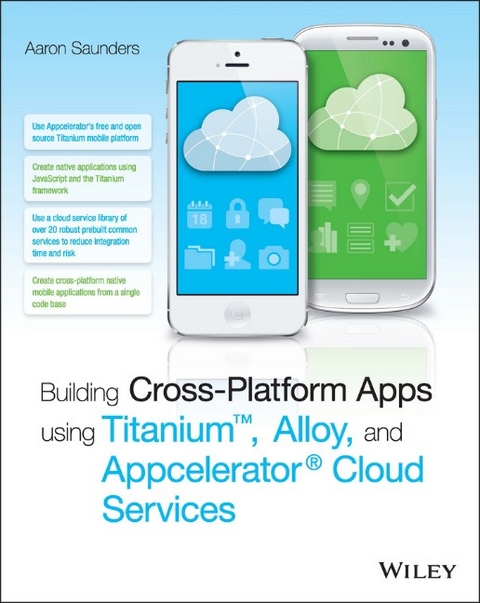
Building Cross-Platform Apps using Titanium, Alloy, and Appcelerator Cloud Services shows you how to build cross-platform iOS and Android apps without learning Objective-C or Java. With detailed guidance given toward using the Titanium Mobile Platform and Appcelerator Cloud Services, you will quickly develop the skills to build real, native apps— not web apps—using existing HTML, CSS, and JavaScript know-how. This guide takes you step-by-step through the creation of a photo-sharing app that leverages the power of Appcelerator's cloud platform, and establishes fundamental concepts before adding advanced techniques. Coverage extends beyond the development process to include expert advice for deployment on the App Store or Google Play, and more.
The mobile app market is estimated at over $2.4 billion per year. These apps were traditionally built using Objective-C or Java, which can be complex and daunting to learn. Now you can use JavaScript on the Titanium framework to build amazing apps that run native on iOS and Android devices, and get your app to market faster with this guide.
- Integrate Cloud Services APIs into the app framework and UI
- Set up user accounts, and capture and store photos
- Work with location-based services and share via social media
- Deploy on the App Store, Google Play, and more
When a great idea is in the works, no one wants to put it on hold to learn an entirely new skillset. Now there's an alternative. Get that app to market fast, using existing skills and powerful new tools, and grab a piece of that multi-billion-dollar market. Building Cross-Platform Apps using Titanium, Alloy, and Appcelerator Cloud Services is your ticket to the front of the line.
Skip Objective-C and Java to get your app to market faster, using the skills you already have Building Cross-Platform Apps using Titanium, Alloy, and Appcelerator Cloud Services shows you how to build cross-platform iOS and Android apps without learning Objective-C or Java. With detailed guidance given toward using the Titanium Mobile Platform and Appcelerator Cloud Services, you will quickly develop the skills to build real, native apps not web apps using existing HTML, CSS, and JavaScript know-how. This guide takes you step-by-step through the creation of a photo-sharing app that leverages the power of Appcelerator's cloud platform, and establishes fundamental concepts before adding advanced techniques. Coverage extends beyond the development process to include expert advice for deployment on the App Store or Google Play, and more. The mobile app market is estimated at over $2.4 billion per year. These apps were traditionally built using Objective-C or Java, which can be complex and daunting to learn. Now you can use JavaScript on the Titanium framework to build amazing apps that run native on iOS and Android devices, and get your app to market faster with this guide. Integrate Cloud Services APIs into the app framework and UI Set up user accounts, and capture and store photos Work with location-based services and share via social media Deploy on the App Store, Google Play, and more When a great idea is in the works, no one wants to put it on hold to learn an entirely new skillset. Now there's an alternative. Get that app to market fast, using existing skills and powerful new tools, and grab a piece of that multi-billion-dollar market. Building Cross-Platform Apps using Titanium, Alloy, and Appcelerator Cloud Services is your ticket to the front of the line.
Aaron Saunders is a former Platform Evangelist for Appcelerator Titanium, providing information and support for Titanium mobile developers. Aaron is the founder and CTO of Clearly Innovative Inc, a digital services agency with offices in Washington, D.C and New York City.
Chapter 2
Introducing Appcelerator Cloud Services
ONE OF THE bigger challenges in building a complex mobile application comes from an unexpected source, building the supporting backend systems for the application. The majority of applications out there interact with web services or databases to save or retrieve information for presentation in a mobile application. As a mobile developer, you need to find a solution since your goal is to develop mobile solutions, not build and maintain backend services and perform IT management and support.
The traditional approach is to build this backend system, find a place to host it, and then provide the appropriate resources to support it. Taking that approach in the mobile solutions world is cost-prohibitive, is an ongoing maintenance challenge, and is a financial burden on the mobile solution even before the application is launched.
Appcelerator Cloud Services provides a complete framework for integrating the backend services into your mobile application. These services are hosted and maintained by Appcelerator, the APIs are tested and supported by Appcelerator, and handling of the appropriate scaling as needed is also their responsibility. These Appcelerator-provided services enable you to create rich immersive mobile applications. You can extend the application’s services with the Node.ACS product and most importantly leverage the infrastructure for the backend provided by Appcelerator.
Key features of the Appcelerator Cloud Services are available out of the box. For example, comments, ratings, and reviews are supported through the API with no additional coding on the mobile developer’s side. Common location services such as check-ins and geo-querying are provided for all objects in the system. Photos and images are supported with built-in resizing, and blob storage comes ready to use. If the predefined objects do not meet your needs, you can save custom objects structured like JSON documents directly into the data store. Figure 2-1 shows all Appcelerator Cloud Services’ pre-built objects.
Figure 2-1: All of the Appcelerator Cloud Services’ pre-built objects.
An overview of Appcelerator Cloud Services can be found on the Appcelerator website at http://www.appcelerator.com/cloud/.
It is also important to know that even though you are using Appcelerator Cloud Services to integrate the Appcelerator Titanium mobile application, the framework provides a REST-based API, an iOS, and an Android native SDK that can be used for creating native applications.
Using the Appcelerator Cloud Services Console
To become more comfortable with Appcelerator Cloud Service, you are going to take a look at the Developer Console before you do any coding. You need to create an account at https://my.appcelerator.com/auth/signup. Figure 2-2 shows the sign-up page.
Figure 2-2: The Appcelerator developer’s sign-up page.
Follow these steps to create an account:
- Enter your information and click the Sign Up button. You should be forwarded to the developer’s landing page. On the landing page is assorted information available to developers.
- Click the link entitled Create an ACS App from the section called “Getting Started with ACS” on the developer’s resources/landing page. Figure 2-3 shows this developer’s landing page.
Figure 2-3: The Appcelerator developer’s landing page.
- On the Register A New App page, shown in Figure 2-4, enter a name and a brief description for your application. After the information is entered, click the Register App button.
Figure 2-4: The Register A New App page.
If you created an app called wileyone, as the example here does, the resulting screen should look like Figure 2-5.
The left column provides basic overview information about your application and the right column shows the complete list of the predefined objects. You are going to create a user object first. Because most activities you will perform with Appcelerator Cloud Services require a user login, it’s best to get that out of the way first.
- Click on the link titled Users(0) at the bottom of the app page. The (0) represents the number of existing objects of that type.
Figure 2-5: The Appcelerator Cloud Services app page.
Figure 2-6 shows the screen displaying the results of the query for all user objects. Since you have not created any yet, the screen is empty. On the top left, notice the All Users and Admin Users tabs. Don’t worry about admin users, as they are covered later, when you create user accounts for testing the application.
Figure 2-6: The Appcelerator Cloud Services new user page.
- Next, click the Create a User button. Figure 2-7 shows the user input page you’ll see next.
Take a look at the input fields. You can see all the work and thought that went into defining the commonly used fields for users of the potential mobile application. If you need fields that are not included, you can extend the object using the custom_fields property, which is covered in more detail later, when you are extending objects in Appcelerator Cloud Services.
- You can enter some basic data for the user in order to see how quickly the console gets going. Just enter an email address, username, and password. Figure 2-8 shows this page with some sample data.
Figure 2-7: Creating a new user.
Figure 2-8: The New User Input page with sample data entered.
- When you are done entering the data, click the Submit button to save the content to Appcelerator Cloud Services. Figure 2-9 shows the All Users tab after creating the new user.
Figure 2-9: The All Users tab displaying the newly created user.
- You can view the user’s information by clicking the “expand icon,” which looks like a plus sign, on the right side of the row of content. This will expand to show the fields associated with the user you just created. Figure 2-10 shows the expanded page.
The console supports additional features such as deleting objects, exporting objects, and setting filters on the object display page. These features are just a few of the many features provided by the console. It is a great place to verify information when your application is not doing what you expect or to pre-populate some content to get the development process started.
Figure 2-10: The All Users tab expanded to show the newly created user’s field.
Using Appcelerator Cloud Services REST API
The Appcelerator Cloud Service has a REST API that allows you to create applications utilizing the framework as long as you have network capabilities. This means that Appcelerator Titanium apps and HTML5 applications utilizing AJAX clients both work.
Note the following from the Appcelerator Cloud Services documentation:
ACS is open to all app publishers, regardless of the development technology used to build the app-Titanium, Objective-C, Java, or HTML5 via frameworks like Sencha Touch or PhoneGap. Appcelerator Cloud Services provide a complete REST API along with iOS, Android, JavaScript, and ActionScript SDKs. Any device that can make HTTP requests over the Internet can securely use ACS as its server backend.
Because the purpose of the book is to demonstrate how to integrate Appcelerator Cloud Services with Appcelerator Titanium Alloy through a mobile application, it contains only a brief overview of the REST API. Additional information is available in the developer’s section of the Appcelerator website.
Installing curl on a Device
Although you can use the Appcelerator Cloud Services console in most cases, you might sometimes need quick access to content or want to quickly verify an API call. You can use the Mac OS terminal and the built-in curl command to access your Appcelerator Cloud Services content. On Windows machines, you can download the curl utility from http://curl.haxx.se/download.html. To access the content, you need the application key that was created in the previous section. The application key parameter is required on all REST API calls.
Simple Test with the REST API
Two important points to note when using the REST API and the console:
- You must always be logged in to access Appcelerator Cloud Services.
- You must save the session_id from the logged-in user to make Appcelerator Cloud Services REST API calls.
If you log in to the Appcelerator developer site and take a look at the documentation for the REST API, you can see examples of how to use the API. You can also see the appropriate parameters for making the REST API call. The information regarding the URL format and the parameters are specified in the documentation. Figure 2-11 shows an example API reference documentation.
Figure 2-11: Sample of the Appcelerator Cloud Services API reference documentation.
You should now log in as the user you created in the previous...
| Erscheint lt. Verlag | 15.10.2014 |
|---|---|
| Sprache | englisch |
| Themenwelt | Mathematik / Informatik ► Informatik ► Programmiersprachen / -werkzeuge |
| Informatik ► Software Entwicklung ► Mobile- / App-Entwicklung | |
| Informatik ► Weitere Themen ► Smartphones / Tablets | |
| Technik ► Elektrotechnik / Energietechnik | |
| Technik ► Nachrichtentechnik | |
| Schlagworte | Aaron Saunders • Android • Appcelerator • app coding • App Design • app development • App-Entwicklung • App Store deployment • Building Cross-Platform Apps using Titanium, Alloy, and Appcelerator Cloud Services • coding for iOS • Computer Science • cross-platform mobile app development • DIY app building • easy app development • Google Play • Informatik • iOS app development • iOS development • IOS programming • iPhone • iPhone app development • Java • Java for mobile aps • learning mobile programming • Mobile Development • Objective-C • Objective-C workaround • Programmierung u. Software-Entwicklung • Programming & Software Development • quick app development |
| ISBN-10 | 1-118-67324-7 / 1118673247 |
| ISBN-13 | 978-1-118-67324-9 / 9781118673249 |
| Informationen gemäß Produktsicherheitsverordnung (GPSR) | |
| Haben Sie eine Frage zum Produkt? |
 EPUB (Adobe DRM)
Kopierschutz: Adobe-DRM
Adobe-DRM ist ein Kopierschutz, der das eBook vor Mißbrauch schützen soll. Dabei wird das eBook bereits beim Download auf Ihre persönliche Adobe-ID autorisiert. Lesen können Sie das eBook dann nur auf den Geräten, welche ebenfalls auf Ihre Adobe-ID registriert sind.
Details zum Adobe-DRM
Dateiformat: EPUB (Electronic Publication)
EPUB ist ein offener Standard für eBooks und eignet sich besonders zur Darstellung von Belletristik und Sachbüchern. Der Fließtext wird dynamisch an die Display- und Schriftgröße angepasst. Auch für mobile Lesegeräte ist EPUB daher gut geeignet.
Systemvoraussetzungen:
PC/Mac: Mit einem PC oder Mac können Sie dieses eBook lesen. Sie benötigen eine
eReader: Dieses eBook kann mit (fast) allen eBook-Readern gelesen werden. Mit dem amazon-Kindle ist es aber nicht kompatibel.
Smartphone/Tablet: Egal ob Apple oder Android, dieses eBook können Sie lesen. Sie benötigen eine
Geräteliste und zusätzliche Hinweise
Buying eBooks from abroad
For tax law reasons we can sell eBooks just within Germany and Switzerland. Regrettably we cannot fulfill eBook-orders from other countries.
aus dem Bereich