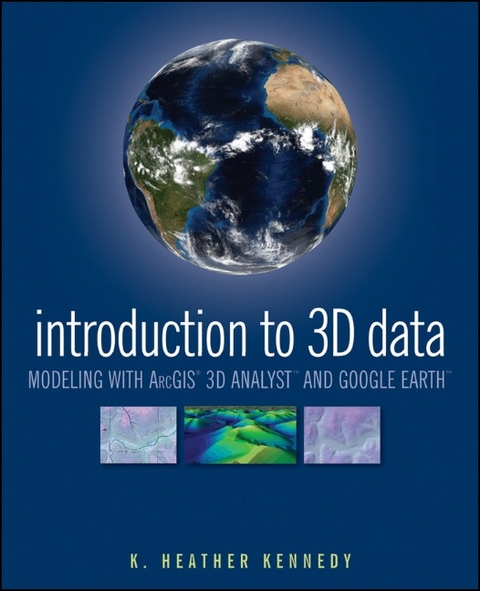
Introduction to 3D Data (eBook)
360 Seiten
John Wiley & Sons (Verlag)
9781118059869 (ISBN)
Written as a self-study workbook, Introduction to 3D Data
demystifies the sometimes confusing controls and procedures
required for 3D modeling using software packages such as ArcGIS 3D
Analyst and Google Earth.
Going beyond the manual that comes with the software, this
profusely illustrated guide explains how to use ESRI's ArcGIS
3D Analyst to model and analyze three-dimensional geographical
surfaces, create 3D data, and produce displays ranging from
topographically realistic maps to 3D scenes and spherical
earth-like views. The engagingly user-friendly
instruction:
* Walks you through basic concepts of 3D data, progressing
to more advanced techniques such as calculating surface area and
volume
* Introduces you to two major software packages: ArcGIS 3D
Analyst (including ArcScene and ArcGlobe) and Google Earth
* Reinforces your understanding through in-depth
discussions with over thirty hands-on exercises and tutorial
datasets on the support website at www.wiley/college/kennedy
* Helps you apply the theory with real-world
applications
Whether you're a student or professional in geology,
landscape architecture, transportation system planning, hydrology,
or a related field, Introduction to 3D Data will
quickly turn you into a power user of 3D GIS.
K. Heather Kennedy is a GIS Planner in the Community Development Department of Contra Costa County, California. A freelance technical writer, she has written The ESRI Press Dictionary of GIS Terminology and Data in Three Dimensions.
Preface.
Acknowledgments.
CHAPTER 1 Introduction to 3D Data: Modeling with
ArcGIS 3D Analyst and Google Earth.
Exercise 1-1: Preview Data in ArcCatalog.
Exercise 1-2: Create a Layer File in ArcCatalog.
CHAPTER 2 3D Display in ArcScene.
Exercise 2-1: Set Background Color and Illumination in
ArcScene.
Exercise 2-2: Set Vertical Exaggeration in ArcScene.
Exercise 2-3: Apply a Coordinate System to a Scene.
Exercise 2-4: Set 3D Layer Properties for an Elevation
Raster.
Exercise 2-5: Set 3D Layer Properties for a Raster Image.
Exercise 2-6: Set Base Heights for a 2D Vector Layer.
Exercise 2-7: Extrude 2D Vector Features.
Challenge Exercise: View Regional Park Study Data in
ArcScene.
CHAPTER 3 3D Navigation and Animation.
Exercise 3-1: Set Targets and Observers.
Exercise 3-2: Animated Rotation and the Viewer Manager.
Exercise 3-3: The Fly Tool.
Exercise 3-4: Create 3D Animated Films.
CHAPTER 4 ArcGlobe.
Exercise 4-1: Understanding ArcGlobe.
Exercise 4-2: Explore ArcGlobe's Options, Add Data, and
Redefine Layer Types.
CHAPTER 5 Google Earth.
Exercise 5-1: Navigating Google Earth's Interface, and the
Planet.
Exercise 5-2: Create a Polygon and Edit Its Properties Through
Google Earth's Form Menus.
Exercise 5-3: Edit the Gardens Polygon Using KML.
CHAPTER 6 Raster Surface Models.
Exercise 6-1: Interpolate a Terrain Surface with Spline.
Exercise 6-2: Interpolate Terrain with Inverse Distance Weighted
and Natural Neighbors.
Exercise 6-3: Calculate Hillshade and Aspect.
Exercise 6-4: Calculate Slope.
Exercise 6-5: Calculate Viewshed.
Challenge Exercise: Calculate Viewshed and Slope Levels for Elk
Park.
CHAPTER 7 TIN Surface Models.
Exercise 7-1: Create a TIN from Vector Features.
Exercise 7-2: Add Polygon Attribute Values to a TIN.
Exercise 7-3: Change TIN Symbology and Classification.
Challenge Exercise: Create a TIN of Elk Park.
CHAPTER 8 Terrain Surface Models.
Exercise 8-1: Create a Terrain Dataset.
Exercise 8-2: Rasterize a Terrain Dataset and View it in
ArcGlobe.
CHAPTER 9 3D Features and More Surface Analysis
Techniques.
Exercise 9-1: Convert 2D Features to 3D, and Digitize 3D
Features in ArcMap.
Exercise 9-2: Draw a Line of Sight and a Cross-section Profile
Graph.
Exercise 9-3: Calculate Surface Area and Volume on a TIN.
Challenge Exercise: Create Multipatch 3D Features.
CHAPTER 10 SKP to Multipatch to KML: Finalize the Elk
Park Project.
Exercise 10-1: Convert a SketchUp File to a Multipatch Feature
Class.
Exercise 10-2: View the Multipatch Feature Class in
ArcGlobe.
Exercise 10-3: Export Layers from ArcMap to KML, and View Them
in Google Earth.
About the Tutorial Data.
Index.
"With Introduction to 3D Data: Modeling with ArcGIS 3D
Analyst and Google Earth the reader will master the craft of 3D
visualization, especially if the book is complemented by a
theoretical GIS compendium." (Photogrammetric
Engineering and Remote Sensing, 1 May 2012)
| Erscheint lt. Verlag | 23.12.2010 |
|---|---|
| Sprache | englisch |
| Themenwelt | Naturwissenschaften ► Geowissenschaften ► Geografie / Kartografie |
| Technik | |
| Schlagworte | Computergraphik • Computer Science • Geographie • Geography • Geography Special Topics • Geoinformationssystem • GIS, Fernerkundung u. Kartographie • GIS, Remote Sensing & Cartography • Informatik • Spezialthemen Geographie • Visualisierung u. Computergraphik • Visualization & Computer Graphics |
| ISBN-13 | 9781118059869 / 9781118059869 |
| Informationen gemäß Produktsicherheitsverordnung (GPSR) | |
| Haben Sie eine Frage zum Produkt? |
 PDF (Adobe DRM)
Kopierschutz: Adobe-DRM
Adobe-DRM ist ein Kopierschutz, der das eBook vor Mißbrauch schützen soll. Dabei wird das eBook bereits beim Download auf Ihre persönliche Adobe-ID autorisiert. Lesen können Sie das eBook dann nur auf den Geräten, welche ebenfalls auf Ihre Adobe-ID registriert sind.
Details zum Adobe-DRM
Dateiformat: PDF (Portable Document Format)
Mit einem festen Seitenlayout eignet sich die PDF besonders für Fachbücher mit Spalten, Tabellen und Abbildungen. Eine PDF kann auf fast allen Geräten angezeigt werden, ist aber für kleine Displays (Smartphone, eReader) nur eingeschränkt geeignet.
Systemvoraussetzungen:
PC/Mac: Mit einem PC oder Mac können Sie dieses eBook lesen. Sie benötigen eine
eReader: Dieses eBook kann mit (fast) allen eBook-Readern gelesen werden. Mit dem amazon-Kindle ist es aber nicht kompatibel.
Smartphone/Tablet: Egal ob Apple oder Android, dieses eBook können Sie lesen. Sie benötigen eine
Geräteliste und zusätzliche Hinweise
Buying eBooks from abroad
For tax law reasons we can sell eBooks just within Germany and Switzerland. Regrettably we cannot fulfill eBook-orders from other countries.
aus dem Bereich