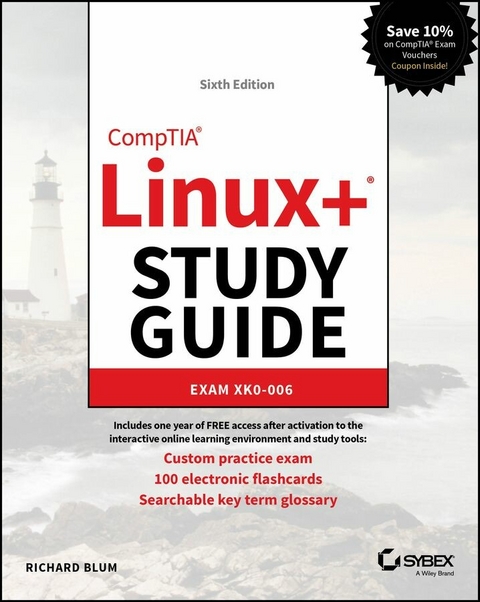
CompTIA Linux+ Study Guide (eBook)
1620 Seiten
Sybex (Verlag)
978-1-394-31633-5 (ISBN)

The latest edition of the gold standard in Linux+ certification exam prep and skills reinforcement
In the newly revised sixth edition of the CompTIA Linux+ Study Guide: Exam XK0-006, veteran system and network administrator Richard Blum delivers a fully up-to-date guide to the challenging CompTIA Linux+ certification exam, as well as a concise discussion of the skills and knowledge you'll need to succeed in the real world as a Linux systems professional.
The book contains clear and straightforward information on all Linux administration topics, including system management, services and user management, security, automation, orchestration, scripting, and troubleshooting. You'll also find:
- Coverage of every subject tested by the newly updated XK0-006 Linux+ certification exam
- New material for DevOps engineers seeking to understand how to deploy applications on different Linux distributions and cloud platforms
- Intuitively organized quick-reference information perfect for newly minted system and network administrators working with Linux operating systems
- Complimentary access to the Sybex online learning environment, including the online test bank, a practice assessment test, chapter review questions, flashcards, and a searchable key term glossary
Perfect for network and system admins studying for the new Linux+ certification exam, the CompTIA Linux+ Study Guide is also a must-read for Linux admins and IT professionals looking to update their skillset, as well as certification candidates seeking a roadmap to attaining further Linux certifications.
ABOUT THE AUTHOR
RICHARD BLUM has over 35 years of experience working as a system and network administrator. He teaches online courses in Linux and Web programming and is co-author with Christine Bresnahan of several Linux titles, including CompTIA Linux+ Study Guide, Linux Essentials, Mastering Linux System Administration, and the Linux Command Line and Shell Scripting Bible.
The latest edition of the gold standard in Linux+ certification exam prep and skills reinforcement In the newly revised sixth edition of the CompTIA Linux+ Study Guide: Exam XK0-006, veteran system and network administrator Richard Blum delivers a fully up-to-date guide to the challenging CompTIA Linux+ certification exam, as well as a concise discussion of the skills and knowledge you'll need to succeed in the real world as a Linux systems professional. The book contains clear and straightforward information on all Linux administration topics, including system management, services and user management, security, automation, orchestration, scripting, and troubleshooting. You'll also find: Coverage of every subject tested by the newly updated XK0-006 Linux+ certification exam New material for DevOps engineers seeking to understand how to deploy applications on different Linux distributions and cloud platforms Intuitively organized quick-reference information perfect for newly minted system and network administrators working with Linux operating systems Complimentary access to the Sybex online learning environment, including the online test bank, a practice assessment test, chapter review questions, flashcards, and a searchable key term glossary Perfect for network and system admins studying for the new Linux+ certification exam, the CompTIA Linux+ Study Guide is also a must-read for Linux admins and IT professionals looking to update their skillset, as well as certification candidates seeking a roadmap to attaining further Linux certifications.
Introduction
Linux has become one of the fastest-growing operating systems used in server environments. Most companies utilize some type of Linux system within their infrastructure, and Linux is one of the major players in the cloud and AI computing worlds. All of the major cloud vendors use some type of Linux distribution. The ability to build and manage Linux systems is a skill that many companies are now looking for. The more you know about Linux, the more marketable you’ll become in today’s computer industry. The purpose of this book is to provide you with the knowledge and skills you need to succeed in the Linux world.
What Is Linux+?
The CompTIA Linux+ exam has become a benchmark in the computer industry as a method of demonstrating skills with the Linux operating system. Obtaining CompTIA Linux+ certification means that you’re comfortable working in a Linux environment and have the skills necessary to install and maintain Linux systems.
Previously, CompTIA had partnered with the Linux Professional Institute (LPI) to produce the Linux+ certification exams. However, with the release of exam XK0-004 in 2019 CompTIA moved to creating its own exam, and has continued that with the updated XK0-006 exam. The updated Linux+ certification is still a single exam that covers hands-on components of operating a Linux system. The updated Linux+ exam focuses on five areas of Linux:
- System management
- Services and user management
- Security
- Automation, orchestration, and scripting
- Troubleshooting
The XK0-006 exam uses performance-based, multiple-choice, and multiple-answer questions to identify employees who can perform the job of Linux system administrator. The exam covers tasks associated with all major Linux distributions, not focusing on any one specific distribution. It consists of 90 questions, and you will have 90 minutes to complete it.
Why Become Linux Certified?
With the growing popularity of Linux (and the increase in Linux-related jobs) comes hype. With all of the hype that surrounds Linux, it’s become hard for employers to distinguish employees who are competent Linux administrators from those who just know the buzzwords. This is where Linux+ certification comes in.
With a Linux+ certification, you will establish yourself as a Linux administrator who is familiar with the Linux platform and can install, maintain, and troubleshoot any type of Linux system. By changing the exam to be more performance based, CompTIA has established the new Linux+ exam as a way for employers to have confidence in knowing their employees who pass the exam will have the skills necessary to get the job done.
How to Become Certified
The Linux+ certification is available for anyone who passes the XK0-006 exam. There are no prerequisites to taking the exam, but CompTIA recommends having either the A+ and Network+ certifications or a similar amount of experience, along with at least 12 months of hands-on Linux administrator experience.
Pearson VUE administers the exam. The exam can be taken at any Pearson VUE testing center. To register for the exam, call Pearson VUE at (877) 619-2096, or register online at http://home.pearsonvue.com/comptia.
After you take the exam, you will be immediately notified of your score. If you pass, you will get a certificate in the mail showing your Linux+ certification credentials along with a verification number that employers can use to verify your credentials online.
The Linux+ exam is part of CompTIA’s Continuing Education (CE) track of exams. It’s valid for three years, but it can be renewed by acquiring an appropriate number of Continuing Education Units (CEUs) and paying a yearly fee.
Who Should Buy This Book
While anyone who wants to pass the Linux+ certification exams would benefit from this book, that’s not the only reason for purchasing it. This book covers all the material someone new to the Linux world would need to know to start out in Linux. After you’ve become familiar with the basics of Linux, the book will serve as an excellent reference for quickly finding answers to everyday Linux questions.
The book is written with the assumption that you have a familiarity with basic computer and networking principles. While no experience with Linux is required to benefit from this book, it will help if you know your way around a computer in either the Windows or macOS worlds, such as how to use a keyboard, use optical disks, and work with USB thumb drives.
It will also help to have a Linux system available to follow along with. Many chapters contain a simple exercise that will walk you through the basic concepts presented in the chapter. This provides the crucial hands-on experience that you’ll need, to both pass the exam and do well in the Linux world.
While the CompTIA Linux+ exam is Linux distribution neutral, it’s impossible to write exercises that work in all Linux distributions. That said, the exercises in this book assume you have either Ubuntu 24.04 LTS or Rocky Linux 9 available. You can install either or both of these Linux distributions in a virtual environment using the Oracle VirtualBox software, available at https://virtualbox.org.
How This Book Is Organized
This book consists of 31 chapters organized around the different objective areas of the Linux+ exam:
- Chapter 1, “Preparing Your Environment,” helps you with finding and installing a Linux distribution to use for experimenting with Linux and working on the exercises in the book.
- Chapter 2, “Introduction to Services,” introduces you to the different server applications and uses you’ll commonly see used in Linux.
- Chapter 3, “Managing Files, Directories, and Text,” covers the basic Linux commands for working with files and directories from the command line.
- Chapter 4, “Searching and Analyzing Text,” discusses the different tools Linux provides for working with text files.
- Chapter 5, “Explaining the Boot Process,” takes you into the inner processes of how the Linux operating system starts, showing you how to customize the Linux boot process.
- Chapter 6, “Maintaining System Startup and Services,” walks you through how the Linux system starts applications at boot time by discussing the two different methods used for controlling program startups.
- Chapter 7, “Configuring Network Connections,” shows how to get your Linux system working on a local area network, along with the different tools available to help troubleshoot network problems on your Linux system.
- Chapter 8, “Comparing GUIs,” discusses the different graphical desktop environments available in Linux.
- Chapter 9, “Adjusting Localization Options,” shows how to change the character set and date/time formats for your Linux system to accommodate the different formats used in various countries.
- Chapter 10, “Administering Users and Groups,” explores how Linux handles user accounts and how you can assign users to groups to manage access to files and directories.
- Chapter 11, “Handling Storage,” examines the different storage methods and formats available in the Linux system.
- Chapter 12, “Protecting Files,” dives into the world of data backups, archiving, and restoring.
- Chapter 13, “Governing Software,” explains how Linux manages software applications and how to install software packages on the various Linux distribution types.
- Chapter 14, “Tending Kernel Modules,” discusses how Linux uses kernel modules to support hardware and how you can manage the kernel modules on your Linux system.
- Chapter 15, “Applying Ownership and Permissions,” explores the multiple methods available for protecting files and directories on a Linux system. It discusses the standard Linux-style permissions as well as the more advanced SELinux and AppArmor applications used to provide more advanced security for Linux systems.
- Chapter 16, “Looking at Access and Authentication Methods,” explores the different methods Linux can use to authenticate user accounts, both locally and in network environments.
- Chapter 17, “Implementing Logging Services,” shows how Linux logs system events and how you can use the Linux system logs for troubleshooting problems on your Linux system.
- Chapter 18, “Overseeing Linux Firewalls,” walks you through how to protect your Linux system in a network environment.
- Chapter 19, “Embracing Best Security Practices,” discusses various common methods you can implement to make your Linux environment more secure.
- Chapter 20, “Analyzing System Properties and Remediation,” explores the methods you have available to troubleshoot different types of Linux problems. This includes network issues, storage issues, and operating system issues.
- Chapter 21, “Optimizing Performance,” discusses how Linux handles running applications and the tools you have available to control how those applications behave.
- Chapter 22, “Investigating User...
| Erscheint lt. Verlag | 14.8.2025 |
|---|---|
| Reihe/Serie | Sybex Study Guide |
| Sprache | englisch |
| Themenwelt | Mathematik / Informatik ► Informatik |
| Sozialwissenschaften ► Pädagogik | |
| Schlagworte | linux+ administration • linux+ answers • Linux+ certification exam • linux+ certification test • linux devops • linux+ exam • linux+ exam answers • linux+ practice exam • linux+ practice questions • linux+ practice test • linux+ test • linux+ test answers |
| ISBN-10 | 1-394-31633-X / 139431633X |
| ISBN-13 | 978-1-394-31633-5 / 9781394316335 |
| Informationen gemäß Produktsicherheitsverordnung (GPSR) | |
| Haben Sie eine Frage zum Produkt? |
 EPUB (Adobe DRM)
Kopierschutz: Adobe-DRM
Adobe-DRM ist ein Kopierschutz, der das eBook vor Mißbrauch schützen soll. Dabei wird das eBook bereits beim Download auf Ihre persönliche Adobe-ID autorisiert. Lesen können Sie das eBook dann nur auf den Geräten, welche ebenfalls auf Ihre Adobe-ID registriert sind.
Details zum Adobe-DRM
Dateiformat: EPUB (Electronic Publication)
EPUB ist ein offener Standard für eBooks und eignet sich besonders zur Darstellung von Belletristik und Sachbüchern. Der Fließtext wird dynamisch an die Display- und Schriftgröße angepasst. Auch für mobile Lesegeräte ist EPUB daher gut geeignet.
Systemvoraussetzungen:
PC/Mac: Mit einem PC oder Mac können Sie dieses eBook lesen. Sie benötigen eine
eReader: Dieses eBook kann mit (fast) allen eBook-Readern gelesen werden. Mit dem amazon-Kindle ist es aber nicht kompatibel.
Smartphone/Tablet: Egal ob Apple oder Android, dieses eBook können Sie lesen. Sie benötigen eine
Geräteliste und zusätzliche Hinweise
Buying eBooks from abroad
For tax law reasons we can sell eBooks just within Germany and Switzerland. Regrettably we cannot fulfill eBook-orders from other countries.
aus dem Bereich