


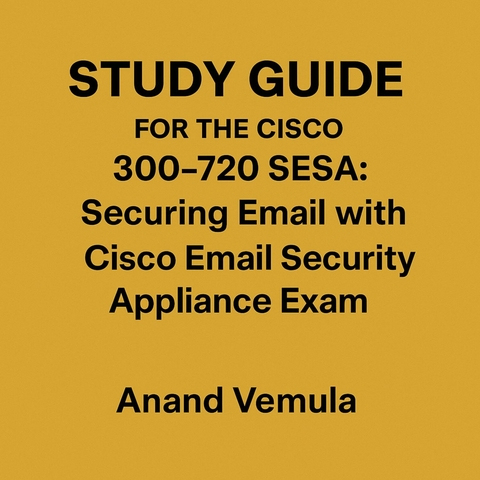
Study Guide For The Cisco 300-720 SESA (eBook)
76 Seiten
Publishdrive (Verlag)
978-0-00-096872-2 (ISBN)
The Cisco Email Security Appliance (ESA) is a robust solution designed to protect organizations from email-based threats such as spam, phishing, viruses, and data loss. The ESA integrates multiple security layers including advanced anti-spam engines, virus scanning with multiple antivirus engines, outbreak filters for zero-day threats, and powerful content and attachment filtering capabilities. It supports email authentication protocols like SPF, DKIM, and DMARC to prevent email spoofing and phishing attacks. Cisco ESA also provides encryption options, including TLS and Cisco Registered Envelope Service (CRES), ensuring secure email transmission.
Administrators can manage ESA through an intuitive web GUI or CLI, with role-based access control to secure administrative operations. ESA supports LDAP integration for user authentication and recipient validation, which is essential in enforcing policies and managing quarantines. Quarantine management is flexible, allowing centralized or local configurations with customizable notification templates and user self-service portals.
Mail flow within ESA is controlled using SMTP routes, Host Access Tables (HAT), and Recipient Access Tables (RAT), allowing fine-grained control over inbound and outbound email traffic. High availability features ensure continuous service with cluster configurations, backups, and configuration rollback options.
Logging, reporting, and troubleshooting tools provide deep insight into email traffic and security events, aiding administrators in maintaining optimal protection and compliance with industry standards. Overall, Cisco ESA is a comprehensive platform that balances security, flexibility, and manageability, making it a critical component in modern email security infrastructure.
2. Administration and Management of Cisco Email Security Appliance (ESA)
GUI and CLI Access
Administration and management of the Cisco Email Security Appliance (ESA) can be performed through two primary interfaces: the Graphical User Interface (GUI) and the Command Line Interface (CLI). Both offer distinct advantages and are essential for effective configuration, maintenance, and troubleshooting of the appliance.
Graphical User Interface (GUI):
The GUI is the most common and user-friendly method for managing Cisco ESA. It is accessed via a web browser over HTTPS, typically using the appliance’s management IP address or hostname followed by the secure port (default is port 443).
Key aspects of the GUI include:
- Dashboard: Upon login, the dashboard provides a real-time overview of system status, mail flow statistics, recent threats detected, queue status, and system health. It offers graphical charts and quick access links to common tasks.
- Configuration Menus: The GUI organizes configuration options into logical categories such as Mail Policies, Access Policies, Anti-Spam, Anti-Virus, Encryption, and System Administration. This structure makes navigation intuitive for administrators.
- Wizards and Templates: For common tasks like initial setup, domain configuration, or policy creation, the GUI provides wizards and templates that simplify the process and reduce errors.
- Quarantine Management: The GUI offers access to quarantine areas where administrators and end users can review, release, or delete suspicious emails.
- Monitoring and Reporting: Various views and reports can be generated from the GUI to analyze mail traffic, detect trends, and assess appliance performance.
- Role-Based Access Control: The GUI supports multiple administrative roles with different permission levels, allowing granular control over who can view or modify certain settings.
- Help and Documentation: Context-sensitive help links provide immediate access to Cisco’s online documentation or embedded explanations.
Because of its accessibility and ease of use, the GUI is typically the preferred interface for routine management, policy adjustments, and monitoring.
Command Line Interface (CLI):
The CLI is accessed via SSH or directly through the appliance console port. It provides a text-based interface for advanced configuration, scripting, and troubleshooting.
Key features of the CLI include:
- Configuration Mode: Administrators enter configuration mode to make changes to appliance settings. The CLI syntax follows Cisco standards, using hierarchical commands with modes like “enable,” “configure terminal,” etc.
- Show Commands: Various “show” commands provide detailed information about system status, running configuration, message queues, logs, and real-time diagnostics.
- Debugging: The CLI supports debug commands that enable deep troubleshooting of specific subsystems like SMTP connections, antivirus scans, or LDAP queries.
- File Management: CLI allows uploading and downloading configuration files, logs, and patches via secure copy protocols.
- Script Automation: CLI commands can be scripted to automate repetitive tasks or bulk changes, which is useful in large deployments.
- Emergency Access: If the GUI is unavailable due to network or system issues, the CLI provides critical access for recovery and configuration.
Both GUI and CLI access are secured via authentication methods. The ESA supports local user accounts and integration with external authentication sources like LDAP and RADIUS for centralized identity management.
System Setup and Configuration
The initial setup and ongoing configuration of the Cisco ESA are vital steps to ensure the appliance protects email traffic effectively while aligning with organizational policies.
Initial Setup:
- Network Configuration: The first step after powering on the ESA is configuring network parameters including management IP address, subnet mask, default gateway, DNS servers, and hostname. This ensures the appliance is reachable over the network.
- Time and Date Settings: Accurate timekeeping is crucial for logs, encryption certificates, and policy enforcement. The ESA supports manual time setting and synchronization via Network Time Protocol (NTP).
- Licensing: Cisco ESA requires valid licenses for full functionality including anti-spam, anti-virus, encryption, and DLP modules. The appliance prompts for license key entry during initial configuration.
- Administrator Accounts: Create and configure administrator user accounts with appropriate privilege levels. Use strong password policies and consider integrating with centralized authentication.
- System Services: Enable or disable services such as SMTP, LDAP queries, DNS resolution, SNMP, and Syslog forwarding as per network design.
Mail Domain Configuration:
- Inbound Domains: Define the internal email domains the ESA will accept and protect. This ensures the ESA knows which messages are destined for local users.
- Outbound Domains: Configure domains for outbound mail handling, including policies for encryption and filtering.
- Relay and Routing Configuration: Set up SMTP relay hosts, smart hosts, and routing rules that determine how mail is forwarded to internal or external destinations.
Policy Configuration:
- Access Policies: Control who can send mail through the appliance based on IP addresses, authentication status, or user identity.
- Mail Policies: Define rules that apply to inbound and outbound emails, such as spam thresholds, attachment blocking, and content filtering.
- Anti-Spam and Anti-Virus Policies: Customize spam detection levels, virus scanning engines, and outbreak filter parameters to balance security and user experience.
- Quarantine Policies: Determine how suspected spam or malicious emails are handled—whether quarantined, tagged, or rejected—and define notification settings.
- Encryption Policies: Configure rules for automatically encrypting emails based on sender, recipient, content, or other attributes.
Integration with Directory Services:
- Configure LDAP directory connections to validate recipients, authenticate users, and apply policies based on group membership.
Backup and Restore:
- Set up regular backups of configuration files to protect against accidental loss or corruption. The ESA supports manual and scheduled backups with options to store backups locally or on remote servers.
ESA Updates and Upgrades
Maintaining up-to-date software on Cisco ESA is critical to ensure it remains effective against evolving threats and to benefit from new features and bug fixes.
Types of Updates:
- ESA Software Updates: These include major and minor releases of the ESA operating system and software components. Updates may add new functionality, improve performance, or fix security vulnerabilities.
- Content Updates: These include spam signatures, virus definitions, reputation data, and outbreak filter rules that keep the anti-spam and anti-virus engines current.
- Security Patches: Critical patches addressing security vulnerabilities discovered in the ESA software.
Update Methods:
- Automatic Updates: ESA can be configured to automatically download and install content updates regularly. Administrators can schedule update intervals for signature files and filters.
- Manual Updates: For controlled environments, administrators may choose to manually download and apply updates during maintenance windows to minimize disruption.
- Firmware Upgrades: Firmware updates can be performed through the GUI or CLI by uploading software images. The appliance typically supports rolling upgrades to reduce downtime.
Best Practices for Updates:
- Always backup the current configuration before applying updates.
- Review release notes for known issues or prerequisites.
- Test updates in a lab or staging environment before deploying to production.
- Monitor appliance behavior and logs after updates for any anomalies.
- Coordinate updates with other security infrastructure components to avoid compatibility issues.
License Renewal:
Regularly verify license status and renew subscriptions for services like anti-spam and anti-virus to maintain uninterrupted protection.
Logging and Reporting
Cisco ESA provides comprehensive logging and reporting capabilities that are essential for visibility into email traffic, security events, and system performance.
Logging Types:
- SMTP Transaction Logs: Detailed records of every SMTP connection, including sender and recipient addresses, message IDs, timestamps, and status codes.
- Message Tracking Logs: Logs tracking the journey of each email through the ESA, including processing stages, policy decisions, and delivery status.
- Spam and Virus Logs: Records of spam detection results, virus scan outcomes, and actions taken on suspicious emails.
- System Logs: Events related to system health, configuration changes, authentication attempts, and error conditions.
- Audit Logs: Records of administrative actions performed via GUI or CLI for...
| Erscheint lt. Verlag | 3.6.2025 |
|---|---|
| Sprache | englisch |
| Themenwelt | Sozialwissenschaften ► Pädagogik |
| ISBN-10 | 0-00-096872-2 / 0000968722 |
| ISBN-13 | 978-0-00-096872-2 / 9780000968722 |
| Informationen gemäß Produktsicherheitsverordnung (GPSR) | |
| Haben Sie eine Frage zum Produkt? |
 EPUB (Adobe DRM)
Größe: 3,9 MB
Kopierschutz: Adobe-DRM
Adobe-DRM ist ein Kopierschutz, der das eBook vor Mißbrauch schützen soll. Dabei wird das eBook bereits beim Download auf Ihre persönliche Adobe-ID autorisiert. Lesen können Sie das eBook dann nur auf den Geräten, welche ebenfalls auf Ihre Adobe-ID registriert sind.
Details zum Adobe-DRM
Dateiformat: EPUB (Electronic Publication)
EPUB ist ein offener Standard für eBooks und eignet sich besonders zur Darstellung von Belletristik und Sachbüchern. Der Fließtext wird dynamisch an die Display- und Schriftgröße angepasst. Auch für mobile Lesegeräte ist EPUB daher gut geeignet.
Systemvoraussetzungen:
PC/Mac: Mit einem PC oder Mac können Sie dieses eBook lesen. Sie benötigen eine
eReader: Dieses eBook kann mit (fast) allen eBook-Readern gelesen werden. Mit dem amazon-Kindle ist es aber nicht kompatibel.
Smartphone/Tablet: Egal ob Apple oder Android, dieses eBook können Sie lesen. Sie benötigen eine
Geräteliste und zusätzliche Hinweise
Buying eBooks from abroad
For tax law reasons we can sell eBooks just within Germany and Switzerland. Regrettably we cannot fulfill eBook-orders from other countries.
aus dem Bereich


