


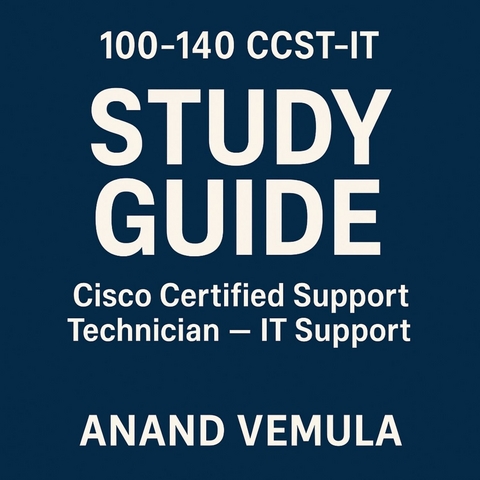
100-140 CCST-IT Study guide Cisco Certified Support Technician - IT Support (eBook)
99 Seiten
Publishdrive (Verlag)
978-0-00-095783-2 (ISBN)
The Cisco Certified Support Technician - IT Support (CCST-IT) certification study guide provides a comprehensive foundation for individuals aiming to establish or advance their careers in IT support. The guide covers essential technical topics including networking fundamentals such as types of networks, IP addressing, and key protocols like DNS and DHCP. It dives into operating systems, highlighting Windows, macOS, and Linux environments, focusing on file systems, permissions, software installation, and command-line tools.
Hardware fundamentals are explored in detail, with explanations of critical components like CPUs, RAM, storage devices, and peripheral interfaces, alongside troubleshooting methods and BIOS/UEFI configuration. Security fundamentals address core cybersecurity principles such as the CIA triad, authentication, firewalls, malware types, and best practices for securing networks and data.
The guide emphasizes troubleshooting skills by outlining systematic approaches to diagnosing and resolving hardware, software, and network issues, while also stressing effective communication and customer service skills vital for technical support roles. It explains IT service roles, frameworks like ITIL, and important concepts such as SLAs and change management.
Additionally, cloud computing and virtualization basics are introduced, including service models (IaaS, PaaS, SaaS), deployment types, and common providers like AWS and Azure. The guide also covers scripting and automation fundamentals to enhance efficiency in IT tasks.
Finally, it underscores professionalism and ethics in IT, covering workplace conduct, time management, data privacy, and compliance with industry standards such as GDPR and HIPAA. Overall, this guide equips candidates with practical knowledge and skills needed to succeed as proficient IT support technicians.
Networking Fundamentals
What is Networking?
Networking refers to the practice of connecting computers and other devices to share resources, exchange data, and enable communication. In IT, a network is a group of interconnected devices that can transmit and receive data. These devices include computers, printers, servers, phones, and networking hardware.
At its core, networking enables:
- File and resource sharing (e.g., documents, printers)
- Communication (e.g., email, messaging)
- Remote access to systems and data
- Centralized management and security
Networks can be physical, using cables and wires to connect devices, or wireless, relying on radio waves. Networking is essential in every modern IT environment, from small businesses to large enterprises and the internet itself.
Communication in a network is governed by protocols, which are standardized rules that define how data is transmitted. Examples include TCP/IP, HTTP, FTP, and SMTP. These protocols ensure that data is formatted and processed correctly between sender and receiver.
Networking also involves addressing (to identify devices), routing (to direct traffic), and switching (to manage traffic inside networks). Understanding these foundational components is critical for supporting any IT infrastructure.
Types of Networks (LAN, WAN, WLAN, etc.)
Networks come in various forms depending on the scale, geography, and technology used. The main types of networks include:
Local Area Network (LAN):
A LAN connects computers within a small geographic area such as a home, school, or office building. LANs usually use Ethernet or Wi-Fi for connectivity. They offer high-speed data transmission and are privately managed.
Wide Area Network (WAN):
A WAN spans large geographical areas and connects multiple LANs together, often via public infrastructure like the internet or leased telephone lines. A good example of a WAN is the internet. WANs are used by corporations with multiple branch offices across regions or countries.
Wireless Local Area Network (WLAN):
A WLAN is a LAN that uses wireless communication technologies like Wi-Fi instead of cables. It allows users to connect mobile devices, laptops, and tablets without being tethered to a physical port. Access points act as bridges between wired and wireless segments of the network.
Metropolitan Area Network (MAN):
A MAN covers a city or a large campus. It is larger than a LAN but smaller than a WAN. Governments or large universities often deploy MANs for internal communication and connectivity.
Personal Area Network (PAN):
A PAN is centered around a single person and typically includes devices such as smartphones, laptops, and wireless headsets. Bluetooth is a common PAN technology.
Campus Area Network (CAN):
A CAN connects LANs within a limited geographical area, such as a university campus or a business park. It enables resource sharing and centralized control.
Each type of network has different speed, cost, and administrative requirements. Knowing which type of network is in use helps IT technicians troubleshoot and configure systems appropriately.
Network Topologies and Architectures
Network topology refers to the physical or logical arrangement of devices and cables in a network. Understanding network topologies helps in diagnosing issues and optimizing performance.
Bus Topology:
All devices are connected to a single central cable (the bus). Data travels in both directions, and each device checks if the data is intended for it. It is easy to install but not scalable. If the main cable fails, the whole network is affected.
Star Topology:
Devices are connected to a central hub or switch. If one cable fails, only the connected device is affected. Star topology is commonly used due to its reliability and ease of management.
Ring Topology:
Devices are connected in a circular fashion. Data travels in one direction around the ring. If one node fails, the entire network can be affected unless a dual ring or ring with failover is implemented.
Mesh Topology:
Devices are interconnected directly. Mesh topologies provide redundancy and high fault tolerance. They are used in critical applications like data centers and military networks.
Hybrid Topology:
Combines two or more topologies. For example, a star-bus topology uses a bus backbone with star-configured nodes.
Client-Server Architecture:
This model features centralized servers that provide resources or services to client devices. Clients request data or services, and servers respond. This setup is scalable and manageable and is used in most enterprise environments.
Peer-to-Peer (P2P) Architecture:
Each device acts as both a client and a server. There is no central control. P2P is simple to set up and suitable for small networks, but not ideal for large-scale environments.
Understanding both topology and architecture helps IT professionals plan efficient, reliable networks and identify fault points during troubleshooting.
Common Network Devices (Router, Switch, Modem, Access Point)
Networking devices play distinct roles in data communication. Each device contributes to building, maintaining, or managing a network.
Router:
Routers connect different networks, such as a home network to the internet. They determine the best path for data to travel using routing tables and protocols. Routers often include additional features like NAT, firewall, and DHCP services.
Switch:
A switch connects multiple devices within the same network (LAN) and uses MAC addresses to forward data only to the intended recipient. Unlike a hub, which broadcasts to all devices, a switch is more secure and efficient.
Modem:
A modem (modulator-demodulator) converts digital signals from a computer into analog signals for transmission over phone lines and vice versa. It is typically used to connect to an ISP and access the internet.
Access Point (AP):
An AP provides wireless access to a wired network. It connects Wi-Fi-enabled devices to the LAN. Standalone APs are used in larger networks, while smaller networks use wireless routers that integrate router and AP functions.
Firewall:
Firewalls filter incoming and outgoing traffic based on security rules. They may be hardware-based, software-based, or both. Firewalls are critical for protecting networks from unauthorized access.
Network Interface Card (NIC):
Every networked device has a NIC that connects it to the network. NICs can be wired (Ethernet) or wireless (Wi-Fi) and come with a unique MAC address.
Each device contributes to network performance, security, and structure. Technicians must know how to install, configure, and troubleshoot these devices.
IP Addressing and Subnetting Basics
An IP address is a unique identifier assigned to each device on a network. It allows devices to locate and communicate with each other. There are two types of IP addressing: IPv4 and IPv6.
IPv4 Addressing:
IPv4 uses a 32-bit address format divided into four octets (e.g., 192.168.1.1). It supports approximately 4.3 billion unique addresses. Each IP address includes:
- A Network ID to identify the network
- A Host ID to identify the device within that network
Private IP Ranges (IPv4):
- Class A: 10.0.0.0 to 10.255.255.255
- Class B: 172.16.0.0 to 172.31.255.255
- Class C: 192.168.0.0 to 192.168.255.255
Subnetting:
Subnetting divides a larger network into smaller, manageable sub-networks (subnets). It uses a subnet mask to define how many bits are used for the network and host portions.
For example, a subnet mask of 255.255.255.0 indicates the first three octets are for the network and the last is for hosts. Subnetting improves security, performance, and organization.
CIDR (Classless Inter-Domain Routing) notation is often used, such as 192.168.1.0/24, which means 24 bits are used for the network portion.
Technicians must be able to calculate subnet ranges, host counts, and identify valid IP addresses in a given subnet.
DNS, DHCP, NAT
These are essential network services that simplify communication and device configuration.
DNS (Domain Name System):
DNS translates human-readable domain names (e.g., www.example.com) into IP addresses (e.g., 93.184.216.34). Without DNS, users would need to remember numeric IP addresses. DNS uses a hierarchy of servers and zones to resolve names.
DHCP (Dynamic Host Configuration Protocol):
DHCP automatically assigns IP addresses and other network configuration settings (such as subnet mask, default gateway, and DNS server) to devices. This eliminates the need for manual configuration and reduces errors.
A DHCP server maintains a pool of IP addresses and assigns them to clients dynamically. DHCP leases are temporary and can be renewed or released.
NAT (Network Address Translation):
NAT allows multiple devices on a private network to share a single public IP address to access the internet. It translates internal IP addresses to a public address. This conserves IP space and provides a layer of security by hiding internal IPs from the outside world.
There are different types of NAT, including Static NAT (one-to-one), Dynamic NAT (many-to-many), and Port Address Translation (PAT), where many devices share a single public IP using different ports.
Understanding these services is essential...
| Erscheint lt. Verlag | 16.5.2025 |
|---|---|
| Sprache | englisch |
| Themenwelt | Sozialwissenschaften ► Pädagogik |
| ISBN-10 | 0-00-095783-6 / 0000957836 |
| ISBN-13 | 978-0-00-095783-2 / 9780000957832 |
| Informationen gemäß Produktsicherheitsverordnung (GPSR) | |
| Haben Sie eine Frage zum Produkt? |
 EPUB (Adobe DRM)
Größe: 1,6 MB
Kopierschutz: Adobe-DRM
Adobe-DRM ist ein Kopierschutz, der das eBook vor Mißbrauch schützen soll. Dabei wird das eBook bereits beim Download auf Ihre persönliche Adobe-ID autorisiert. Lesen können Sie das eBook dann nur auf den Geräten, welche ebenfalls auf Ihre Adobe-ID registriert sind.
Details zum Adobe-DRM
Dateiformat: EPUB (Electronic Publication)
EPUB ist ein offener Standard für eBooks und eignet sich besonders zur Darstellung von Belletristik und Sachbüchern. Der Fließtext wird dynamisch an die Display- und Schriftgröße angepasst. Auch für mobile Lesegeräte ist EPUB daher gut geeignet.
Systemvoraussetzungen:
PC/Mac: Mit einem PC oder Mac können Sie dieses eBook lesen. Sie benötigen eine
eReader: Dieses eBook kann mit (fast) allen eBook-Readern gelesen werden. Mit dem amazon-Kindle ist es aber nicht kompatibel.
Smartphone/Tablet: Egal ob Apple oder Android, dieses eBook können Sie lesen. Sie benötigen eine
Geräteliste und zusätzliche Hinweise
Buying eBooks from abroad
For tax law reasons we can sell eBooks just within Germany and Switzerland. Regrettably we cannot fulfill eBook-orders from other countries.
aus dem Bereich


