


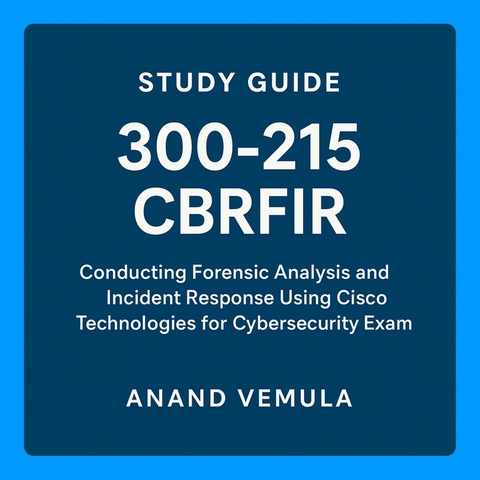
Study Guide - 300-215 CBRFIR (eBook)
73 Seiten
Publishdrive (Verlag)
978-0-00-095665-1 (ISBN)
The 300-215 CBRFIR exam focuses on conducting forensic analysis and incident response using Cisco technologies to effectively detect, investigate, and respond to cybersecurity incidents. This certification covers a comprehensive range of topics, beginning with foundational concepts of digital forensics and incident response, including the principles and phases of incident handling such as preparation, identification, containment, eradication, recovery, and lessons learned. Legal considerations and maintaining the chain of custody for digital evidence are emphasized to ensure integrity and compliance.
The guide delves into forensic techniques and procedures encompassing data collection, memory and disk forensics, network forensics, and log and artifact analysis, supported by hashing and imaging techniques for preserving evidence. Endpoint-based analysis teaches how to identify host-based indicators, analyze registries, file systems, running processes, and use Cisco Secure Endpoint (AMP) for malware detection and behavioral analysis.
Network-based analysis focuses on packet capture, protocol analysis, anomaly detection, and leveraging Cisco Secure Network Analytics (Stealthwatch) and NetFlow telemetry for threat detection. The importance of analyzing alert data and logs through normalization, correlation, and utilizing tools like Cisco SecureX and SIEMs is highlighted.
Threat hunting and intelligence integration explain methodologies for IOC enrichment, using threat intelligence platforms, open-source intelligence, and Cisco's Threat Grid and Talos. The use of Cisco tools such as AMP, Threat Grid, Stealthwatch, and SecureX for forensics and incident response is covered thoroughly.
Finally, the guide outlines incident response playbooks, automation, best practices, compliance standards, and post-incident activities to ensure efficient and effective cybersecurity operations, supported by real-world scenarios and practice questions to reinforce learning.
3. Endpoint-Based Analysis
*3.1. Host-Based Indicators
Host-Based Indicators (HBIs) are critical clues derived from endpoints (e.g., desktops, servers, laptops) that help analysts detect, investigate, and respond to security incidents. HBIs complement network indicators and often provide deeper insight into attacker behavior, especially in post-compromise phases.
HBIs include file hashes, registry keys, process names, command-line arguments, parent-child process relationships, unusual file locations, timestamps, loaded modules, startup entries, scheduled tasks, mutexes, and services. They also include metadata such as file creation dates, last access time, and security descriptors.
Process behavior is a key HBI. Unusual processes running on a system—especially those launched from user directories, temporary folders, or with suspicious command-line flags—may indicate malware or a threat actor presence. Processes running under the context of SYSTEM or high-privilege accounts are particularly high-value targets for attackers.
File hashes like MD5 or SHA-256 provide a unique signature for a binary. Threat intelligence platforms can compare these hashes against known malware databases. Static IOCs like hashes are effective for signature-based detection, while dynamic HBIs reflect behavior and context.
Command-line arguments are highly revealing. For instance, a legitimate binary like rundll32.exe can be used maliciously, and it's the arguments that determine intent. Malicious usage patterns such as invoking encoded PowerShell scripts or connecting to remote hosts should be flagged.
Logon events also serve as HBIs. Unusual logon types (e.g., remote interactive sessions during off-hours) or logins from unexpected users or locations can signal compromise. Combined with account usage patterns and process activity, they help construct an attack timeline.
Scheduled tasks and Windows services created or altered during an attack are often used for persistence. Examining creation timestamps and authoring accounts can help determine whether such artifacts are benign or malicious.
Startup entries in the registry, Task Scheduler, or startup folders are another area of concern. Malicious programs often place themselves in these locations to ensure execution upon boot. Comparing entries across a baseline or known good state can highlight anomalies.
Endpoint Detection and Response (EDR) tools such as Cisco Secure Endpoint, CrowdStrike Falcon, or Microsoft Defender for Endpoint automate the collection and correlation of HBIs. These platforms enrich HBIs with contextual threat intelligence and behavioral analytics.
Analysts rely on HBIs to triage alerts, determine the scope of compromise, and pivot to related systems. HBIs are also used to write detection rules and hunt for threats proactively. When a new malware strain is discovered, its HBIs can be used to scan across the environment for other infected systems.
3.2. Registry and File System Analysis
The Windows Registry and file system contain a wealth of forensic data that can be used to uncover evidence of compromise, persistence, privilege escalation, and lateral movement. They also provide historical insight into how the system was used and modified over time.
Registry Analysis involves examining the hierarchical database where Windows stores configuration data. Key registry hives include:
- HKLM/SYSTEM: Contains system-wide settings, services, and drivers.
- HKLM/SOFTWARE: Includes installed applications, user rights, and security policies.
- HKCU: Holds user-specific settings including browser preferences and application history.
- NTUSER.DAT: Captures user profile-level artifacts such as recent files, mapped drives, and typed URLs.
Attackers often use the registry for persistence. They may create autorun keys such as:
- HKCU/Software/Microsoft/Windows/CurrentVersion/Run
- HKLM/Software/Microsoft/Windows/CurrentVersion/Run
Another common technique is DLL hijacking or COM hijacking, where attackers redirect legitimate Windows operations to malicious DLLs via registry modifications.
Shellbags, another set of registry keys, track folder view settings and window positions. These can reveal directories accessed by the user even if they’ve since been deleted.
MRU lists (Most Recently Used) and jump lists provide a timeline of file and application usage. These are helpful in building timelines or linking users to specific data.
Registry auditing can also uncover privilege escalation methods. For example, attackers may modify AlwaysInstallElevated settings to enable MSI-based privilege escalation or manipulate service configurations.
File system analysis involves examining files, folders, and metadata. Important directories include:
- C:/Users/%USERNAME%/AppData: Contains application configurations, caches, and temporary files. Malware often hides here.
- C:/Windows/Temp and %TEMP%: Frequently used for staging or payload execution.
- C:/ProgramData: Common hiding spot due to its shared access model and persistence across sessions.
Alternate Data Streams (ADS) and hidden files are used by attackers to obscure payloads. Forensic tools like FTK Imager or Autopsy can detect ADS usage.
Timestamps (MACB)—Modified, Accessed, Created, and Birth—help in timeline construction. By examining the MACB attributes of suspicious files, investigators can correlate them with system logs and memory data.
Deleted file recovery is another critical forensic skill. Unless data is overwritten, deleted files can often be recovered and analyzed. Tools like EnCase, Recuva, or Sleuth Kit support recovery and inspection of deleted data, slack space, and unallocated clusters.
Proper analysis of the registry and file system reveals attacker footprints, even if they attempt to clean up. The goal is to reconstruct what happened, when it occurred, and how it was executed.
3.3. Analysis of Running Processes and Services
Active analysis of running processes and services on a host system provides real-time insight into its operational state and potential threats. Malicious actors often rely on masquerading, code injection, and process hollowing techniques that can only be detected through live inspection.
Process analysis begins with tools like Task Manager, Process Explorer (Sysinternals), or command-line utilities such as tasklist, wmic process list, or Get-Process in PowerShell. EDR tools offer more advanced telemetry and historical process trees.
Indicators of suspicious processes include:
- Executables running from non-standard directories like %APPDATA%, %TEMP%, or C:/Users/Public.
- Processes with random names (e.g., xhkfgh.exe) or mimicking legitimate binaries (svch0st.exe instead of svchost.exe).
- Unusual parent-child relationships, such as explorer.exe spawning PowerShell or cmd.exe.
- Command-line parameters with Base64-encoded strings, remote URLs, or obfuscated PowerShell.
- Excessive CPU or memory usage by unfamiliar processes.
Injected processes often do not appear suspicious by name but may have unexpected loaded modules or API hooks. Memory analysis tools like Volatility, or EDR telemetry, are necessary to detect DLL injection or reflective PE loading.
Services are long-running background processes. Tools like services.msc, sc query, or Get-Service can list all services and their status. Attackers often create new services to gain persistence or to maintain remote access.
Common indicators of malicious services:
- Services running executables from temporary or user directories.
- Non-descriptive or random service names and display names.
- Services configured to run under high-privilege accounts like SYSTEM or Network Service.
- Recently installed services not found on baseline systems.
Attackers may modify existing services for persistence or to disable security tools. Service configuration entries in the registry (HKLM/SYSTEM/CurrentControlSet/Services) provide historical context.
Event logs also help identify service creation, failures, or restarts. Correlating these with other host-based data can reveal tampering.
Scheduled tasks and startup folders should also be checked, as attackers may use them in combination with rogue processes to maintain access.
Understanding the normal baseline of running processes and services is critical. Deviation from expected behavior is often the first signal of compromise.
3.4. Use of Cisco Secure Endpoint (AMP for Endpoints)
Cisco Secure Endpoint (formerly AMP for Endpoints) is a robust EDR platform that provides prevention, detection, response, and remediation capabilities across endpoint devices. It plays a central role in identifying host-based threats and automating the response process.
Telemetry collection is one of Secure Endpoint’s core strengths. It continuously monitors system activity, including file executions, process behaviors, command-line inputs, and file system changes. This data is enriched with Cisco Talos threat intelligence for real-time classification.
Orbital Advanced Search enables deep querying across endpoints. Analysts can write custom queries to find artifacts of interest, such as processes launched with specific flags, registry keys modified, or files with certain hashes. This enables proactive threat hunting and root cause...
| Erscheint lt. Verlag | 22.5.2025 |
|---|---|
| Sprache | englisch |
| Themenwelt | Sozialwissenschaften ► Pädagogik |
| ISBN-10 | 0-00-095665-1 / 0000956651 |
| ISBN-13 | 978-0-00-095665-1 / 9780000956651 |
| Informationen gemäß Produktsicherheitsverordnung (GPSR) | |
| Haben Sie eine Frage zum Produkt? |
 EPUB (Adobe DRM)
Kopierschutz: Adobe-DRM
Adobe-DRM ist ein Kopierschutz, der das eBook vor Mißbrauch schützen soll. Dabei wird das eBook bereits beim Download auf Ihre persönliche Adobe-ID autorisiert. Lesen können Sie das eBook dann nur auf den Geräten, welche ebenfalls auf Ihre Adobe-ID registriert sind.
Details zum Adobe-DRM
Dateiformat: EPUB (Electronic Publication)
EPUB ist ein offener Standard für eBooks und eignet sich besonders zur Darstellung von Belletristik und Sachbüchern. Der Fließtext wird dynamisch an die Display- und Schriftgröße angepasst. Auch für mobile Lesegeräte ist EPUB daher gut geeignet.
Systemvoraussetzungen:
PC/Mac: Mit einem PC oder Mac können Sie dieses eBook lesen. Sie benötigen eine
eReader: Dieses eBook kann mit (fast) allen eBook-Readern gelesen werden. Mit dem amazon-Kindle ist es aber nicht kompatibel.
Smartphone/Tablet: Egal ob Apple oder Android, dieses eBook können Sie lesen. Sie benötigen eine
Geräteliste und zusätzliche Hinweise
Buying eBooks from abroad
For tax law reasons we can sell eBooks just within Germany and Switzerland. Regrettably we cannot fulfill eBook-orders from other countries.
aus dem Bereich


