


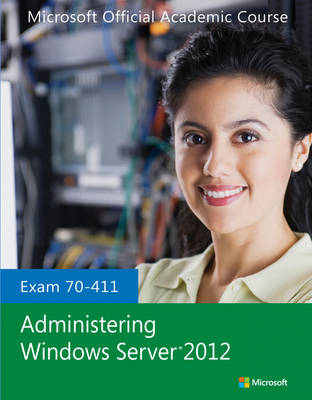
Exam 70-411 Administering Windows Server 2012
John Wiley & Sons Inc (Verlag)
978-1-118-51161-9 (ISBN)
- Titel erscheint in neuer Auflage
- Artikel merken

This 70-411 Administering Windows Server 2012 textbook covers the second of three exams required for Microsoft Certified Solutions Associate (MCSA): Windows Server 2012 certification. This course will help validate the skills and knowledge necessary to administer a Windows Server 2012 Infrastructure in an enterprise environment. The three MCSA exams collectively validate the skills and knowledge necessary for implementing, managing, maintaining, and provisioning services and infrastructure in a Windows Server 2012 environment. This Microsoft Official Academic Course is mapped to the 70-411 Administering Windows Server 2012 exam objectives. This textbook focuses on real skills for real jobs and prepares students to prove mastery of core services such as user and group management, network access, and data security. In addition, this book also covers such valuable skills as:
• Implementing a Group Policy Infrastructure
• Managing User and Service Accounts
• Maintaining Active Directory Domain Services
• Configuring and Troubleshooting DNS
• Configuring and Troubleshooting Remote Access
• Installing, Configuring, and Troubleshooting the Network Policy Server Role
• Optimizing File Services
• Increasing File System Security
• Implementing Update Management
The MOAC IT Professional series is the Official from Microsoft, turn-key Workforce training program that leads to professional certification and was authored for college instructors and college students. MOAC gets instructors ready to teach and students ready for work by delivering essential resources in 5 key areas: Instructor readiness, student software, student assessment, instruction resources, and learning validation. With the Microsoft Official Academic course program, you are getting instructional support from Microsoft; materials that are accurate and make course delivery easy. Request your sample materials today.
The Microsoft Official Academic Course (MOAC) Program is the official product for Microsoft Programs in higher education. These learning products are created especially for the academic market and combine the business world focus and market research of Microsoft with 200 years of successful higher education publishing from Wiley. The program is based upon the same curriculum as the Microsoft IT Certifications to build the skills students need to succeed at work and the preparation they need to validate those skills and get the jobs they seek. All the support instructors need to deliver great courses on Microsoft software is in the program. Student copies of the textbooks include the trial software in select markets and student files for completing homework assignments. Microsoft Updates will bring you the latest information on new products and curriculums and are a part of the program. MOAC is a great way for instructors to get ready to teach and for students to get ready for work.
Lesson 1: Deploying and Managing Server Images 1
Using Windows Deployment Services 2
Installing the Windows Deployment Services Role 2
Configuring the WDS Server 5
Performing the Initial Configuration of WDS 5
Configuring the WDS Properties 9
Starting WDS 15
Configuring the Custom DHCP Option 15
Configuring and Managing Boot, Install, and Discover Images 17
Adding Boot Images 18
Adding Image Files 20
Creating an Image File with WDS 21
Creating a Discover Image 23
Using Wdsutil 25
Performing an Unattended Installation 27
Updating Images with Patches, Hotfixes, and Drivers 34
Installing Features for Offline Images 35
Deploying Driver Packages with an Image 36
Skill Summary 38
Knowledge Assessment 38
Business Case Scenarios 41
Lesson 2: Implementing Patch Management 42
Understanding Windows Updates and Automatic Updates 43
Deploying Windows Server Update Services (WSUS) 47
Installing WSUS 49
Configuring WSUS 52
Configuring WSUS Synchronization 59
Configuring WSUS Computer Groups 64
Configuring Group Policies for Updates 68
Configuring Client-Side Targeting 69
Approving Updates 71
Viewing Reports 75
Administrating WSUS with Commands 78
Troubleshooting Problems with Installing Updates 79
Understanding System Center Configuration Manager (SCCM) 80
Skill Summary 80
Knowledge Assessment 81
Business Case Scenarios 84
Lesson 3: Monitoring Servers 85
Introducing the Microsoft Management Console (MMC) 86
Using Server Manager 88
Using Computer Management 89
Using the Services Console 90
Using Event Viewer 93
Understanding Logs and Events 94
Filtering Events 96
Adding a Task to an Event 96
Configuring Event Subscriptions 99
Using Reliability Monitor 102
Managing Performance 103
Using Task Manager 104
Using Resource Monitor 109
Using Performance Monitor 111
Using Common Performance Counters 114
Configuring Data Collector Sets (DCS) 114
Configuring Performance Alerts 117
Monitoring the Network 120
Using the netstat Command 121
Using Protocol Analyzers 121
Monitoring Virtual Machines (VMs) 127
Skill Summary 128
Knowledge Assessment 129
Business Case Scenarios 132
Lesson 4: Configuring Distributed File System (DFS) 133
Using Distributed File System 133
Installing and Configuring DFS Namespace 134
Installing DFS Namespace 135
Configuring DFS Namespaces 136
Managing Referrals 142
Managing DFS Security 145
Installing and Configuring DFS Replication 145
Installing DFS Replication 146
Configuring DFS Replication Targets 147
Scheduling Replication 154
Configuring Remote Differential Compression 155
Configuring Staging 157
Configuring Fault Tolerance Using DFS 159
Skill Summary 160
Knowledge Assessment 160
Business Case Scenarios 164
Lesson 5: Configuring File Server Resource Manager (FSRM) 165
Using File Server Resource Manager 165
Installing File Server Resource Manager 166
Using Quotas 167
Creating Quotas 167
Changing Quotas Templates 172
Monitoring Quota Use 173
Managing Files with File Screening 174
Creating File Groups 174
Creating a File Screen 175
Creating a File Screen Exception 178
Creating a File Screen Template 178
Using Storage Reports 179
Enabling SMTP 182
Skill Summary 183
Knowledge Assessment 184
Business Case Scenarios 187
Lesson 6: Configuring File Services and Disk Encryption 188
Securing Files 188
Encrypting Files with EFS 189
Configuring EFS 190
Using the Cipher Command 192
Sharing Files Protected with EFS with Others 193
Configuring EFS with Group Policies 194
Configuring the EFS Recovery Agent 196
Managing EFS Certificates 197
Encrypting Files with BitLocker 201
Configuring BitLocker Encryption 203
Configuring BitLocker To Go 209
BitLocker Pre-Provisioning 210
Configuring BitLocker Policies 210
Managing BitLocker Certificates 212
Configuring the Network Unlock Feature 212
Skill Summary 214
Knowledge Assessment 214
Business Case Scenarios 217
Lesson 7: Configuring Advanced Audit Policies 218
Enabling and Configuring Auditing 218
Implementing Auditing Using Group Policies 219
Implementing an Audit Policy 220
Implementing Object Access Auditing Using Group Policies 221
Implementing Advanced Audit Policy Settings 227
Implementing Advanced Audit Policy Settings Using Group Policies 227
Removing Advanced Audit Policy Configuration 241
Implementing Auditing Using AuditPol.exe 241
Viewing Audit Events 243
Creating Expression-Based Audit Policies 244
Creating Removable Device Audit Policies 249
Skill Summary 250
Knowledge Assessment 251
Business Case Scenarios 254
Lesson 8: Configuring DNS Zones 255
Understanding DNS 256
Understanding DNS Names and Zones 257
Understanding the Address Resolution Mechanism 259
Configuring and Managing DNS Zones 260
Installing DNS 261
Configuring Primary and Secondary Zones 263
Configuring Active Directory-Integrated Zones 269
Configuring Zone Delegation 271
Configuring Stub Zones 273
Configuring Caching-Only Servers 274
Configuring Forwarding and Conditional Forwarding 274
Configuring Zone Transfers 278
Understanding Full and Incremental Transfers 278
Configuring Notify Settings 279
Using the DNSCMD Command to Manage Zones 281
Skill Summary 282
Knowledge Assessment 283
Business Case Scenarios 285
Lesson 9: Configuring DNS Records 286
Configuring DNS Record Types 287
Creating and Configuring DNS Resource Records 287
Start of Authority (SOA) Records 288
Name Server (NS) Records 289
Host (A and AAAA) Records 290
Canonical Name (CNAME) Records 290
Pointer (PTR) Records 291
Mail Exchanger (MX) Records 291
Service Location (SRV) Records 292
Configuring Record Options 293
Configuring Round Robin 296
Configuring Secure Dynamic Updates 297
Configuring Zone Scavenging 298
Using the DNSCMD Command to Manage Resource Records 300
Troubleshooting DNS Problems 300
Skill Summary 304
Knowledge Assessment 305
Business Case Scenarios 308
Lesson 10: Configuring VPN and Routing 309
The Remote Access Role 310
Installing and Configuring the Remote Access Role 310
Installing Routing and Remote Access 310
Configuring Routing and Remote Access 312
Configuring RRAS for Dial-Up Remote Access 314
Configuring VPN Settings 319
Configuring the VPN Connection on the Server 321
Creating a VPN Connection on a Client 325
VPN Reconnect 329
Configuring Split Tunneling 330
Configuring Remote Dial-In Settings for Users 331
Troubleshooting Remote Access Problems 332
Implementing NAT 334
Disabling Routing and Remote Access 335
Configuring Routing 336
Managing Static Routes 337
Configuring RIP 339
Configuring Demand-Dial Routing 342
Configuring the DHCP Relay Agent 342
Skill Summary 343
Knowledge Assessment 344
Business Case Scenarios 347
Lesson 11: Configuring Direct Access 348
Understanding DirectAccess 348
Looking at the DirectAccess Connection Process 349
Understanding DirectAccess Requirements 350
Understanding DirectAccess Server Requirements 350
Understanding DirectAccess Client Requirements 351
Running the DirectAccess Getting Started Wizard 351
Running the Remote Access Setup Wizard 354
Implementing Client Configuration 357
Implementing DirectAccess Server 359
Implementing Infrastructure Servers 362
Configuring the Application Servers 365
Preparing for DirectAccess Deployment 366
Configuring DNS for DirectAccess 366
Configuring Certificates for DirectAccess 366
Troubleshooting DirectAccess 376
Skill Summary 377
Knowledge Assessment 378
Business Case Scenarios 382
Lesson 12: Configuring a Network Policy Server 383
Configuring a Network Policy Server Infrastructure 383
Installing and Configuring Network Policy Server 385
Configuring Multiple RADIUS Server Infrastructures 387
Configuring RADIUS Clients 391
Managing RADIUS Templates 401
Configuring RADIUS Accounting 403
Understanding NPS Authentication Methods 407
Using Password-Based Authentication 407
Using Certificates for Authentication 408
Skill Summary 411
Knowledge Assessment 411
Business Case Scenarios 414
Lesson 13: Configuring NPS Policies 415
Managing NPS Policies 415
Configuring Connection Request Policies 416
Configuring Network Policies 424
Multilink and Bandwidth Allocation 430
IP Filters 430
Encryption 431
IP Addressing 431
Managing NPS Templates 432
Exporting and Importing Templates 432
Exporting and Importing the NPS Configuration Including NPS Policies 434
Skill Summary 435
Knowledge Assessment 436
Business Case Scenarios 439
Lesson 14: Configuring Network Access Protection (NAP) 440
Using Network Access Protection (NAP) 441
Installing Network Access Protection 443
Configuring NAP Enforcement 446
Configuring NAP Enforcement for DHCP 446
Configuring NAP Enforcement for VPN 460
Configuring System Health Validators 463
Configuring Health Policies 465
Configuring Isolation and Remediation 468
Configuring NAP Client Settings 469
Skill Summary 471
Knowledge Assessment 471
Business Case Scenarios 475
Lesson 15: Configuring Service Authentication 476
Configuring Service Authentication 477
Understanding NTLM Authentication 477
Managing Kerberos 477
Managing Service Principal Names 479
Configuring Kerberos Delegation 482
Managing Service Accounts 483
Creating and Configuring Service Accounts 483
Creating and Configuring Managed Service Accounts 485
Creating and Configuring Group Managed Service Accounts 488
Skill Summary 489
Knowledge Assessment 489
Business Case Scenarios 493
Lesson 16: Configuring Domain Controllers 494
Understanding Domain Controllers 494
Managing Global Catalogs and Configuring Universal Group Membership Caching 496
Managing Operations Masters 499
Viewing the Operations Masters Role Holders 501
Transferring the Operations Masters Role 504
Seizing the Operations Masters Role 506
Installing and Configuring an RODC 508
Cloning a Domain Controller 512
Skill Summary 517
Knowledge Assessment 518
Business Case Scenarios 521
Lesson 17: Maintaining Active Directory 522
Automating User Account Management 523
Backing Up and Restoring Active Directory 525
Understanding the Active Directory Database, SYSVOL, and System State 525
Using Windows Backup 527
Performing a Backup of Active Directory and SYSVOL 528
Performing an Active Directory Restore 533
Configuring Active Directory Snapshots 537
Performing Object- and Container-Level Recovery 540
Managing Active Directory Offline 546
Optimizing an Active Directory Database 547
Cleaning Up Metadata 549
Skill Summary 550
Knowledge Assessment 551
Business Case Scenarios 554
Lesson 18: Configuring Account Policies 555
Working with Account Policies 555
Configuring Domain User Password Policy 557
Understanding Strong Passwords 557
Configuring Password Policy Settings 558
Configuring Account Lockout Settings 560
Configuring and Applying Password Settings Objects 562
Configuring Local User Password Policy 565
Delegating Password Settings Management 565
Skill Summary 568
Knowledge Assessment 568
Business Case Scenarios 571
Lesson 19: Configuring Group Policy Processing 572
Understanding group policy processing 572
Configuring Processing Order and Precedence 573
Understanding Group Policy Inheritance 573
Managing Group Policy Links 576
Using Filtering with Group Policies 577
Configuring Blocking of Inheritance 578
Configuring Enforced Policies 579
Configuring Security Filtering and WMI Filtering 581
Using Security Filtering 581
Using WMI Filtering 583
Configuring Loopback Processing 586
Configuring Client-Side Extension Behavior 587
Looking at GPOs and Disconnected Computers 589
Configuring and Managing Slow-Link Processing 589
Troubleshooting GPOs 589
Skill Summary 596
Knowledge Assessment 596
Business Case Scenarios 600
Lesson 20: Configuring Group Policy Settings 601
Configuring Group Policy Settings 602
Performing Software Installation Using Group Policies 603
Assigning or Publishing a Package 604
Redeploying an Application 607
Uninstalling a Package 607
Using Folder Redirection 608
Using Scripts with Group Policies 612
Using Administrative Templates 615
Managing Administrative Templates 615
Creating a Central Store 617
Using Security Templates 518
Using Custom Administrative Template Files 622
Converting Administrative Templates Using ADMX Migrator 623
Configuring Property Filters for Administrative Templates 625
Skill Summary 626
Knowledge Assessment 627
Business Case Scenarios 630
Lesson 21: Managing Group Policy Objects 631
Managing Group Policy Objects 631
Backing Up and Restoring GPOs 632
Using a Migration Table 636
Resetting the Default GPOs 638
Delegating Group Policy Management 639
Skill Summary 641
Knowledge Assessment 642
Business Case Scenarios 645
Lesson 22: Configuring Group Policy Preferences 646
Using Group Policy Preferences 646
Configuring Preference Settings 647
Configuring Windows Settings 650
Configuring Network Drive Mappings 650
Performing File and Folder Deployment 651
Performing Shortcut Deployment 654
Configuring Control Panel Settings 655
Configuring Printer Settings 656
Configuring Custom Registry Settings 658
Configuring Power Options 659
Configuring Internet Explorer Settings 661
Configuring Item-Level Targeting 664
Skill Summary 666
Knowledge Assessment 666
Business Case Scenarios 669
Appendix A 670
Index 672
| Reihe/Serie | Microsoft Official Academic Course Series |
|---|---|
| Verlagsort | New York |
| Sprache | englisch |
| Maße | 211 x 274 mm |
| Gewicht | 1315 g |
| Themenwelt | Informatik ► Betriebssysteme / Server ► Windows |
| Informatik ► Betriebssysteme / Server ► Windows Server | |
| Informatik ► Weitere Themen ► Hardware | |
| Informatik ► Weitere Themen ► Zertifizierung | |
| Sozialwissenschaften ► Pädagogik | |
| ISBN-10 | 1-118-51161-1 / 1118511611 |
| ISBN-13 | 978-1-118-51161-9 / 9781118511619 |
| Zustand | Neuware |
| Informationen gemäß Produktsicherheitsverordnung (GPSR) | |
| Haben Sie eine Frage zum Produkt? |
aus dem Bereich


