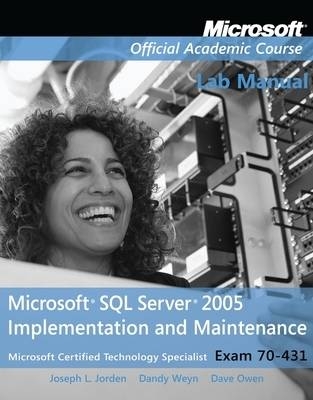
Exam 70-431 Microsoft SQL Server 2005 Implementation and Maintenance Lab Manual
John Wiley & Sons Inc (Verlag)
978-0-470-11170-3 (ISBN)
- Titel ist leider vergriffen;
keine Neuauflage - Artikel merken
Exam 70-431, SQL Server 2005 Implementation and Maintenance. The Microsoft Official Academic Course (MOAC) courses mapping to the Microsoft Certified Technology Specialist (MCTS) 70-431 certification exam. The MOAC IT Professional series is the Official from Microsoft, turn-key Workforce training program that leads to professional certification and was authored for college instructors and college students. MOAC gets instructors ready to teach and students ready for work by delivering essential resources in 5 key areas: Instructor readiness, student software, student assessment, instruction resources, and learning validation. With the Microsoft Official Academic course program, you are getting instructional support from Microsoft; materials that are accurate and make course delivery easy. Request your sample materials today.
Microsoft Corporation - Founded in 1975, Microsoft (Nasdaq 'MSFT') is the worldwide leader in software for personal and business computing. The company offers a wide range of products and services designed to empower people through great software - any time, any place and on any device.
1. Introducing the Course 1
Exercise 1.1: Checking for Background (Prerequisite) Knowledge 1
2. Installing SQL Server 2005 4
Exercise 2.1: Installing SQL Server 2005 Manually 4
Exercise 2.2: Installing a Second Instance 12
3. Navigating SQL Server 16
Exercise 3.1: Locating Information by Using SQL Server 2005 Utilities 16
4. Working with Datatypes 19
Exercise 4.1: Creating a Datatype by Using SSMS Object Explorer 19
5. Working with Databases 21
Exercise 5.1: Creating a Database 21
Exercise 5.2: Selecting and Setting a Recovery Model 24
6. Working with Tables 26
Exercise 6.1: Designing and Creating Tables 26
7. Working with Indexes 32
Exercise 7.1: Designing and Creating a Clustered Index 32
Exercise 7.2: Designing and Creating a Nonclustered Index 34
Exercise 7.3: Designing and Creating a Full-Text Index 36
8. Working with Views 41
Exercise 8.1: Designing and Creating a View 41
9. Working with Constraints 44
Exercise 9.1: Designing and Creating a Constraint 44
10. Working with Stored Procedures 47
Exercise 10.1: Designing and Creating a Stored Procedure 47
11. Working with Triggers 49
Exercise 11.1: Designing and Creating an Insert Trigger 49
Exercise 11.2: Designing and Creating a Delete Trigger 52
Exercise 11.3: Designing and Creating an Update Trigger 54
Exercise 11.4: Designing and Creating an Instead Of Trigger 56
12. Working with Functions 60
Exercise 12.1: Designing and Creating a User-Defined Function 60
13. Working with Transactions and Locks 63
Exercise 13.1: Identifying and Rectifying the Cause of a Block 63
14. Moving Data 66
Exercise 14.1: Using the Copy Database Wizard 66
15. Working with XML Data 73
Exercise 15.1: Using the XML Datatype 73
16. Setting Permissions 81
Exercise 16.1: Creating a Windows Login 81
Exercise 16.2: Creating a Standard Login 84
Exercise 16.3: Assigning Logins to Fixed Server Roles 86
Exercise 16.4: Creating a Database User Mapping 88
Exercise 16.5: Assigning User Mappings to Fixed Database Roles 90
Exercise 16.6: Creating a Custom Database Role 93
Exercise 16.7: Creating an Application Role 96
Exercise 16.8: Assigning Permissions 99
Exercise 16.9: Configuring Encrypted Connections 102
17. Backing Up and Restoring Data 106
Exercise 11.1: Creating a Backup Device 106
Exercise 11.2: Performing a Full Backup 108
Exercise 11.3: Performing a Differential Backup 111
Exercise 11.4: Performing a Transaction Log Backup 113
Exercise 11.5: Performing a Filegroup Backup 115
Exercise 11.6: Restoring a Database 120
Exercise 11.7: Performing a Point-in-Time Restore 124
18. Automating Maintenance 128
Exercise 18.1: Configuring Database Mail 128
Exercise 18.2: Creating an Operator 133
Exercise 18.3: Creating a Job 136
Exercise 18.4: Creating an Alert 140
Exercise 18.5: Creating a Database Maintenance Plan 142
Exercise 18.6: Creating a SQL Server Performance Alert 152
Exercise 18.7: Creating a WMI Alert 156
19. Monitoring and Optimizing 159
Exercise 19.1: Using Windows System Monitor 159
Exercise 19.2: Creating an Alert in Windows System Monitor 162
Exercise 19.3: Running a Trace in Profiler 164
Exercise 19.4: Creating a Workload in Profiler 167
Exercise 19.5: Using the Database Engine Tuning Advisor 169
Exercise 19.6: Using the Dedicated Administrator Connection 173
20. Working with High-Availability Methods 176
Exercise 20.1: Implementing Database Mirroring 176
Exercise 20.2: Implementing Log Shipping 183
Exercise 20.3: Creating a Database Snapshot 189
Exercise 20.4: Reverting from a Database Snapshot 193
21. Working with Service Broker 196
Exercise 21.1: Creating a Service Broker Object 196
22. Working with Endpoints 202
Exercise 22.1: Working with Endpoints 202
23. Working with Replication 205
Exercise 23.1: Choosing a Replication Type 205
Exercise 23.2: Designing a Replication Topology 208
Exercise 23.3: Configuring Replication 210
Exercise 23.4: Creating a Transactional Publication 214
Exercise 23.5: Subscribing to a Transactional Publication 220
Exercise 23.6: Creating a Snapshot Publication 225
Exercise 23.7: Subscribing to a Snapshot Publication 232
Exercise 23.8: Creating a Merge Publication 237
Exercise 23.9: Subscribing to a Merge Publication 244
Exercise 23.10: Resolving Merge Conflicts 250
Exercise 23.11: Monitoring Replication 253
| Erscheint lt. Verlag | 6.5.2010 |
|---|---|
| Reihe/Serie | Microsoft Official Academic Course Series |
| Verlagsort | New York |
| Sprache | englisch |
| Maße | 214 x 274 mm |
| Gewicht | 544 g |
| Themenwelt | Mathematik / Informatik ► Informatik ► Netzwerke |
| Informatik ► Weitere Themen ► Zertifizierung | |
| Sozialwissenschaften ► Pädagogik | |
| ISBN-10 | 0-470-11170-4 / 0470111704 |
| ISBN-13 | 978-0-470-11170-3 / 9780470111703 |
| Zustand | Neuware |
| Informationen gemäß Produktsicherheitsverordnung (GPSR) | |
| Haben Sie eine Frage zum Produkt? |
aus dem Bereich