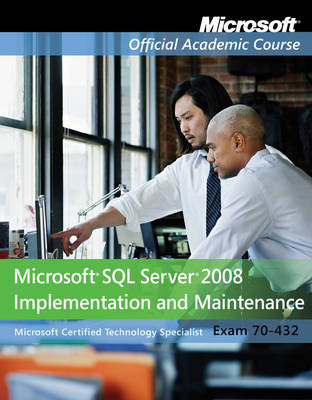
Exam 70-432
John Wiley & Sons Inc (Verlag)
978-0-470-18367-0 (ISBN)
- Titel ist leider vergriffen;
keine Neuauflage - Artikel merken
The Microsoft Official Academic Course series is a complete program for instructors and institutions to prepare and deliver great courses on Microsoft software technologies. With MOAC, we recognize that, because of the rapid pace of change in the technology and curriculum developed by Microsoft, there is an ongoing set of needs beyond classroom instruction tools for an instructor to be ready to teach the course. MOAC endeavors to provide solutions for all these needs in a systematic manner in order to ensure a successful and rewarding course experience for both instructor and student—technical and curriculum training for instructor readiness with new software releases, the software itself for student use at home for building hands-on skills, assessment and validation of skill development, and a great set of tools for delivering instruction in the classroom and lab. All are important to the smooth delivery of an interesting course on Microsoft software, and all are provided with the Microsoft Official Academic Course program.
Lesson 1: Introduction 1
Lesson Skill Matrix 1
Key Terms 1
Considering Your Readiness for the Microsoft SQL Server Technical Specialist Course 1
Starting Your Adventure 1
Preparing for This Course 2
Creating a Practice Environment for Independent Study 3
Approaching Your Studies 4
Skill Summary 5
Knowledge Assessment 5
Case Scenarios 11
Lesson 2: Installing Microsoft SQL Server 12
Lesson Skill Matrix 12
Key Terms 12
Installing SQL Server 13
Examining Your Environment 13
Preparing to Install 20
Upgrading from a Previous Version 23
Installing SQL Server 24
Configuring Your Installation 24
Preparing for Your Course Exercises 24
Skill Summary 25
Knowledge Assessment 25
Case Scenario 28
Lesson 3: Navigating SQL Server 29
Lesson Skill Matrix 29
Key Terms 29
Using SQL Server Tools 29
Understanding SQL Server Tools and Utilities 29
Introducing SQL Server Management Studio (SSMS) 30
Introducing Books Online 31
Introducing SQL Server Configuration Manager 31
Configuring System-Wide Options 31
Introducing Nongraphical Support Tools 32
Skill Summary 33
Knowledge Assessment 33
Case Scenario 33
Lesson 4: Data Types 34
Lesson Skill Matrix 34
Key Terms 34
Introducing Data Types 35
Introducing Built-in Data Types 35
Formatting and Converting Data 39
Introducing Alias Data Types 41
Creating CLR User-Defined Types 42
Understanding How SQL Server Organizes Data in Rows 42
Estimating Table Storage Requirements 43
Skill Summary 46
Knowledge Assessment 46
Case Scenarios 49
Lesson 5: Databases 50
Lesson Skill Matrix 50
Key Terms 50
Using Databases 51
Using SQL Server 51
Planning Your Database 51
Understanding Data Storage Structures 54
Creating and Configuring Databases 56
Skill Summary 60
Knowledge Assessment 61
Case Scenarios 63
Lesson 6: Tables 64
Lesson Skill Matrix 64
Key Terms 64
Using Tables 64
Creating Tables 65
Partitioning Tables 68
Skill Summary 69
Knowledge Assessment 70
Case Scenarios 72
Lesson 7: Views 73
Lesson Skill Matrix 73
Key Terms 73
Using Views 73
Understanding Views 73
Modifying Data through a View 74
Making a Partitioned View 77
Skill Summary 77
Knowledge Assessment 78
Case Scenarios 82
Lesson 8: Constraints 83
Lesson Skill Matrix 83
Key Terms 83
Restricting the Data 83
Introducing Constraints 84
Introducing Primary and Foreign Keys 85
Skill Summary 86
Knowledge Assessment 86
Case Scenario 88
Lesson 9: Stored Procedures 89
Lesson Skill Matrix 89
Key Terms 89
Using Stored Procedures 89
Introducing Stored Procedures 89
Introducing CLR Procedures 93
Reviewing Development Guidance 94
Processing Stored Procedures 94
Skill Summary 95
Knowledge Assessment 95
Case Scenarios 98
Lesson 10: Functions 99
Lesson Skill Matrix 99
Key Terms 99
Introducing Functions 100
Understanding Functions 100
Creating Functions 105
Introducing CLR Functions 107
Understanding Deterministic and Nondeterministic Functions 108
Using Schema Binding 108
Skill Summary 109
Knowledge Assessment 109
Case Scenarios 111
Lesson 11: Service Broker 112
Lesson Skill Matrix 112
Key Terms 112
Understanding the SQL Server Service Broker Architecture 113
Working with Service Broker 113
Using Service Broker 118
Case Study: Implementing a Broker Architecture 122
Skill Summary 123
Knowledge Assessment 124
Case Scenario 127
Lesson 12: Data Integrity 128
Lesson Skill Matrix 128
Key Terms 128
Maintaining Data Integrity 128
Enforcing Organizational Security Policies 129
Implementing the First Layer of Defense 130
Case Study 130
Creating a Security Plan 130
Understanding SQL Server’s Security Architecture 132
Maintaining Data Integrity 133
Skill Summary 134
Knowledge Assessment 134
Case Scenario 135
Lesson 13: Permissions 136
Lesson Skill Matrix 136
Key Terms 136
Guarding Your Data 136
Understanding Security Modes 137
Understanding Permissions 138
Skill Summary 141
Knowledge Assessment 141
Case Scenario 143
Lesson 14: Logins, Roles, and Credentials 144
Lesson Skill Matrix 144
Key Terms 144
Guarding Your Data 145
Understanding SQL Server Logins 145
Understanding Roles 146
Introducing Ownership Chains 150
Understanding Credentials 151
Skill Summary 152
Knowledge Assessment 153
Case Scenario 158
Lesson 15: Additional Security Tools 159
Lesson Skill Matrix 159
Key Terms 159
Guarding Your Data 160
Introducing Encryption 160
Using SQL Server Encryption 160
Introducing Extensible Key Management 162
Performing Audits 162
Using SQL Server Utility 164
Skill Summary 166
Knowledge Assessment 166
Case Scenario 167
Lesson 16: Backing Up and Restoring Databases 168
Lesson Skill Matrix 168
Key Terms 169
Backing Up Databases 169
Understanding How Backups Work 169
Restoring Databases 174
Using the Restore Utility 174
Devising a Backup Strategy 176
Skill Summary 179
Knowledge Assessment 180
Case Scenarios 184
Lesson 17: Endpoints 185
Lesson Skill Matrix 185
Key Terms 185
Introducing Endpoints 185
Service Broker Endpoint 186
Mirror Endpoints 186
HTTP Endpoints 186
Skill Summary 190
Knowledge Assessment 191
Case Scenario 192
Lesson 18: Linking Servers 193
Lesson Skill Matrix 193
Key Terms 193
Running Distributed Transactions 193
Understanding Distributed Transactions 194
Configuring Linked Servers 195
Introducing Linked Servers 195
Querying Remote Servers 196
Securing Linked Servers 197
Skill Summary 198
Knowledge Assessment 199
Case Scenario 200
Lesson 19: Triggers 201
Lesson Skill Matrix 201
Key Terms 201
Using Triggers 202
Introducing Triggers 202
Understanding DML Triggers 202
Understanding DDL Triggers 204
Understanding Trigger Recursion and Nesting 205
Understanding Disabling Triggers 206
Understanding Event Notifications 206
Skill Summary 208
Knowledge Assessment 208
Case Scenario 211
Lesson 20: Replication 212
Lesson Skill Matrix 212
Key Terms 212
Introducing Replication 213
Introducing the Publisher/Subscriber Metaphor 214
Understanding Replication Factors and Distribution Types 215
Understanding Replication Internals 219
Understanding Merge Replication 220
Understanding Snapshot Replication 222
Understanding Transactional Replication 223
Understanding Replication Models 225
Replicating over the Internet and to Heterogeneous Database Servers 228
Installing and Using Replication 229
Managing Replication 231
Case Study: Choosing a Replication Model and Type 234
Skill Summary 235
Knowledge Assessment 236
Case Scenario 240
Lesson 21: Performing Indexing and Full-Text Searching 241
Lesson Skill Matrix 241
Key Terms 241
Using Indexes 242
Implementing Index Architecture 242
Creating Indexes 251
Using Full-Text Searching 251
Skill Summary 253
Knowledge Assessment 254
Case Scenarios 258
Lesson 22: Transactions and Locks 259
Lesson Skill Matrix 259
Key Terms 259
Using Transactions 260
Understanding Transactions 260
Understanding Locks 264
Using Data Manipulation Language Queries 269
Introducing Error Handling 270
Using Two Additional SQL Server Features 273
Skill Summary 274
Knowledge Assessment 274
Case Scenario 276
Lesson 23: Moving Data 277
Lesson Skill Matrix 277
Key Terms 277
Moving Data 277
Understanding the Tools Available 278
Using the Import and Export Wizard 281
Copying Databases 281
Detaching/Attaching Databases 281
Backing Up/Restoring Databases 281
Bulk-Inserting XML Data 281
Supporting the Bulk-Logged Recovery Model 283
Skill Summary 283
Knowledge Assessment 284
Case Scenario 285
Lesson 24: Handling Specialty Data 286
Lesson Skill Matrix 286
Key Terms 286
Handling Special Data 287
Introducing XML Data Management 287
Case Study: Working with the XML Data Type to Ease a Relational Model and Optimize Database Performance 289
Case Study: Storing Typed XML Data 291
Case Study: Implementing XML in SQL Server 297
Introducing Hierarchical Data Management 297
Introducing Spatial Data Management 302
Introducing External File Management 304
Skill Summary 305
Knowledge Assessment 306
Case Scenario 313
Lesson 25: High-Availability Methods 314
Lesson Skill Matrix 314
Key Terms 314
Choosing the Redundancy Features You Need 315
Implementing Database Mirroring 316
Implementing Log Shipping 323
Managing Database Snapshots 325
Understanding Clustering 327
Understanding Clustering Requirements 328
Case Study: Using Other High-Availiability Methods 329
Skill Summary 329
Knowledge Assessment 330
Case Scenario 333
Lesson 26: Maintaining and Automating SQL Server 334
Lesson Skill Matrix 334
Key Terms 335
Automating Administrative Activities 335
Maintaining Indexes 335
Maintaining Databases 338
Understanding Automation Basics 340
Configuring Database Mail 341
Creating Operators 342
Creating Jobs 342
Creating Alerts 344
Using the Maintenance Plan Wizard 347
Case Study: Automating Tasks 347
Skill Summary 348
Knowledge Assessment 349
Case Scenario 353
Lesson 27: Monitoring and Optimizing SQL Server 354
Lesson Skill Matrix 354
Key Terms 354
Monitoring and Optimizing Activities 354
Using Performance Monitor 355
Monitoring with SQL Server Profiler 357
Using the Database Engine Tuning Advisor 359
Skill Summary 360
Knowledge Assessment 360
Case Scenarios 362
Lesson 28: SQL Server Management Tools 363
Lesson Skill Matrix 363
Key Terms 363
Controlling SQL Server 364
Using Data-Tier Applications 364
Enforcing Policy-Based Management (PBM) and Declarative Management Framework (DMF) 364
Using Performance Studio 366
Using the Resource Governor 368
Running Database Consistency Checks 371
Skill Summary 392
Knowledge Assessment 392
Case Scenario 393
Lesson 29: Troubleshooting Techniques 394
Lesson Skill Matrix 394
Key Terms 394
Troubleshooting Techniques 395
Understanding Troubleshooting 395
Troubleshooting the Installation 395
Troubleshooting SQL Server 397
Case Study: Monitoring Counters 398
Using Nongraphical User Interfaces 404
Learning Powershell 404
Skill Summary 407
Knowledge Assessment 408
Case Scenario 411
Appendix A: Microsoft SQL Server 2008 Implementation and Maintenance Exam 70-432 413
Appendix B: Database Concepts 415
Appendix C: SQL DML Constructs 454
Glossary 500
Index 508
| Erscheint lt. Verlag | 15.2.2013 |
|---|---|
| Verlagsort | New York |
| Sprache | englisch |
| Maße | 216 x 272 mm |
| Gewicht | 1111 g |
| Themenwelt | Informatik ► Datenbanken ► SQL Server |
| Informatik ► Weitere Themen ► Zertifizierung | |
| Sozialwissenschaften ► Pädagogik | |
| ISBN-10 | 0-470-18367-5 / 0470183675 |
| ISBN-13 | 978-0-470-18367-0 / 9780470183670 |
| Zustand | Neuware |
| Informationen gemäß Produktsicherheitsverordnung (GPSR) | |
| Haben Sie eine Frage zum Produkt? |
aus dem Bereich