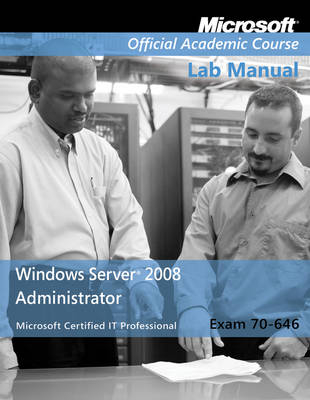
Exam 70-646 Windows Server 2008 Administrator Lab Manual
John Wiley & Sons Inc (Verlag)
978-0-470-22510-3 (ISBN)
- Titel ist leider vergriffen;
keine Neuauflage - Artikel merken
Exam 70-646, Windows Server 2008 Administrator. The newest iteration of the Microsoft Official Academic Course (MOAC) program for network administration courses using Windows Server 2008 and mapping to the Microsoft Certified Information Technology Professional (MCITP) 70-646 certification exam. The MOAC IT Professional series is the Official from Microsoft, turn-key Workforce training program that leads to professional certification and was authored for college instructors and college students. MOAC gets instructors ready to teach and students ready for work by delivering essential resources in 5 key areas: Instructor readiness, student software, student assessment, instruction resources, and learning validation. With the Microsoft Official Academic course program, you are getting instructional support from Microsoft; materials that are accurate and make course delivery easy. Request your sample materials today.
Lab 1. Deploying Windows Server 2008 1
Exercise 1.1: Performing Initial Configuration Tasks 3
Exercise 1.2: Using Server Manager 4
Exercise 1.3: Installing the Windows Deployment Services Role 6
Exercise 1.4: Configuring WDS 8
Exercise 1.5: Adding Images 9
Exercise 1.6: Installing Windows Automated Installation Kit 11
Exercise 1.7: Using Windows System Image Manager 12
Lab Review Questions 15
Lab Challenge: Capturing an Image 15
Workstation Reset: Returning to Baseline 15
Lab 2. Deploying Infrastructure Services 17
Exercise 2.1: Designing a DNS Namespace 19
Exercise 2.2: Installing the DNS Server Role 21
Exercise 2.3: Creating a Zone 21
Exercise 2.4: Creating Domains 23
Exercise 2.5: Creating Resource Records 24
Exercise 2.6: Installing the DHCP Role 25
Exercise 2.7: Creating a Scope 27
Lab Review Questions 29
Lab Challenge: Using Reverse Name Resolution 29
Workstation Reset: Returning to Baseline 29
Lab 3. Deploying Active Directory 31
Exercise 3.1: Installing Active Directory Domain Services 33
Exercise 3.2: Creating a New Subdomain 34
Exercise 3.3: Administering a Subdomain 36
Exercise 3.4: Removing a Domain 39
Exercise 3.5: Creating a New Forest 40
Exercise 3.6: Administering Forests 41
Lab Review Questions 43
Lab Challenge: Administering Two Forests 43
Workstation Reset: Returning to Baseline 43
Lab 4. Deploying Applications 45
Exercise 4.1: Installing the Terminal Services Role 47
Exercise 4.2: Configuring the Remote Desktop Connection Client 49
Exercise 4.3: Establishing a Terminal Services Connection 51
Exercise 4.4: Creating an RDP File 52
Exercise 4.5: Configuring RemoteApp Applications 54
Exercise 4.6: Creating RemoteApp RDP Files 56
Exercise 4.7: Launching RemoteApp RDP Files 57
Exercise 4.8: Creating Windows Installer Files 58
Exercise 4.9: Running Windows Installer Files 59
Lab Review Questions 60
Lab Challenge: Deploying RemoteApp Applications Using Group Policy 61
Workstation Reset: Returning to Baseline 61
Lab 5. Using File and Print Services 63
Exercise 5.1: Installing the File and Print Services Roles 65
Exercise 5.2: Creating a Volume Using Share and Storage Management 67
Exercise 5.3: Creating a Share Using Share and Storage Management 69
Exercise 5.4: Creating a DFS Namespace 70
Exercise 5.5: Adding a Folder to a Namespace 72
Exercise 5.6: Testing Namespace Access 74
Exercise 5.7: Adding a Namespace Server 75
Exercise 5.8: Installing a Printer 77
Exercise 5.9: Deploying Printers Using Active Directory 79
Lab Review Questions 81
Lab Challenge: Configuring DFS Replication 82
Workstation Reset: Returning to Baseline 82
Lab 6. Working with Disks 83
Exercise 6.1: Creating a Simple Volume 85
Exercise 6.2: Extending a Volume 87
Exercise 6.3: Creating Additional Volumes 90
Exercise 6.4: Mounting a Volume 91
Exercise 6.5: Removing Volumes 94
Exercise 6.6: Creating a Spanned Volume 95
Lab Review Questions 96
Lab Challenge: Creating a Striped Volume 97
Workstation Reset: Returning to Baseline 97
Lab 7. Using High-Availability Features 99
Exercise 7.1: Creating a Volume 101
Exercise 7.2: Configuring Shadow Copies 102
Exercise 7.3: Deploying the Web Server (IIS) Role 105
Exercise 7.4: Installing Network Load Balancing 108
Exercise 7.5: Creating an NLB Cluster 110
Exercise 7.6: Adding an NLB Cluster Host 112
Exercise 7.7: Testing an NLB Cluster 112
Exercise 7.8: Removing an NLB Cluster 114
Lab Review Questions 114
Lab Challenge: Creating a Failover Cluster 115
Workstation Reset: Returning to Baseline 115
Lab 8. Securing a Server 117
Exercise 8.1: Creating Users and User Groups 119
Exercise 8.2: Creating a Share 121
Exercise 8.3: Assigning Permissions 123
Exercise 8.4: Testing Share Access 126
Lab Review Questions 127
Lab Challenge: Configuring Password Policies 127
Lab 9. Securing Infrastructure Services 129
Exercise 9.1: Installing Network Policy and Access Services 131
Exercise 9.2: Configuring Routing and Remote Access 133
Exercise 9.3: Configuring a VPN Client 134
Exercise 9.4: Establishing a Connection 136
Exercise 9.5: Installing Active Directory Certificate Services 139
Exercise 9.6: Using the Certificates Snap-In 141
Exercise 9.7: Using Web-Based Enrollment 142
Exercise 9.8: Issuing a Certificate 144
Exercise 9.9: Retrieving a Certificate 145
Lab Review Questions 147
Lab Challenge: Configuring Remote Access Privileges 147
Workstation Reset: Returning to Baseline 147
Lab 10. Managing Servers 149
Exercise 10.1: Creating an MMC Console 151
Exercise 10.2: Using Remote Desktop 153
Exercise 10.3: Installing the Web Server (IIS) Role 155
Exercise 10.4: Installing WSUS 156
Exercise 10.5: Configuring WSUS 158
Exercise 10.6: Using the WSUS Administrator Console 160
Lab Review Questions 161
Lab Challenge: Configuring Automatic Updates 162
Workstation Reset: Returning to Baseline 162
Lab 11. Monitoring Servers 163
Exercise 11.1: Using Event Viewer 165
Exercise 11.2: Using Performance Monitor 167
Exercise 11.3: Establishing a Baseline 169
Exercise 11.4: Viewing Data Collector Set Logs 172
Exercise 11.5: Using Reliability Monitor 173
Lab Review Questions 175
Lab Challenge: Creating a Performance Counter Alert 176
Lab 12. Backing Up 177
Exercise 12.1: Installing Windows Server Backup 178
Exercise 12.2: Creating a Backup Volume 180
Exercise 12.3: Performing a Single Backup 182
Exercise 12.4: Running an Incremental Backup 183
Exercise 12.5: Recovering Data 186
Lab Review Questions 189
Lab Challenge: Scheduling a Backup Job 189
| Erscheint lt. Verlag | 6.4.2009 |
|---|---|
| Reihe/Serie | Delisted |
| Verlagsort | New York |
| Sprache | englisch |
| Maße | 216 x 277 mm |
| Gewicht | 365 g |
| Themenwelt | Informatik ► Weitere Themen ► Zertifizierung |
| Sozialwissenschaften ► Pädagogik | |
| ISBN-10 | 0-470-22510-6 / 0470225106 |
| ISBN-13 | 978-0-470-22510-3 / 9780470225103 |
| Zustand | Neuware |
| Informationen gemäß Produktsicherheitsverordnung (GPSR) | |
| Haben Sie eine Frage zum Produkt? |
aus dem Bereich