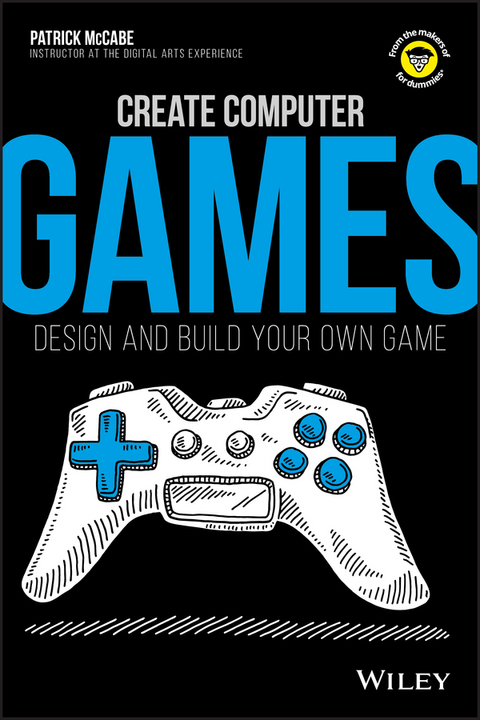
Create Computer Games (eBook)
256 Seiten
John Wiley & Sons (Verlag)
978-1-119-40422-4 (ISBN)
Why just play videogames when you can build your own game? Follow the steps in this book to learn a little about code, build a few graphics, and piece together a real game you can share with your friends. Who knows? What you learn here could help you become the next rock-star video- game designer. So set your controller aside and get ready to create!
* Decipher the code - build some basic knowledge of how computer code drives videogames
* Get animated - create simple graphics and learn how to put them in motion
* Update a classic - put your knowledge together to put your modern twist on a classic game
ABOUT THE AUTHOR Patrick McCabe teaches animation, programming, editing, and 3D printing at The Digital Arts Experience in Scarsdale, New York. When not teaching how to build games, Patrick loves to play games and dispense knowledge about all things Star Wars.
Introduction ix
About This Book ix
Foolish Assumptions ix
Icons Used in This Book x
Where to Go from Here x
Chapter 1: What Is Game Design? 1
Thinking about What Makes Fun Games Fun 2
Asking the Right Questions before You Begin 4
Creating Your Game on Paper 7
Chapter 2: Unity: The Software You'll Use to Build Your Game 9
Getting Organized 10
Creating a New File 12
Understanding How Unity Is Laid Out 12
Navigating the Scene 16
Creating a Game Object 17
Creating and Using Prefabs 20
Chapter 3: Creating Level 1 23
Understanding the Importance of Level 1 24
Designing Your First Level 25
Creating the Gray-Box Level 29
Giving Your Level Objective and Direction 37
Chapter 4: Camera, Character, and Controls 41
The Three Cs of Game Development 42
Creating a Character Stand-In 44
Thinking about Code 46
Adding Rigidbody Component and Understanding Box Colliders 48
Coding Your Player 50
Coding Advanced Movement 57
Coding Pickup 60
Creating Tags and a User Interface 64
Coding Your Camera 67
Chapter 5: Making Your "Game" into a Game 71
Thinking About What a Game Is 72
Creating and Coding Your Obstacles 74
Creating Respawn Points 81
Coding Respawn Points 87
Chapter 6: Play Testing 91
Defining Play Testing 92
Knowing When to Start Play Testing 93
Deciding Who Should Play Test Your Game 93
Knowing What to Look For 94
Handling Feedback 96
Finding the Problems in Your Game 96
Chapter 7: Fixing and Adjusting Your Game 99
Turning Criticism into Construction 100
Punishing Your Player Less 101
Creating a User Interface Tutorial 102
Preventing Wall Climbing with Raytracing 105
Chapter 8: Animating in Blender 107
Mixing Things Up with Blender 108
Downloading Blender 108
Opening Blender for the First Time 109
Creating a New File in Blender 111
Figuring Out the Blender Interface 111
Navigating the Interface 117
Editing Your Object 120
Chapter 9: Creating Your Assets 129
Thinking about Theme and Style 130
Creating Your First Character 133
Creating the Enemy Grunt 140
Creating an Environmental Hazard 144
Creating the Coin Pickups 153
Customizing on Your Own 157
Chapter 10: Animating Your Characters 159
Defining Animation 160
Learning Animation 160
Animating Your Player Character 165
Animating the Enemy Grunt 179
Animating the Environmental Hazard 183
Animating a Moving Platform 186
Animating the Coins 188
Chapter 11: Coloring and Lighting Your Game Level 191
Changing the Ground Color 192
Editing the Environmental Lighting 195
Understanding Lighting 197
Creating Fog 200
Chapter 12: Importing Your Characters into Your Game 203
Fixing Your Player Character for Importing into Unity 204
Importing Your Player Character into Unity 207
Importing the Other Characters and Objects 219
Chapter 13: Play Testing (Again) 227
Testing the Second Time 228
Fixing Your Game 230
Wrapping Up the Noticeable Issues 233
Chapter 14: Finalizing Your Game 235
Creating Multiple Levels 236
Resetting the Level 239
Exporting Your Game 242
Continuing Your Game Design 243
| Erscheint lt. Verlag | 30.11.2017 |
|---|---|
| Sprache | englisch |
| Themenwelt | Kinder- / Jugendbuch ► Spielen / Lernen ► Lernen / Lernspiele |
| Schulbuch / Wörterbuch | |
| Mathematik / Informatik ► Informatik ► Programmiersprachen / -werkzeuge | |
| Schlagworte | Computer Science • Informatik • Programmierung u. Software-Entwicklung • Programming & Software Development |
| ISBN-10 | 1-119-40422-3 / 1119404223 |
| ISBN-13 | 978-1-119-40422-4 / 9781119404224 |
| Informationen gemäß Produktsicherheitsverordnung (GPSR) | |
| Haben Sie eine Frage zum Produkt? |
 EPUB (Adobe DRM)
Kopierschutz: Adobe-DRM
Adobe-DRM ist ein Kopierschutz, der das eBook vor Mißbrauch schützen soll. Dabei wird das eBook bereits beim Download auf Ihre persönliche Adobe-ID autorisiert. Lesen können Sie das eBook dann nur auf den Geräten, welche ebenfalls auf Ihre Adobe-ID registriert sind.
Details zum Adobe-DRM
Dateiformat: EPUB (Electronic Publication)
EPUB ist ein offener Standard für eBooks und eignet sich besonders zur Darstellung von Belletristik und Sachbüchern. Der Fließtext wird dynamisch an die Display- und Schriftgröße angepasst. Auch für mobile Lesegeräte ist EPUB daher gut geeignet.
Systemvoraussetzungen:
PC/Mac: Mit einem PC oder Mac können Sie dieses eBook lesen. Sie benötigen eine
eReader: Dieses eBook kann mit (fast) allen eBook-Readern gelesen werden. Mit dem amazon-Kindle ist es aber nicht kompatibel.
Smartphone/Tablet: Egal ob Apple oder Android, dieses eBook können Sie lesen. Sie benötigen eine
Geräteliste und zusätzliche Hinweise
Buying eBooks from abroad
For tax law reasons we can sell eBooks just within Germany and Switzerland. Regrettably we cannot fulfill eBook-orders from other countries.
aus dem Bereich