Adventures in Python (eBook)
John Wiley & Sons (Verlag)
978-1-118-95184-2 (ISBN)
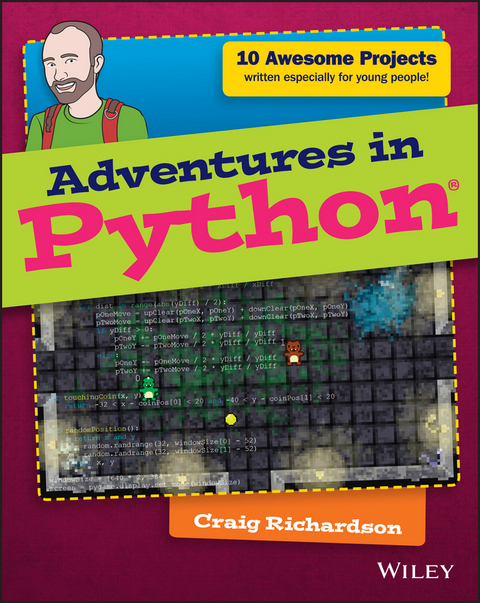
Adventures in Python is designed for 11-to 15-year oldswho want to teach themselves Python programming, but don't knowwhere to start. Even if you have no programming experience at all,this easy to follow format and clear, simple instruction will getyou up and running quickly. The book walks you through nineprojects that teach you the fundamentals of programming in general,and Python in particular, gradually building your skills until youhave the confidence and ability to tackle your own projects. Videoclips accompany each chapter to provide even more detailedexplanation of important concepts, so you feel supported every stepof the way.
Python is one of the top programming languages worldwide, withan install base in the millions. It's a favourite language atGoogle, YouTube, the BBC, and Spotify, and is the primaryprogramming language for the Raspberry Pi. As an open-sourcelanguage, Python is freely downloadable, with extensive librariesreadily available, making it an ideal entry into programming forthe beginner. Adventures in Python helps you get started,giving you the foundation you need to follow your curiosity.
- Start learning Python at its most basic level
- Learn where to acquire Python and how to set it up
- Understand Python syntax and interpretation for moduleprogramming
- Develop the skills that apply to any programming language
Python programming skills are invaluable, and developingproficiency gives you a head start in learning other languages likeC++, Objective-C, and Java. When learning feels like fun, you won'tever want to stop – so get started today with Adventuresin Python.
The complete beginner's guide to Python, for young people who want to start today Adventures in Python is designed for 11-to 15-year olds who want to teach themselves Python programming, but don't know where to start. Even if you have no programming experience at all, this easy to follow format and clear, simple instruction will get you up and running quickly. The book walks you through nine projects that teach you the fundamentals of programming in general, and Python in particular, gradually building your skills until you have the confidence and ability to tackle your own projects. Video clips accompany each chapter to provide even more detailed explanation of important concepts, so you feel supported every step of the way. Python is one of the top programming languages worldwide, with an install base in the millions. It's a favourite language at Google, YouTube, the BBC, and Spotify, and is the primary programming language for the Raspberry Pi. As an open-source language, Python is freely downloadable, with extensive libraries readily available, making it an ideal entry into programming for the beginner. Adventures in Python helps you get started, giving you the foundation you need to follow your curiosity. Start learning Python at its most basic level Learn where to acquire Python and how to set it up Understand Python syntax and interpretation for module programming Develop the skills that apply to any programming language Python programming skills are invaluable, and developing proficiency gives you a head start in learning other languages like C++, Objective-C, and Java. When learning feels like fun, you won't ever want to stop so get started today with Adventures in Python.
Craig Richardson is a software developer, freelance writer, and former teacher with plenty of classroom experience. In his spare time, he has introduced hundreds of beginners to programming through his fun and engaging Python workshops and resources.
Introduction 1
Adventure 1
Diving into Python 23
What Is Programming? 24
Opening IDLE 25
Returning to Your First Python Program 26
It Isn't Working--Grrr! 28
Using a File Editor 30
Asking Questions with Variables 33
A Bit About Variables 35
Using Variables for a Fill-in-the-Blanks Story 37
Making the Program Make Decisions: Conditionals 39
Using if Statements 39
Nested if Statements 41
Creating an Imaginary Vending Machine 43
Repeating Code with Loops 45
Using while Loops 45
Infinite while Loops 47
Praise Generator 48
A Bigger Adventure: Spaceship Control Console 50
Set-Up and Password 50
Using the Console to Do Things 52
Adventure 2
Drawing with Turtle Graphics 57
Getting Started with Turtle 57
Using Variables to Change Angles and Lengths 61
Using Addition to Draw a Spiral 64
Saving Some Space with Loops 65
A Shape with 360 Sides: Drawing a Circle 67
Controlling the Number of Sides Using for Loops 68
Changing the Fill Colour in a Shape 71
Creating Functions to Reuse Your Code 72
Shape Presets 75
Adding Randomly Generated Pictures 76
Adventure 3
Windows, Buttons, and Other GUI Stuff 83
Creating Buttons 84
Changing the Button Text on Click 87
Counting Clicks 88
Creating Text Boxes 90
Writing It Backwards 92
Adding Passwords 93
Building a Random Sentence Generator 96
Programming a Guessing Game 99
Adventure 4
More GUI Elements with Tkinter 105
Creating Sliders 105
How Colours Work on Computers and as Hexadecimal Values 109
Changing the Canvas Colour 111
Making the Colour Picker 113
Adding a Text Box 116
Creating a Click Speed Game 117
Adventure 5
Drawing Shapes with PyGame 123
Installing PyGame 123
My First PyGame 124
Creating Rectangles 127
Creating a Rectangle 127
A Rainbow of Rectangles 128
Colour Grid 131
Creating Ellipses 133
Wobbling Circle 133
Saving Your Images 135
Saving a Single Image 135
Saving a Series of Images 136
Adventure 6
Adding Keyboard Input with PyGame 139
Using Keyboard Input 140
Other Keys You Can Use 142
Creating the Game 142
Introducing Full Movement 146
Moving the Player Offscreen 148
Adding the Ball 150
Creating Collisions 152
Goal! 154
Adding a Time Limit 157
Adventure 7
Creative Ways to Use a Mouse with PyGame 161
Getting the Mouse Position 161
Making a Button 163
Moving Target 166
Exploding Clicks 169
Making a Mesh 172
Creating Mouse Trails 175
Adventure 8
Using Images with PyGame 181
Loading an Image 181
Layering Images 184
Randomly Layering Images 186
Adding a Moustache to a Photograph 188
Making Sprites 191
Creating a Walking Animation 191
Walking in All Directions 195
Teleportation 197
Adventure 9
Using Sounds and Music with PyGame 203
Playing Sounds 203
Creating a Noise Loop 205
Making Keyboard Sound Effects 207
Using Music with Python 210
Playing Music 210
Adding Volume Tremolo 212
Making a Music Player 215
Adding Sounds and Music to a Game 218
Adventure 10
Your Really Big Adventure 223
Writing the Program for the Game 224
Setting Up the Files 224
Making the Game 225
Walls 226
Doors, Collisions and Coins 229
Setting Up the Window and Variables 231
Adding the Game Loop 234
Character Controls and Animations 234
Player Collisions and Collecting Coins 237
Displaying Points and Updating the Window 237
Playing the Game 238
Debugging the Game 239
Summary 240
Appendix A
Installing and Downloading the Proper Files 243
Installing PyGame 243
Windows 8 243
Windows 7 245
Mac 245
Linux (Ubuntu) 247
Raspberry Pi 248
Downloading the Files for Adventures 8, 9 and 10 248
Windows 8 248
Windows 7 249
Mac 249
Linux (Ubuntu) 250
Raspberry Pi 250
Glossary 251
Index 257
Introduction
ARE YOU AN intrepid adventurer? Do you love trying new things and learning new skills? Would you like to bring your own ideas to life with technology? If the answer is a resounding “Yes!” then this is the book for you. Your adventures with Python start here! During your adventures you’ll learn a lot about programming with Python. You’ll create some really fun programs along the way, including games and animations.
Before you take your first step, take some time with this introduction to understand what you’ll be doing and answers some of the questions you might have.
What Is Programming?
First off, what is programming? Put simply, programming is giving the computer a set of instructions to do something you want. For example, when you play a computer game programs determine what the game will do when you press a button and what is displayed on the screen.
Just as programming is giving the computer a set of instructions, a program is a set of instructions that has been written by a programmer.
You write these instructions using a programming language. There are many different programming languages, which you can think of as similar to human languages like English or French. Each programming language has its own way of doing things but they all share the same fundamental concepts.
A program is a set of instructions that has been written by a programmer to instruct the computer to do something.
A programming language allows you to give instructions to a computer. With a programming language you can create programs that control what your computer does.
As a programmer, you have a lot of choice when choosing a programming language to use. So why choose Python? Well, Python is a good language to learn for beginners. It is designed so that it is relatively easy for humans to read. The layout and words it uses for its instructions make it easier to learn than other languages, such as Java or C++. Python is even used in the real world—in fact, it is one of the most popular programming languages used by professional programmers, who use it to do all sorts of things, from analysing scientific data to making games. You can see an example of some Python code in Figure I-1.
FIGURE I-1 The code of a program that generates a circular progress bar. You will learn how to create programs like this one in your adventures.
This introduction is intended to help you get set up with Python on your computer. It’s here to make sure you start your journey on the right foot and have everything you need to get going.
What Is Python and What Can You Do With It?
As I’ve mentioned, the Python programming language is an excellent programming language for beginners. Python is designed so that it is easy to read by people. The way that Python is laid out and the commands it uses all make it straightforward to read and understand.
You can do some amazing things with Python. Here are just some of the many things it is used for:
- Making windows with buttons and text fields
- Creating computer games
- Making animations
- Building websites
- Analysing scientific data
- Hacking computers
Who Should Read This Book?
Adventures in Python is for any young person who has an interest in making things happen on a computer. You might perhaps be unsure of how to get started or want to develop your current skills further. Whatever your reasons, this book will be your guide for a journey with Python. Your adventures will take you from installing Python, through learning the basics of programming, to discovering how to create your own project. By the end of your adventures you will have acquired the skills you need to create whatever you want!
What You Will Learn
With this book you will discover some of the amazing things you can do with Python. You’ll learn about the fundamental programming concepts needed to design and make your own programs.
The Python projects in this book are arranged in adventures. All the projects in an adventure are grouped by a similar topic. For example, in Adventure 7 you’ll create several programs that show you how to use the mouse with your Python programs.
The programming concepts you’ll learn include Python code that enables your programs to make decisions, allows your programs to repeat complex tasks in a short amount of time and a whole lot more. By building on top of these concepts in your adventures you’ll also develop graphical user interfaces, animations and games.
What You Will Need for the Projects
Python is a programming language that is cross-platform. This means that it can run on computers with different operating systems. For example, you can write a program on a computer that runs Windows 7 and it will also work on an Apple Mac. There are a couple of slight differences in the way that Python works on different operating systems, but you won’t come across these in this book, and they aren’t that common.
An operating system is software that allows your computer to do its basic functions, such as allowing you to use mice and keyboards on the computer, save files and connect to the Internet. Microsoft Windows and Mac OS X are two examples of operating systems.
A cross-platform programming language works on computers with different operating systems. This means you can write a program on one computer and it will work on most other computers.
Another benefit of Python being cross-platform is that you can use this book whether you use Windows, Mac or Linux—the programs will work just the same on all of them.
So, all you need for your adventures is a computer running Windows, Mac or Linux, an Internet connection, a mouse, keyboard and computer monitor. That’s it! You don’t need anything else.
Although it is possible to run Python on Android tablet computers, not all of the things covered in this book are available on a tablet. It’s not currently possible to complete most of the adventures with a tablet or phone.
How This Book Is Organised
This book contains Python programs that teach you the basics of the Python programming language and the different things it can do. As you’re led through some really fun and creative programs, you’ll learn how to use Python.
Adventure 1 introduces Python and shows you how to create programs that use text. You’ll create some cool programs, like a control panel for an imaginary spaceship. In Adventure 2, you’ll create drawings using Python’s built-in turtle module. You’ll make pictures and build on the things you learned about Python in Adventure 1.
Adventures 3 and 4 introduce you to making programs that use graphical interfaces that include familiar things like buttons, text boxes and sliders.
From the Adventure 5 onwards, you’ll be introduced to the PyGame library for Python. The PyGame library makes it easier to do a wide range of things with Python, including making computer games of your own. You’ll find instructions on how to install PyGame in the Appendix.
In Adventure 5, you’ll use some of PyGame’s features to draw shapes and make animations, and in Adventure 6 you’ll find out how to use PyGame to detect keyboard presses for input in your programs, allowing you to take control of what happens when the program runs. In Adventure 7, you’ll learn how to use the mouse with your programs.
Adventure 8 shows you how to use images in your PyGame program and guides you through a series of fun programs, including controlling a character to walk across the window using the keyboard. In Adventure 9, you’ll learn how to use sounds and music with PyGame so you can add music and sounds to your games.
Adventure 10 takes you on a final, big adventure in which you will combine many of the things you learned in your earlier adventures to create a game in which two players compete to collect coins. The game wraps up what you’ve learned–all in a single program. Through your adventures, you’ll learn a lot about programming.
Time to get going!
Setting Up Python
This section will show you how to set up Python on your computer. Choose the section that matches your operating system (OS) to get started.
Windows 8
Microsoft Windows 8 is an operating system that is widely used all over the world. At the time this book is being written, Windows 8 is the operating system that is on most new computers. If you’re using Windows 8 on your computer, follow these instructions to install Python.
Installing
Installing Python on Windows 8 is quite straightforward. Follow these steps to install it:
- Open a web browser (such as Internet Explorer, Chrome or Firefox).
- In the web browser, click in the...
| Erscheint lt. Verlag | 21.1.2015 |
|---|---|
| Reihe/Serie | Adventures In ... |
| Adventures In ... | Adventures In ... |
| Sprache | englisch |
| Themenwelt | Schulbuch / Wörterbuch |
| Geisteswissenschaften | |
| Mathematik / Informatik ► Informatik ► Programmiersprachen / -werkzeuge | |
| Mathematik / Informatik ► Informatik ► Web / Internet | |
| Informatik ► Weitere Themen ► Hardware | |
| Sozialwissenschaften ► Pädagogik ► Erwachsenenbildung | |
| Schlagworte | Adventures in Python • beginning python • coding for kids • Computing & Computer Science/K-12 • Craig Richardson • General K-12 School • introduction to Python • K-12 School • Learning Programming • Learning Python • Programming basics • programming concepts • programming for kids • Python basics • python coding • Python for kids • Python fundamentals • Python instruction • Python Language • Python (Programmiersprache) • Python programming • python scripting • Python skills • python syntax • python tutorial • Python uses • Python videos • Raspberry Pi programming • teach yourself programming • teach yourself Python • understanding Python |
| ISBN-10 | 1-118-95184-0 / 1118951840 |
| ISBN-13 | 978-1-118-95184-2 / 9781118951842 |
| Informationen gemäß Produktsicherheitsverordnung (GPSR) | |
| Haben Sie eine Frage zum Produkt? |
 EPUB (Adobe DRM)
Kopierschutz: Adobe-DRM
Adobe-DRM ist ein Kopierschutz, der das eBook vor Mißbrauch schützen soll. Dabei wird das eBook bereits beim Download auf Ihre persönliche Adobe-ID autorisiert. Lesen können Sie das eBook dann nur auf den Geräten, welche ebenfalls auf Ihre Adobe-ID registriert sind.
Details zum Adobe-DRM
Dateiformat: EPUB (Electronic Publication)
EPUB ist ein offener Standard für eBooks und eignet sich besonders zur Darstellung von Belletristik und Sachbüchern. Der Fließtext wird dynamisch an die Display- und Schriftgröße angepasst. Auch für mobile Lesegeräte ist EPUB daher gut geeignet.
Systemvoraussetzungen:
PC/Mac: Mit einem PC oder Mac können Sie dieses eBook lesen. Sie benötigen eine
eReader: Dieses eBook kann mit (fast) allen eBook-Readern gelesen werden. Mit dem amazon-Kindle ist es aber nicht kompatibel.
Smartphone/Tablet: Egal ob Apple oder Android, dieses eBook können Sie lesen. Sie benötigen eine
Geräteliste und zusätzliche Hinweise
Buying eBooks from abroad
For tax law reasons we can sell eBooks just within Germany and Switzerland. Regrettably we cannot fulfill eBook-orders from other countries.
aus dem Bereich