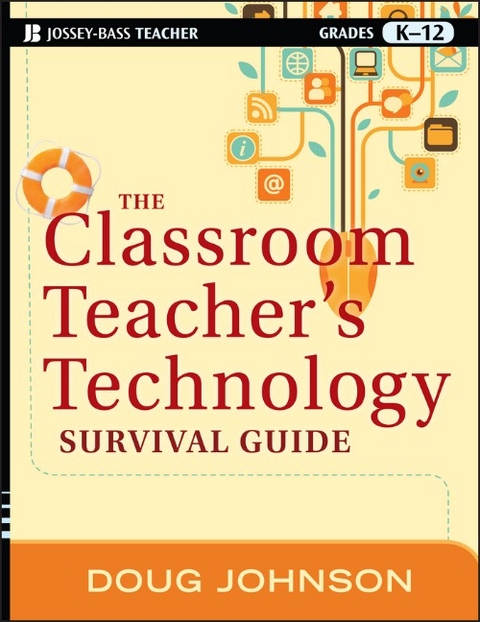
The Classroom Teacher's Technology Survival Guide (eBook)
240 Seiten
John Wiley & Sons (Verlag)
978-1-118-18353-3 (ISBN)
the K-12 classroom
This is a must-have resource for all K-12 teachers and
administrators who want to really make the best use of available
technologies. Written by Doug Johnson, an expert in educational
technology, The Classroom Teacher's Technology Survival
Guide is replete with practical tips teachers can easily use to
engage their students and make their classrooms places where both
students and teachers will enjoy learning.
* Covers the most up-to-date technologies and how they can best
be used in the classroom
* Includes advice on upgrading time-tested educational strategies
using technology
* Talks about managing "disruptive technologies" in the
classroom
* Includes a wealth of illustrative examples, helpful
suggestions, and practical tips
This timely book provides a commonsense approach to choosing and
using educational technology to enhance learning.
DOUG JOHNSON is the Director of Media and Technology for the Mankato, Minnesota Public Schools and serves as an adjunct faculty member of Minnesota State University. His long-running column "Head for the Edge," appears in Library Media Connection and he maintains the Blue Skunk Blog.
INTRODUCTION: WHY THIS BOOK?
WHY IS AN ENGLISH TEACHER WRITING THIS BOOK INSTEAD OF STEVE JOBS?
CREATING THE ESSENTIAL CONDITIONS NEEDED FOR SUCCESSFUL TECHNOLOGY USE
Chapter One: Why Should Classroom Teachers Be Technologically Skillful?
Revolution or Evolution in Educational Change?
Developing a Framework for Thinking about Technology in Schools
Chapter Two: Some Basics: Q&A
What Type of Computer Should I Have?
What Operating System (OS) Should I Choose: Windows, Macintosh, GNU/Linux or Chrome?
How Much Memory Do I Need and How Fast Does the Computer Need to Run?
Desktop, Laptop, Netbook or Tablet?
What Other Equipment Should I Buy?
What Basic Software Do I Need?
What Are Freeware and Open Source Software?
How Do I Manage Files on Multiple Computers?
What Is Cloud Computing and What Are Its Advantages and Disadvantages?
What Does a Technologically Well-Equipped Classroom Look Like?
Seven Stupid Mistakes Teachers Make with Technology
Seven Brilliant Things Teachers Do with Technology
Chapter Three: Using Technology for Professional Productivity
Professional Productivity: the Critical Start to Technology Use
Keeping Professionally Organized: Managing the Business of Teaching
Communicating Using Technology
The Student Information System
Parent and Student Portals
Curriculum Management Systems
Course Management Systems
The School Website and Teacher Pages
Basic Productivity Tools
Basic Online Tools
Chapter Four: The Technology Upgrade
Getting Started with Technology in the Classroom
Assessing Technology-Enhanced Student Work
What IT Skills Should Teachers Expect of All Students?
Survival Skills for the Information Jungle
Chapter Five: Teaching 21st Century Skills
The 4th R--Research
Designing Technology-Enhanced Projects - the 4 A's
Everyday Problem Solving
Entertain or Engage: Why You Need to Know the Difference
A Few Thoughts About Creativity
Right-brain Skills and Technology: A Whole New Mind(set)
Chapter Six: Managing "Disruptive" Technologies in the Classroom
Some Approaches to Managing Technology in the Classroom
Using Technology in the Classroom to Support Student Learning
Computer Games in the Classroom
Why You Should Let Your Students Use the Internet for Non-academic Purposes
Chapter Seven: Common Sense Practices for Safe and Ethical Technology Use
The Teacher's Day-to-Day Security Guide
HELPING STUDENTS STAY ETHICAL AND SAFE ONLINE
BASICS OF TECHNOLOGY ETHICS: PRIVACY, PROPERTY, APPROPRIATE USE
Staying Safe on the Read-Write Web
What Students Need to Understand About Technology Use
A Dozen Ways to Teach Ethical and Safe Technology Use
Guidelines for Educators Using Social and Educational Networking Sites
Chapter Eight: Keeping Up: Developing a Long-Term Learning Strategy
Your Personal Learning Network
Keeping Your Sanity
The Librarian: Your Technology Partner
Bonus: Top Ten Secrets for Conducting a Successful Technology Workshop
Chapter Nine: Looking into the Crystal Ball
Three "High Tech" Schools of the Future
How you can invent the future and take charge of your own technology environment
Change from the Radical Center of Education
The Giant and the Ants: How Problems Are Solved
Readings and Resources
Index
| Erscheint lt. Verlag | 23.2.2012 |
|---|---|
| Sprache | englisch |
| Themenwelt | Schulbuch / Wörterbuch ► Unterrichtsvorbereitung ► Unterrichts-Handreichungen |
| Geisteswissenschaften | |
| Sozialwissenschaften ► Pädagogik ► Bildungstheorie | |
| Schlagworte | Bildungswesen • Education • K-12 / Technologien im Bildungswesen • Technology & Education (K-12) |
| ISBN-10 | 1-118-18353-3 / 1118183533 |
| ISBN-13 | 978-1-118-18353-3 / 9781118183533 |
| Informationen gemäß Produktsicherheitsverordnung (GPSR) | |
| Haben Sie eine Frage zum Produkt? |
 PDF (Adobe DRM)
Kopierschutz: Adobe-DRM
Adobe-DRM ist ein Kopierschutz, der das eBook vor Mißbrauch schützen soll. Dabei wird das eBook bereits beim Download auf Ihre persönliche Adobe-ID autorisiert. Lesen können Sie das eBook dann nur auf den Geräten, welche ebenfalls auf Ihre Adobe-ID registriert sind.
Details zum Adobe-DRM
Dateiformat: PDF (Portable Document Format)
Mit einem festen Seitenlayout eignet sich die PDF besonders für Fachbücher mit Spalten, Tabellen und Abbildungen. Eine PDF kann auf fast allen Geräten angezeigt werden, ist aber für kleine Displays (Smartphone, eReader) nur eingeschränkt geeignet.
Systemvoraussetzungen:
PC/Mac: Mit einem PC oder Mac können Sie dieses eBook lesen. Sie benötigen eine
eReader: Dieses eBook kann mit (fast) allen eBook-Readern gelesen werden. Mit dem amazon-Kindle ist es aber nicht kompatibel.
Smartphone/Tablet: Egal ob Apple oder Android, dieses eBook können Sie lesen. Sie benötigen eine
Geräteliste und zusätzliche Hinweise
Buying eBooks from abroad
For tax law reasons we can sell eBooks just within Germany and Switzerland. Regrettably we cannot fulfill eBook-orders from other countries.
aus dem Bereich