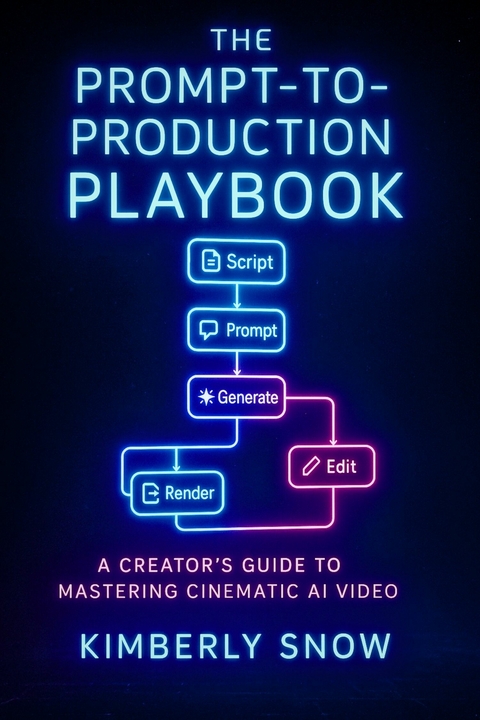
The Prompt-to-Production Playbook (eBook)
139 Seiten
JNR Publishing (Verlag)
978-0-00-113520-8 (ISBN)
YOUR PLAYBOOK FOR THE AI FILM REVOLUTION.
The gap between a brilliant idea and a finished film has vanished. With Generative AI, you now have the power to create breathtaking visuals, complex animations, and entire cinematic worlds from your keyboard. But power is nothing without a plan.
The Prompt-to-Production Playbook is the ultimate hands-on guide for the modern creator. Author Kimberly Snow provides a clear, step-by-step system that demystifies the entire AI filmmaking process. This book is your coach, giving you the actionable strategies and proven techniques to confidently create, from your first prompt to your final render.
Master a complete, start-to-finish production workflow.
Learn advanced prompt engineering to command AI with cinematic precision.
Get deep dives into cutting-edge video models like Sora, Veo, and Kling.
Build entire soundtracks with revolutionary AI audio tools like ElevenLabs and Suno.
Navigate the critical ethical and copyright challenges with a responsible framework.
Stop guessing and start creating with a proven, repeatable system for success.
The game has changed. This is your playbook to win it.
9
Chapter 5: The Art and Science of Prompt Engineering for Video
Welcome, aspiring AI filmmaker, to the alchemical laboratory of text-to-video: the prompt interface. If text-to-video platforms are your high-tech cameras, lenses, and editing suites all rolled into one, then the humble text prompt is your director’s megaphone, your screenwriter’s pen, and your cinematographer’s light meter combined. It’s the primary way you communicate your grand vision (or your bizarre midnight musings) to your algorithmic co-creator. Get it right, and you can conjure wonders. Get it… less right, and you might end up with a six-legged cat tap-dancing on the moon (unless that’s what you were going for, in which case, bravo!).
Prompt engineering, a term that sounds rather more formal than the often chaotic reality, is the craft of designing and refining these textual inputs to achieve your desired output from a generative AI model. It’s a peculiar blend of linguistic artistry, logical deduction, and good old-fashioned trial and error. You’re not just writing a description; you’re trying to “speak AI,” to understand how these complex models interpret language and translate it into pixels and motion. The better you get at it, the more control you’ll wrestle back from the delightful randomness of the machine.
Think of yourself as an AI whisperer. You need to learn its quirks, its preferences, what makes it sing, and what makes it throw a digital tantrum. This chapter is your introductory course in AI linguistics and directorial suggestion.
5.1: Deconstructing Prompts: Elements of Effective Instruction
Before the AI can even begin to dream up your visuals, it needs instructions – your text prompt. This prompt is the seed from which your video will (hopefully) grow. The quality, clarity, and specificity of your input directly, and dramatically, affect the quality and relevance of the output. A vague or poorly worded prompt is an invitation for the AI to deliver something generic, nonsensical, or just plain weird. A well-crafted prompt, however, can unlock the AI’s surprising potential.
At its core, an effective prompt usually contains several key ingredients. Think of them as the essential building blocks of your visual instruction:
- The Subject(s): This is the “who” or “what” of your scene. It could be a person (“an elderly wizard”), an animal (“a ginger cat”), an object (“a rusty 1950s robot”), or even an abstract concept if the AI is feeling particularly artistic (“the feeling of loneliness”). Be as specific as reasonably possible. “A dog” is okay. “A fluffy Samoyed puppy with a blue bandana” is much better.
- The Action(s): Crucial for video, this is what your subject is *doing*. “A wizard stands” is static. “An elderly wizard casting a sparkling blue spell with a gnarled wooden staff” brings dynamism. Think in verbs. For video, you might describe a sequence of actions or a continuous motion.
- The Setting/Environment: This is the “where” and “when.” Is your wizard in “a dark, moss-covered forest at twilight” or “a brightly lit, futuristic library”? The environment dramatically impacts mood and context. Consider time of day, weather, and overall atmosphere.
- The Style: This is the artistic or aesthetic quality you’re aiming for. It could be a broad category (“photorealistic,” “cartoon,” “watercolor painting”), a specific artistic movement (“impressionist,” “surrealist”), a particular artist’s style (“in the style of Studio Ghibli”), or a general mood (“dreamlike,” “eerie,” “joyful”).
- Cinematic Qualifiers & Composition (The Director’s Touch): These are terms that guide the “camera.” This includes shot types (“close-up,” “wide shot”), camera angles (“low angle,” “bird’s-eye view”), lighting descriptions (“dramatic chiaroscuro lighting,” “soft morning light”), and even compositional hints (“rule of thirds”). We’ll dive much deeper into this in the next section (5.2).
The NLP Factor: Why Clarity is King (and Ambiguity is the Court Jester)
Underpinning the AI’s ability to (mis)understand you is Natural Language Processing (NLP). This is the branch of AI that deals with how computers interpret and process human language. In text-to-video systems, NLP parses your prompt, breaking it down into components (like nouns, verbs, adjectives), identifying relationships between them, and extracting what it deems to be the key information needed to generate the video. For instance, in the prompt “A majestic dragon soaring over a snow-capped mountain range, cinematic lighting, epic scale,” the NLP system would identify “dragon” as the subject, “soaring” as the action, “snow-capped mountain range” as the setting, and “cinematic lighting” and “epic scale” as stylistic or framing modifiers.
While NLP is becoming increasingly sophisticated, it’s not a mind reader. Ambiguity, jargon, overly complex sentence structures, and subtle sarcasm are likely to confuse it, leading to unpredictable or irrelevant results. The simpler, clearer, and more direct your language, the better the AI will generally understand your instructions. This doesn’t mean your prompts have to be boring, but they do need to be translatable by a machine that takes things very literally.
Structuring Your Prompt: Order and Emphasis
The order of words and phrases in your prompt can often influence the final output. Many AI models tend to give more weight to elements mentioned earlier in the prompt. So, if the subject is the most important thing, list it first. If the style is paramount, you might experiment with front-loading stylistic keywords.
Example of a weak prompt: “Dog, park, fun, video.”
Why it’s weak: It’s too generic. What kind of dog? What kind of park? What does “fun” look like? What style of video?
Example of an improved prompt: “Golden retriever puppy, excitedly chasing a red ball, sunny green park with oak trees, happy upbeat mood, slow-motion shot, cinematic lighting.”
Why it’s better: More specific subject, clear action, detailed environment, defined mood, and even a cinematic suggestion.
Commas are your friends for separating distinct concepts within a prompt. Some advanced users and platforms also employ techniques like keyword weighting (e.g., using parentheses or specific syntax to increase or decrease the “importance” of certain terms), though this varies greatly between models.
The fundamental skill here is learning to be both descriptive and concise, painting a vivid picture with your words while ensuring those words are ones the AI can readily digest. It’s a dance between your creative intent and the AI’s interpretive capabilities.
5.2: Mastering Cinematic Language in Prompts
Now we get to the really fun part for filmmakers: using the language of cinema to guide your AI. While AI models don’t “understand” cinematic theory in the way a human does, they have been trained on vast quantities of images and videos, many of which are tagged with or inherently contain cinematic properties. By using terms associated with cinematography, lighting, and composition, you can often nudge the AI towards generating more visually interesting and filmic results.
Think of this as giving your AI a crash course in film school, one prompt at a time. Be warned, its homework might sometimes be… abstract.
- Visual Descriptors – Painting with Cinematographic Terms:
- Shot Types: These are your fundamental framing tools. Don’t just say “a man”; say “close-up of a man’s determined eyes,” “medium shot of a woman typing at a futuristic console,” “extreme long shot of a lone figure on a vast mountain range,” “establishing shot of a bustling medieval marketplace,” or “point-of-view (POV) shot from inside a race car.” The AI often has a “sense” of these framings from its training data.
- Camera Angles: Angle changes everything. Try “low angle shot of a towering robot, emphasizing its scale,” “high angle shot looking down on a crowded street, creating a sense of observation,” “eye-level shot for a neutral conversation,” “Dutch angle for a disorienting, uneasy feeling,” “bird’s-eye view of a symmetrical garden maze,” or “worm’s-eye view of a forest canopy.”
- Camera Movement (Approximated): This is trickier, as AI video generation is often more about scene evolution than true virtual camera physics. However, you can still suggest motion. “Panning shot across a desert landscape,” “tilting up to reveal a skyscraper,” “dolly zoom effect for dramatic tension,” “smooth tracking shot following a character running,” “crane shot revealing a hidden...
| Erscheint lt. Verlag | 7.1.2026 |
|---|---|
| Sprache | englisch |
| Themenwelt | Sachbuch/Ratgeber ► Gesundheit / Leben / Psychologie |
| ISBN-10 | 0-00-113520-1 / 0001135201 |
| ISBN-13 | 978-0-00-113520-8 / 9780001135208 |
| Informationen gemäß Produktsicherheitsverordnung (GPSR) | |
| Haben Sie eine Frage zum Produkt? |
 EPUB (Adobe DRM)
Größe: 1,8 MB
Kopierschutz: Adobe-DRM
Adobe-DRM ist ein Kopierschutz, der das eBook vor Mißbrauch schützen soll. Dabei wird das eBook bereits beim Download auf Ihre persönliche Adobe-ID autorisiert. Lesen können Sie das eBook dann nur auf den Geräten, welche ebenfalls auf Ihre Adobe-ID registriert sind.
Details zum Adobe-DRM
Dateiformat: EPUB (Electronic Publication)
EPUB ist ein offener Standard für eBooks und eignet sich besonders zur Darstellung von Belletristik und Sachbüchern. Der Fließtext wird dynamisch an die Display- und Schriftgröße angepasst. Auch für mobile Lesegeräte ist EPUB daher gut geeignet.
Systemvoraussetzungen:
PC/Mac: Mit einem PC oder Mac können Sie dieses eBook lesen. Sie benötigen eine
eReader: Dieses eBook kann mit (fast) allen eBook-Readern gelesen werden. Mit dem amazon-Kindle ist es aber nicht kompatibel.
Smartphone/Tablet: Egal ob Apple oder Android, dieses eBook können Sie lesen. Sie benötigen eine
Geräteliste und zusätzliche Hinweise
Buying eBooks from abroad
For tax law reasons we can sell eBooks just within Germany and Switzerland. Regrettably we cannot fulfill eBook-orders from other countries.
aus dem Bereich