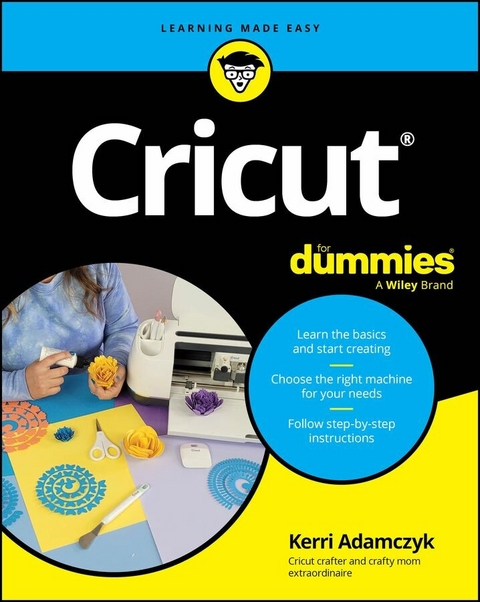
Cricut For Dummies (eBook)
477 Seiten
For Dummies (Verlag)
978-1-394-30951-1 (ISBN)
Your simple guide to the DIY die-cutting machine that lets you create without limitations
Your new Cricut can help you cut paper, vinyl, fabric, and beyond. Perfect for DIY enthusiasts, scrapbookers, and professional designers, Cricut machines are favorites among makers of all types. Cricut For Dummies gives you clear, simple instructions for using a Cricut machine, so you can start creating today. You'll learn how to achieve intricate, precise cuts, much faster than would be possible by hand. This step-by-step guide shows you how to make greeting cards, fun labels, personalized clothing, stickers, and even unique wood or leather goods. Don't have your Cricut yet? No problem! Cricut For Dummies explains the differences between the models and how to choose the best machine for your needs.
- Use the Design Space app and the Cricut design library to create successful projects
- Choose, set up, and operate your Cricut machine
- Choose a machine based on the type of material you will be using
- Get suggestions for fun projects at every skill level
This book is for anyone who wants to learn how to use a Cricut machine to design, create, or perfect their craft. Cricut For Dummies is ideal for beginners who have no experience using a cutting machine, and it's a handy reference for those who want to improve their Cricut skills.
Kerri Adamczyk is an enthusiastic crafter who loves to share her Cricut ideas and tips with fellow crafters. She hosts the popular YouTube channel Kerri Crafts It and blog kerricraftsit.com, offering step-by-step Cricut tips, tricks, and tutorials for all skill levels.
Your simple guide to the DIY die-cutting machine that lets you create without limitations Your new Cricut can help you cut paper, vinyl, fabric, and beyond. Perfect for DIY enthusiasts, scrapbookers, and professional designers, Cricut machines are favorites among makers of all types. Cricut For Dummies gives you clear, simple instructions for using a Cricut machine, so you can start creating today. You'll learn how to achieve intricate, precise cuts, much faster than would be possible by hand. This step-by-step guide shows you how to make greeting cards, fun labels, personalized clothing, stickers, and even unique wood or leather goods. Don't have your Cricut yet? No problem! Cricut For Dummies explains the differences between the models and how to choose the best machine for your needs. Use the Design Space app and the Cricut design library to create successful projects Choose, set up, and operate your Cricut machine Choose a machine based on the type of material you will be using Get suggestions for fun projects at every skill level This book is for anyone who wants to learn how to use a Cricut machine to design, create, or perfect their craft. Cricut For Dummies is ideal for beginners who have no experience using a cutting machine, and it's a handy reference for those who want to improve their Cricut skills.
Chapter 2
Choosing the Right Cricut for You
IN THIS CHAPTER
Exploring different models
Discovering each machine’s capabilities
Shopping for a new Cricut
You may be asking yourself, “Which Cricut machine is the best fit for me?” Choosing the perfect Cricut can feel a bit overwhelming with all the options out there, but don’t worry — I’ve got you covered! The answer comes down to the types of projects you want to make, your budget, and what each machine can do.
Cricut currently offers four families of machines: the Maker series, the Explore series, the Joy series, and the Venture. Each family offers something a little different depending on the types of projects you’re looking to make. This is the complete lineup of machines available at the time of writing:
- Cricut Maker 4
- Cricut Maker 3
- Cricut Maker
- Cricut Explore 4
- Cricut Explore 3
- Cricut Explore Air 2
- Cricut Joy Xtra
- Cricut Joy
- Cricut Venture
Older models like the Cricut Explore Air 2, the original Maker, and the Explore 3 and Maker 3 are still available in some places, but they’re gradually being phased out. Although fully discontinued models aren’t covered in detail, this chapter walks you through each of the machines currently offered by Cricut, their capabilities, and the types of projects they’re best suited for. So dive in and find your perfect match!
Chapter 4 has details on tools and materials for your new Cricut machine. Parts 3, 4, and 5 are chock-full of project ideas.
The Cricut Maker Series
The Cricut Maker series is designed for crafters who want more power, precision, and versatility. With models including the Cricut Maker, Cricut Maker 3, and the newest Cricut Maker 4, these machines can handle everything from delicate fabrics to tough materials like leather and balsa wood. With a variety of interchangeable tools, these machines go beyond cutting — you can engrave, deboss, and even use the Rotary Blade for fabric projects. The Maker series gives you the flexibility to tackle just about any creative project you have in mind!
The Cricut Maker 4
The Cricut Maker 4, released in February 2025, is the latest addition to the Cricut Maker series. It does everything the Maker 3 does but can be up to two times faster, with speed varying by the material and use of a cutting mat. This model introduces two new colors, seashell and sage.
The Cricut Maker 3
The Cricut Maker 3, released in June 2021, is an upgraded version of the original Cricut Maker (which I cover later in this chapter) and is the most versatile Cricut machine for both hobbyists and pros.
The Cricut Maker 3 is loaded with features. It can cut, write, draw, foil, score, engrave, deboss, and perforate. Check out some of the new and improved features of the Cricut Maker 3:
- Cuts 300+ materials, including Smart Materials
- Works twice as fast as the original Cricut Maker
- Uses the Adaptive Tool System for a wide range of tools
- Has dual tool clamps for simultaneous cutting and writing
- Supports Print Then Cut, allowing precise cuts around printed designs (see Chapter 18 for details)
The largest cut size for the Cricut Maker 3 is 11.7 inches wide by 12 feet long when you’re using Smart Materials. Because Smart Materials don’t need a mat, you’re not limited by mat size for longer projects. If you’re using other materials with a mat, the biggest mat size is 12 inches by 24 inches, so that’s your limit.
Although the Cricut Maker 3 is incredibly versatile, it does have some limits. It can only cut materials up to 12 inches wide, which may not be enough for large projects like oversize wall decals or banners. Also, although it can engrave aluminum and acrylic using the Engraving Tip, it can’t cut these materials.
The Cricut Maker 3 works with all the same tools as the original Cricut Maker, giving you lots of project options. Here’s a list of the QuickSwap tools and accessories you can use:
- Premium Fine-Point Blade
- Foil Transfer Tool
- Pens and Markers
- Deep-Point Blade
- Scoring Stylus
- Bonded-Fabric Blade
- Scoring Wheel Tip (single and double)
- Rotary Blade
- Wavy Blade
- Knife Blade
- Engraving Tip
- Debossing Tip
- Perforation Blade
The Cricut Maker
Released in August 2017, the Cricut Maker was a big deal before the Maker 3 and 4 arrived. Although it doesn’t support Smart Materials for matless cutting, it remains highly versatile with its Adaptive Tool System. You can use it for custom apparel, home décor, paper crafts, and personalized gifts like engraved items or custom mugs.
It’s worth noting that the series doesn’t include a “Cricut Maker 2” — it jumped right from the original Cricut Maker to the Cricut Maker 3.
The Maker can perform all the same functions as the Maker 3. It can cut, write, draw, foil, score, engrave, deboss, and perforate. Here’s what you can expect from the original Cricut Maker:
- Cuts 300+ materials
- Uses the Adaptive Tool System, which supports 13+ tools
- Works faster than the Cricut Explore Air 2 (twice as fast, to be exact)
- Supports Print Then Cut, so you can cut out printed designs like stickers
With a cutting mat, the Cricut Maker can cut designs up to 11.7 inches by 24 inches. This works well for large projects like oversize wall decals or banners made in sections that you piece together. If you need continuous cuts for extra-long designs without seams, consider the Cricut Maker 3 or 4.
The Maker can’t use Smart Materials, meaning you’ll need a cutting mat for every project. This limits your cuts to a maximum length of 24 inches, so you can’t work with extra-long matless designs. And although it’s fast, it doesn’t quite hit the speed of the newest Maker 4, but it’s still a solid machine.
Here’s a list of the tools and accessories that work with the original Cricut Maker:
- Fine-Point Blade
- Deep-Point Blade
- Rotary Blade
- Knife Blade
- Scoring Wheel Tip (single and double)
- Bonded-Fabric Blade
- Engraving Tip
- Debossing Tip
- Perforation Blade
- Wavy Blade
- Foil Transfer Tool
The Cricut Explore Series
The Cricut Explore series is a great middle-ground option for crafters who want more versatility than the Cricut Joy offers but don’t need all the advanced tools of the Cricut Maker series. These machines, which include the Explore Air 2, the Explore 3, and the newly released Explore 4, these machines can handle a variety of materials, making them great for projects like T-shirts, decals, and greeting cards. With features like a Fine-Point Blade for precision cuts and compatibility with Cricut Pens for writing and drawing, the Explore series is a solid choice for everyday crafters looking to bring their designs to life.
The Cricut Explore 4
Released alongside the Maker 4 in February 2025, the new Cricut Explore 4 doubles the cutting speed of its predecessor, the Explore 3. For more on what the Explore 4 can do, just look at the Explore 3’s features — they’re pretty much the same.
The Cricut Explore 3
Released in June 2021, the Cricut Explore 3 is an upgrade from the Explore Air 2, offering matless cutting with Smart Materials for longer and faster projects.
The Cricut Explore 3 can cut, write, draw, score, and foil. Check out some of the new and improved features of the Cricut Explore 3:
- Cuts 100+ materials, including Smart Materials
- Can cut designs up to 12 feet long
- Cuts twice as fast as the Explore Air 2
- Has a dual tool holder for simultaneous cutting and writing
- Compatible with Print Then Cut, allowing for accurate cutting of printed designs
With Smart Materials, the Explore 3 can cut up to 12 inches wide and 12 feet long. If you’re using a mat, the maximum size is 11.7 inches by 24 inches.
Unlike the Maker series (which I cover earlier in this chapter), the Explore 3 doesn’t support advanced tools like the Rotary Blade, Knife Blade, or Debossing Tip. It can’t handle heavy materials like chipboard or thick leather, which are a breeze for the Maker machines.
The Explore 3 is compatible with the following tools:
- Premium Fine-Point Blade
- Foil Transfer Tool
- Pens and Markers
- Deep-Point Blade
- Scoring Stylus
- Bonded-Fabric Blade
The Cricut Explore Air 2
The Cricut Explore Air 2, released in August 2017, is an upgraded version of the original Cricut Explore, cutting and writing up to two times faster. Although not as fast as the Cricut Maker series, it can still handle a variety of projects, including vinyl decals, custom T-shirts, gift boxes, personalized signs, and full-color stickers using the Print Then Cut feature.
The Cricut Explore Air 2 can cut, write, draw, foil, and score. With a mat, the Explore Air 2 can cut materials up to 11.7 x 24 inches. Benefits of the Cricut Explore Air 2 include the following:
- Cuts 100+...
| Erscheint lt. Verlag | 13.5.2025 |
|---|---|
| Sprache | englisch |
| Themenwelt | Sachbuch/Ratgeber ► Freizeit / Hobby |
| Schlagworte | Circuit • circuit crafts • circuit die-cutting • circuit diy • circuit for beginners • circuit for newbies • Circuit Guide • circuit ideas • circuit machine • circuit machine book • circuit machine guide • circuit manual • circuit projects • diy die-cutting |
| ISBN-10 | 1-394-30951-1 / 1394309511 |
| ISBN-13 | 978-1-394-30951-1 / 9781394309511 |
| Informationen gemäß Produktsicherheitsverordnung (GPSR) | |
| Haben Sie eine Frage zum Produkt? |
 EPUB (Adobe DRM)
Kopierschutz: Adobe-DRM
Adobe-DRM ist ein Kopierschutz, der das eBook vor Mißbrauch schützen soll. Dabei wird das eBook bereits beim Download auf Ihre persönliche Adobe-ID autorisiert. Lesen können Sie das eBook dann nur auf den Geräten, welche ebenfalls auf Ihre Adobe-ID registriert sind.
Details zum Adobe-DRM
Dateiformat: EPUB (Electronic Publication)
EPUB ist ein offener Standard für eBooks und eignet sich besonders zur Darstellung von Belletristik und Sachbüchern. Der Fließtext wird dynamisch an die Display- und Schriftgröße angepasst. Auch für mobile Lesegeräte ist EPUB daher gut geeignet.
Systemvoraussetzungen:
PC/Mac: Mit einem PC oder Mac können Sie dieses eBook lesen. Sie benötigen eine
eReader: Dieses eBook kann mit (fast) allen eBook-Readern gelesen werden. Mit dem amazon-Kindle ist es aber nicht kompatibel.
Smartphone/Tablet: Egal ob Apple oder Android, dieses eBook können Sie lesen. Sie benötigen eine
Geräteliste und zusätzliche Hinweise
Buying eBooks from abroad
For tax law reasons we can sell eBooks just within Germany and Switzerland. Regrettably we cannot fulfill eBook-orders from other countries.
aus dem Bereich