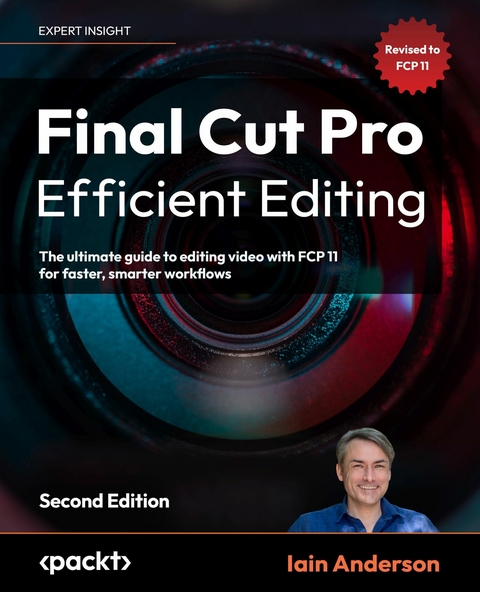
Final Cut Pro Efficient Editing (eBook)
828 Seiten
Packt Publishing (Verlag)
978-1-83763-819-2 (ISBN)
Elevate your video editing skills with Final Cut Pro 11 using practical workflows, expert techniques, and the latest features to enhance your creative process and give your videos a stunning look.
The second edition of this comprehensive guide covers exciting new features in FCP, teaching you how to streamline your workflow with customizable workspaces, shortcuts, and advanced trimming tools. Explore impactful titles and a comprehensive suite of visual effects in Final Cut Pro for dynamic videos, discover Final Cut Pro's audio tools to create a great-sounding mix, and utilize the magnetic timeline, multicam editing, and enhanced color correction for every project.
Whether you're creating content for social media, YouTube, or Hollywood, Final Cut Pro Efficient Editing, Second Edition will help you take your video editing skills to the next level.
Unlock the hidden gems of video editing with Iain Anderson, Apple Certified TrainerBonus 1: Get the Ultimate FCP Keyboard Shortcut Cheat-Sheet for maximum speed!Bonus 2: Get Free Digital Updates for your book, regardless of the format you purchase!Key FeaturesCovers the newest features for FCP 10.7.1 along with expert tips, step-by-step tutorials, and advanced techniquesEasy-to-follow and well-organized, with clear explanations and helpful tips for beginners and experienced usersUpdated with the latest features, including a new 360 Workflows Appendix, Object Tracking, advanced color correction techniques, and much moreBook DescriptionElevate your video editing skills with Final Cut Pro 10.7.1, the ultimate tool for efficient and professional editing, offering powerful new features to enhance your workflow and give your videos a stunning look. The second edition of this comprehensive guide covers exciting new features in FCP, teaching you how to streamline your workflow with customizable workspaces, shortcuts, and advanced trimming tools. Explore best-in-class titles and a comprehensive suite of visual effects in Final Cut Pro for dynamic videos, create a great-sounding mix with Final Cut Pro's audio tools, and utilize the magnetic timeline, multicam editing, and advanced color correction for every project. Whether you're creating content for social media, YouTube, or Hollywood, Final Cut Pro Efficient Editing, Second Edition is your ultimate guide to professional video editing. Get your copy today and take your video editing skills to the next level.What you will learnOrganize and manage media from multiple sourcesEdit and manipulate video with an intuitive interface and powerful toolsStreamline your workflow with customizable workspaces and keyboard shortcutsSync and edit multicam interviews with ease and learn advanced trimming techniquesUse advanced audio and color grading tools to achieve a professional-quality finishWork with other editors using the built-in collaboration toolsCreate stunning visual effects and complex motion graphics titlesExport video projects in a variety of formats for delivery to multiple platforms and user devicesWho this book is forThis book is designed to help everyone: creative professionals, anyone new to video editing, and existing editors switching from other video editing systems to Final Cut Pro or stepping up from iMovie. Whether you are a beginner or a professional, you'll find this FCP book highly valuable. All you need to get started is a basic familiarity with macOS.]]>
1 Quick Start: An Introduction to FCP
A brief history of editing
Interface basics
Overview
In the central bar
In the Browser
In the Viewer pane
Other important windows and controls
Controlling the main window
The Touch Bar
An editing workflow overview
Terminology
Workflow
Part 1: Importing and Organizing
Part 2: Rough Cut to Fine Cut
Part 3: Finishing and Exporting
Hardware recommendations
A Mac
Active media storage
Backup storage
Displays
Audio
Media card reader
Miscellaneous USB gear
Anything else?
Summary
Review questions
Review answers
2 Before the Edit: Production Tips
Getting the settings right
Resolution
Portrait or landscape?
Frame rate
Shutter speed
Banding
White balance
Codecs
Containers
Review — getting all the settings right
Choosing a camera
An iPhone (or any other mobile phone)
A DSLR or mirrorless camera
A high-end camera
An action camera or drone
A 360° camera
A SPATIAL OR IMMERSIVE C A M E R A
Audio equipment
Other accessories
Review — choosing a camera and audio equipment
Shooting the right shots
A-roll
B-roll
Movement
Focus pulling
Different perspectives
Framing
Review — shooting the right shots
Working with multiple cameras and audio recorders
Conference presentations
Interviews
Physical movement
Weddings and live events
Review — working with multiple cameras and audio recorders
Managing everything on set
Review — managing everything on set
Summary
Review questions
Review answers
3 Bring It In: Importing Your Footage
Creating a Library (in the right place)
Creating and naming a Library
Deciding where to store media
Review — creating a Library (in the right place)
Understanding original, optimized, and proxy footage
Understanding optimized media (ProRes 422)
Understanding proxy media
Generating transcoded media
Viewing proxy media
Review — understanding original, optimized, and proxy footage
Importing media in different ways
The Import window
Importing via drag and drop
Managing storage space
Using camera archives
Reimporting media
Importing from iMovie or FCP for iPad
Review — importing media in different ways
Syncing media from multiple devices
Creating synchronized clips
Creating Multicam Clips
Checking and resyncing a multicam clip
Review — syncing media from multiple devices
Understanding and applying Roles
Review — understanding and applying Roles
Summary
Review questions
Review answers
Join us on Discord!
4 Sort It Out: Reviewing and Keywording
Reviewing your media
Skimming is awesome
Exploring the Viewer
A/V Output
Review — reviewing your media
Browser view options
List view
Filmstrip view
Review — Browser view options
Playback shortcuts
Basic shortcuts
Extended shortcuts
Review — playback shortcuts
Examining metadata
Metadata in List view
Metadata in the Inspector
Review — examining metadata
Understanding and applying Keywords
Applying Keywords to clips
Automatic tagging for people
Review — understanding and applying Keywords
Searching with Keywords
Review — searching with Keywords
Summary
Review questions
Review Answers
5 Choose Your Favorites: Selecting, Rating, and Searching
Selecting part of a clip
Review — selecting part of a clip
Rating as a Favorite
Showing only the Favorites
Review — rating as a Favorite
Rating as Rejected
Review — rating as Rejected
Storing additional information
Selective Keywords
Notes
Names
Markers
Review — storing additional information
Advanced searches
Review — advanced searches
Summary
Review questions
Review answers
6 Build the spine of the story: Quick Assembly
Creating a new Project
The perils of Automatic Settings
Custom Project settings
Non-standard resolutions
Moving between open Projects
Review — creating a new Project
Adding your media in a few different ways
Appending with a button or shortcut
Adding clips with drag and drop
Inserting with a button or shortcut
How to use Snapping
Revisiting the Skimmer and the Playhead
Adding temporary clips
Review — adding your media in a few different ways
Rearranging your clips
Moving clips in the Magnetic Timeline
Selecting multiple clips
Duplicating clips
Basic timeline shortcuts
Review — rearranging your clips
Basic trimming with the Magnetic Timeline
Do you have enough media?
Trimming with the mouse
Trimming with the keyboard
Trimming the top and tail of a clip
Extending edits
Review — basic trimming with the Magnetic Timeline
Blading and deleting
Deleting clips
Breaking up a clip
Selecting part of a clip
Review — blading and deleting
Duplicating Projects
Summary
Review questions
Review answers
7 Cover It Up: Connections, Cutaways, and Storylines
Understanding cutaways
Preparing for a cutaway
Review — understanding cutaways
Connecting clips
Connecting visual B-roll
Connecting sound effects
Connecting only audio or video
Understanding connections
Working with music
Trimming connected clips
Review — connecting clips
Grouping connected clips in Storylines
Review — grouping connected clips in Storylines
Controlling and overriding connections
Review — controlling and overriding connections
Three-point editing and more
Backtiming
Overwriting
Copy and paste
Review — three-point editing and more
Summary
Review questions
Review answers
8 Neaten the Edges: Trimming Techniques
Rolling an edit
Understanding a regular trim edit
Performing a Roll edit
Using keyboard shortcuts to Roll
Review — Rolling an edit
Slipping and Sliding clips
Using a Slip edit
Using a Slide edit
Review — Slipping and sliding clips
Softening audio with split edits (J- and L-cuts)
Expanding and collapsing audio
Overlapping audio edit points
Fading audio edits
Fading...
| Erscheint lt. Verlag | 31.7.2023 |
|---|---|
| Sprache | englisch |
| Themenwelt | Kunst / Musik / Theater ► Fotokunst |
| Sachbuch/Ratgeber ► Freizeit / Hobby ► Fotografieren / Filmen | |
| Informatik ► Betriebssysteme / Server ► Macintosh / Mac OS X | |
| Informatik ► Grafik / Design ► Film- / Video-Bearbeitung | |
| ISBN-10 | 1-83763-819-5 / 1837638195 |
| ISBN-13 | 978-1-83763-819-2 / 9781837638192 |
| Informationen gemäß Produktsicherheitsverordnung (GPSR) | |
| Haben Sie eine Frage zum Produkt? |
 EPUB (Ohne DRM)
Digital Rights Management: ohne DRM
Dieses eBook enthält kein DRM oder Kopierschutz. Eine Weitergabe an Dritte ist jedoch rechtlich nicht zulässig, weil Sie beim Kauf nur die Rechte an der persönlichen Nutzung erwerben.
Dateiformat: EPUB (Electronic Publication)
EPUB ist ein offener Standard für eBooks und eignet sich besonders zur Darstellung von Belletristik und Sachbüchern. Der Fließtext wird dynamisch an die Display- und Schriftgröße angepasst. Auch für mobile Lesegeräte ist EPUB daher gut geeignet.
Systemvoraussetzungen:
PC/Mac: Mit einem PC oder Mac können Sie dieses eBook lesen. Sie benötigen dafür die kostenlose Software Adobe Digital Editions.
eReader: Dieses eBook kann mit (fast) allen eBook-Readern gelesen werden. Mit dem amazon-Kindle ist es aber nicht kompatibel.
Smartphone/Tablet: Egal ob Apple oder Android, dieses eBook können Sie lesen. Sie benötigen dafür eine kostenlose App.
Geräteliste und zusätzliche Hinweise
Buying eBooks from abroad
For tax law reasons we can sell eBooks just within Germany and Switzerland. Regrettably we cannot fulfill eBook-orders from other countries.
aus dem Bereich