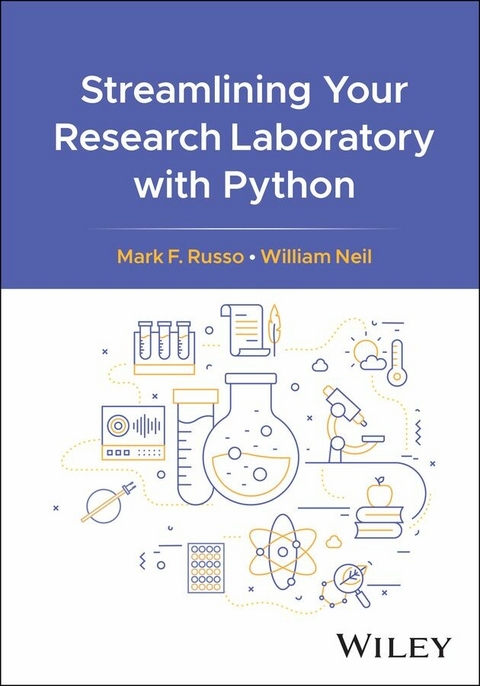
Streamlining Your Research Laboratory with Python (eBook)
1041 Seiten
Wiley (Verlag)
978-1-394-24989-3 (ISBN)

Enables scientists and researchers to efficiently use one of the most popular programming languages in their day-to-day work
Streamlining Your Research Laboratory with Python covers the Python programming language and its ecosystem of tools applied to tasks encountered by laboratory scientists and technicians working in the life sciences. After opening with the basics of Python, the chapters move through working with and analyzing data, generating reports, and automating the lab environment.
The book includes example processes within chapters and code listings on nearly every page along with schematics and plots that can clearly illustrate Python at work in the lab. The book also explores some real-world examples of Python's application in research settings, demonstrating its potential to streamline processes, improve productivity, and foster innovation.
Streamlining Your Research Laboratory with Python includes information on:
- Language basics including the interactive console, data types, variables and literals, strings, and expressions using operators
- Custom functions and exceptions such as arguments and parameters, names and scope, and decorators
- Conditional and repeated execution as methods to control the flow of a program
- Tools such as JupyterLab, Matplotlib, NumPy, pandas DataFrame, and SciPy
- Report generation in Microsoft Word and PowerPoint, PDF report generation, and serving results through HTTP and email automatically
Whether you are a biologist analyzing genetic data, a chemist scouting synthesis routes, an engineer optimizing machine parameters, or a social scientist studying human behavior, Streamlining Your Research Laboratory with Python serves as a logical and practical guide to add Python to your research toolkit.
Mark F. Russo, PhD is currently on the faculty in the Department of Computer Science at The College of New Jersey. Previously, he had a multi-decade professional career in biotech and pharma with a focus on scientific computing, automation, and scientific data.
William Neil is currently at Bristol Myers Squibb and has been working in the pharmaceutical industry since 1995.
Enables scientists and researchers to efficiently use one of the most popular programming languages in their day-to-day work Streamlining Your Research Laboratory with Python covers the Python programming language and its ecosystem of tools applied to tasks encountered by laboratory scientists and technicians working in the life sciences. After opening with the basics of Python, the chapters move through working with and analyzing data, generating reports, and automating the lab environment. The book includes example processes within chapters and code listings on nearly every page along with schematics and plots that can clearly illustrate Python at work in the lab. The book also explores some real-world examples of Python s application in research settings, demonstrating its potential to streamline processes, improve productivity, and foster innovation. Streamlining Your Research Laboratory with Python includes information on: Language basics including the interactive console, data types, variables and literals, strings, and expressions using operatorsCustom functions and exceptions such as arguments and parameters, names and scope, and decoratorsConditional and repeated execution as methods to control the flow of a programTools such as JupyterLab, Matplotlib, NumPy, pandas DataFrame, and SciPyReport generation in Microsoft Word and PowerPoint, PDF report generation, and serving results through HTTP and email automatically Whether you are a biologist analyzing genetic data, a chemist scouting synthesis routes, an engineer optimizing machine parameters, or a social scientist studying human behavior, Streamlining Your Research Laboratory with Python serves as a logical and practical guide to add Python to your research toolkit.
Chapter 1
Introduction
Python is one of the most popular programming languages, and for good reasons. Among the principles that guide the design of the language, called the Zen of Python, is the principle that Readability Counts. You will discover this repeatedly throughout your learning journey. Unlike source code that you may have encountered in the past written in other programming languages, Python will not appear to the untrained eye as an undiscovered form of hieroglyphics. If written well, Python source code can be relatively easy to read and understand, and it can be equally straightforward to write. Perhaps this is what has driven the popularity of Python.
As a general-purpose programming language, you will find that learning Python provides you with the power to solve virtually any computing problem that you may encounter. This includes data collection and processing, instrument control, scientific computations, publication quality graphing, report generation, and much more. Many of these packages are designed to solve the kinds of scientific problems encountered in a research laboratory. We will cover many of the most popular and widely used scientific Python packages. When combining Python’s clean and simple syntax with over 600,000 packages that are freely available in the Python Package Index (PyPI), you will find that you have at your fingertips an incredibly powerful toolkit to solve authentic scientific and research laboratory problems.
Another incredible feature of Python is that it has been selected as one of the two most popular languages used for Data Science. As a research scientist, experimental data is likely the lens through which you learn about the world. While you may never need the full range of advanced numerical, statistical, and modeling features required by a professional data scientist, it is no doubt that you will benefit from the power of Python to operate legitimately in the Data Science field.
Finally, it is worth noting that Python is an open-source language, which means it is free to use and has a large and active community of developers. This community continuously maintains and improves Python’s vast array of libraries and other tools, making it a robust platform for scientific research. Python is available for most operating systems, which ensures that you will be able to run it wherever you need it, even on microcontrollers.
1.1 Python Implementations
Although not formally standardized like other programming languages such as C, C++, and JavaScript, the Python language syntax is defined by The Python Language Reference [1] as well as its reference implementation in C called CPython, which is available for all major operating systems. Both the language reference documentation and CPython implementation are available from Python’s official website at https://www.python.org [2].
Python may be implemented by anyone on any platform. Consequently, and due to its significant popularity, you will find Python available on almost every computing platform. In addition to CPython, which is available for all major operating systems, including Windows, MacOS, and Linux, an implementation of Python called IronPython has been implemented for the .Net runtime [3], Jython has been implemented for the Java Virtual Machine (JVM) [4], and at least two Python subsets that run on microcontrollers: MicroPython [5] and CircuitPython [6]. A version of Python has even been implemented in Python itself, appropriately called PyPy [7].
More recently, CPython and many of its most important packages have been compiled to WebAssembly [8]. WebAssembly is a stack-based virtual machine that runs entirely in and is confined by, a web browser. The WebAssembly port of Python is called Pyodide [9]. Pyodide allows us to run Python in a web browser without the need to install it first. Pyodide is an important option for laboratory scientists because laboratory computers are often locked down for security reasons. Typically, the primary purpose of a lab computer is to operate an attached instrument or process data, not to perform general-purpose computing. For security reasons, it is often the case that installing new software is strictly forbidden. Fortunately, because the entire Pyodide Python environment may be loaded into a web browser directly, Pyodide provides a means to access the power of Python without the need to convince your IT team to grant you the elevated privileges required to install software.
No matter which implementation of Python you choose, your knowledge of the Python programming language will be instrumental in helping you streamline your laboratory operations.
1.2 Installing the Python Toolkit
To install CPython, visit the official Python home page at https://www.python.org/ and click the Downloads link [2]. An appropriate installer for your operating system will be offered. Download and run the installer. Python will be installed for you on your computer.
To test your installation, open a terminal program and enter the python command. Many terminal programs are available and will change based upon your computer’s operating system. On MacOS and Linux, you should find Terminal as one of your program options. On Windows, you may use PowerShell, Command Prompt, or another option. But no matter which terminal program you use, simply enter the python or python3 command into the terminal program and press Enter. This command will run the Python Interactive Console, which you may use to execute Python commands interactively.
To exit the Python console, enter the Python command exit(). See Figure 1.1 for an example.
Figure 1.1 The Python Interactive Console running in Windows PowerShell.
If the installation of Python is successful but you are still having problems starting the Python console, our experience suggests that the problem lies with your operating system’s ability to find the Python executable. Investigate where Python was installed and make sure that the path location is included in your PATH environment variable. Also check that you have the necessary permissions to access and execute the python program.
1.3 Python 3 vs. Python 2
Python 3 was introduced to the community in 2008 as a “breaking change” version of Python. Programs written for the previous Python 2 would not run in Python 3 due to significant changes to syntax and other implementation details. This change was necessary because several of the design decisions made for Python 2 needed an upgrade to make the language more suitable for modern applications. Some changes made to Python 3 were fundamental, including the way binary data is stored and processed.
There was a significant number of existing Python 2 programs in production around the world when Python 3 was announced. It is no surprise that many Python 2 programmers were less than enthusiastic about porting their source code to Python 3. Nevertheless, Python 2 was scheduled to be retired in 2015, but the resistance was so strong that this date had to be delayed. It wasn’t until January 1, 2020 that Python 2 was finally and fully retired.
Even though Python 2 has been retired and it no longer receives security patches, you can still install and use it. If you have a version of Python 2 installed, please resist the urge to use it to write new programs and install Python 3 instead. For guidance porting Python 2 code to Python 3, refer to Python’s own porting guide [10]. If you need both versions of Python available, you may install Python 3 with Python 2 and use them both simultaneously. With both versions of Python installed, run Python 3 from a terminal using the python3 command in place of the python command. To make sure you have a recent version of Python 3 installed, you can enter the following command into a terminal. In this book we use Python 3 exclusively.
python --version 1.4 Python Package Index
One of Python’s mottos is “batteries included,” and for a good reason. A Python distribution comes with a huge library of prewritten modules for you to use and build upon. While it’s true that a Python distribution includes quite a few “batteries,” it is not possible to include them all.
If a module is not shipped with Python, there is a good chance someone in the Python community has contributed a module that will help you. Additional Python modules are distributed through a Python package repository, with the two most popular being the PyPI [11] and the Package Repository for Anaconda [12]. Anaconda is an exceptional platform that provides high quality Python installations, package distributions, and other open-source resources. Importantly, it also offers paid support plans, which may be critical for businesses that depend upon Python as part of their core operations. In the following, we describe how to use PyPI for installing additional Python packages.
The PyPI provides a way for package authors to post their open-source Python packages, and for package users to find and install Python packages that are not distributed with Python. The PyPI hosts over 600,000 freely available Python packages ready for you to install and use. If you need something specific, there is a good chance that the PyPI has a package for that.
Python packages are...
| Erscheint lt. Verlag | 2.6.2025 |
|---|---|
| Sprache | englisch |
| Themenwelt | Naturwissenschaften ► Chemie |
| Schlagworte | python analyze data • python biology • python chemistry • python engineering • python generate reports • Python guide • python laboratory • python researchers • python resources • python scientists • python social sciences |
| ISBN-10 | 1-394-24989-6 / 1394249896 |
| ISBN-13 | 978-1-394-24989-3 / 9781394249893 |
| Informationen gemäß Produktsicherheitsverordnung (GPSR) | |
| Haben Sie eine Frage zum Produkt? |
 EPUB (Adobe DRM)
Kopierschutz: Adobe-DRM
Adobe-DRM ist ein Kopierschutz, der das eBook vor Mißbrauch schützen soll. Dabei wird das eBook bereits beim Download auf Ihre persönliche Adobe-ID autorisiert. Lesen können Sie das eBook dann nur auf den Geräten, welche ebenfalls auf Ihre Adobe-ID registriert sind.
Details zum Adobe-DRM
Dateiformat: EPUB (Electronic Publication)
EPUB ist ein offener Standard für eBooks und eignet sich besonders zur Darstellung von Belletristik und Sachbüchern. Der Fließtext wird dynamisch an die Display- und Schriftgröße angepasst. Auch für mobile Lesegeräte ist EPUB daher gut geeignet.
Systemvoraussetzungen:
PC/Mac: Mit einem PC oder Mac können Sie dieses eBook lesen. Sie benötigen eine
eReader: Dieses eBook kann mit (fast) allen eBook-Readern gelesen werden. Mit dem amazon-Kindle ist es aber nicht kompatibel.
Smartphone/Tablet: Egal ob Apple oder Android, dieses eBook können Sie lesen. Sie benötigen eine
Geräteliste und zusätzliche Hinweise
Buying eBooks from abroad
For tax law reasons we can sell eBooks just within Germany and Switzerland. Regrettably we cannot fulfill eBook-orders from other countries.
aus dem Bereich