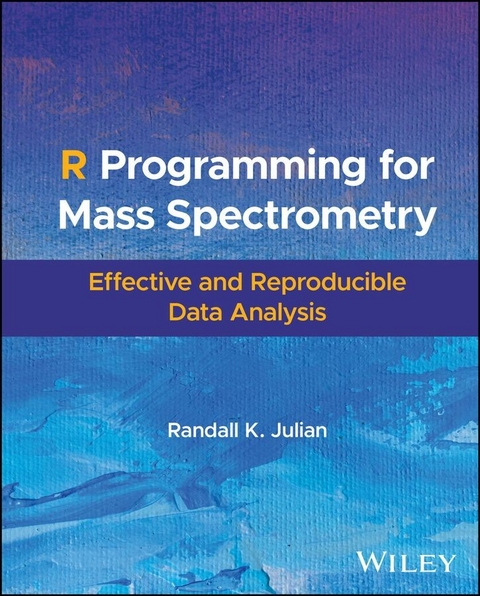
R Programming for Mass Spectrometry (eBook)
1070 Seiten
Wiley (Verlag)
978-1-119-87239-9 (ISBN)
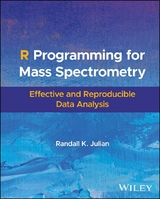
A practical guide to reproducible and high impact mass spectrometry data analysis
R Programming for Mass Spectrometry teaches a rigorous and detailed approach to analyzing mass spectrometry data using the R programming language. It emphasizes reproducible research practices and transparent data workflows and is designed for analytical chemists, biostatisticians, and data scientists working with mass spectrometry.
Readers will find specific algorithms and reproducible examples that address common challenges in mass spectrometry alongside example code and outputs. Each chapter provides practical guidance on statistical summaries, spectral search, chromatographic data processing, and machine learning for mass spectrometry.
Key topics include:
- Comprehensive data analysis using the Tidyverse in combination with Bioconductor, a widely used software project for the analysis of biological data
- Processing chromatographic peaks, peak detection, and quality control in mass spectrometry data
- Applying machine learning techniques, using Tidymodels for supervised and unsupervised learning, as well as for feature engineering and selection, providing modern approaches to data-driven insights
- Methods for producing reproducible, publication-ready reports and web pages using RMarkdown
R Programming for Mass Spectrometry is an indispensable guide for researchers, instructors, and students. It provides modern tools and methodologies for comprehensive data analysis. With a companion website that includes code and example datasets, it serves as both a practical guide and a valuable resource for promoting reproducible research in mass spectrometry.
Randall K. Julian, Jr., PhD, is the founder and CEO of Indigo BioAutomation, where his team uses cloud computing, signal processing, and advanced algorithms to automatically analyze millions of mass spectrometry samples for diagnostic and hospital labs. Indigo's technology powers advanced diagnostic instruments worldwide. Dr. Julian also leads Indigo's AI/ML research team and is an Adjunct Professor of Chemistry at Purdue University. He co-developed several short courses on using R for mass spectrometry, which he teaches at international scientific conferences.
A practical guide to reproducible and high impact mass spectrometry data analysis R Programming for Mass Spectrometry teaches a rigorous and detailed approach to analyzing mass spectrometry data using the R programming language. It emphasizes reproducible research practices and transparent data workflows and is designed for analytical chemists, biostatisticians, and data scientists working with mass spectrometry. Readers will find specific algorithms and reproducible examples that address common challenges in mass spectrometry alongside example code and outputs. Each chapter provides practical guidance on statistical summaries, spectral search, chromatographic data processing, and machine learning for mass spectrometry. Key topics include: Comprehensive data analysis using the Tidyverse in combination with Bioconductor, a widely used software project for the analysis of biological dataProcessing chromatographic peaks, peak detection, and quality control in mass spectrometry dataApplying machine learning techniques, using Tidymodels for supervised and unsupervised learning, as well as for feature engineering and selection, providing modern approaches to data-driven insightsMethods for producing reproducible, publication-ready reports and web pages using RMarkdown R Programming for Mass Spectrometry is an indispensable guide for researchers, instructors, and students. It provides modern tools and methodologies for comprehensive data analysis. With a companion website that includes code and example datasets, it serves as both a practical guide and a valuable resource for promoting reproducible research in mass spectrometry.
Chapter 1
Data Analysis with R
This chapter will give an overview of R, the base R libraries, the Tidyverse packages, the Bioconductor project, and RMarkdown. I will also describe R scripting and the RStudio integrated development environment (IDE). If you are familiar with these topics, feel free to skip this introduction. The goal is for you to have a working R development environment, understand the basic ideas behind the tidyverse and the Bioconductor projects, and be able to use libraries and packages from both Comprehensive R Archive Network (CRAN) and Bioconductor.
1.1 Introduction
The R programming language [19] is an open-source project inspired by both the S language [20] and Scheme [21]. Over the decades since its initial development, the data science community has embraced R to an extraordinary level. While you can use almost any programming language for data science, R was one of the first freely accessible languages to make statistics its primary focus. Statistics is one of those subjects in which experts are practically necessary. For a nonstatistician, having highly reliable statistical functions improves the quality of analysis, especially compared to writing statistical algorithms from scratch. R is an interpreted language, and a community of dedicated experts continually updates it. Some of the best computational statisticians in the world actively support the statistical functions available in R. On top of these incredible contributions, the applied statistical community has created a fantastic array of add-in packages to handle specific analysis requirements. The core components of R and its vast library of packages allow for a wide range of statistical and visual analyses.
So why learn a programming language like R instead of just using a spreadsheet program like Excel? That’s a good question, which has a good answer. Excel has become very powerful over the years but has significant drawbacks for demanding data analysis tasks. First, each cell in a spreadsheet can be any data type; you can’t tell what it is by looking. A cell might look like a date, but it might also be a string. Or, it could have a formula that produces the content. The equation likely references other cells and is often created by cutting and pasting. Performing calculations this way makes all but the most trivial spreadsheets challenging to test and debug. Despite the limitations of spreadsheets, we almost all use spreadsheets for some tasks. But we have all experienced some errors when working with spreadsheets. This lack of robustness keeps most people working in data science away from spreadsheets. The one thing spreadsheets seem particularly good at is creating and editing text files (usually saved and loaded as comma-separated value or “CSV” files), but even here, trouble is just waiting to strike. CSV files often have a header that gives the names of the columns. When loaded into a spreadsheet, this row becomes another row in the sheet. When a spreadsheet has no header row in the data, a text file created from it will also have no header. At first, this may seem trivial, but since the top of a spreadsheet shows the names of the columns assigned by the program, the application-specific column names need to appear as text in the first data row. If someone reads the resulting text file assuming that a header is present and it’s not, then the first row of numeric data can be consumed as the header, and all of the data will then be loaded as if the read function skipped the first row. Again, while it sounds trivial, but mishandling header rows in spreadsheets has done tremendous damage to data analysis over the years. If you use a spreadsheet to help edit data, be careful in later analysis steps.
Another famous problem with spreadsheets is that some information will be interpreted by programs like Excel as dates when they are strings that look like dates. Excel will quietly change your data without warning, and if you don’t catch it, then when you save your file, some of the values may be corrupted by the string-to-date conversion. You can see a concrete example of this error: load a file that contains chemical abstract service (CAS) registry numbers. If you load the CAS number 6538-02-9 into Excel, for example, it will convert it into the date 2-9-6538, and then when you convert it to a number, you will get 1694036 (this is from an actual Microsoft support case from 2017 which I reproduced at the time of writing). People doing data science use spreadsheets all the time, but you have to be very careful and look for at least these two big problems.
You can perform data analysis in any computer programming language. While I will not cover them, Python and Julia are first-rate languages and good choices for any data analysis project. Python, in particular, has been the go-to language for the exploding machine-learning community. Like R, Python is an interpreted language with excellent community support. Many data analysts learn R and Python and switch between them depending on the project. The main difference is that the central focus of statistical analysis in R, whereas Python is a general programming language with good statistical libraries. Julia is different. Its community motto is: “Walk like Python; Run like C.” Julia is faster than Python and R in most cases, depending on the libraries you use. I encourage everyone working in data analysis to become familiar with Python and R. It will also pay to be aware of Julia. All three languages will run as automated scripts, and all three have development environments for writing more complex programs. Recently, there has been a trend toward using a notebook environment for programming, especially for Python with its almost addictive Jupyter Notebook system. Notebook environments allow mixing code with text by putting each in different types of cells. Opening a notebook and typing in natural language in some cells and code in others is a very agile way to work with code and data. However, working in a notebook can sometimes produce a mindset that you are not actually developing a program but just a document with some code mixed in. That mindset can lead to a lot of cut-and-paste programming, and other programming practices can make for messy and hard-to-reproduce analysis. It’s not a defect of the notebook concept but something to guard against when using them. Some people will start in a notebook environment, and if the program becomes complex, they will switch to an IDE. The method of mixing natural language text and code is so powerful that the approach can be used directly in the RStudio IDE for R. With RStudio, you don’t have to choose between working in an IDE or a notebook since both practices are supported.
R supports mixing natural language and code using the knitr package to implement literate programs [22], introduced below. One of my main objectives here is to show analysts how to improve the reproducibility of mass spectrometry data analysis. I will return to using R combined with knitr and RMarkdown to create literate programs throughout the book.
1.2 Modern R Programming
This section will teach you how to use R as a scripting language for batch processing and from within the IDE RStudio. Further, you will learn about the base packages of R and the modern approaches to data management and analysis introduced by the tidyverse collection of packages, including the plotting system provided by the ggplot2 package.
1.2.1 R as a Scripting Language
As described earlier, R belongs to the family of interpreted languages. In UNIX-type systems, languages like Perl, Shell-scripts, Ruby, and Python can be run as scripts by the OS. Any R program can be typed into a text editor and run from the command line as a script.
Take this trivial program:
# This program should be saved in a file called "hello.R" print("Hello, R") To run this example and have the output display on in the console, you can use the Rscript program:
Rscript hello.R The output to the console will be:
[1] "Hello, R" When you want to run an R program as part of a noninteractive, automated process, you can use batch mode. Running in batch mode allows you to pass arguments to the program and have the output go to a file rather than the console. Starting the R interpreter with the options CMD BATCH puts the program into batch mode. The R interpreter will assume that the working directory is the current directory, which you may need to change depending on how your system runs automated scripts.
# leading './' is for the macOS, change this for your OS R CMD BATCH ./hello.R This will send all of the output of the program to a file called hello.Rout In this case, it is the output:
R version 4.3.1 (2023-06-16) -- "Beagle Scouts" Copyright (C) 2023 The R Foundation for Statistical Computing Platform: aarch64-apple-darwin20 (64-bit) R is free software and comes with ABSOLUTELY NO WARRANTY. You are welcome to redistribute it under certain conditions. Type 'license()' or 'licence()' for distribution details. Natural language support but running in an English...| Erscheint lt. Verlag | 13.5.2025 |
|---|---|
| Sprache | englisch |
| Themenwelt | Naturwissenschaften ► Chemie |
| Schlagworte | bioconductor • chromatograms • Data Visualization • dynamic reports • machine learning • Mass spectrometry data • Peak Detection • raw mass spectrometry data • RMarkdown • spectral search • statistical summary • Tabular Data • Tidymodels • tidyverse • wrangling data sources |
| ISBN-10 | 1-119-87239-1 / 1119872391 |
| ISBN-13 | 978-1-119-87239-9 / 9781119872399 |
| Informationen gemäß Produktsicherheitsverordnung (GPSR) | |
| Haben Sie eine Frage zum Produkt? |
 EPUB (Adobe DRM)
Kopierschutz: Adobe-DRM
Adobe-DRM ist ein Kopierschutz, der das eBook vor Mißbrauch schützen soll. Dabei wird das eBook bereits beim Download auf Ihre persönliche Adobe-ID autorisiert. Lesen können Sie das eBook dann nur auf den Geräten, welche ebenfalls auf Ihre Adobe-ID registriert sind.
Details zum Adobe-DRM
Dateiformat: EPUB (Electronic Publication)
EPUB ist ein offener Standard für eBooks und eignet sich besonders zur Darstellung von Belletristik und Sachbüchern. Der Fließtext wird dynamisch an die Display- und Schriftgröße angepasst. Auch für mobile Lesegeräte ist EPUB daher gut geeignet.
Systemvoraussetzungen:
PC/Mac: Mit einem PC oder Mac können Sie dieses eBook lesen. Sie benötigen eine
eReader: Dieses eBook kann mit (fast) allen eBook-Readern gelesen werden. Mit dem amazon-Kindle ist es aber nicht kompatibel.
Smartphone/Tablet: Egal ob Apple oder Android, dieses eBook können Sie lesen. Sie benötigen eine
Geräteliste und zusätzliche Hinweise
Buying eBooks from abroad
For tax law reasons we can sell eBooks just within Germany and Switzerland. Regrettably we cannot fulfill eBook-orders from other countries.
aus dem Bereich