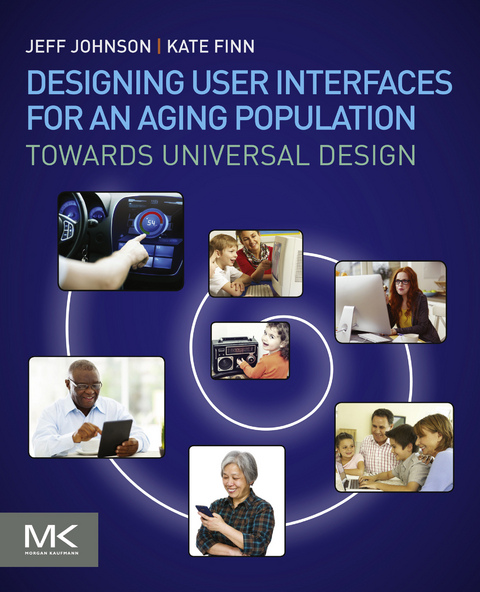
Designing User Interfaces for an Aging Population (eBook)
258 Seiten
Elsevier Science (Verlag)
978-0-12-804512-1 (ISBN)
Jeff Johnson is an Assistant Professor of Computer Science at the University of San Francisco. He is also a principal at Wiser Usability, a consultancy focused on elder usability. After earning B.A. and Ph.D. degrees from Yale and Stanford, he worked as a UI designer, implementer, manager, usability tester, and researcher at Cromemco, Xerox, US West, Hewlett-Packard, and Sun. He has taught at Stanford, Mills, and the University of Canterbury. He is a member of the ACM SIGCHI Academy and a recipient of SIGCHI's Lifetime Achievement in Practice Award. He has authored articles on a variety of topics in HCI, as well as the books GUI Bloopers (1st and 2nd eds.), Web Bloopers, Designing with the Mind in Mind (1st and 2nd eds.), Conceptual Models: Core to Good Design (with Austin Henderson), and Designing User Interfaces for an Aging Population (with Kate Finn).
Designing User Interfaces for an Aging Population: Towards Universal Design presents age-friendly design guidelines that are well-established, agreed-upon, research-based, actionable, and applicable across a variety of modern technology platforms. The book offers guidance for product engineers, designers, or students who want to produce technological products and online services that can be easily and successfully used by older adults and other populations. It presents typical age-related characteristics, addressing vision and visual design, hand-eye coordination and ergonomics, hearing and sound, speech and comprehension, navigation, focus, cognition, attention, learning, memory, content and writing, attitude and affect, and general accessibility. The authors explore characteristics of aging via realistic personas which demonstrate the impact of design decisions on actual users over age 55. - Presents the characteristics of older adults that can hinder use of technology- Provides guidelines for designing technology that can be used by older adults and younger people- Review real-world examples of designs that implement the guidelines and the designs that violate them
Designing User Interfacesfor an Aging Population 2
Designing User Interfaces for an Aging Population: Towards Universal Design 4
Copyright 5
Contents 6
Foreword 12
Acknowledgments 16
AUTHORS’ INDIVIDUAL ACKNOWLEDGMENTS 17
1 - Introduction 18
WHAT DOES “AN AGING WORLD” MEAN? 19
WHY SHOULD THE AGING OF THE WORLD’S POPULATION MATTER TO DESIGNERS? 20
DO WE REALLY NEED YET ANOTHER SET OF DESIGN GUIDELINES FOR YET ANOTHER SUBGROUP? 21
A distinguished heritage: other usability guidelines 21
What about accessibility guidelines? 22
What makes this book’s guidelines different? 24
MOVING FORWARD 27
ORGANIZATION OF BOOK 27
NOTE 29
Left-to-right languages 29
2 - Meet Some Older Adults 30
WHO ARE WE TALKING ABOUT? 30
THE NAMING OF THINGS IS A DIFFICULT MATTER 31
SOMETIMES, AGE REALLY IS JUST A NUMBER 32
CHARACTERISTICS OF SOME OLDER ADULTS 34
Online versus offline 34
Digital device ownership 35
A generation gap, or something else? 36
Birth generations 36
Digital natives and digital immigrants 36
Technology generations 38
PERSONAS FOR THIS BOOK 39
Carolina 40
Hana 40
John 41
Monika 41
Stefano 42
Wong 42
3 - Vision 44
CHARACTERISTICS OF VISION IN OLDER ADULTS 45
Reduced visual acuity 45
Farsightedness 45
Narrowing of peripheral vision 46
DESIGN GUIDELINES THAT HELP OLDER ADULTS (AND OTHERS!) 59
3.1 Maximize legibility of essential text 59
3.2 Simplify: Remove unnecessary visual elements 62
3.3 Visual language: Create an effective graphical language and use it consistently 64
3.4 Use color judiciously 65
3.5 Position important content where users will start looking 68
3.6 Group related content visually 69
3.7 Take care when relying on scrolling 69
3.8 Provide text alternatives for nontext content 69
4 - Motor Control 72
MOTOR CONTROL IN OLDER ADULTS 73
Reduced manual dexterity (fine motor control) 73
Reduced hand–eye coordination 73
Slower movement 76
Increased variance in movements 76
Reduced strength and stamina 78
DESIGN GUIDELINES THAT HELP OLDER ADULTS (AND OTHERS!) 80
4.1a Make sure users can hit targets(desktop and laptop computers) 80
4.1b Make sure users can hit targets(touch-screen devices) 81
4.2a Keep input gestures simple(desktop and laptop computers) 85
4.2b Keep input gestures simple(touch-screen and touch pad) 86
4.3 Make it obvious when a target has been selected 87
4.4 Minimize the need to use the keyboard 87
4.5 For touch-screen devices, provide within-app training on gestures, if possible 88
4.6 Allow users plenty of time to complete operations 88
4.7 Avoid causing physical strain 88
5 - Hearing and Speech 90
AGE-RELATED CHANGES IN HEARING 90
Reduced ability to hear low-volume sounds 92
Reduced sensitivity to high-frequency sounds 93
Reduced ability to localize sounds 94
Reduced ability to filter out background noise 95
Reduced ability to understand fast speech 96
Poor hearing + other deficits = double trouble! 96
AGE-RELATED CHANGES IN SPEECH 96
Slower, more hesitant speech 97
Higher pitched voice 97
Reduced articulation 97
DESIGN GUIDELINES THAT HELP OLDER ADULTS (AND OTHERS!) 97
5.1 Ensure that audio output is audible 97
5.2 Minimize background noise 98
5.3 Convey important information in multiple ways 98
5.4 Allow users to adjust device output 99
5.5 Make speech output as normal as possible 100
5.6 Provide an alternative data entry method for people who cannot use the main one 100
6 - Cognition 102
COGNITION IN OLDER ADULTS 102
Reduced short-term (working) memory capacity 103
Less effective long-term memory storage and retrieval (i.e., learning) 105
Less generalization (skill transfer) between situations 107
Diminished ability to ignore distractions and focus attention 107
Reduced ability to multitask 109
Declining spatial memory and control of attention affect ability to navigate 110
Increased risk of cognitive “blindness” 112
Slower responses slower processing speed
Cognitive interactions 114
DESIGN GUIDELINES THAT HELP OLDER ADULTS (AND OTHERS!) 115
6.1 Design for simplicity 115
6.2 Help users maintain focus 116
6.3 Simplify navigation structure 117
6.4 Clearly indicate the progress and status of operations 118
6.5 Make it easy for users to return to aknown and “safe” starting place 119
6.6 Let users see where they are at a glance 121
6.7 Minimize the need for users to manage multiple windows 121
6.8 Avoid burdening users’ memory 122
6.9 Minimize impact of errors on users 122
6.10 Use terms consistently and avoid ambiguous terminology 123
6.11 Use strong words to label page elements 125
6.12 Use writing style that is concise, plain, and direct 125
6.13 Don’t rush users. Allow them plentyof time 126
6.14 Keep layout, navigation, and interactive elements consistent across pages andscreens 127
6.15 Design to support learning and retention 128
6.16 Help users with input 129
6.17 Provide on-screen help 131
6.18 Arrange information in order of its importance 131
7 - Knowledge 136
DIGITAL TECHNOLOGY KNOWLEDGE GAP IN OLDER ADULTS 137
Lack of familiarity with digital technology terms and acronyms 138
Lack of familiarity with digital technology icons 139
Do not know control gestures 140
Outdated understanding… 141
…But more domain knowledge 143
DESIGN GUIDELINES THAT HELP OLDER ADULTS (AND OTHERS!) 144
7.1 Organize content to match users’ knowledge and understanding 145
7.2 Use vocabulary familiar to your audience 146
7.3 Don’t assume the user has a correct mental model of the device, app, or website 148
7.4 Help users predict what buttons do and where links go 148
7.5 Make instructions easy to understand 148
7.6 Minimize the negative impact on usersof new versions 151
7.7 Label interactive elements clearly 151
8 - Search 154
AGE-RELATED DIFFERENCES IN KEYWORD SEARCH 154
Slower entry of search queries 154
More repeated searches 154
Less successful searches 155
But greater knowledge can compensate 155
DESIGN GUIDELINES THAT HELP OLDER ADULTS (AND OTHERS!) 155
8.1 Help users construct successful queries 155
8.2 Design search results to be friendlyto users 158
9 - Attitude 162
OLDER ADULTS’ ATTITUDES TOWARD TECHNOLOGY USAGE 162
More risk-averse 162
Often get frustrated, give up 163
Tendency to assign blame (to self, app, or designers) 164
Tendency to not consider oneself “old” and to avoid products designed for “elderly” 165
DESIGN GUIDELINES THAT HELP OLDER ADULTS (AND OTHERS!) 166
9.1 Be flexible in how users can enter, save, and view data 166
9.2 Earn users’ trust 167
9.3 Make your design appeal to all your users, including older adults 171
9.4 Provide ready access to information users might want 173
10 - Working With Older Adults 176
OLDER ADULTS AS PARTICIPANTS IN DESIGN AND EVALUATION 177
Older adults may be unfamiliar with usability studies or participatory design 177
Recruiting older adults as participants 178
Older adults’ self-presentation to researchers 178
Older adults’ behavior during a design or usability evaluation session 178
Data collection and evaluation with older adults 179
GUIDELINES FOR WORKING WITH OLDER ADULTS 179
10.1 Choose a study design or protocol suited to the population 179
10.2 Identify potential design or usabilitystudy participants 184
10.3 Recruit and schedule participants 185
10.4 Plan the activity with extra attention to older-adult-centric details 190
10.5 Be especially mindful when conductingan activity with older adult participants 193
10.6 Have an ethical “exit strategy” for your older adult participants 195
11 - Case Studies 198
OVERVIEW 198
ECAALYX TV USER INTERFACE 200
Background 200
User Research Phase 201
Prototyping, Evaluation, and Redesign Phase 201
EXAMPLE 1. CARD SORTING TO CHOOSE APPROPRIATE ICONS 201
Formal usability evaluation 202
EXAMPLE 2. TESTING ABILITY TO ACCESS HIDDEN VIDEO CONTROL PANEL ON FULL SCREEN TV 202
Current status of eCAALYX 204
SMART COMPANION TO GOLIVEPHONE 204
Overview 204
The COLABORAR user network 205
Developing the basic metaphor 206
Evolution of the contacts application 206
Transformation of the Smart Companion look-and-feel 209
Current status 209
ASSISTANT, A SUPPORT TOOL FOR ELDERS USING PUBLIC TRANSPORTATION 210
Differences between ASSISTANT and other public transit systems 210
A phased and iterative approach 211
The web-based component 213
The Personal Navigation Device screen 214
SUBARU AUTO INFOTAINMENT SYSTEM 215
Really, just how bad is last place? 215
What does “intuitive” mean for Subaru buyers? 216
Groundbreaking methodology (at least, for the auto industry) 216
An iterative process with constant testing 217
Lessons learned from testing 222
Basing design decisions on consumer testing 224
Recommendations and key findings 225
Final remarks 226
VIRTUAL THIRD-AGE SIMULATOR FOR WEB ACCESSIBILITY 226
Introduction 226
Overview of simulator 227
Evaluation phase 233
12 - Summary and Conclusions 236
COMBINATIONS OF AGE DIFFERENCES 237
PARTING WORDS 239
Design and test with older adults 239
Review and discuss what you have learned 239
Appendix: Design Guidelines 240
VISION 240
MOTOR CONTROL 241
HEARING AND SPEECH 241
COGNITION 242
COGNITION—CONT’D 243
KNOWLEDGE 243
SEARCH 244
ATTITUDE 244
WORKING WITH OLDER ADULTS 245
References 246
Index 256
A 256
B 256
C 256
D 257
E 257
F 257
G 257
H 257
I 257
K 257
L 257
M 257
O 258
P 258
S 258
T 258
U 258
W 258
| Erscheint lt. Verlag | 16.2.2017 |
|---|---|
| Sprache | englisch |
| Themenwelt | Informatik ► Software Entwicklung ► User Interfaces (HCI) |
| Naturwissenschaften ► Biologie | |
| Sozialwissenschaften ► Kommunikation / Medien ► Medienwissenschaft | |
| Sozialwissenschaften ► Soziologie | |
| ISBN-10 | 0-12-804512-4 / 0128045124 |
| ISBN-13 | 978-0-12-804512-1 / 9780128045121 |
| Informationen gemäß Produktsicherheitsverordnung (GPSR) | |
| Haben Sie eine Frage zum Produkt? |
 EPUB (Adobe DRM)
Kopierschutz: Adobe-DRM
Adobe-DRM ist ein Kopierschutz, der das eBook vor Mißbrauch schützen soll. Dabei wird das eBook bereits beim Download auf Ihre persönliche Adobe-ID autorisiert. Lesen können Sie das eBook dann nur auf den Geräten, welche ebenfalls auf Ihre Adobe-ID registriert sind.
Details zum Adobe-DRM
Dateiformat: EPUB (Electronic Publication)
EPUB ist ein offener Standard für eBooks und eignet sich besonders zur Darstellung von Belletristik und Sachbüchern. Der Fließtext wird dynamisch an die Display- und Schriftgröße angepasst. Auch für mobile Lesegeräte ist EPUB daher gut geeignet.
Systemvoraussetzungen:
PC/Mac: Mit einem PC oder Mac können Sie dieses eBook lesen. Sie benötigen eine
eReader: Dieses eBook kann mit (fast) allen eBook-Readern gelesen werden. Mit dem amazon-Kindle ist es aber nicht kompatibel.
Smartphone/Tablet: Egal ob Apple oder Android, dieses eBook können Sie lesen. Sie benötigen eine
Geräteliste und zusätzliche Hinweise
Buying eBooks from abroad
For tax law reasons we can sell eBooks just within Germany and Switzerland. Regrettably we cannot fulfill eBook-orders from other countries.
aus dem Bereich