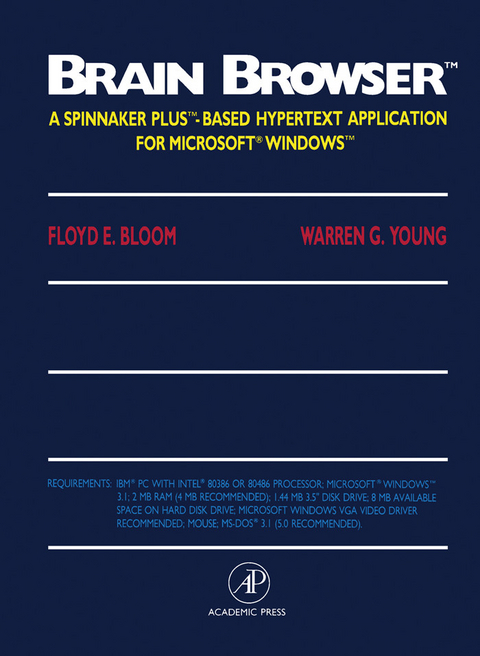
Brain Browser (eBook)
227 Seiten
Elsevier Science (Verlag)
9781483284934 (ISBN)
Floyd Bloom was the editor of Science magazine, now Brain Research.
Brain Browser is designed to assist researchers as well as beginning and advanced neuroscience students in their efforts to organize, analyze, and contribute to the growing detailed knowledge of the brain. Brain Browser serves as an electronic notebook for neuroanatomy and offers numerous educational and research applications.For the Student:Learn the organization and structure of the rat brainOrganize your knowledge of brain function and structureStore neuroanatomical references and terms in an efficient mannerFor the Advanced Neuroscientist:Add your own experimental results and build a personal databaseOrganize and recall multiple items of complexly interrelated dataDevelop a more efficient and organized way to write papers and do researchBrain Browser consists of four main Hypertext stacks:Learner introduces the beginner to rat brain organization and provides elementary coverage of circuits, cells, and neurotransmitters.NeuroNavigator presents a computer atlas based on The Rat Brain: In Stereotaxic Coordinates, by George Paxinos and Charles Watson (Academic Press, Second Edition, 1986).Linker is an extensive database of neuronal circuitry (the afferent and efferent connections between brain locations).DataMaker enables users to add or modify templates of the atlas plates with their own data.In addition, the Reference program, containing more than 320 references, links any desired reference to any data point. The Dictionary defines terms used in Brain Browser and allows users to add new entries.The program includes five high-density disks, a user's manual, and a complete tutorial. User support is provided by electronic mail on CompuServe(r). Department site licenses are available, as well as a buyer's frequency plan. Contact the publisher for complete details.Brain Browser(tm) is a trademark of The Scripps Research Institute.PLUS(tm) is a trademark of Spinnaker Software CorporationMicrosoft(r) Windows(tm) is a trademark of Microsoft Corporation.IBM(r) is a registered trademark of International Business Machines, Inc.CompuServe(r) is a registered trademark of CompuServe, Inc.Macintosh(r) is a registered trademark of Apple Computer Inc.Hypercard(r) is a registered trademark of Apple Computer Inc.Intel(r) is a registered trademark of Intel Corporation.
Front Cover 1
Brain Browser™: A Spinnaker PLUS™-Based Hypertext Application for Microsoft® Windows™ 4
Copyright Page 5
Table of Contents 6
NOTICE 8
CHAPTER 1. INTRODUCTION 10
Getting Started 14
Log In 17
Description of Learner 20
Description of NeuroNavigator 23
Description of Linker 25
Description of DataMaker 28
Conclusion 28
CHAPTER 2. TUTORIAL 30
Browsing through NeuroNavigator 31
Finding a Structure in NeuroNavigator 35
Making a New DataMaker Report 40
Making Electronic Notes in DataMaker 41
Entering Some Simple Data in DataMaker 44
Making Morphometric Measurements in DataMaker 49
Linking from NeuroNavigator to Linker 55
Displaying and Browsing through a Place Card and Its Circuit Connections 58
Creating a New Place for a Structure and Defining Circuit Connections 63
Adding a New Place to the List of Available Places 65
Adding Subplaces to the List of Available Places or Editing Subplaces 70
Searching for Some Linker Data and Making Reports 73
Creating DIFs for Data Exchange from Linker 85
Creating Aliases for the Nomenclature 90
Conclusion 96
CHAPTER 3. REFERENCE 98
Choose Page 99
Learner 105
NeuroNavigator 109
Search Results 120
Linker 123
DataMaker 165
Dictionary 185
References 191
Aliases 203
Report Screens 209
Toolbox 213
INDEX 214
| Erscheint lt. Verlag | 22.10.2013 |
|---|---|
| Sprache | englisch |
| Themenwelt | Mathematik / Informatik ► Informatik |
| Medizin / Pharmazie ► Medizinische Fachgebiete ► Neurologie | |
| Naturwissenschaften ► Biologie ► Humanbiologie | |
| Naturwissenschaften ► Biologie ► Zoologie | |
| Sozialwissenschaften ► Ethnologie | |
| Sozialwissenschaften ► Soziologie | |
| ISBN-13 | 9781483284934 / 9781483284934 |
| Informationen gemäß Produktsicherheitsverordnung (GPSR) | |
| Haben Sie eine Frage zum Produkt? |
 PDF (Adobe DRM)
Kopierschutz: Adobe-DRM
Adobe-DRM ist ein Kopierschutz, der das eBook vor Mißbrauch schützen soll. Dabei wird das eBook bereits beim Download auf Ihre persönliche Adobe-ID autorisiert. Lesen können Sie das eBook dann nur auf den Geräten, welche ebenfalls auf Ihre Adobe-ID registriert sind.
Details zum Adobe-DRM
Dateiformat: PDF (Portable Document Format)
Mit einem festen Seitenlayout eignet sich die PDF besonders für Fachbücher mit Spalten, Tabellen und Abbildungen. Eine PDF kann auf fast allen Geräten angezeigt werden, ist aber für kleine Displays (Smartphone, eReader) nur eingeschränkt geeignet.
Systemvoraussetzungen:
PC/Mac: Mit einem PC oder Mac können Sie dieses eBook lesen. Sie benötigen eine
eReader: Dieses eBook kann mit (fast) allen eBook-Readern gelesen werden. Mit dem amazon-Kindle ist es aber nicht kompatibel.
Smartphone/Tablet: Egal ob Apple oder Android, dieses eBook können Sie lesen. Sie benötigen eine
Geräteliste und zusätzliche Hinweise
Buying eBooks from abroad
For tax law reasons we can sell eBooks just within Germany and Switzerland. Regrettably we cannot fulfill eBook-orders from other countries.
aus dem Bereich