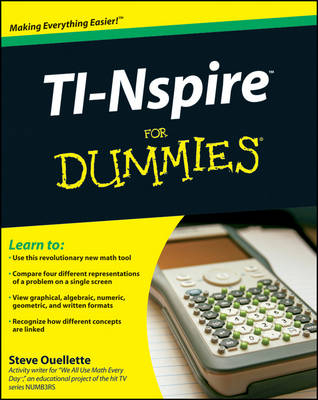
TI-Nspire For Dummies
John Wiley & Sons Ltd (Verlag)
978-0-470-37934-9 (ISBN)
- Titel erscheint in neuer Auflage
- Artikel merken
You'll be able to:* Set up your TI-Nspire, get familiar with the keypad, use the d, e, /, x, c, and b function keys, and configure system settings* View graphical, algebraic, numeric, geometric, and written formats* Grasp mathematical concepts more easily through multiple and linking representations* Recognize how different concepts are linked by watching how a change in one representation appears in others* Work with the calculator menu, tools, forms, and variables* Create documents, add problems, configure page layout, and save your work for assignments or class notes* Use the graphing functions in the analytic view and work with geometric objects in the plane geometry view* Create and manage lists and spreadsheets and use this application with others for statistical calculations* Install the corresponding software on your computer and connect the handheld device to your PC Written by a math teacher, TI-Nspire For Dummies helps students and educators alike take full advantage of this outstanding tool for teaching and learning math.
Steve Ouellette is Chair of the Mathematics Department at Westwood High School in Massachusetts. He has been an activity writer for "We All Use Math Every Day," a program that offered math teachers and students classroom projects related to the story line in each episode of the CBS hit series NUMB3RS.
Introduction. Part I: Getting to Know Your TI-Nspire Handheld. Chapter 1: Using TI-Nspire for the First Time. Chapter 2: Understanding the Document Structur. Chapter 3: Creating and Editing Documents. Chapter 4: Linking Handhelds. Part II: The Calculator Application. Chapter 5: Entering and Evaluating Expressions. Chapter 6: Working with Variables. Chapter 7: Using the Calculator Application with Other Applications. Chapter 8: Using the Calculator Application with TI-Nspire CAS. Part III: The Graphs & Geometry Application. Chapter 9: Working in the Analytic View. Chapter 10: Working in the Plane Geometry View. Chapter 11: Working in Both Views Simultaneously. Chapter 12: Using the Graphs & Geometry Application with TI-Nspire CAS. Part IV: The Lists & Spreadsheet Application. Chapter 13: Applying What You Already Know About Spreadsheets. Chapter 14: Working with Data. Chapter 15: Constructing Scatterplots and Performing Regressions. Chapter 16: Manual and Automatic Data Capture. Chapter 17: Using the Lists & Spreadsheet Application with TI-Nspire CAS. Part V: The Data & Statistics Application. Chapter 18: Constructing Statistical Graphs. Chapter 19: Working with Single-Variable Data. Chapter 20: Working with Two-Variable Data. Chapter 21: Data Collection. Part VI: The Notes Application. Chapter 22: The Why and How of Using Notes. Chapter 23: Taking Notes to a Whole New Level. Part VII: TI-Nspire Computer Software. Chapter 24: TI-Nspire Computer Link Software. Chapter 25: TI-Nspire Computer Software. Part VIII: The Part of Tens. Chapter 26: Ten Great Activities That Realize the Power of TI-Nspire. Chapter 27: Ten Great Tips and Shortcuts. Chapter 28: Ten Common Problems Resolved. Appendix A: Working with Libraries. Appendix B: Basic Programming. Index.
| Zusatzinfo | Illustrations |
|---|---|
| Verlagsort | Chichester |
| Sprache | englisch |
| Maße | 188 x 235 mm |
| Gewicht | 543 g |
| Einbandart | Paperback |
| Themenwelt | Mathematik / Informatik ► Mathematik |
| Sozialwissenschaften ► Pädagogik ► Bildungstheorie | |
| ISBN-10 | 0-470-37934-0 / 0470379340 |
| ISBN-13 | 978-0-470-37934-9 / 9780470379349 |
| Zustand | Neuware |
| Informationen gemäß Produktsicherheitsverordnung (GPSR) | |
| Haben Sie eine Frage zum Produkt? |
aus dem Bereich