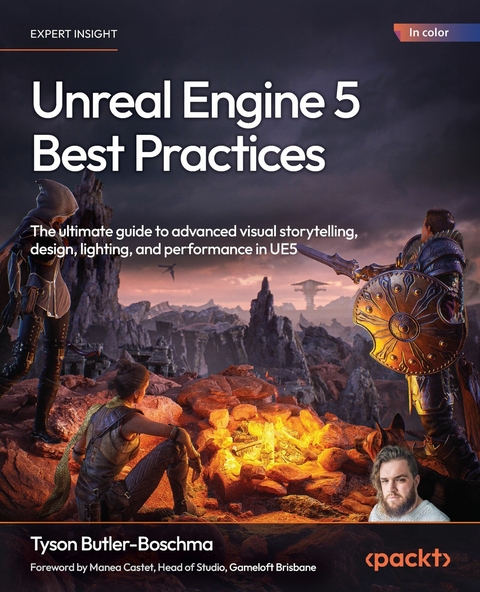
Unreal Engine 5 Best Practices (eBook)
360 Seiten
Packt Publishing (Verlag)
978-1-83620-564-7 (ISBN)
Written by multi-award-winning Unreal generalist Tyson J. Butler-Boschma, Founder and Creative Director of Toybox Games Studios, this book addresses common challenges you face when advancing your expertise in lighting, environment design, and cinematic storytelling. The chapters help you move quickly from mastering core skills to exploring the most innovative Unreal Engine 5 features, such as Lumen, ray tracing, Nanite, and Chaos Physics, to craft professional-quality immersive scenes and experiences.
Packed with actionable insights and step-by-step workflows, this hands-on guide teaches you how to optimize performance without sacrificing visual fidelity, use Unreal's built-in tools to create interactive environments, and implement cutting-edge techniques to enhance storytelling and interactivity. Each chapter features practical examples and troubleshooting tips to help you overcome real-world obstacles and bring your creative visions to life.
By the end of this book, you'll be fully equipped to design visually stunning, high-performance projects in Unreal Engine 5.
*Email sign-up and proof of purchase required
Sharpen your game development skills with UE5 using Lumen lighting, Nanite geometry, Sequencer, Chaos Physics, and advanced workflow theory to build optimized cinematics, interactive environments, and AAA-quality visualsFree with your book: DRM-free PDF version + access to Packt's next-gen Reader*Key FeaturesLeverage cutting-edge UE5 features like Lumen and Chaos Physics to create an immersive experienceDevelop interactive environments using Unreal s powerful built-in tools and advanced workflowsOptimize your UE5 projects for high performance without compromising visual fidelityBook DescriptionWritten by multi-award-winning Unreal generalist Tyson J. Butler-Boschma, Founder and Creative Director of Toybox Games Studios, this book addresses common challenges you face when advancing your expertise in lighting, environment design, and cinematic storytelling. The chapters help you move quickly from mastering core skills to exploring the most innovative Unreal Engine 5 features, such as Lumen, ray tracing, Nanite, and Chaos Physics, to craft professional-quality immersive scenes and experiences. Packed with actionable insights and step-by-step workflows, this hands-on guide teaches you how to optimize performance without sacrificing visual fidelity, use Unreal s built-in tools to create interactive environments, and implement cutting-edge techniques to enhance storytelling and interactivity. Each chapter features practical examples and troubleshooting tips to help you overcome real-world obstacles and bring your creative visions to life. By the end of this book, you ll be fully equipped to design visually stunning, high-performance projects in Unreal Engine 5. *Email sign-up and proof of purchase requiredWhat you will learnExplore advanced lighting techniques to create dynamic, realistic lighting using LumenBuild and edit assets directly inside Unreal with its built-in modeling toolsCraft compelling cinematic sequences with cameras and storytellingDesign stunning, immersive worlds through layout and composition designAdd destruction and realism with Chaos integrationProfile and boost efficiency across your projectsSolve real-world development challenges with tested UE5 strategiesWho this book is forThis UE5 book is for game designers, game developers, and artists who want to take their projects to the next level. Whether you're an intermediate user or an experienced Unreal generalist, you'll discover practical tips and advanced workflows for optimization, animation, lighting, cinematic design, and environment creation. While this guide offers some takeaways for novices, it primarily caters to seasoned technical artists, indie developers, and AAA veterans looking to enhance their storytelling, interactivity, and visual design skills in Unreal Engine 5.]]>
Contents
- Preface
- Part I: Mastering Lighting, Atmosphere, and Environment Design
- Lighting with Lumen and Advanced Techniques
- Free Benefits with Your Book
- Technical requirements
- Overview of Lumen as a dynamic global illumination solution
- Setting up Lumen in your project
- Mastering Lumen for indoor lighting
- Advanced Lumen for outdoor environments
- Combining Lumen with advanced lighting techniques
- Optimizing Lumen for performance
- Case studies: Lumen in action
- Troubleshooting Lumen issues
- Summary
- Further reading
- Atmospheric Effects and Visual Storytelling
- Technical requirements
- The role of atmosphere in visual storytelling
- Creating atmosphere with volumetric fog and light shafts
- Enhancing light shafts for cinematic effects
- Simulating weather effects for dynamic worlds
- Using post-processing for visual impact
- Combining atmosphere with narrative elements
- Summary
- Further reading
- Unreal’s Advanced Modeling Tools
- Part II: Advanced Interactivity and Game Design
- Designing Engaging Game Environments
| Erscheint lt. Verlag | 30.12.2025 |
|---|---|
| Vorwort | Manea Castet |
| Sprache | englisch |
| Themenwelt | Informatik ► Grafik / Design ► Film- / Video-Bearbeitung |
| Informatik ► Software Entwicklung ► Spieleprogrammierung | |
| ISBN-10 | 1-83620-564-3 / 1836205643 |
| ISBN-13 | 978-1-83620-564-7 / 9781836205647 |
| Informationen gemäß Produktsicherheitsverordnung (GPSR) | |
| Haben Sie eine Frage zum Produkt? |
 EPUB (Adobe DRM)
Größe: 36,8 MB
Kopierschutz: Adobe-DRM
Adobe-DRM ist ein Kopierschutz, der das eBook vor Mißbrauch schützen soll. Dabei wird das eBook bereits beim Download auf Ihre persönliche Adobe-ID autorisiert. Lesen können Sie das eBook dann nur auf den Geräten, welche ebenfalls auf Ihre Adobe-ID registriert sind.
Details zum Adobe-DRM
Dateiformat: EPUB (Electronic Publication)
EPUB ist ein offener Standard für eBooks und eignet sich besonders zur Darstellung von Belletristik und Sachbüchern. Der Fließtext wird dynamisch an die Display- und Schriftgröße angepasst. Auch für mobile Lesegeräte ist EPUB daher gut geeignet.
Systemvoraussetzungen:
PC/Mac: Mit einem PC oder Mac können Sie dieses eBook lesen. Sie benötigen eine
eReader: Dieses eBook kann mit (fast) allen eBook-Readern gelesen werden. Mit dem amazon-Kindle ist es aber nicht kompatibel.
Smartphone/Tablet: Egal ob Apple oder Android, dieses eBook können Sie lesen. Sie benötigen eine
Geräteliste und zusätzliche Hinweise
Buying eBooks from abroad
For tax law reasons we can sell eBooks just within Germany and Switzerland. Regrettably we cannot fulfill eBook-orders from other countries.
aus dem Bereich