Locked Up (eBook)
288 Seiten
Wiley (Verlag)
978-1-394-35705-5 (ISBN)
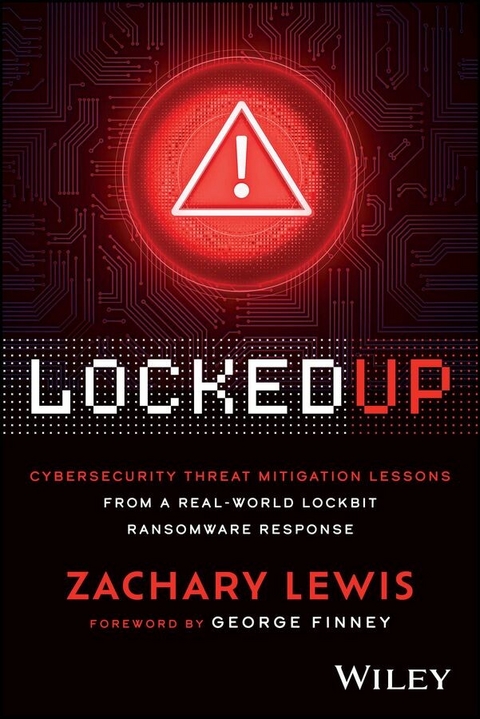
A gripping true story about one ransomware attack and the hands-on lessons you can learn from it
In Locked Up: Lessons Learned from A Real-World LockBit Ransomware Response, veteran IT and cybersecurity executive Zachary Lewis, delivers a gripping, first-person account of how a major university squared off against one of the world's most infamous ransomware groups: LockBit. He walks you through his personal experience battling - and negotiating with - LockBit, as well as the strategies, tools, and approaches he used in resolving the crisis.
The book is a detailed, darkly funny, and behind-the-scenes account of an increasingly common and feared event for organizations of all types and sizes. It offers up-to-date advice for people tasked with preventing, responding to, and recovering from ransomware attacks. You'll find:
- Insightful crisis management lessons applicable to both technical and business leaders
- Hands-on technical solutions you can apply to prevent catastrophic data loss during a ransomware event
- Techniques to manage the intense operational, emotional, and interpersonal challenges that arise in the midst of an unexpected crisis
Perfect for IT professionals, cybersecurity leaders, and business decision-makers in higher education, healthcare, government, and nonprofit organizations, Locked Up is also a must-read for business continuity planners, legal counsel, and anyone else with an interest in real-world cybersecurity.
ZACHARY LEWIS is a veteran IT executive with extensive experience in IT management, cybersecurity, risk mitigation, and budget oversight. He's an Assistant Vice President of IT and the Chief Information Security Officer at a private higher education institute.
Introduction: The Attack
April 13, 2023. 6:00 a.m. My chirping cellphone ringtone pierced the quiet and woke me up as I lay in bed next to my wife. My phone usually stays on “Do Not Disturb” when I sleep, except for emergency calls from work. Groggy, I checked the screen, thinking I must have forgotten to turn on Do Not Disturb mode. But my phone was on Do Not Disturb. Only a few people could bypass the silence filter, and the Administrative Systems team was one, so it immediately dawned on me it wasn't a social call. Something must be wrong if they called that early, but I still hoped it was nothing serious. Something that would need a simple fix—maybe a downed server or an unreachable website. Something I could resolve with a few keystrokes from my house…
“VPN is down,” the person on the other end of the phone said. “Active Directory is acting up, and some websites are offline.”
“Alright,” I said, rubbing my eyes, half‐annoyed. I got up, moved out of the bedroom and into the hall to avoid waking up my wife, and I told the admin I'd hop online and see if I could resolve this remotely. This was typical IT stuff, I thought. The kind of problems I deal with every month or so as the CISO of a private university. Surely this was nothing that couldn't be handled with a little patience and a few reboots. I headed downstairs, fired up my laptop, and convinced myself that I'd have this fixed and be back in bed before my kids woke up.
Surprisingly, as I tried to log in to our systems remotely, nothing responded. I had a backdoor that allowed me access to my office computer, and although I was able to get to that computer, nothing else would respond. No access to our internal network. It was clear now that this wasn't something I could fix remotely. The data center itself had gone dark, and we'd need boots on the ground to troubleshoot. From there, I figured the hardware was to blame, as most of our servers were well past their prime thanks to budget constraints and COVID‐19 supply chain issues. We had been nursing these servers along for months, waiting for new equipment that seemed like it was never going to arrive.
“Just a bad day for the old system,” I thought.
As I grabbed a pair of pants and stumbled out the door, I messaged our Network Director.
“We've got a serious problem. Network seems to be down. I'm heading in.”
His reply was typical. “I'll finish my morning routine and meet you there.” No one was dying, right?
“Morning routine?” I muttered to myself as I stormed out of the house and headed to my car. The Network Director clearly didn't see the urgency yet. Hell, I didn't fully see it either. In my mind, this was still just a routine outage. A pain in the ass, yes, but something we could sort out with a little troubleshooting. I messaged my supervisor, the university's COO, a single word: “Call,” and fortunately, he did on my drive in. I got him up to speed because he would likely need to play damage control while I worked.
Blue Cables and Code Red
By the time I arrived in the office, it was just after 7:00 a.m. The floor was quiet, which wasn't unusual, and the team started rolling in slowly, still waking up, looking relaxed. Most didn't know about the outage. The Network Director took his time getting settled in and making a coffee. He hadn't even asked a question yet. When he finally sauntered over, I was ready to burst.
“We've got a problem,” I told him, “And here's what I know…”
The first few hours were chaotic. We propped open the data center door for quick access. There was an 80‐foot, blue cable running from that data center back to the Network Director's office, snaking through the hallway. You could hear the whirl of the AC cooling units and servers from my office. As we dug through logs, checked connections and servers, the Mountain Dew Code Red cans kept stacking up. I couldn't tell you if we ate lunch that day. As hours went by, all of our troubleshooting kept pointing to one conclusion: hardware failure. Our data center runs on specialized software called a hypervisor (in this case, ESXi), which allows us to manage several virtual servers on a single physical machine. When the hypervisor fails, it's like the foundation of a building crumbling… Everything on top comes crashing down.
Our initial assessment was that the failure of some hardware component had caused all four of these hosts to restart suddenly. When they rebooted, the part of the hardware needed to start them up, the boot partition, had been corrupted, leaving everything offline. No booting meant no servers, and no servers meant our campus network was at a standstill. It made sense. These servers were old, the infrastructure was redundant but starting to have issues, and we were just weeks away from replacing the whole system.
We relied on our disaster recovery plan (DRP), and although it did not specifically account for this exact event, it provided similar recovery strategies that gave us a solid framework to work from. Our first step was identifying the most critical assets that were affected and prioritizing their restoration. At the top of that list was the Learning Management System (LMS), a software platform essential for delivering and managing educational content. Without it, students would not be able to access their courses, and faculty would not be able to teach, which would have caused a major disruption. Fortunately, because we had already migrated the LMS to the cloud, our main challenge was restoring authentication. Remember, Active Directory was down.
Overconfident and Overexposed
I stayed in the office the entire night of April 13. The vast majority of that time was spent on calls with the backup and recovery software reps and the hardware vendors. Thankfully, I had called my wife and told her I would be home late, so she didn't think I was up to some “extracurricular” activities. I would eventually come home at six in the morning and sleep for four or five hours before heading back to campus, without a full resolution.
On the morning of April 14, we connected with our LMS provider and fast‐tracked a single sign‐on (SSO) integration with Microsoft Azure AD, a cloud‐based identity and access management service that enables secure authentication across applications. A team member would need to step away from other recovery efforts, but if they could get SSO set up that day, we could restore user authentication for the LMS and avoid a different crisis. Plus, it was already on our roadmap. Win‐win. I'd take it.
Next, we focused on the hypervisor environment. We needed this back up so all of our VMs could either start or be restored from backup. My Network Director pulled off some amazing rebuilding during this time and managed to get the environment stood back up. We were finally able to start restoring servers from backup.
The next day, on April 15, I received a message from a user saying she had received a weird email that stated our servers and personal computers had been attacked and 75 GB of data had been stolen. Whatever. I didn't think much of it, other than a run‐of‐the‐mill phishing or spam email. Maybe a little scareware. No users had reported any encryption or ransomware. Our endpoint detection and response (EDR) tool, a security solution designed to detect, investigate, and respond to cyber threats on endpoints, was not flagging any signs of viruses or malware. Plus, we had all of the critical systems restored and running.
On April 19, the university held a preplanned campus‐wide town hall, and because the outage was on everyone's mind, the IT department provided an update. During that meeting, I naively reassured the CFO that we had everything under control. I practically declared victory, as if we had corrected the worst of the issues. Things were running at 100 percent again. We were good. That confidence was about to come back and bite me… Hard. Looking back, I laugh at that moment. We were functioning again, yes. But the systems weren't just failing, they were being failed.
From Glitch to Nightmare
For the first time in days, we allowed ourselves a sigh of relief as we began settling back into the rhythm of normal operations. That sense of calm didn't last long. Early the next morning, on April 20, at exactly 8:05 a.m., the system crashed. Again. When they say “end of life,” they mean it. We had to keep this puppy on life support for a few more weeks.
The team was running on fumes. Helpdesk techs were drained from fielding endless calls and complaints about systems that were barely holding together. Meanwhile, the system admins were burned out, juggling manual processes that had once been automated while scrambling to troubleshoot yet another outage. There was nothing to do but push forward. Every sign still pointed to a hardware issue, so we fell back on the same recovery plan, hoping our previous fixes would bring the system back to life for a few more weeks, ideally before the weekend.
That hope quickly faded. Despite our best efforts, we couldn't access the files needed to restore the hypervisor environment the way we had the first time.
On April 21, still focused on what we thought was a technical problem, I was combing through our hypervisor host files,...
| Erscheint lt. Verlag | 16.12.2025 |
|---|---|
| Sprache | englisch |
| Themenwelt | Mathematik / Informatik ► Informatik ► Netzwerke |
| ISBN-10 | 1-394-35705-2 / 1394357052 |
| ISBN-13 | 978-1-394-35705-5 / 9781394357055 |
| Informationen gemäß Produktsicherheitsverordnung (GPSR) | |
| Haben Sie eine Frage zum Produkt? |
 EPUB (Adobe DRM)
Größe: 3,0 MB
Kopierschutz: Adobe-DRM
Adobe-DRM ist ein Kopierschutz, der das eBook vor Mißbrauch schützen soll. Dabei wird das eBook bereits beim Download auf Ihre persönliche Adobe-ID autorisiert. Lesen können Sie das eBook dann nur auf den Geräten, welche ebenfalls auf Ihre Adobe-ID registriert sind.
Details zum Adobe-DRM
Dateiformat: EPUB (Electronic Publication)
EPUB ist ein offener Standard für eBooks und eignet sich besonders zur Darstellung von Belletristik und Sachbüchern. Der Fließtext wird dynamisch an die Display- und Schriftgröße angepasst. Auch für mobile Lesegeräte ist EPUB daher gut geeignet.
Systemvoraussetzungen:
PC/Mac: Mit einem PC oder Mac können Sie dieses eBook lesen. Sie benötigen eine
eReader: Dieses eBook kann mit (fast) allen eBook-Readern gelesen werden. Mit dem amazon-Kindle ist es aber nicht kompatibel.
Smartphone/Tablet: Egal ob Apple oder Android, dieses eBook können Sie lesen. Sie benötigen eine
Geräteliste und zusätzliche Hinweise
Buying eBooks from abroad
For tax law reasons we can sell eBooks just within Germany and Switzerland. Regrettably we cannot fulfill eBook-orders from other countries.
aus dem Bereich