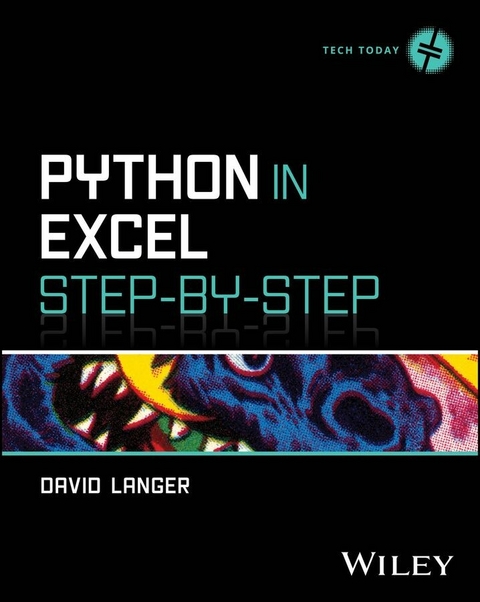
Python in Excel Step-by-Step (eBook)
272 Seiten
Wiley (Verlag)
978-1-394-34077-4 (ISBN)
An intuitive guide for professionals wanting to prepare for the future of Microsoft Excel by building Python in Excel skills and unleashing the power of their data.
A hands-on guide to the foundational Python in Excel skills you'll need to understand and use this powerful analytics tool, Python in Excel Step-by-Step is for current Excel users interested in expanding their data analysis skillset with Python. Analytics educator and Microsoft Excel MVP David Langer demonstrates how to use Python in Excel, tounlock new analytics capabilities in Excel, and build your foundation for the future of Excel: do-it-yourself (DIY) data science.
The book leverages your existing Excel knowledge to learn the Python foundation you can apply right away. This is the same approach David has used to successfully teach more than 1,000 professionals Python - even if you've never written code before. David also includes:
- Targeted coverage of the Python fundamentals required for analytics - learn just what you need fast
- How to use the powerful pandas and plotnine libraries to facilitate data manipulation and visualization using Python in Excel
- A DIY data science roadmap for you to build the skills you need to unleash the power of your data to have more impact at work
Perfect for professionals use Microsoft Excel for data analysis, like marketing managers, financial analysts, and supply chain manager, Python in Excel Step-by-Step is an invaluable new resource for all business professionals who use Excel and want to build skills for Excel's AI-powered future.
DAVID LANGER is an Excel trainer, Microsoft Excel MVP, analytics consultant, and LinkedIn Top Voice who has taught thousands of professionals how to apply cutting-edge data science skills. He regularly teaches hands-on data science courses for his clients and at national conferences in the United States. He also hosts a successful YouTube channel called DaveOnData.
Chapter 1
Introducing Python in Excel
This chapter covers the what and why of Python in Excel. After completing it, you will understand where Python fits within the Microsoft Excel ecosystem.
1.1 INTRODUCING PYTHON IN EXCEL
Microsoft Excel has always been the gateway to data analytics. This is no accident. Over the years, Microsoft has invested tremendously to make Excel the default data tool for hundreds of millions of professionals worldwide. No other data technology can make this claim.
Over the decades, Microsoft Excel has evolved with more and more features for data analysis. Excel’s analytics capabilities go far beyond built-in functions and pivot tables:
- Power Query for data ingestion, cleaning, and transformation.
- Power Pivot for analyzing millions of rows of data.
- Analysis ToolPak for statistical analysis.
- Solver for advanced analytics and optimization.
As powerful as Excel is, Microsoft continues to invest. Excel is evolving again to empower millions of professionals with data science and artificial intelligence (AI).
Microsoft’s Copilot AI is integrated with Excel. Using Copilot, professionals can use natural language prompts to visualize and analyze data. Gone are the days when you had to search the internet for the right Excel function or the steps to achieve a particular outcome. Now, you just ask Copilot.
But Microsoft isn’t stopping there. The goal is to make Microsoft Excel the world’s most accessible and productive platform for AI-powered data science.
Enter Python in Excel (PiE).
The Python programming language is the de facto standard for data science. Python’s extensive collection of libraries provides every data science technique commonly used in real-world business analytics.
Microsoft understands the importance of having PiE skills to make the most of technologies like Copilot in Excel. That’s why PiE is bundled into Microsoft 365 Enterprise, Business, Family, and Personal subscriptions Microsoft will release Python in Excel for more than Windows by the time of publication at no additional cost.
This book gives you the foundational skills with PiE you need to make the most of this game-changing technology. By the end of this book, you will have the Python skills needed to pursue learning data science with PiE.
1.2 HOW PYTHON IN EXCEL WORKS
Microsoft Excel supports many programming languages. Examples include Visual Basic for Applications (VBA), the M language for Power Query, and Data Analysis Expressions (DAX). While programming languages in Excel are nothing new, Python in Excel (PiE) is different.
Before Microsoft released PiE, Excel programming languages ran locally on your laptop. Conceptually, you can think of Excel as containing mini-computers where there is a mini-computer for VBA, a mini-computer for M, a mini-computer for DAX, and so on.
Unlike previous programming languages in Excel, PiE runs on a mini-computer outside of Excel. In fact, the mini-computer where PiE runs isn’t on your laptop at all. PiE was built to use the cloud. This allows users to access the power of Python without dealing with the complexity of setting up and managing a local Python environment.
1.2.1 The Azure Cloud
Python in Excel (PiE) was built to run in the Microsoft Azure cloud. In case you are unfamiliar, with this you can think of the Azure cloud as providing mini-computers for running your PiE code.
This is fundamentally different than previous Excel programming languages like VBA that ran locally on your laptop. Figure 1.1 illustrates how PiE works.
Figure 1-1: Python in Excel Runs in the Cloud.
As shown in the lower left of Figure 1.1, you write your Python code inside of your Excel workbook. When you are ready to run (i.e., commit) your Python code, PiE bundles the code and data and sends it to the Azure cloud.
Within Azure, a dedicated mini-computer (i.e., container) is created for your code and data. The container then runs your code and the results are returned to your laptop.
Clearly, there’s a lot that goes on behind the scenes when you use PiE. The good news is that it all works seamlessly if you have the following:
- Permission from your IT department to use PiE.
- A reliable and fast internet connection.
The second bullet deserves a callout. To use PiE, you must be connected to the internet. For example, if you’re traveling on an airplane, you won’t be able to use PiE unless you have access to the airplane’s Wi-Fi.
1.2.2 Security
You may be wondering why Microsoft built Python in Excel (PiE) to run in the Azure cloud and require an internet connection. The answer can be summarized in one word – security.
Microsoft has always been obsessed with security when it comes to Microsoft Excel. For example, you may have encountered Excel workbooks that use macros. Behind the scenes, Excel macros are made of VBA programming code.
VBA code is very powerful. VBA can access files on your laptop. It can create, change, or delete data in your Excel worksheets. It can access the internet. But here’s the thing. Microsoft created VBA. They know it inside and out because they wrote VBA from scratch. It is what is known as a proprietary programming language. Microsoft controls everything about VBA. With this level of control, Microsoft can ensure the security of VBA.
Python is fundamentally different. Python is built and maintained by programmers all over the world. Python is an open-source programing language. Microsoft doesn’t control Python, so there are very real concerns regarding security. This is why Microsoft chose to run PiE in the Azure cloud.
As you learned in the previous section, PiE code runs in a mini-computer in the Azure cloud. This mini-computer is known as a secured container, because Microsoft greatly restricts what your PiE code can do for security reasons:
- PiE containers only use a curated list of secured libraries.
- PiE code cannot access your computer, devices, network, or the internet.
- PiE code uses the new
xl()Excel function. This function can only read data from cell references, tables, and Power Query connections. - The
xl()function returns data to your Excel workbooks. It cannot return macros, VBA code, or other formulas. - PiE code cannot directly access things in Excel like formulas, charts, pivot tables, macros, VBA code, and so on.
- PiE-secured containers stay online as long as the workbook is open or if a timeout occurs.
- The container and all its data are deleted when you close the workbook.
Reading this, many Excel power users might think, “What good is Python in Excel? It can’t do anything with all these restrictions!”
No, PiE cannot be used to automate Excel or build Excel-based applications like VBA can. PiE was designed to unleash the power of advanced analytics and data science using Python in the easiest way possible for millions of Excel users.
I have clients who see PiE as a way to access the power of Python quickly and easily, with minimal IT involvement (assuming, of course, that the IT department has approved using PiE). For example, PiE requires no local installation of Python. If you have an internet connection, you’re good to go!
1.2.3 Scalability
Microsoft Excel limits data to 1,048,576 rows within a single worksheet. Using features like Power Query and Power Pivot, Excel can handle even more rows of data – tens of millions of rows if your laptop has enough memory. So, you know that Microsoft Excel can scale to large datasets, but what about Python in Excel (PiE)?
Using Excel’s new xl() function allows PiE to source data from Power Query connections. This means that, in theory, PiE can scale to tens of millions of rows of data. However, PiE’s cloud-based architecture is the limiting factor.
At the time of this writing, PiE is limited to moving 100 megabytes (MB) of PiE code and data to and from Microsoft Azure. To give you some sense of scale, I recently tested a dataset of 336,777 rows of data and 19 columns. This dataset clocks in at 48.8MB. PiE easily scales to most real-world datasets used with Excel.
Beyond moving data to/from the cloud is the scalability of the PiE workload within an Azure secured container. Many advanced analytics and data science workloads require a lot of computing power.
I’ve tested PiE data science workloads and have found that the processing that’s included with a Microsoft 365 subscription is sufficient for most scenarios. However, it’s worth noting that you may have to increase the timeout value and be patient for your PiE code to run (e.g., 20 minutes to train a machine learning model).
Microsoft offers different Python in Excel options depending on your needs. For example, there’s a PiE add-on that provides a premium level of computing power, meaning that your PiE code will run faster. However, keep in mind that premium compute power does not reduce the Azure roundtrip time of your code/data.
Bottom line: Python in Excel does scale to real-world datasets and data science workloads.
1.3 WHY PYTHON IN EXCEL?
As you learned in the last section, PiE has been designed to empower millions of professionals with advanced analytics and data science. In practice, use of PiE commonly takes the forms...
| Erscheint lt. Verlag | 16.12.2025 |
|---|---|
| Sprache | englisch |
| Themenwelt | Mathematik / Informatik ► Informatik |
| ISBN-10 | 1-394-34077-X / 139434077X |
| ISBN-13 | 978-1-394-34077-4 / 9781394340774 |
| Informationen gemäß Produktsicherheitsverordnung (GPSR) | |
| Haben Sie eine Frage zum Produkt? |
 EPUB (Adobe DRM)
Größe: 23,2 MB
Kopierschutz: Adobe-DRM
Adobe-DRM ist ein Kopierschutz, der das eBook vor Mißbrauch schützen soll. Dabei wird das eBook bereits beim Download auf Ihre persönliche Adobe-ID autorisiert. Lesen können Sie das eBook dann nur auf den Geräten, welche ebenfalls auf Ihre Adobe-ID registriert sind.
Details zum Adobe-DRM
Dateiformat: EPUB (Electronic Publication)
EPUB ist ein offener Standard für eBooks und eignet sich besonders zur Darstellung von Belletristik und Sachbüchern. Der Fließtext wird dynamisch an die Display- und Schriftgröße angepasst. Auch für mobile Lesegeräte ist EPUB daher gut geeignet.
Systemvoraussetzungen:
PC/Mac: Mit einem PC oder Mac können Sie dieses eBook lesen. Sie benötigen eine
eReader: Dieses eBook kann mit (fast) allen eBook-Readern gelesen werden. Mit dem amazon-Kindle ist es aber nicht kompatibel.
Smartphone/Tablet: Egal ob Apple oder Android, dieses eBook können Sie lesen. Sie benötigen eine
Geräteliste und zusätzliche Hinweise
Buying eBooks from abroad
For tax law reasons we can sell eBooks just within Germany and Switzerland. Regrettably we cannot fulfill eBook-orders from other countries.
aus dem Bereich