


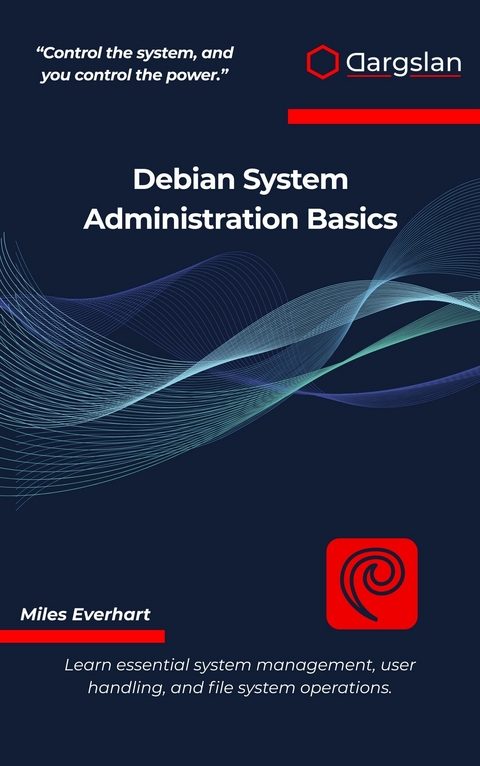
Debian System Administration Basics (eBook)
311 Seiten
Dargslan s.r.o. (Verlag)
978-0-00-111957-4 (ISBN)
Master Debian System Administration from the Ground Up
Debian System Administration Basics is your complete guide to managing Debian-based Linux systems with confidence. Whether you're setting up your first server, transitioning from another distribution, or formalizing your existing knowledge, this comprehensive handbook delivers the practical skills you need.
Unlike generic Linux guides, this book focuses exclusively on Debian's unique tools, architecture, and best practices. Every command, configuration file, and troubleshooting scenario is tested specifically for Debian environments, ensuring accuracy and relevance to real-world administration tasks.
What's Inside:
Master the terminal and essential command-line operations
Manage users, groups, and permissions effectively
Navigate and understand Debian's file system structure
Control packages with APT, Debian's powerful package manager
Configure and manage network settings using Debian-native tools
Administer system services with systemd
Automate tasks using cron and systemd timers
Monitor system performance and analyze logs
Implement backup strategies and security hardening
Troubleshoot common issues with proven methodologies
Progressive Learning Structure: Start with fundamental concepts and advance through 13 carefully structured chapters that build upon each other. Complete with hands-on exercises, real-world scenarios, and four comprehensive appendices including command references, essential file paths, sample configurations, and troubleshooting guides.
Perfect for: New Linux administrators, IT professionals managing Debian servers, developers working with Debian-based systems, and anyone seeking to deepen their Debian expertise.
Transform your Debian administration skills from beginner to competent system administrator. Start your journey today with this focused, practical, and Debian-specific guide.
Chapter 2: Getting Started with the Terminal
The terminal is the heart of Debian system administration. While graphical interfaces provide convenience for everyday tasks, the command line interface offers unparalleled power, precision, and efficiency for system management. In Debian, the terminal is not just a tool—it's the primary gateway to understanding and controlling your system at its deepest level.
When you first encounter a Debian terminal, you're looking at decades of Unix heritage refined into one of the most stable and reliable command-line environments available. The default shell in Debian is Bash (Bourne Again Shell), which provides a rich set of features for both interactive use and script automation. Understanding the terminal is essential for any Debian administrator, as many critical system functions are most effectively managed through command-line tools.
Understanding the Debian Terminal Environment
The Shell Prompt
When you open a terminal in Debian, you're greeted by the shell prompt, which typically appears as:
user@debian:~$
This prompt contains valuable information about your current session. The format breaks down as follows:
The prompt is highly customizable in Debian through the PS1 environment variable. System administrators often modify this to include additional information such as the current time, Git branch status, or system load.
Terminal Types and Access Methods
Debian provides several ways to access the terminal environment:
Physical Terminals (TTY)
Debian systems typically provide six virtual terminals accessible via Ctrl+Alt+F1 through Ctrl+Alt+F6. These are pure text-mode interfaces that don't require a graphical environment to function. This is particularly valuable for system recovery or when working on servers without graphical interfaces.
Terminal Emulators
In the Debian desktop environment, terminal emulators like GNOME Terminal, Konsole, or xterm provide graphical windows that simulate terminal functionality. These offer additional features like tabs, color schemes, and copy-paste functionality while maintaining full compatibility with command-line tools.
Remote Access
Debian's robust SSH (Secure Shell) implementation allows secure remote terminal access. The OpenSSH server, commonly installed on Debian systems, enables administrators to manage systems from anywhere with network connectivity.
Essential Bash Commands for Debian
Navigation and File System Exploration
The Debian file system follows the Filesystem Hierarchy Standard (FHS), and understanding how to navigate this structure is fundamental to system administration.
Directory Navigation Commands
pwd
The pwd (print working directory) command displays your current location in the file system. In Debian, this is particularly useful when working with complex directory structures or when scripts need to determine their execution context.
ls -la
The ls command lists directory contents. The -la options provide a long format (-l) showing permissions, ownership, and timestamps, while -a includes hidden files (those beginning with a dot). In Debian, hidden files often contain important configuration data.
Output Example:
total 32
drwxr-xr-x 4 user user 4096 Nov 15 10:30 .
drwxr-xr-x 3 root root 4096 Nov 10 09:15 ..
-rw-r--r-- 1 user user 220 Nov 10 09:15 .bash_logout
-rw-r--r-- 1 user user 3526 Nov 10 09:15 .bashrc
-rw-r--r-- 1 user user 807 Nov 10 09:15 .profile
drwxr-xr-x 2 user user 4096 Nov 15 10:30 Documents
Directory Changing Commands
cd /etc
cd ~
cd ..
cd -
The cd (change directory) command is essential for navigation. In Debian system administration, you'll frequently navigate to system directories like /etc for configuration files, /var/log for log files, and /usr/local for locally installed software.
File and Directory Management
Creating and Removing Directories
mkdir -p /home/user/projects/debian-admin
The mkdir command creates directories. The -p option creates parent directories as needed, which is particularly useful in Debian when setting up complex directory structures for applications or data organization.
rmdir empty_directory
rm -rf directory_with_contents
Directory removal requires careful consideration in Debian. The rmdir command only removes empty directories, while rm -rf recursively removes directories and all contents. The latter should be used with extreme caution, especially when working with system directories.
File Operations
touch new_file.txt
cp source_file destination_file
cp -r source_directory destination_directory
mv old_name new_name
rm filename
These basic file operations form the foundation of file management in Debian. The touch command creates empty files or updates timestamps, while cp and mv handle copying and moving operations respectively.
Text Processing and File Examination
Debian systems contain extensive text-based configuration files, making text processing skills essential for administrators.
File Content Viewing
cat /etc/debian_version
This command displays the Debian version, demonstrating how system information is stored in text files throughout the system.
less /var/log/syslog
more /etc/passwd
head -n 20 /var/log/messages
tail -f /var/log/syslog
These commands provide different methods for examining file contents:
Text Searching and Processing
grep "error" /var/log/syslog
grep -r "debian" /etc/
find /etc -name "*.conf"
The grep command searches for patterns within files, essential for log analysis and configuration management in Debian. The find command locates files and directories based on various criteria.
File Permissions and Ownership in Debian
Understanding file permissions is crucial for Debian security and proper system function. The Debian permission system is based on the traditional Unix model with user, group, and other categories.
Permission Structure
Every file and directory in Debian has three sets of permissions:
Permission Type
User (Owner)
Group
Other
Read (r)
Can read file content
Group members can read
Everyone else can read
Write (w)
Can modify file
Group members can modify
Everyone else can modify
Execute (x)
Can run as program
Group members can execute
Everyone else can execute
Numeric Permission Representation
Permission
Binary
Octal
---
000
0
--x
001
1
-w-
010
2
-wx
011
3
r--
100
4
r-x
101
5
rw-
110
6
rwx
111
7
Modifying Permissions
chmod 755 /usr/local/bin/myscript
chmod u+x filename
chmod g-w filename
chmod o=r filename
The chmod command modifies file permissions. In Debian system administration, proper permission management is essential for security. Common patterns include:
Ownership Management
chown user:group filename
chgrp groupname filename
The chown command changes file ownership, while chgrp changes group ownership. These commands often require root privileges and are fundamental for managing multi-user Debian systems.
Process Management in Debian
Process management is a core responsibility of Debian system administrators. Understanding how to monitor, control, and manage processes ensures system stability...
| Erscheint lt. Verlag | 9.12.2025 |
|---|---|
| Sprache | englisch |
| Themenwelt | Mathematik / Informatik ► Informatik ► Betriebssysteme / Server |
| ISBN-10 | 0-00-111957-5 / 0001119575 |
| ISBN-13 | 978-0-00-111957-4 / 9780001119574 |
| Informationen gemäß Produktsicherheitsverordnung (GPSR) | |
| Haben Sie eine Frage zum Produkt? |
 EPUB (Adobe DRM)
Größe: 1,5 MB
Kopierschutz: Adobe-DRM
Adobe-DRM ist ein Kopierschutz, der das eBook vor Mißbrauch schützen soll. Dabei wird das eBook bereits beim Download auf Ihre persönliche Adobe-ID autorisiert. Lesen können Sie das eBook dann nur auf den Geräten, welche ebenfalls auf Ihre Adobe-ID registriert sind.
Details zum Adobe-DRM
Dateiformat: EPUB (Electronic Publication)
EPUB ist ein offener Standard für eBooks und eignet sich besonders zur Darstellung von Belletristik und Sachbüchern. Der Fließtext wird dynamisch an die Display- und Schriftgröße angepasst. Auch für mobile Lesegeräte ist EPUB daher gut geeignet.
Systemvoraussetzungen:
PC/Mac: Mit einem PC oder Mac können Sie dieses eBook lesen. Sie benötigen eine
eReader: Dieses eBook kann mit (fast) allen eBook-Readern gelesen werden. Mit dem amazon-Kindle ist es aber nicht kompatibel.
Smartphone/Tablet: Egal ob Apple oder Android, dieses eBook können Sie lesen. Sie benötigen eine
Geräteliste und zusätzliche Hinweise
Buying eBooks from abroad
For tax law reasons we can sell eBooks just within Germany and Switzerland. Regrettably we cannot fulfill eBook-orders from other countries.
aus dem Bereich


