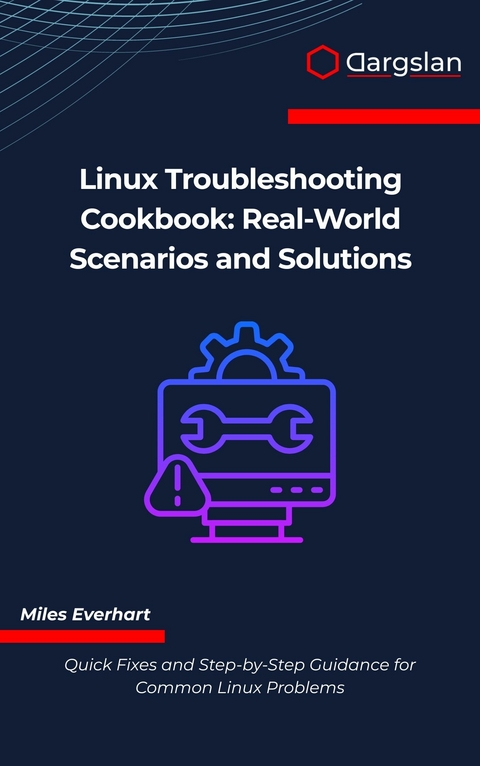
Linux Troubleshooting Cookbook (eBook)
334 Seiten
Dargslan s.r.o. (Verlag)
978-0-00-110128-9 (ISBN)
our Essential Guide to Solving Linux Problems Fast
When your Linux system fails at the worst possible moment-servers won't boot, networks disappear, or critical services crash-you need proven solutions, not theory. The Linux Troubleshooting Cookbook delivers exactly that: practical, real-world fixes you can implement immediately.
Real Problems. Real Solutions. Real Linux.
This comprehensive cookbook covers the full spectrum of Linux troubleshooting scenarios that system administrators, developers, and power users encounter daily. From mysterious boot failures to complex networking issues, from permission nightmares to performance bottlenecks, each chapter provides step-by-step solutions tested in production environments.
What Makes This Book Different
Unlike generic troubleshooting guides, this cookbook focuses exclusively on Linux-specific challenges. You'll master the tools and techniques that matter most in Linux environments: systemd service debugging, filesystem analysis, kernel message interpretation, SELinux troubleshooting, and distribution-specific package management. Each solution teaches not just the 'how' but the 'why,' building your understanding of underlying Linux mechanisms.
Master Essential Linux Troubleshooting Skills:
Diagnose and repair boot failures across GRUB, systemd, and init systems
Resolve filesystem corruption, disk space issues, and mounting problems
Debug complex permission and ownership issues including SELinux and AppArmor
Fix package dependency conflicts across apt, yum, dnf, and pacman
Troubleshoot network connectivity using tcpdump, netstat, and iptables
Identify and eliminate performance bottlenecks with top, iotop, and perf
Repair broken services and daemons with systemctl and journalctl
Secure systems while resolving firewall and authentication problems
Diagnose SSH connection failures and remote access issues
Manage logs effectively and troubleshoot kernel and hardware problems
Distro-Aware Solutions
Whether you work with Ubuntu, Debian, CentOS, RHEL, Fedora, or Arch Linux, this book provides distribution-specific guidance alongside universal Linux principles. Special appendices offer targeted solutions for Debian-based, RHEL-based, and Arch systems, ensuring you have the right commands for your environment.
Cookbook Format for Fast Results
The problem-solution format lets you quickly locate your exact issue and implement fixes without unnecessary reading. Each solution includes clear commands, expected output, and troubleshooting variations. Comprehensive appendices provide instant reference material: log file locations, command cheat sheets, troubleshooting templates, and essential tool guides.
Perfect for Every Linux Professional:
System administrators managing production servers
DevOps engineers maintaining cloud infrastructure
Developers working in Linux environments
IT professionals supporting Linux workstations
What You'll Learn:
This book transforms your troubleshooting approach with systematic diagnostic methods, proven command-line techniques, and prevention strategies. Master tools like strace, lsof, tcpdump, systemctl, journalctl, and dozens more through practical examples. Understand Linux concepts deeply: process management, filesystem hierarchies, networking stacks, systemd units, and kernel operations.
Quick-Reference Resources Included:
Stop wasting hours searching forums and documentation. Get the proven solutions you need, when you need them. Your Linux systems-and your sanity-deserve this cookbook.
Introduction
Welcome to the Linux Troubleshooting Journey
Linux systems power the backbone of modern computing infrastructure, from web servers handling millions of requests to embedded devices controlling critical industrial processes. Yet, even the most robust Linux environments encounter problems that require systematic diagnosis and resolution. This cookbook serves as your comprehensive guide through the intricate landscape of Linux troubleshooting, providing practical solutions for real-world scenarios that system administrators, developers, and power users encounter daily.
The art of Linux troubleshooting extends far beyond memorizing commands or following rigid procedures. It demands a deep understanding of system architecture, process interactions, and the ability to think methodically under pressure. Whether you're dealing with a server that refuses to boot, applications consuming excessive resources, or network connectivity issues that seem to defy logic, this book will equip you with the knowledge and tools necessary to diagnose and resolve problems efficiently.
Understanding the Linux Troubleshooting Mindset
The Scientific Approach to Problem Solving
Effective Linux troubleshooting follows a scientific methodology that emphasizes observation, hypothesis formation, and systematic testing. This approach prevents the common pitfall of randomly applying fixes without understanding the underlying cause, which often leads to more complex problems or temporary solutions that fail under different conditions.
The troubleshooting process begins with careful observation of symptoms. When a user reports that "the system is slow," a skilled troubleshooter doesn't immediately start optimizing configurations. Instead, they gather specific information: Which processes are affected? When did the slowness begin? Are there patterns related to time of day or specific operations? This methodical data collection forms the foundation for accurate diagnosis.
Building a Mental Model of System Architecture
Linux systems consist of interconnected layers, each with specific responsibilities and potential failure points. Understanding these layers helps troubleshooters identify where problems might originate and how they propagate through the system.
The hardware layer forms the foundation, encompassing CPU, memory, storage devices, and network interfaces. Problems at this level often manifest as intermittent errors, performance degradation, or complete system failures. The kernel layer sits directly above hardware, managing resources and providing essential services. Kernel-related issues typically produce system logs with specific error messages or cause system instability.
Above the kernel, the user space contains applications, services, and utilities that users interact with directly. Problems in user space are often easier to isolate and resolve because they don't require deep system-level access. However, user space issues can sometimes indicate underlying kernel or hardware problems.
Essential Tools and Concepts
Command Line Mastery
The command line interface remains the most powerful tool for Linux troubleshooting. While graphical interfaces provide convenience for routine tasks, complex problems require the precision and flexibility that only command-line tools can provide.
Understanding command structure and options is crucial for effective troubleshooting. Most Linux commands follow consistent patterns for option specification, output formatting, and error reporting. The man command provides comprehensive documentation for nearly every system utility:
man ls
man grep
man systemctl
Note: The man command displays manual pages that contain detailed information about command syntax, options, and examples. Use the space bar to scroll down, 'b' to scroll up, and 'q' to quit.
System Information Gathering
Before attempting to fix any problem, gather comprehensive information about the system's current state. This information serves as a baseline for comparison and helps identify patterns that might not be immediately obvious.
The uname command provides basic system information:
uname -a
This command displays the kernel name, hostname, kernel release, kernel version, machine hardware name, processor type, and operating system. Understanding this information helps determine which troubleshooting approaches are appropriate for your specific system configuration.
System resource utilization provides crucial insights into performance problems:
top
htop
iostat
vmstat
Command Explanation:
Log File Analysis
Linux systems generate extensive logs that record system events, application behavior, and error conditions. These logs are typically stored in /var/log/ and provide invaluable information for troubleshooting.
The journalctl command provides access to systemd logs:
journalctl -xe
journalctl -f
journalctl -u servicename
Command Options Explanation:
Traditional log files can be examined using various text processing tools:
tail -f /var/log/syslog
grep "error" /var/log/messages
awk '/ERROR/ {print $1, $2, $3, $NF}' /var/log/application.log
Common Problem Categories
Performance Issues
Performance problems in Linux systems typically fall into several categories: CPU bottlenecks, memory constraints, storage I/O limitations, and network congestion. Each category requires different diagnostic approaches and solutions.
CPU bottlenecks manifest as high load averages, processes spending excessive time in run queues, and poor system responsiveness. The load average, displayed by commands like uptime and top, represents the average number of processes waiting for CPU time over 1, 5, and 15-minute intervals.
uptime
cat /proc/loadavg
Memory issues often present as system slowness due to excessive swapping, out-of-memory conditions that terminate processes, or memory leaks that gradually consume available RAM. The /proc/meminfo file provides detailed memory statistics:
cat /proc/meminfo
free -h
Connectivity Problems
Network connectivity issues range from complete network failure to subtle problems affecting specific protocols or services. Systematic network troubleshooting follows the OSI model, starting with physical connectivity and progressing through higher-level protocols.
Basic connectivity testing begins with the ping command:
ping -c 4 google.com
ping -c 4 8.8.8.8
Note: The -c 4 option limits the ping to 4 packets, preventing continuous pinging. Testing both domain names and IP addresses helps distinguish between DNS resolution problems and actual connectivity issues.
Route verification ensures that packets can reach their intended destinations:
ip route show
traceroute google.com
Service and Process Issues
Services that fail to start, processes that consume excessive resources, or applications that behave unexpectedly require systematic investigation of process states, resource usage, and configuration files.
Process investigation begins with identifying running processes and their resource consumption:
ps aux
ps -elf
pgrep -l processname
Service management in modern Linux distributions typically uses systemd:
systemctl status servicename
systemctl start servicename
systemctl enable servicename
Systemctl Command Explanation:
Troubleshooting Methodology
The Systematic Approach
Effective troubleshooting follows a structured methodology that ensures thorough investigation while avoiding common pitfalls. This approach consists of several phases: problem identification, information gathering, hypothesis formation, testing, and solution implementation.
Problem identification involves clearly defining the issue, understanding its scope, and determining its impact on system functionality. Vague problem descriptions like "the system doesn't work" must be refined into specific, measurable symptoms that can be investigated systematically.
Information gathering encompasses collecting system logs, configuration files, resource utilization data, and environmental factors that might contribute to the problem. This phase often reveals patterns or correlations that weren't immediately apparent from the initial problem report.
Documentation and Change Management
Maintaining detailed records of troubleshooting activities serves multiple purposes: it provides a...
| Erscheint lt. Verlag | 12.11.2025 |
|---|---|
| Sprache | englisch |
| Themenwelt | Mathematik / Informatik ► Informatik ► Betriebssysteme / Server |
| ISBN-10 | 0-00-110128-5 / 0001101285 |
| ISBN-13 | 978-0-00-110128-9 / 9780001101289 |
| Informationen gemäß Produktsicherheitsverordnung (GPSR) | |
| Haben Sie eine Frage zum Produkt? |
 EPUB (Adobe DRM)
Größe: 1,0 MB
Kopierschutz: Adobe-DRM
Adobe-DRM ist ein Kopierschutz, der das eBook vor Mißbrauch schützen soll. Dabei wird das eBook bereits beim Download auf Ihre persönliche Adobe-ID autorisiert. Lesen können Sie das eBook dann nur auf den Geräten, welche ebenfalls auf Ihre Adobe-ID registriert sind.
Details zum Adobe-DRM
Dateiformat: EPUB (Electronic Publication)
EPUB ist ein offener Standard für eBooks und eignet sich besonders zur Darstellung von Belletristik und Sachbüchern. Der Fließtext wird dynamisch an die Display- und Schriftgröße angepasst. Auch für mobile Lesegeräte ist EPUB daher gut geeignet.
Systemvoraussetzungen:
PC/Mac: Mit einem PC oder Mac können Sie dieses eBook lesen. Sie benötigen eine
eReader: Dieses eBook kann mit (fast) allen eBook-Readern gelesen werden. Mit dem amazon-Kindle ist es aber nicht kompatibel.
Smartphone/Tablet: Egal ob Apple oder Android, dieses eBook können Sie lesen. Sie benötigen eine
Geräteliste und zusätzliche Hinweise
Buying eBooks from abroad
For tax law reasons we can sell eBooks just within Germany and Switzerland. Regrettably we cannot fulfill eBook-orders from other countries.
aus dem Bereich