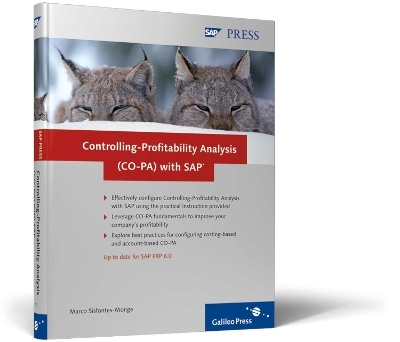
Controlling-Profitability Analysis (CO-PA) with SAP
SAP Press (Verlag)
978-1-59229-137-3 (ISBN)
- Titel erscheint in neuer Auflage
- Artikel merken
Based on SAP ERP 6.0, the author helps you understand the important elements of a successful CO-PA implementation from a process-oriented perspective. Key elements include the fundamentals of profitability management, development of the CO-PA models, interaction with the FI component of R/3 or SAP ERP 6.0, configuration of account-based and costing-based CO-PA, the CO-PA planning framework, and that's just the for starters. This unique reference also clarifies the complex integration of CO-PA with other SAP components, such as SAP BW and SAP NetWeaver BI, and addresses the common managerial CO-PA-related questions encountered in many implementations.
Whether you're a consultant, a business user, or an advanced SAP ERP Financials, or CO professional, this book takes you step-by-step through the CO-PA implementation journey, while addressing your most pressing concerns.
Highlights Include:
* Break-even analysis
* Cost classifications
* Operating concern configuration
* Reporting
* Integration issues
* SAP-delivered templates
* SAP profitability model
* Costing-based CO-PA
* Account-based CO-PA
* Master data
* CO-PA planning framework
* Advanced functionalities
Marco Sisfontes-Monge has worked in the following sectors: Automotive, Logistics, Software, Gas & Electric, Discrete and Process Manufacturing, Retailing, and Financial Services. His clients include John Deere, Matsushita, Schneider Electric, Sara Lee, Conair, Pacific Gas & Electric, New York Power Authority, Hyperion, and Peoplesoft. He is the author of the SAP PRESS book, CPM and Balanced Scorecard with SAP.
1 Introduction and Overview ... 15
... 1.1 The Purpose of this Book ... 17
... 1.2 How this Book is Organized ... 18
... 1.3 Summary ... 19
2 Basics of Profitability Analysis ... 21
... 2.1 Fundamental Principles ... 21
... 2.2 Profitability Analysis as Multidimensional Analysis ... 23
... 2.3 The Profitability Analysis Process ... 25
... 2.4 Break-Even Analysis ... 27
... Revenues, Fixed and Variable Costs ... 27
... Sunken Costs ... 28
... 2.5 Cost Classifications ... 29
... Costs Based on their Function ... 29
... Costs Based on Activity ... 29
... Costs Depending on When They Are Charged Against Revenues ... 30
... Costs Depending on the Authority ... 30
... Costs based on Their Importance to Decision Making ... 30
... 2.6 Summary ... 31
3 Introducing CO-PA with SAP ... 33
... 3.1 General Overview of CO-PA ... 33
... OLTP ... 34
... OLAP ... 34
... Linking OLTP and OLAP ... 35
... SAP ERP ECC 6.0 Specific Recommendations ... 35
... 3.2 The SAP Profitability Model ... 36
... 3.3 Components of CO-PA ... 41
... Accessing the IMG Activity ... 42
... Profitability Analysis Menu Items ... 42
... Master Data ... 45
... Planning ... 46
... Flows of Actual Values ... 48
... Information System ... 49
... Tools ... 51
... 3.4 Working with SAP Operating Concern Templates ... 52
... The Quickstart S_GO Operating Concern Template ... 53
... Customizing ... 55
... Application Examples: Prepare Application Examples ... 69
... Application Examples: Perform Application Examples ... 70
... Tools ... 71
... 3.5 Manually Activating an Operating Concern and Setting it as Current ... 72
... 3.6 Summary ... 75
4 Configuring Costing-Based CO-PA ... 77
... 4.1 General CO-PA Overview ... 77
... 4.2 Costing-based CO-PA versus Account-based CO-PA ... 79
... 4.3 Creating Characteristics and Value Fields ... 82
... Working with Structures: Characteristics and Value Fields ... 83
... Value Fields ... 87
... 4.4 Maintaining an Operating Concern ... 90
... Accessing and Creating Operating Concerns ... 90
... Creating User-defined Value Fields and Characteristics Within an Operating Concern ... 95
... Specifying the Operating Concern Currency ... 98
... 4.5 Defining Profitability Segments and CO-PA Exceptions ... 98
... Profitability Segments Overview ... 99
... Exceptions Overview ... 99
... Automatically Excluded Characteristics ... 99
... Defining Profitability Segment Characteristics ... 100
... Creating Exceptions ... 101
... Exception Recommendations ... 104
... 4.6 Operating Concern Attributes Tab ... 105
... 4.7 Assigning a Controlling Area to an Operating Concern ... 108
... Reviewing Controlling Area Components and Verifying the Existence of Operating Concerns ... 109
... Assigning a Company Code to a Controlling Area ... 111
... 4.8 Activating CO-PA in R/3 or SAP ERP ECC 6.0 ... 115
... Checking the Current Profitability Analysis Activation Status ... 115
... Performing the Activation ... 116
... Verifying the Activation ... 119
... 4.9 CO-PA: Additional Functionalities ... 120
... Import Operating Concern ... 121
... Copy Operating Concern ... 123
... Copy Specific Objects ... 124
... 4.10 Performing CO-PA Transports ... 126
... Automatic Transport or Manual Transport ... 129
... Client-specific and Cross-client Settings ... 129
... Transporting Translated Settings ... 131
... 4.11 SUMMARY ... 133
5 Master Data in CO-PA ... 135
... 5.1 Components of Master Data Menus in CO-PA ... 135
... 5.2 Maintaining Characteristic Values ... 138
... Define Characteristics Hierarchy ... 139
... Derivation, Derivation Tables, and Rules Overview ... 145
... Creating Characteristic Derivations and Derivation Rules ... 148
... Valuation in CO-PA ... 164
... 5.3 Summary ... 189
6 Introduction to CO-PA Planning ... 191
... 6.1 Overview ... 191
... 6.2 The Framework of Corporate Planning: Sales and Profit Planning in CO-PA ... 194
... 6.3 Planning with CO-PA or SAP NetWeaver BI ... 197
... 6.4 A First Look at the CO-PA Planning Framework ... 200
... 6.5 Number Ranges for Planning Data ... 205
... 6.6 Maintaining Versions ... 206
... 6.7 Planning with the CO-PA Planning Framework ... 208
... Planning Levels ... 209
... Planning Package ... 210
... Working with Planning Methods, Parameter Sets, and Planning Layouts ... 213
... Planning Variables ... 221
... 6.8 The Report Painter and CO-PA Planning Layouts ... 224
... 6.9 Planning Profiles ... 229
... 6.10 Summary ... 236
7 CO-PA Planning: Configuration ... 237
... 7.1 Basic Planning Methods in the CO-PA Planning Framework ... 237
... Enter Planning Data ... 238
... Display Planning Data ... 238
... Copy ... 239
... Forecast ... 243
... Valuation ... 250
... Revaluation ... 250
... Ratios ... 255
... Delete ... 266
... 7.2 Planning Sequences ... 268
... 7.3 Summary ... 270
8 Flows of Actual Values: Transferring Actual Data into CO-PA ... 271
... 8.1 Overview ... 271
... 8.2 General Review of the CO-PA Flows of Actual Values menu ... 274
... 8.3 Transfer of Incoming Sales Orders ... 276
... 8.4 Transfer of Billing Documents ... 282
... 8.5 Order and Project Settlement ... 284
... Define PA Transfer Structure for Settlement ... 284
... Assign a PA Transfer Structure to a Settlement Profile ... 286
... 8.6 Direct Posting from FI/MM ... 286
... Maintain PA Transfer Structure for Direct Postings ... 287
... Automatic Account Assignment ... 288
... 8.7 Settlement of Production Variances ... 291
... 8.8 Transfer of Overhead ... 293
... 8.9 Summary ... 294
9 CO-PA Reporting: Basics ... 297
... 9.1 CO-PA Reporting Scenarios ... 298
... 9.2 Working with Reports in CO-PA ... 302
... Report Types ... 303
... Creating a Basic Report ... 303
... Creating Reports Based on Line Items ... 315
... 9.3 Working with Forms ... 318
... 9.4 Summary ... 325
10 CO-PA Reporting: Configuration ... 327
... 10.1 Predefining Headers and Footers ... 327
... Frames ... 329
... Gen. variables ... 331
... Selection Parameters ... 332
... Footers ... 335
... 10.2 Defining Variables in Reports ... 336
... 10.3 CO-PA Reporting: Best Practices ... 344
... Creating Frozen Reports ... 346
... Key Figure Schemes ... 357
... Improving Performance in Reports and Forms Using Summarization Levels ... 368
... 10.4 Summary ... 371
11 Working with Account-Based CO-PA ... 373
... 11.1 Differences between Costing-based and Account-based CO-PA ... 373
... Defining Cost Elements for CO-PA ... 374
... Changing the Operating Concern from Costing-Based to Account-Based CO-PA ... 377
... Controlling Areas and Account-Based CO-PA ... 377
... Currencies and Account-Based CO-PA ... 378
... Data Structures and Data Retention ... 378
... Characteristic Derivation and Valuation ... 379
... Actual Data Flow and Data Transfer ... 379
... Profitability Analysis Reports ... 380
... Assessment of Cost Center Costs ... 381
... Order and Project Settlement ... 381
... Internal Activity Allocation ... 381
... 11.2 Sales and Profit Planning ... 382
... 11.3 External Data Transfer ... 382
... 11.4 Summary ... 382
12 Tips and Tricks with CO-PA ... 383
... 12.1 Integrate Planning Layouts with MS Excel ... 383
... 12.2 Working with Summarization Levels ... 386
... 12.3 Performing Report Splitting ... 392
... 12.4 Working with the Report/Report Interface (RRI) ... 395
... 12.5 Final Tips ... 400
... 12.6 Summary ... 401
13 Concluding Remarks ... 403
| Erscheint lt. Verlag | 30.1.2010 |
|---|---|
| Reihe/Serie | SAP Press |
| Verlagsort | Maryland |
| Sprache | englisch |
| Maße | 1680 x 240 mm |
| Einbandart | gebunden |
| Themenwelt | Mathematik / Informatik ► Informatik ► Netzwerke |
| Informatik ► Weitere Themen ► SAP | |
| ISBN-10 | 1-59229-137-6 / 1592291376 |
| ISBN-13 | 978-1-59229-137-3 / 9781592291373 |
| Zustand | Neuware |
| Informationen gemäß Produktsicherheitsverordnung (GPSR) | |
| Haben Sie eine Frage zum Produkt? |
aus dem Bereich