


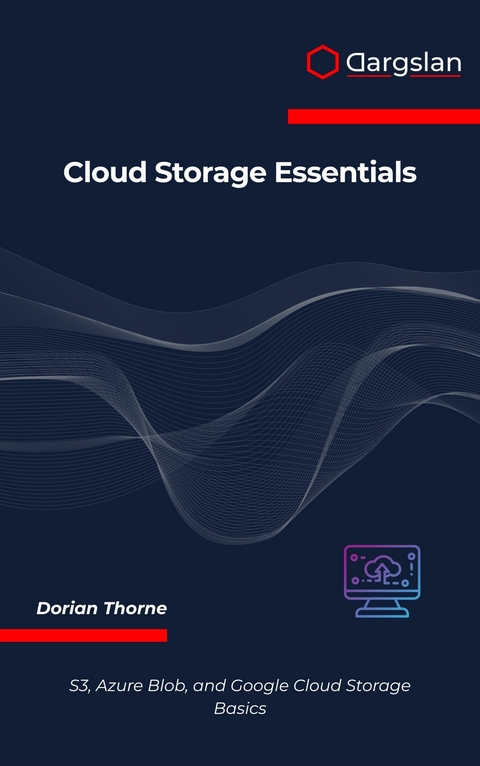
Cloud Storage Essentials (eBook)
416 Seiten
Dargslan s.r.o. (Verlag)
978-0-00-106729-5 (ISBN)
Master the Three Leading Cloud Storage Platforms with Confidence
In today's cloud-first world, understanding Amazon S3, Azure Blob Storage, and Google Cloud Storage isn't just an advantage-it's essential for any IT professional, developer, or business leader navigating digital transformation.
Cloud Storage Essentials delivers practical, hands-on guidance that cuts through the complexity of modern cloud storage platforms. Whether you're architecting enterprise solutions, preparing for cloud certifications, or migrating from on-premises infrastructure, this comprehensive guide provides the essential knowledge you need to succeed.
What You'll Master:
Amazon S3 Expertise: Navigate storage classes, lifecycle policies, and advanced security configurations. Learn to optimize costs while maintaining performance and reliability across global infrastructure.
Azure Blob Storage Proficiency: Implement access control strategies, leverage hot, cool, and archive tiers effectively, and integrate seamlessly with Microsoft's ecosystem.
Google Cloud Storage Mastery: Design scalable storage architectures, manage IAM permissions, and utilize advanced features for machine learning and analytics workloads.
Real-World Application: Go beyond basic concepts with practical migration strategies, disaster recovery planning, and cost optimization techniques that deliver measurable business value.
Comprehensive Coverage Includes:
Cloud storage fundamentals and architectural principles
Platform-specific security best practices and compliance strategies
Storage class selection and lifecycle management optimization
Multi-cloud considerations and vendor lock-in mitigation
Performance tuning and scalability planning
Migration methodologies from on-premises to cloud
Backup, restore, and business continuity strategies
Perfect For:
Cloud architects designing enterprise storage solutions
IT professionals managing hybrid and multi-cloud environments
Developers building cloud-native applications
Students pursuing AWS, Azure, or Google Cloud certifications
Business leaders evaluating cloud storage strategies
Practical Resources: Each chapter includes hands-on examples, real-world scenarios, and actionable insights. Comprehensive appendices feature platform comparison tables, security checklists, cost estimation tools, and certification study guides-extending the book's value as your ongoing cloud storage reference.
Why This Book Stands Out: Instead of overwhelming technical documentation, you get distilled expertise from years of enterprise cloud implementations. Learn the essential concepts that matter most, with practical guidance you can apply immediately.
The cloud storage landscape continues evolving rapidly. This book ensures you're not just keeping up-you're staying ahead. Master the platforms that power today's digital economy and position yourself for success in tomorrow's cloud-driven world.
Start building your cloud storage expertise today. Whether you're implementing your first cloud migration or optimizing existing multi-cloud architectures, this guide provides the foundation for confident decision-making in any cloud environment.
Transform complex cloud storage concepts into practical skills that drive real business results.
Chapter 2: Cloud Storage Models Explained
Introduction to Cloud Storage Architecture
Cloud storage has fundamentally transformed how organizations manage, access, and scale their data infrastructure. Unlike traditional on-premises storage systems that require significant capital investment, physical maintenance, and limited scalability, cloud storage models offer unprecedented flexibility, cost-effectiveness, and global accessibility. Understanding the various cloud storage models is crucial for making informed decisions about data architecture, compliance requirements, and business continuity strategies.
The evolution of cloud storage has been driven by the exponential growth of digital data, the need for remote accessibility, and the demand for cost-effective storage solutions. Modern cloud storage systems provide not only basic storage capabilities but also advanced features such as automated backup, disaster recovery, data analytics integration, and intelligent tiering based on access patterns.
Cloud storage models can be categorized into several distinct types, each designed to address specific use cases, performance requirements, and cost considerations. These models range from highly available, frequently accessed storage to archival solutions designed for long-term retention with infrequent access patterns.
Understanding the Three Primary Cloud Storage Models
Public Cloud Storage
Public cloud storage represents the most widely adopted cloud storage model, where storage resources are owned and operated by third-party cloud service providers and made available to multiple customers over the internet. This model offers several compelling advantages that have made it the preferred choice for organizations of all sizes.
Characteristics of Public Cloud Storage:
The public cloud storage model is characterized by its multi-tenant architecture, where multiple customers share the same physical infrastructure while maintaining logical separation and security isolation. This shared infrastructure model enables cloud providers to achieve significant economies of scale, which are passed on to customers in the form of lower costs and pay-as-you-use pricing models.
# Example: AWS CLI commands for public cloud storage operations
aws s3 mb s3://my-public-cloud-bucket --region us-east-1
aws s3 cp local-file.txt s3://my-public-cloud-bucket/
aws s3 sync ./local-directory s3://my-public-cloud-bucket/backup/
Note: The above commands demonstrate basic AWS S3 operations for creating buckets, copying files, and synchronizing directories in a public cloud environment.
Public cloud storage providers typically offer multiple storage classes optimized for different access patterns and cost requirements:
Storage Class
Access Pattern
Durability
Availability
Use Case
Standard/Hot
Frequent access
99.999999999%
99.99%
Active data, websites, content distribution
Infrequent Access/Cool
Monthly access
99.999999999%
99.9%
Backup, disaster recovery, long-term storage
Archive/Cold
Yearly access
99.999999999%
99%
Compliance, legal hold, long-term archival
Deep Archive/Frozen
Rarely accessed
99.999999999%
99%
Data preservation, regulatory compliance
Advantages of Public Cloud Storage:
The primary advantages of public cloud storage include cost-effectiveness through shared infrastructure, unlimited scalability without upfront investment, global accessibility from any internet-connected device, and comprehensive management tools provided by cloud vendors. Organizations benefit from automatic software updates, security patches, and infrastructure maintenance without requiring dedicated IT staff.
Disadvantages and Considerations:
While public cloud storage offers numerous benefits, organizations must consider potential drawbacks such as reduced control over data location, dependency on internet connectivity, potential security concerns related to shared infrastructure, and compliance challenges in regulated industries. Data sovereignty and regulatory requirements may limit the use of public cloud storage for certain types of sensitive information.
Private Cloud Storage
Private cloud storage provides dedicated storage infrastructure exclusively for a single organization, offering enhanced control, security, and customization capabilities. This model can be deployed on-premises within an organization's data center or hosted by a third-party provider in a dedicated environment.
Implementation Models:
Private cloud storage can be implemented in several ways, each offering different levels of control and management responsibility:
# Example: Setting up private cloud storage using OpenStack Swift
# Install Swift components
sudo apt-get update
sudo apt-get install swift swift-proxy swift-account swift-container swift-object
# Configure Swift proxy server
sudo vim /etc/swift/proxy-server.conf
# Create Swift rings for account, container, and object services
swift-ring-builder account.builder create 10 3 1
swift-ring-builder container.builder create 10 3 1
swift-ring-builder object.builder create 10 3 1
Note: These commands demonstrate the initial setup process for a private cloud storage system using OpenStack Swift, showing the complexity involved in managing private cloud infrastructure.
On-Premises Private Cloud:
Organizations deploy and manage the entire storage infrastructure within their own facilities, providing maximum control over data location, security policies, and compliance requirements. This approach requires significant capital investment in hardware, software licenses, and skilled personnel.
Hosted Private Cloud:
Third-party providers offer dedicated private cloud environments, combining the control benefits of private cloud with the operational expertise of cloud service providers. This model reduces the burden of infrastructure management while maintaining data isolation and customization capabilities.
Aspect
On-Premises Private
Hosted Private
Public Cloud
Control Level
Maximum
High
Limited
Capital Investment
High
Medium
Low
Operational Complexity
High
Medium
Low
Scalability Speed
Slow
Medium
Fast
Customization
Maximum
High
Limited
Compliance Control
Maximum
High
Variable
Security and Compliance Benefits:
Private cloud storage excels in environments with stringent security and compliance requirements. Organizations can implement custom security policies, maintain complete audit trails, and ensure data never leaves their controlled environment. This level of control is particularly valuable for financial services, healthcare, government agencies, and other regulated industries.
Cost Considerations:
While private cloud storage offers superior control and security, it typically involves higher total cost of ownership compared to public cloud alternatives. Organizations must factor in hardware acquisition, software licensing, facility costs, power and cooling requirements, and ongoing maintenance expenses.
Hybrid Cloud Storage
Hybrid cloud storage combines elements of both public and private cloud models, enabling organizations to optimize their storage strategy based on specific data requirements, regulatory constraints, and cost considerations. This approach allows sensitive or critical data to remain in private environments while leveraging public cloud resources for less sensitive workloads and burst capacity requirements.
Architecture Components:
A typical hybrid cloud storage architecture includes on-premises storage systems, private cloud infrastructure, public cloud services, and integration technologies that enable seamless data movement and management across environments.
# Example: Hybrid cloud synchronization using AWS DataSync
# Create DataSync agent for on-premises connectivity
aws datasync create-agent --agent-name "on-premises-agent" /
--activation-key "ACTIVATION_KEY_FROM_CONSOLE"
# Create source location (on-premises NFS)
aws datasync create-location-nfs /
--server-hostname "192.168.1.100" /
--subdirectory...
| Erscheint lt. Verlag | 29.9.2025 |
|---|---|
| Sprache | englisch |
| Themenwelt | Mathematik / Informatik ► Informatik ► Datenbanken |
| ISBN-10 | 0-00-106729-X / 000106729X |
| ISBN-13 | 978-0-00-106729-5 / 9780001067295 |
| Informationen gemäß Produktsicherheitsverordnung (GPSR) | |
| Haben Sie eine Frage zum Produkt? |
 EPUB (Adobe DRM)
Größe: 1,3 MB
Kopierschutz: Adobe-DRM
Adobe-DRM ist ein Kopierschutz, der das eBook vor Mißbrauch schützen soll. Dabei wird das eBook bereits beim Download auf Ihre persönliche Adobe-ID autorisiert. Lesen können Sie das eBook dann nur auf den Geräten, welche ebenfalls auf Ihre Adobe-ID registriert sind.
Details zum Adobe-DRM
Dateiformat: EPUB (Electronic Publication)
EPUB ist ein offener Standard für eBooks und eignet sich besonders zur Darstellung von Belletristik und Sachbüchern. Der Fließtext wird dynamisch an die Display- und Schriftgröße angepasst. Auch für mobile Lesegeräte ist EPUB daher gut geeignet.
Systemvoraussetzungen:
PC/Mac: Mit einem PC oder Mac können Sie dieses eBook lesen. Sie benötigen eine
eReader: Dieses eBook kann mit (fast) allen eBook-Readern gelesen werden. Mit dem amazon-Kindle ist es aber nicht kompatibel.
Smartphone/Tablet: Egal ob Apple oder Android, dieses eBook können Sie lesen. Sie benötigen eine
Geräteliste und zusätzliche Hinweise
Buying eBooks from abroad
For tax law reasons we can sell eBooks just within Germany and Switzerland. Regrettably we cannot fulfill eBook-orders from other countries.
aus dem Bereich


