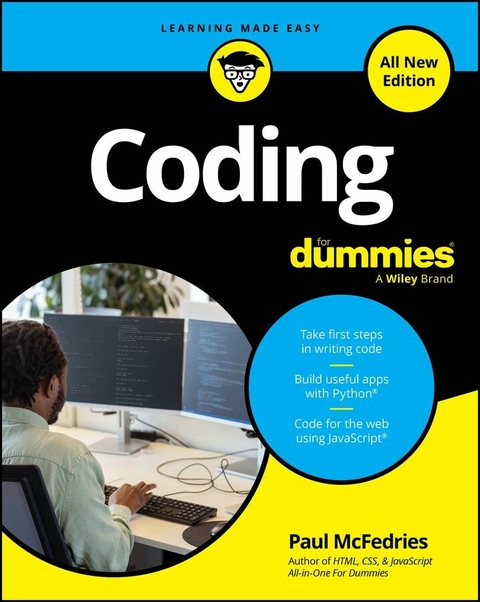
Coding For Dummies, All New Edition (eBook)
456 Seiten
For Dummies (Verlag)
978-1-394-36557-9 (ISBN)
Your first step toward thinking like a coder
Coding For Dummies is one of the most popular get-started guides for new coders. This all- new edition demystifies essential coding concepts before diving into building simple apps in Python and JavaScript. For anyone brand-new to writing code, this book is an ideal first step, because you'll get an overview of how coding works, the essential tools of coding, and how to apply coding in different ways. Plus, you'll get insight into how new tools like AI can quickly boost your coding know-how. Enter the world of code with this easy-to-follow Dummies guide!
- Learn the basics of coding, including key concepts you'll need in every coding language
- Get a rundown of the most popular language, and start coding in JavaScript and Python
- Follow step-by-step instructions to build your first apps
- Discover how AI can help you become a better, faster coder
Looking for a foundation in the basics of coding, plus simple tasks to help you get started? Coding For Dummies is the book for you.
Paul McFedries is an experienced programmer, tech expert, educator, and author. He's spent a lifetime teaching complex technology topics to everyday people by focusing on straightforward, simple solutions and techniques. He's the author of HTML, CSS, & JavaScript All-in-One For Dummies and Web Coding & Development All-in-One For Dummies.
Chapter 1
What Is Coding?
IN THIS CHAPTER
Understanding how programming works
Perusing a few programming languages
Taking a peek under the coding hood
Figuring out why you’d want to learn to code
Learning how code is used in the real world
Everybody should learn to program a computer because it teaches you how to think.
—STEVE JOBS
Okay, I'll admit it: I'm not one of those look-before-you-leap types. I'm a dedicated leaper. With almost every new thing I learn, my philosophy is that I learn best when I do the thing. I usually just jump in, get my hands dirty, make mistakes, fix them, and before long I develop a feel for this new hobby or skill.
Notice, though, that I said I do that with almost every new thing I learn. I don't do it when I'm learning something related to coding. Why not? “Just jumping in” is a lousy strategy for learning to code because the mistakes you make are dumb ones that teach you nothing (as opposed to smart mistakes that you can learn from). When it comes to learning anything related to code, it's always best to start with the basics and work your way slowly and steadily to competency, then proficiency, then mastery.
This chapter is your look-before-you-leap introduction to coding. Here you explore what coding is and how it works. You discover the myriad reasons why it's good to learn to code, and you investigate quite a few real-world uses for coding.
Programming: Making a Computer Do Your Bidding
A computer is a machine that follows instructions. Or, to put a finer point on it, a computer is a machine that does nothing until someone or something tells it what to do. That might sound surprising. After all, computers cost many hundreds, sometimes even thousands, of dollars, and are positively bristling on the inside with electronic gadgetry. Surely something so expensive and so complex must be capable of doing some useful tasks on its own.
Nope.
Sure, when you turn on a new computer for the first time, some hieroglyphics appear on the screen and you eventually end up in Windows or macOS or some other desktop. Doesn’t that so-called boot process mean that the computer is doing something on its own?
Again, nope.
When you turn on a computer, it automatically loads a set of instructions that tell the computer what it must do to get the hardware (keyboard, mouse, screen, and so on) up and running and to get the operating system (Windows or macOS or whatever) loaded. That set of instructions is known as the computer’s firmware, which is a special type of program embedded in the computer hardware. When the firmware has completed its job, it calls the bootloader, which loads the operating system.
Okay, that’s all fine, but where did the firmware and bootloader come from? I’m glad you asked because at long last I can get to the point of all this: Someone coded them.
Some very smart person versed in the esoterica of computer hardware and system software programmed the firmware, and some other just as smart person coded the bootloader. So, let me repeat myself: Computers can’t do anything unless someone or something tells them what to do. And the way you tell a computer what to do is via code.
Coding firmware or a bootloader is hideously complex and requires years of study. Happily, you won’t be going anywhere near that level of complexity in this book. Whew! But everything you do learn here will be a variation on the overall theme of this section: telling a computer what you want it to do using code.
Am I talking about making a computer do anything you want? Alas, no, although that would be very useful! When you code, you’re given a set of tools for the job; the tools you work with vary depending on the language you’re using. As I discuss later in this book, the tools you get with Python (refer to Part 2) are much different than the tools you get with JavaScript (check out Part 3). As an analogy, the types of home projects you’d take on would be very different depending on whether you had a carpenter's toolbox or a sewing kit.
But no matter how you code — no matter what programming tools you have at your disposal — you’re almost always doing one (or sometimes both) of the following:
- Solving a problem: One of the most common reasons that a piece of code gets written is because the coder had a pain point or an inefficiency in their life and saw a way to use code to make their life easier or more streamlined.
- Creating something new: Another common reason to start coding is when you get a great idea and want more than anything to bring that idea to life.
No matter what you work on in your coding career, you’re almost always doing one (or both) of these things — solving problems, creating new stuff, or combining the two to make something that’s both new and improved.
What Is a Programming Language?
Python and JavaScript are programming languages. Okay, fine, but what does it mean to call something a programming language? To understand this term, you need look no further than the language you use to speak and write. At its most fundamental level, human language is composed of two things — words and rules:
- The words are collections of letters that have a common meaning among all the people who speak the same language. For example, the word book denotes a type of object; the word heavy denotes a quality; and the word read denotes an action.
- The rules are the ways in which words can be combined to create coherent and understandable concepts. If you want to be understood by other speakers of the language, you have only a limited number of ways to throw two or more words together. “I read a heavy book” is an instantly comprehensible sentence, but “book a I read heavy” is gibberish.
The key goal of human language is being understood by someone else who is listening to you or reading something you wrote. If you use the proper words to refer to things and actions and if you combine those words according to the rules, the other person will understand you.
A programming language works in more or less the same way. That is, it, too, has words and rules:
- The words are a set of terms that refer to the specific things that your program works with or the specific ways in which those things can be manipulated. These words are known as reserved words or keywords.
- The rules are the ways in which the words can be combined to produce the desired effect. In the programming world, these rules are known as the language’s syntax.
The crucial concept here is that just as the fundamental purpose of human language is to be understood by another person, the fundamental purpose of a programming language is to be understood by whatever machine is processing the language. The key, however, is that being “understood” by the machine really means being able to control the machine. That is, your code “sentences” are commands that you want the machine to carry out.
The Role of Programming Languages
Let’s say you travel to Igboland in Nigeria and want to ask a local for directions to the nearest bathroom. If that person speaks only Igbo (the native language of Igboland), one solution would be to find someone who speaks both English and Igbo and ask that person to translate your request as well as the response. Problem solved!
The person who can translate your English into Igbo is called an interpreter, and that task is essentially how we’re able to program a computer. The problem is that a computer understands only its native language, which is called machine language and consists of 1s and 0s. (I won’t get into this topic here, but if you’re curious to know more, check out the sidebar “How computers work: A crash course for would-be coders.”) A very simple machine language instruction to a computer might look something like this:
10111000 00000001 00000000 00000000 00000000
 10111111 00000001 00000000 00000000 00000000
 01001000 10111110 00000000 01100000 01100000
 00000000 00000000 00000000 00000000 00000000
 10111010 00001101 00000000 00000000 00000000
 00001111 00000101 10111000 00111100 00000000
 00000000 00000000 00110001 11111111 00001111
 00000101
Yikes! No sane human wants to deal with something as weird as machine language, so one of the first things that engineers did after computers were invented was come up with two remarkable inventions:
- A way of representing machine-language instructions as human-understandable English words
- A way of converting those English words back into the machine language that the computer understands
The first invention is called a programming language and consists of, in part, English (or, sometimes, English-like) words such as if, while, and return. You use these generally comprehensible terms to construct statements, which are commands that you want the computer to carry out on your behalf.
For example, the preceding machine language code began life,...
| Erscheint lt. Verlag | 24.9.2025 |
|---|---|
| Sprache | englisch |
| Themenwelt | Mathematik / Informatik ► Informatik ► Programmiersprachen / -werkzeuge |
| Schlagworte | Coding • coding basic • coding for middle school • coding for teens • computer programming • easy coding • how to be a coder • How to code • introduction to coding • introduction to Python • learn to code • learn to program • programming beginners |
| ISBN-10 | 1-394-36557-8 / 1394365578 |
| ISBN-13 | 978-1-394-36557-9 / 9781394365579 |
| Informationen gemäß Produktsicherheitsverordnung (GPSR) | |
| Haben Sie eine Frage zum Produkt? |
 EPUB (Adobe DRM)
Kopierschutz: Adobe-DRM
Adobe-DRM ist ein Kopierschutz, der das eBook vor Mißbrauch schützen soll. Dabei wird das eBook bereits beim Download auf Ihre persönliche Adobe-ID autorisiert. Lesen können Sie das eBook dann nur auf den Geräten, welche ebenfalls auf Ihre Adobe-ID registriert sind.
Details zum Adobe-DRM
Dateiformat: EPUB (Electronic Publication)
EPUB ist ein offener Standard für eBooks und eignet sich besonders zur Darstellung von Belletristik und Sachbüchern. Der Fließtext wird dynamisch an die Display- und Schriftgröße angepasst. Auch für mobile Lesegeräte ist EPUB daher gut geeignet.
Systemvoraussetzungen:
PC/Mac: Mit einem PC oder Mac können Sie dieses eBook lesen. Sie benötigen eine
eReader: Dieses eBook kann mit (fast) allen eBook-Readern gelesen werden. Mit dem amazon-Kindle ist es aber nicht kompatibel.
Smartphone/Tablet: Egal ob Apple oder Android, dieses eBook können Sie lesen. Sie benötigen eine
Geräteliste und zusätzliche Hinweise
Buying eBooks from abroad
For tax law reasons we can sell eBooks just within Germany and Switzerland. Regrettably we cannot fulfill eBook-orders from other countries.
aus dem Bereich