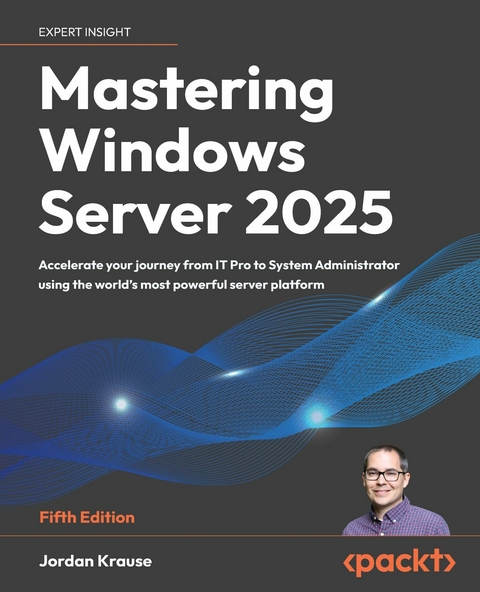
Mastering Windows Server 2025 (eBook)
824 Seiten
Packt Publishing (Verlag)
978-1-83702-990-7 (ISBN)
Written by a 10-time Microsoft MVP with 25 years of IT and technical coaching experience, this practical guide offers real-world expertise in Windows Server management. From building and connecting servers to securing them, and even intentionally breaking them to learn, you'll find comprehensive, experience-based coverage that takes you deep into professional administration.
Fully updated for the 2025 release, this edition prepares you to manage any Windows Server environment, whether deploying the latest version or maintaining Server 2012 in a modern infrastructure. You'll work with PowerShell, Server Manager, Windows Admin Center, RSAT, and Azure Arc to achieve centralized and efficient administration. While the focus is on Windows Server 2025 LTSC with Desktop Experience, the book also explores Server Core, containerization, and the evolving role of Nano Server.
Along the way, you'll gain hands-on experience with core services, including Active Directory, DNS, DHCP, and Group Policy, and explore advanced topics such as certificate services and PKI, Hyper-V virtualization, Remote Desktop Services, failover clustering, DFS, and Intune integration.
By the end of this book, you'll have the skills to manage and modernize complex server infrastructures with confidence.
Build the skills needed to modernize your IT infrastructure using Windows Server 2025, with hands-on configuration, enterprise-grade security, virtualization, and cloud integrationKey FeaturesConfigure, manage, secure, and troubleshoot Windows Server environments from the ground upUnderstand and take control of key components including AD, DNS, DHCP, GPO, and PKIApply knowledge in real-world labs and walkthroughs that bring each server role to lifePurchase of the print or Kindle book includes a free PDF eBookBook DescriptionWritten by a 10-time Microsoft MVP with 25 years of IT and technical coaching experience, this practical guide offers real-world expertise in Windows Server management. From building and connecting servers to securing them, and even intentionally breaking them to learn, you'll find comprehensive, experience-based coverage that takes you deep into professional administration. Fully updated for the 2025 release, this edition prepares you to manage any Windows Server environment, whether deploying the latest version or maintaining Server 2012 in a modern infrastructure. You'll work with PowerShell, Server Manager, Windows Admin Center, RSAT, and Azure Arc to achieve centralized and efficient administration. While the focus is on Windows Server 2025 LTSC with Desktop Experience, the book also explores Server Core, containerization, and the evolving role of Nano Server. Along the way, you'll gain hands-on experience with core services, including Active Directory, DNS, DHCP, and Group Policy, and explore advanced topics such as certificate services and PKI, Hyper-V virtualization, Remote Desktop Services, failover clustering, DFS, and Intune integration. By the end of this book, you ll have the skills to manage and modernize complex server infrastructures with confidence.What you will learnCreate an entire lab of new servers and configure multiple rolesManage servers using Server Manager, PowerShell, and Windows Admin CenterClose knowledge gaps in core infrastructure technologies such as Active Directory, DNS, DHCP, and Group PolicyVirtualize your datacenter with Hyper-VCreate redundancy through Failover Clustering servicesDeploy Remote Desktop ServicesDesign and implement Distributed File System with Replication (DFSR) and Storage ReplicaDon the DevOps cap as you explore containers and Nano ServerWho this book is forThis book is for IT professionals who want to step into a full systems administrator role or modernize their server management skills. Whether you're managing legacy Windows Server deployments or preparing for 2025 migrations, you ll find practical, hands-on content tailored for sysadmins, IT operations teams, and infrastructure engineers. Newcomers to Windows Server will build the foundation they need, while experienced admins will discover what's new and what's next in Server 2025.]]>
Preface
Working in IT is so very interesting. It is complicated, problematic, complex, rewarding, and even dramatic some days. There are so many facets to working with technology; many people focus on one area and build a lifelong career out of it, never encroaching on other aspects of IT. You can specialize in custom computer builds, deployments, printers, networks, security, and the list goes on and on. When talking about IT within a business environment, there is almost always one common thread woven throughout the options: Windows Server. Servers of any flavor are designed to serve up information to your users and computers, and while Microsoft does not hold the entire market on servers, a career in IT guarantees you will interface with Windows Server at some point. During my career, I have had the privilege of working in many hundreds of business environments, and without exception, they have all been standing on top of Windows Server infrastructure. Some of these “datacenters” have looked like a coffee cart shoved in the corner of a utility closet, some have been enormous buildings littered with facial recognition cameras and argon gas tubes. Perhaps my favorite server discovery was the one we found hanging in a rack inside a single-stall bathroom. Right there on the wall! What is so fascinating about Windows Server is that it is universal to all these environments. Some businesses have small and simple needs when providing data to users, while others require rows and rows of server racks to get the job done across hundreds of thousands of people. In both scenarios, the Windows Server operating system running on those servers is the same.
Windows Server 2025 is Microsoft’s latest and greatest way of serving up information. It stores files, validates identities, connects your remote workforce, routes network traffic, and protects your business in the process. This is starting to sound like an infomercial, but it’s all true. I genuinely don’t know where we would be without Windows Server underpinning so much of the computing world.
New versions of Windows Server always come with updates and enhancements. Sometimes they are subtle tweaks to already-great features and capabilities. Sometimes these updates are “in your face,” such as the new graphical interface brought to us by Windows Server 2025, finally bringing the refreshed Windows 11 look and feel into the server world. We are here to dive into what’s new and fresh, but also to build a foundational baseline for working with Windows Server in general. So much of this knowledge carries from one version to the next. Change is constant, but the theories and ideologies that underpin system administration will carry you to success when stepping into any Windows-centric environment. The information provided in these pages seeks to build that baseline, enabling anyone familiar with computers to start working with servers, while at the same time, providing seasoned professionals with updated information to get the most out of Windows Server 2025.
Many businesses today employ a hybrid approach to serving up data. They continue to host physical server hardware inside an office or datacenter, and have also dipped their toes into cloud hosting. Almost always, both on-premises and cloud hosting platforms are running instances of Windows Server, so no matter your perspective on cloud journeys, knowing and understanding Windows Server is a key component to successful systems administration. The advent of cloud-based computing has not released us from the responsibility of understanding server administration; indeed, it has arguably made server administration more complex.
A lot of fresh IT engineers are coming into the workforce prepared with some knowledge of SaaS resource administration, such as Microsoft 365 and SharePoint, and this is wonderful! One of my primary motivations in writing this book is to provide a resource for new and growing admins to be successful in their careers. You may have learned through school or certification exams how to begin working in these new cloud platforms, but perhaps lack the foundational knowledge of the Microsoft technology that underpins a lot of Azure: Windows Servers. So many of the roles that exist inside Windows Server are foreign to engineers, but this is critical information to know as you continue your IT career journey and grow into more advanced positions. To pinpoint just one example, I often ask questions during interviews about DNS. It is entirely surprising to me how often answers to these questions come up short. DNS has been one of the staple roles in any Windows Server environment for as far back as I can remember, but until you have worked with it and gone through some of the learning hardships firsthand, it seems this is a common area that is somehow missed during standard IT learning.
I use DNS as an example because it’s true, but also because it is very meme-worthy. “It’s always DNS.” You may have heard some of your tenured administrators say these words, but until you experience it for yourself, you may not quite appreciate their significance. The answer to so many questions lies within this one little role; incorrect configuration of DNS can cause multitudes of problems. I found the following graphic on the internet and take no credit for it, but also find it completely true, and hilarious.
Figure 1: It’s always DNS
Technical books are supposed to be a little mundane; that is why they are called technical books. It’s the nature of the industry, I suppose. I tried to resist this stereotype wherever possible; you may even find a dad joke or two scattered throughout these pages. I genuinely hope that you find this book to be a helpful resource and that the information learned here can be directly applied to your work in information technology.
Who this book is for
Anyone interested in Windows Server 2025 or in learning more in general about a Microsoft-centric datacenter will benefit from this book. An important deciding factor when choosing which content was appropriate for such a volume was making sure that anyone who had a baseline in working with computers could pick this up and start making use of it within their own networks.
If you are already proficient in Microsoft infrastructure technologies and have worked with prior versions of Windows Server, then there are some focused topics on the aspects and parts that are brand-new and only available in Server 2025. On the other hand, if you are currently in a desktop support role, or if you are coming fresh into the IT workforce, care was taken in the pages of this book to ensure that you will receive a rounded understanding, not only of what is brand-new in Server 2025, but also what core capabilities it includes as carryovers from previous versions of the operating system, which are still crucial information to have at hand when working in a Microsoft-driven datacenter.
What this book covers
Chapter 1, Getting Started with Windows Server 2025, gives us an introduction to the latest Server operating system and an overview of the new technologies and capabilities that it can provide. We will also spend a little bit of time exploring the updated interface for those who may not be comfortable with it yet.
Chapter 2, Installation and Management, dives right into the very first thing we will have to do when working with Server 2025: install it! While this seems like a simple task, there are several versioning and licensing variables that need to be understood before you proceed with your own installation. From there, we will start to expand upon Microsoft’s centralized management mentality, exploring ways we can manage and interact with our servers without ever having to log in to them.
Chapter 3, Active Directory, leads us into the most core and essential role that exists in a Windows Server environment. AD is the central repository for many different types of data inside most corporate infrastructures, and without understanding the tools that exist to interface with this directory, you will not be able to do much work with those fancy new servers.
Chapter 4, DNS and DHCP, segues into two other important roles that exist in almost every network. DNS and DHCP are both necessary technologies and concepts to understand for any IT administrator, and both happen to be roles that can be serviced from Windows Server 2025. We’ll dig into both.
Chapter 5, Group Policy, showcases a fantastic policy engine that can be used inside any Active Directory environment to create a centralized management location for your users and workstations. Whether you are interested in setting up password policies, configuring security lockdowns on your systems, automatically mapping network drives, or even distributing software, Group Policy is a powerful tool that is often underutilized.
Chapter 6, File Management, is all about storing and securing one of your company’s most valuable assets: data. Windows Server 2025 is so much more than a general file server. We’ll talk about automated drive mappings via GPO and Intune, FTP, DFS-R, and even mapped network drives that connect over the internet, without VPN, via the new SMB over QUIC protocol!
Chapter 7, Certificates, jumps into one of the pieces of Windows Server that has existed for many years, and yet most server administrators that I meet are unfamiliar with it. We’ll take a closer look at certificates as they become more and more commonly required for new...
| Erscheint lt. Verlag | 13.10.2025 |
|---|---|
| Sprache | englisch |
| Themenwelt | Mathematik / Informatik ► Informatik ► Betriebssysteme / Server |
| ISBN-10 | 1-83702-990-3 / 1837029903 |
| ISBN-13 | 978-1-83702-990-7 / 9781837029907 |
| Informationen gemäß Produktsicherheitsverordnung (GPSR) | |
| Haben Sie eine Frage zum Produkt? |
 EPUB (Ohne DRM)
Digital Rights Management: ohne DRM
Dieses eBook enthält kein DRM oder Kopierschutz. Eine Weitergabe an Dritte ist jedoch rechtlich nicht zulässig, weil Sie beim Kauf nur die Rechte an der persönlichen Nutzung erwerben.
Dateiformat: EPUB (Electronic Publication)
EPUB ist ein offener Standard für eBooks und eignet sich besonders zur Darstellung von Belletristik und Sachbüchern. Der Fließtext wird dynamisch an die Display- und Schriftgröße angepasst. Auch für mobile Lesegeräte ist EPUB daher gut geeignet.
Systemvoraussetzungen:
PC/Mac: Mit einem PC oder Mac können Sie dieses eBook lesen. Sie benötigen dafür die kostenlose Software Adobe Digital Editions.
eReader: Dieses eBook kann mit (fast) allen eBook-Readern gelesen werden. Mit dem amazon-Kindle ist es aber nicht kompatibel.
Smartphone/Tablet: Egal ob Apple oder Android, dieses eBook können Sie lesen. Sie benötigen dafür eine kostenlose App.
Geräteliste und zusätzliche Hinweise
Buying eBooks from abroad
For tax law reasons we can sell eBooks just within Germany and Switzerland. Regrettably we cannot fulfill eBook-orders from other countries.
aus dem Bereich